{"_rev":"3-f8fc0c4e22d8071b0da50e8f68ba5b3f","time":{"created":"2022-11-21T15:49:53.594Z","2.0.3-beta":"2022-11-20T22:10:46.101Z","modified":"2022-11-21T15:49:54.121Z","2.1.0-beta":"2022-11-21T15:49:53.955Z"},"_id":"@amydin/filterous","name":"@amydin/filterous","dist-tags":{"latest":"2.1.0-beta"},"versions":{"2.1.0-beta":{"name":"@amydin/filterous","version":"2.1.0-beta","description":"Instagram-like photo manipulation library for Node.js and Javascript on browser","main":"lib/index.js","repository":{"type":"git","url":"git+https://github.com/amydinsyahira/filterous-2.git"},"directories":{"test":"test"},"scripts":{"test":"mocha --reporter=nyan"},"keywords":["photo","image","image manipulation","canvas","filter","effect","instagram"],"author":{"name":"Tomomi ❤️ Imura, updated by Amydin"},"license":"MIT","devDependencies":{"babel-preset-es2015":"^6.22.0","babelify":"^7.3.0","mocha":"^3.2.0"},"dependencies":{"canvas":"^2.10.1"},"gitHead":"a2e13dd1aeecd468909f34378c646c0cf7aebb2f","bugs":{"url":"https://github.com/amydinsyahira/filterous-2/issues"},"homepage":"https://github.com/amydinsyahira/filterous-2#readme","_id":"@amydin/filterous@2.1.0-beta","_nodeVersion":"16.13.2","_npmVersion":"8.1.2","dist":{"integrity":"sha512-s+mpee+GSGN72WzjCK7xx8++d+GHmapcqpdfo3tzzoXUlnVJvcqwPa7Z2KqSveYQA7hvJ6CYAuPan2ChTJCdrQ==","shasum":"3132fa802d18f26ad1eb63c65ee4dc0db60e4829","tarball":"https://registry.npmjs.org/@amydin/filterous/-/filterous-2.1.0-beta.tgz","fileCount":43,"unpackedSize":7496023,"signatures":[{"keyid":"SHA256:jl3bwswu80PjjokCgh0o2w5c2U4LhQAE57gj9cz1kzA","sig":"MEUCIDhohamfGf0LEpPxSOAsQXEeMaSAtezVy5fRBWCURQ8AAiEAtnPXwzr+FgSrb1rn5koexoSy8YNJmOykG+HRWwPR2q0="}],"npm-signature":"-----BEGIN PGP SIGNATURE-----\r\nVersion: OpenPGP.js v4.10.10\r\nComment: https://openpgpjs.org\r\n\r\nwsFzBAEBCAAGBQJje54hACEJED1NWxICdlZqFiEECWMYAoorWMhJKdjhPU1b\r\nEgJ2Vmou4g//e0ARd8yjMOnCFm7ZX/ge/vYBrpjbtETpYuc2xFZAOhlRfC0W\r\nczmPWKhuFCpE6+De3w/+i2wsVvv5Z1aoz2eWWS8G5A8Tdo9wpZf8/P0uxuWN\r\nogno6wtRDSLA35+ner8+0mC/wd51H05ReptWSUzy6M/mqauB3DH+fnf7QTCm\r\n41BP1TW51ZaVlTrnaVozzFUPzJtIpaOUNEGNBywwMg7FBnD3mg5EaY6bjMw1\r\nHJTf5vyo7RsYlzLHpYw2rz8ZD9RS4sR35sHfRbAcAm+WyeZedwUdJT5bhbbg\r\npW9sNS/3NFmZKD0JHtTzIeXuEjo/PMVDAMLZZxjVZnDkiCvVCIwj/DJCinrW\r\n+/6nrldboQOIIsIph1vN9B8XlXgDj6uFuTOAXsywTpCPAiaYB8FSj0pYE/Ap\r\nlw5F3Jw/vhPB3swU0moFx7paoL2Cwv0fhP1uI5hDqmvErO+VO1seAvHr8evO\r\n1irAXz1mwPKQz/VtmBeV5u8pI7wTPnvWJncZPpD3POMLo2lLAGUtU8x/rnUc\r\npwwatYoXK7TMJ6F+3iFxSuv1aaPRultWWmw5p1Ko2sdPG5qziKuc73402fwu\r\nOKnppp0bHloSryA5X1S21CbwqJEqbOzqsmFQMPDGhYHnVkKxBY9XoToLY0+0\r\nZ/UUadLAiL1AJko8qOfnD31+qCq28EUaGPs=\r\n=eyhe\r\n-----END PGP SIGNATURE-----\r\n"},"_npmUser":{"name":"amydin","email":"amydin17@gmail.com"},"maintainers":[{"name":"amydin","email":"amydin17@gmail.com"}],"_npmOperationalInternal":{"host":"s3://npm-registry-packages","tmp":"tmp/filterous_2.1.0-beta_1669045793665_0.21122902292884094"},"_hasShrinkwrap":false}},"maintainers":[{"name":"amydin","email":"amydin17@gmail.com"}],"description":"Instagram-like photo manipulation library for Node.js and Javascript on browser","homepage":"https://github.com/amydinsyahira/filterous-2#readme","keywords":["photo","image","image manipulation","canvas","filter","effect","instagram"],"repository":{"type":"git","url":"git+https://github.com/amydinsyahira/filterous-2.git"},"author":{"name":"Tomomi ❤️ Imura, updated by Amydin"},"bugs":{"url":"https://github.com/amydinsyahira/filterous-2/issues"},"license":"MIT","readme":"\n\n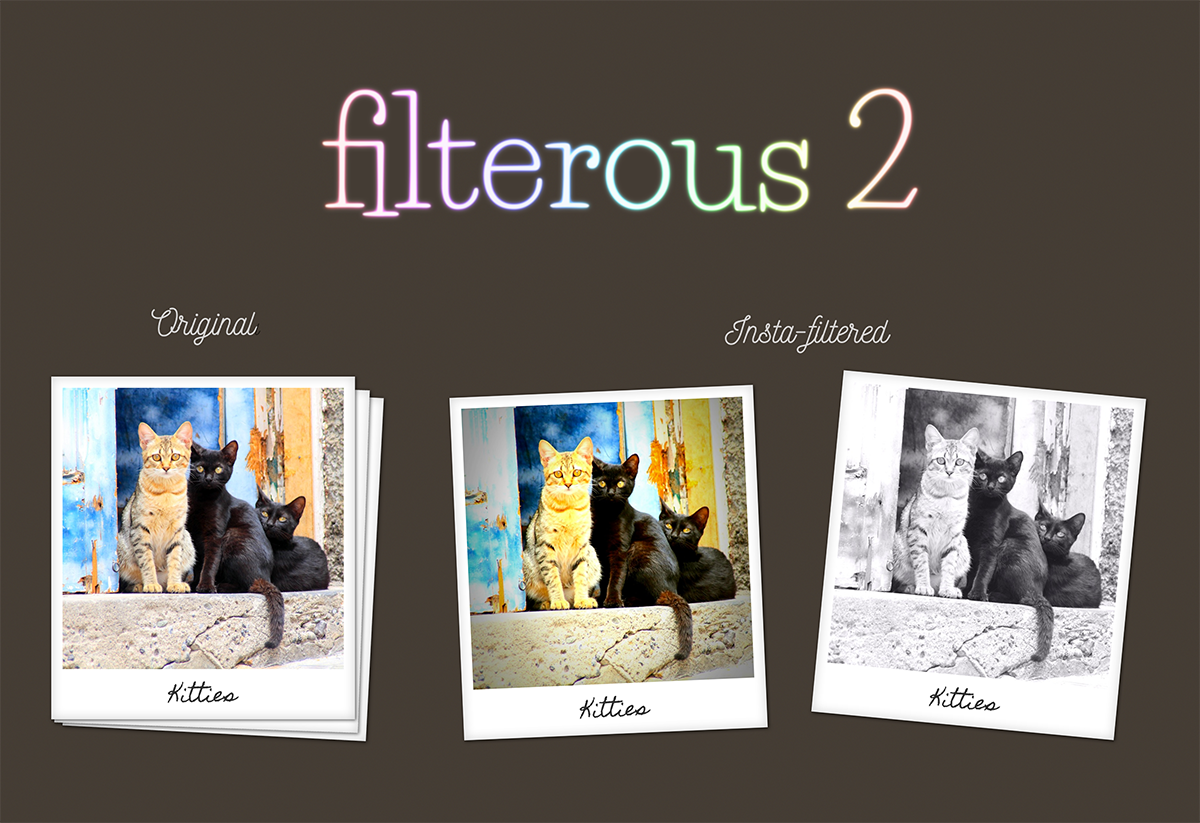\n\n# Filterous 2\n\nFilterous 2 is an Instagram-like image manipulation library for Javascript and node.js.\n\nThis is a revamped version of Filterous, which was written for JavaScript for browser about 4 years ago. \nThis version works on both Node.js and browser, and comes with pre-defined Instagram-like filters (with the same filter names and very similar effects).\n\n## Installation\n\n**For Node.js:**\n\nfirst, this module uses node-canvas, so you need **Cairo** and **Pango**. Please follow the [installation guide here](https://github.com/Automattic/node-canvas/wiki/_pages) before started.\n\n```bash\n$ npm install filterous\n```\n\n**For Browser:**\n\n```html\n\n```\n\nThe minified JavaScript code is available on Release page.\n\n\n## Usage\n\nThe usages are slightly different for Node.js and the browser.\n\n### Basic Usage for Node.js\n\nImport an image buffer to `filterous` then `save` to the disk.\n\n```javascript\nconst filterous = require('filterous');\n\nfilterous.importImage(buffer, options)\n .applyFilter(filter, value)\n .save(filename);\n```\n\nalso:\n\n```javascript\nfilterous.importImage(buffer)\n .applyInstaFilter(filterName, options)\n .save(filename);\n```\n\nImport an image url to `filterous` then `save` to the disk.\n\n```javascript\nconst filterous = require('filterous');\n\n(async () => {\n let f = await filterous.importImage(imageUrl, options);\n f.applyFilter(filter, value);\n f.save(filename);\n})()\n```\n\nalso:\n\n```javascript\nconst filterous = require('filterous');\n\n(async () => {\n let f = await filterous.importImage(imageUrl);\n f.applyInstaFilter(filterName, options);\n f.save(filename);\n})()\n```\n\nThe `applyFilter()` can be used with other filters and the results are accumulative, while \nthe predefined `applyInstaFilter()` overwrite the previous filter result. \nHowever you can use `applyFilter()` to adjust the colors after `applyInstaFilter()` is applied.\n\nOptions are:\n\n```javascript\n{\n scale: , \n format: \n}\n```\nThe value must be less than 1. You can only scale down an image. \nand the imageFormat is either 'png', 'gif', or 'jpeg' (default).\n\n### Example for Node.js\n\nUsing color adjustment filters:\n\n```javascript\nfs.readFile('input/leia.jpg', (err, buffer) => {\n if (err) throw err;\n let f = filterous.importImage(buffer)\n .applyFilter('brightness', 0.2)\n .applyFilter('colorFilter', [255, 255, 0, 0.05])\n .save('output/leia.jpg');\n});\n```\n\nwith an image url:\n\n```javascript\n(async () => {\n let f = await filterous.importImage('https://raw.githubusercontent.com/amydinsyahira/filterous-2/master/demo-node/images/leia.jpg');\n f.applyFilter('brightness', 0.2);\n f.applyFilter('colorFilter', [255, 255, 0, 0.05]);\n f.save('output/leia.jpg');\n})()\n```\n\nExample with predefined Instagram-like effects:\n\n```javascript\nfs.readFile('input/leia.jpg', (err, buffer) => {\n let f = filterous.importImage(buffer, {scale: 0.5, format: 'png'})\n .applyInstaFilter('amaro')\n .save('output/leia.jpg');\n});\n```\n\nwith an image url:\n\n```javascript\n(async () => {\n let f = await filterous.importImage('https://raw.githubusercontent.com/amydinsyahira/filterous-2/master/demo-node/images/leia.jpg', {scale: 0.5, format: 'png'});\n f.applyInstaFilter('amaro');\n f.save('output/leia.jpg');\n})()\n```\n\n### Basic Usage for JavaScript on Browser\n\nImport an image object to `filterous` and render as HTML with `renderHtml`.\n\n```javascript\nfilterous.importImage(imgObj, options)\n .applyFilter(filter, value)\n .renderHtml(imageDOM);\n```\nalso:\n\n```javascript\nfilterous.importImage(imgObj, options)\n .applyInstaFilter(filterName)\n .renderHtml(imageDOM);\n```\n\n\n```javascript\nvar imageDOM = document.querySelector('img.photo');\nvar imgObj = new Image();\nimgObj.src = 'input/leia.jpg';\n\nfilterous.importImage(imgObj, options)\n .applyFilter('brightness', 0.2)\n .applyFilter('contrast', -0.3)\n .renderHtml(imageDOM);\n```\nExample with predefined Instagram-like effects:\n\n```javascript\nfilterous.importImage(imgObj, options)\n .applyInstaFilter(filterButton.id)\n .renderHtml(imageDOM);\n```\n\n## Available Filter Effects and the Values\n\nMost effects take a value (the amount of the effects) between -1 and 1. \nfor example, the value for the `brightness()` 0 means unchanged, -1 darkens the image, and 1 means full-brightness. The image will turn almost completely white.\n\n\n| Effect | Adjestment(s) |\n| ------------- | ------------------------------- |\n| `grayscale` | N/A |\n| `sepia` | 0 to 1 |\n| `invert` | N/A |\n| `brightness` | -1 to 1 |\n| `saturation` | -1 to 1 |\n| `contrast` | -1 to 1 |\n| `rgbAdjust` | [r, g, b] |\n| `colorFilter` | [r, g, b, adj] // adj is 0 to 1 |\n| `convolute` | 3x3 matrix |\n\n\n## Available InstaFilter Names\n\n| Names | | | | | |\n| -------- | --------- | --------- | ------- | -------- | --------- |\n| normal | clarendon | gingham | moon | lark | reyes |\n| juno | slumber | crema | ludwig | aden | perpetua |\n| amaro | mayfair | rise | hudson | valencia | xpro2 |\n| sierra | willow | lofi | inkwell | hefe | nashville |\n| stinson | vesper | earlybird | brannan | sutro | toaster |\n| walden | 1977 | kelvin | maven | ginza | skyline |\n| dogpatch | brooklyn | helena | ashby | charmes | |\n\nNote: `normal` gives no filter effect. It normalize the image to the original.\n\n## Demo\n[Try the demo on browser!](https://girliemac.github.io/filterous-2/demo-browser)\n\n\n## Behind the Scene\n\nFilterous takes an image into a `canvas` to manipulate the pixels of the image. Unlike the CSS filters that alters how the image appearance only on browsers, the JavaScript library actually alters the pixel color values. So you can actually download the modified image.\n\nThe `CanvasRenderingContext.getImageData()` method of the Canvas API returns an `ImageData` object representing the underlying pixel data of the canvas, and the `data` property of `pixelData` stores the color info of an each pixel in the canvas. (The diagram below shows a canvas size of only 9x9 pixel to make it simple).\n\nEach pixel in the data array consists of 4 bytes values- red, green, blue, and alpha channel, and each of the R (red), G (green), B (blue) and A (alpha transparency) values can take values between 0 and 255.\n\n\n\nThis library alters R, G, or B values of each pixel (yes, each pixel in the entire image! so the operation can be quite slow with JavaScript!) to get filtered look.\n\n\n\n## Browser Supports\n\nFilterous 2 for browsers should support all the modern browsers that [supports Promises](http://caniuse.com/#feat=promises).\n\n\n\n## Contribute\n\nI am pretty sure this library is buggy. Please feel free to send me pull requests.\n","readmeFilename":"README.md"}