{"_id":"@angelbot-ai/teamsync-pdf-viewer","_rev":"4-3d9640c636c10af09df7e5ef1cb52888","name":"@angelbot-ai/teamsync-pdf-viewer","dist-tags":{"latest":"1.0.2"},"versions":{"1.0.0":{"name":"@angelbot-ai/teamsync-pdf-viewer","version":"1.0.0","license":"CPAL-1.0","_id":"@angelbot-ai/teamsync-pdf-viewer@1.0.0","maintainers":[{"name":"angelbot-ai","email":"sumit@angelbot.ai"}],"homepage":"https://github.com/angelbot-ai/TeamSync-PDF-Viewer#readme","bugs":{"url":"https://github.com/angelbot-ai/TeamSync-PDF-Viewer/issues"},"dist":{"shasum":"a067cf995bf104266d59eac541e7f90e8a2149e6","tarball":"https://registry.npmjs.org/@angelbot-ai/teamsync-pdf-viewer/-/teamsync-pdf-viewer-1.0.0.tgz","fileCount":12,"integrity":"sha512-TWgPvWFfY6sp/W2ZRFUVdxanVJNt9t4kGFddg9CK/5Z7Y+W2oYp0dHsFHGWOKwrdh1JZkLbwYK5tZ7+2LEGAYQ==","signatures":[{"sig":"MEYCIQCbxiQlDzpSUFiJ5AwHDR+b+AcdfmDLvLAt1aiUOdQt1QIhAI0+Ge371VK2lXBjLOdUQNAcl05R8CSelzMiL/SNsS6w","keyid":"SHA256:DhQ8wR5APBvFHLF/+Tc+AYvPOdTpcIDqOhxsBHRwC7U"}],"unpackedSize":11170738},"main":"./dist/teamsync-pdf-viewer.umd.cjs","type":"module","types":"./dist/index.d.ts","module":"./dist/teamsync-pdf-viewer.es.js","exports":{".":{"types":"./dist/index.d.ts","import":"./dist/teamsync-pdf-viewer.es.js","require":"./dist/teamsync-pdf-viewer.umd.cjs"},"./style.css":"./dist/style.css"},"gitHead":"2e32cd3c370d7554cf9412e7dfc60451f9ff4dc3","scripts":{"dev":"vite","lint":"oxlint","build":"tsc -b && vite build","preview":"vite preview"},"_npmUser":{"name":"angelbot-ai","email":"sumit@angelbot.ai"},"repository":{"url":"git+https://github.com/angelbot-ai/TeamSync-PDF-Viewer.git","type":"git"},"_npmVersion":"11.17.0","description":"Enterprise PDF Viewer SDK - 100% Client-Side WebAssembly PDF Engine for React","directories":{},"_nodeVersion":"26.5.1","dependencies":{"react":"^19.2.8","pdf-lib":"^1.17.1","react-dom":"^19.2.8","pdfjs-dist":"^6.2.108","lucide-react":"^1.28.0"},"publishConfig":{"access":"public"},"_hasShrinkwrap":false,"devDependencies":{"vite":"^8.2.0","oxlint":"^1.75.0","typescript":"~6.0.2","@types/node":"^24.13.3","@types/react":"^19.2.17","vite-plugin-dts":"^4.5.3","@types/react-dom":"^19.2.3","@vitejs/plugin-react":"^6.0.4"},"_npmOperationalInternal":{"tmp":"tmp/teamsync-pdf-viewer_1.0.0_1786643805671_0.5087220981713858","host":"s3://npm-registry-packages-npm-production"}},"1.0.1":{"name":"@angelbot-ai/teamsync-pdf-viewer","version":"1.0.1","license":"CPAL-1.0","_id":"@angelbot-ai/teamsync-pdf-viewer@1.0.1","maintainers":[{"name":"angelbot-ai","email":"sumit@angelbot.ai"}],"homepage":"https://github.com/angelbot-ai/TeamSync-PDF-Viewer#readme","bugs":{"url":"https://github.com/angelbot-ai/TeamSync-PDF-Viewer/issues"},"dist":{"shasum":"b5f1045fa7b856c534e7da3580b4c63a1ac877f9","tarball":"https://registry.npmjs.org/@angelbot-ai/teamsync-pdf-viewer/-/teamsync-pdf-viewer-1.0.1.tgz","fileCount":12,"integrity":"sha512-qIjhhuc/7OVKVTfrJ5lE9e+xBUO41U9vLxV71xNEVF1XWaIM+uBpRM3dJmvW4U628XkogaOoAARdXgGXN0vAdw==","signatures":[{"sig":"MEUCIQCrTj1gW8FtxZD8dw6Eit3eC7cTM/vlCIDIU4VI1QqAWgIgBMhA6ciKP/PGLHXnJqbw+k8vmAnYAIWXpNIC6MFsdDA=","keyid":"SHA256:DhQ8wR5APBvFHLF/+Tc+AYvPOdTpcIDqOhxsBHRwC7U"}],"unpackedSize":11170925},"main":"./dist/teamsync-pdf-viewer.umd.cjs","type":"module","types":"./dist/index.d.ts","module":"./dist/teamsync-pdf-viewer.es.js","exports":{".":{"types":"./dist/index.d.ts","import":"./dist/teamsync-pdf-viewer.es.js","require":"./dist/teamsync-pdf-viewer.umd.cjs"},"./style.css":"./dist/style.css"},"gitHead":"e2bf62f895d8207ea1495806433b332d40bed698","scripts":{"dev":"vite","lint":"oxlint","build":"tsc -b && vite build","preview":"vite preview"},"_npmUser":{"name":"angelbot-ai","email":"sumit@angelbot.ai"},"repository":{"url":"git+https://github.com/angelbot-ai/TeamSync-PDF-Viewer.git","type":"git"},"_npmVersion":"11.17.0","description":"Enterprise PDF Viewer SDK - 100% Client-Side WebAssembly PDF Engine for React","directories":{},"_nodeVersion":"26.5.1","dependencies":{"react":"^19.2.8","pdf-lib":"^1.17.1","react-dom":"^19.2.8","pdfjs-dist":"^6.2.108","lucide-react":"^1.28.0"},"publishConfig":{"access":"public"},"_hasShrinkwrap":false,"devDependencies":{"vite":"^8.2.0","oxlint":"^1.75.0","typescript":"~6.0.2","@types/node":"^24.13.3","@types/react":"^19.2.17","vite-plugin-dts":"^4.5.3","@types/react-dom":"^19.2.3","@vitejs/plugin-react":"^6.0.4"},"_npmOperationalInternal":{"tmp":"tmp/teamsync-pdf-viewer_1.0.1_1786644935442_0.46382283719725215","host":"s3://npm-registry-packages-npm-production"}},"1.0.2":{"name":"@angelbot-ai/teamsync-pdf-viewer","version":"1.0.2","license":"CPAL-1.0","_id":"@angelbot-ai/teamsync-pdf-viewer@1.0.2","maintainers":[{"name":"angelbot-ai","email":"sumit@angelbot.ai"}],"homepage":"https://github.com/angelbot-ai/TeamSync-PDF-Viewer#readme","bugs":{"url":"https://github.com/angelbot-ai/TeamSync-PDF-Viewer/issues"},"dist":{"shasum":"91ef91339242f3d6df001e78473441593a50cb61","tarball":"https://registry.npmjs.org/@angelbot-ai/teamsync-pdf-viewer/-/teamsync-pdf-viewer-1.0.2.tgz","fileCount":12,"integrity":"sha512-B8F3I79V0UTEW9yL0Vj/Tq4sNngKND7WbjXrbca+QNYAoSrOrvtwZgz9V+dEEwu5tJ4KPs3u30+pji7oKNmbdQ==","signatures":[{"sig":"MEUCIB2WhNrNP6vEL/eRDHqxNnhc0JfNGRK+L7xtHOEp0E+yAiEA5JWPOcl3uyB6FAqLBAJY9ncNVYVcBxYQHtu69+Hf7Z4=","keyid":"SHA256:DhQ8wR5APBvFHLF/+Tc+AYvPOdTpcIDqOhxsBHRwC7U"}],"unpackedSize":11170982},"main":"./dist/teamsync-pdf-viewer.umd.cjs","type":"module","types":"./dist/index.d.ts","module":"./dist/teamsync-pdf-viewer.es.js","exports":{".":{"types":"./dist/index.d.ts","import":"./dist/teamsync-pdf-viewer.es.js","require":"./dist/teamsync-pdf-viewer.umd.cjs"},"./style.css":"./dist/style.css"},"gitHead":"2b45ef0573c357216e9755b43ac91a3d85919a14","scripts":{"dev":"vite","lint":"oxlint","build":"tsc -b && vite build","preview":"vite preview"},"_npmUser":{"name":"angelbot-ai","email":"sumit@angelbot.ai"},"repository":{"url":"git+https://github.com/angelbot-ai/TeamSync-PDF-Viewer.git","type":"git"},"_npmVersion":"11.17.0","description":"Enterprise PDF Viewer SDK - 100% Client-Side WebAssembly PDF Engine for React","directories":{},"_nodeVersion":"26.5.1","dependencies":{"react":"^19.2.8","pdf-lib":"^1.17.1","react-dom":"^19.2.8","pdfjs-dist":"^6.2.108","lucide-react":"^1.28.0"},"publishConfig":{"access":"public"},"_hasShrinkwrap":false,"devDependencies":{"vite":"^8.2.0","oxlint":"^1.75.0","typescript":"~6.0.2","@types/node":"^24.13.3","@types/react":"^19.2.17","vite-plugin-dts":"^4.5.3","@types/react-dom":"^19.2.3","@vitejs/plugin-react":"^6.0.4"},"_npmOperationalInternal":{"tmp":"tmp/teamsync-pdf-viewer_1.0.2_1786645136060_0.5763457942167616","host":"s3://npm-registry-packages-npm-production"}}},"time":{"created":"2026-08-13T17:56:45.527Z","modified":"2026-08-15T08:26:49.210Z","1.0.0":"2026-08-13T17:56:45.926Z","1.0.1":"2026-08-13T18:15:35.843Z","1.0.2":"2026-08-13T18:18:56.326Z"},"bugs":{"url":"https://github.com/angelbot-ai/TeamSync-PDF-Viewer/issues"},"license":"CPAL-1.0","homepage":"https://github.com/angelbot-ai/TeamSync-PDF-Viewer#readme","repository":{"url":"git+https://github.com/angelbot-ai/TeamSync-PDF-Viewer.git","type":"git"},"description":"Enterprise PDF Viewer SDK - 100% Client-Side WebAssembly PDF Engine for React","maintainers":[{"email":"sumit@angelbot.ai","name":"teamsync"}],"readme":"# TeamSync PDF Viewer SDK\n\n\n\n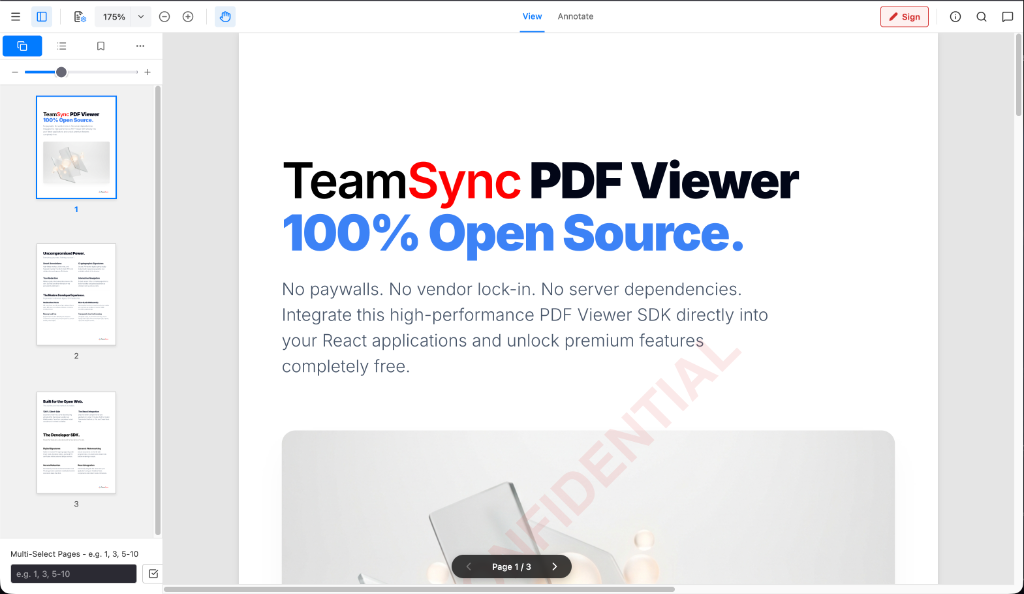\n\n### **100% Open Source. 100% Client-Side. Enterprise PDF Engine.**\n\n[](LICENSE)\n[](https://www.npmjs.com/package/@angelbot-ai/teamsync-pdf-viewer)\n[](https://reactjs.org/)\n[](https://vitejs.dev/)\n[](https://www.typescriptlang.org/)\n[]()\n\n*No paywalls. No vendor lock-in. No server dependencies.* \nIntegrate a high-performance, drop-in PDF Viewer SDK directly into your React applications and unlock commercial-grade features completely free.\n\n
\n\n---\n\n## 🚀 Why TeamSync PDF Viewer?\n\nTraditional commercial PDF viewers force developers into expensive per-domain licenses, opaque sales calls, and heavy server-side processing dependencies. **TeamSync PDF Viewer** is built from the ground up to solve these pain points.\n\n- 💰 **Zero-Cost, Transparent Licensing**: Uncapped usage, no per-server fees, and no commercial paywalls. 100% free and open-source under CPAL 1.0.\n- ⚡ **100% Client-Side WebAssembly**: Documents never leave the browser sandbox. Process, redact, and render PDFs entirely on the client—guaranteeing instant **HIPAA**, **GDPR**, and **FINRA** compliance.\n- 🔌 **Universal WebViewer API**: Clean, intuitive `WebViewer({...})` API interface that makes integrating into your web applications effortless.\n- 🎨 **Headless & Customizable**: Built for modern React 19 SPA lifecycles. No bloated iFrames to fight—customize toolbars, sidebars, context menus, and controls natively.\n\n---\n\n## 📦 Installation via NPM\n\nInstall the package into your React / TypeScript project:\n\n```bash\n# Using npm\nnpm install @angelbot-ai/teamsync-pdf-viewer\n\n# Using yarn\nyarn add @angelbot-ai/teamsync-pdf-viewer\n\n# Using pnpm\npnpm add @angelbot-ai/teamsync-pdf-viewer\n```\n\n### Installing from GitHub Packages (Alternative)\n\nIf installing from GitHub Packages registry:\n\n1. Create or update your `.npmrc` file:\n ```ini\n @angelbot-ai:registry=https://npm.pkg.github.com\n ```\n2. Install via npm:\n ```bash\n npm install @angelbot-ai/teamsync-pdf-viewer\n ```\n\n---\n\n## 📖 Official Documentation & Wiki\n\nExplore detailed SDK guides, parameter options, code snippets, and architecture deep dives:\n\n- 🏠 **[Wiki Home](docs/wiki/Home.md)**: Main documentation index & overview.\n- 🚀 **[Getting Started Guide](docs/wiki/Getting-Started.md)**: Installation, CDN, and framework setups.\n- ⚙️ **[API Reference & Options](docs/wiki/API-Reference-&-Options.md)**: Complete parameter list for `WebViewerOptions` & `SDKPermissions`.\n- 🎨 **[Annotations & Markup Guide](docs/wiki/Annotations-&-Markup-Guide.md)**: Freehand drawing, vector shapes, callouts & links.\n- 🛡️ **[Redactions & PII Sanitization Guide](docs/wiki/Redactions-&-PII-Sanitization.md)**: Binary redactions, regex PII scanning & discard options.\n- 💧 **[Forensic Watermarking Guide](docs/wiki/Forensic-Watermarking.md)**: Dynamic single and tiled watermark setup.\n- 🔌 **[Plugin Architecture Guide](docs/wiki/Plugin-Architecture.md)**: Writing custom extension plugins.\n\n---\n\n## ✨ Uncompromised Feature Set\n\nEverything you need to build collaborative, secure document workflows.\n\n### 🎨 Smart Markup & Annotations\n- **Full Drawing Toolkit**: Freehand ink (`brush`), highlighters, geometric shapes (rectangles, ellipses), arrows, and lines.\n- **Notes & Callouts**: Sticky notes, callout text boxes with directional arrows, and text annotations.\n- **Interactive Hyperlinks**: Create internal page-jump links (`#page=N`) or external web URL links directly on document selections.\n\n### 🛡️ Military-Grade Secure Redaction\n- **Binary-Level Data Obliteration**: We don't just place black boxes over text—redactions are permanently rasterized and burned into the underlying PDF vector structure.\n- **Text Layer Sanitization**: Redacted text is automatically stripped from the DOM `textLayer` and PDF content streams, preventing copy/paste extraction and search indexing.\n- **Automatic Regex Redactions**: Programmatically locate and redact sensitive PII (Aadhaar numbers, SSNs, credit cards, dates of birth) in a single click.\n- **Discard Unapplied Redactions**: Easily discard individual pending redactions or bulk-discard all unapplied redaction marks before committing.\n\n### 🔍 High-DPI Canvas Rendering & Search\n- **Retina 60 FPS Zoom & Pan**: High-DPI `devicePixelRatio` scaling eliminates blurred text. Micro-debounced rendering enables buttery-smooth 60 FPS trackpad pinching and 360° mouse drag panning.\n- **Contextual Document Search**: Instant client-side text search with real-time match highlighting, result jumping, and match counting.\n\n### 💧 Dynamic Forensic Watermarking\n- Programmatic, non-destructive watermarks rendered on the fly (single centered or full-page tiled) with customizable text, color, opacity, font size, and rotation.\n\n---\n\n## 💻 Developer SDK Usage\n\n### Standard WebViewer Initialization\n\nDrop the SDK into any container element with a single function call:\n\n```typescript\nimport { WebViewer } from '@angelbot-ai/teamsync-pdf-viewer';\nimport '@angelbot-ai/teamsync-pdf-viewer/style.css';\n\nWebViewer({\n initialDoc: '/sample.pdf',\n initialScale: 1.0, // 100% natural size\n enableAnnotations: true,\n permissions: {\n canRedact: true,\n canAddAnnotations: true\n },\n watermark: {\n text: 'CONFIDENTIAL',\n mode: 'single',\n size: 48,\n opacity: 0.1,\n color: '#dc2626'\n }\n}, document.getElementById('viewer-container')).then((instance) => {\n console.log('TeamSync PDF Viewer is ready!', instance);\n \n // Export annotated PDF buffer\n instance.Core.documentViewer.getDocument().getFileData().then((pdfBytes) => {\n console.log('Exported PDF byte length:', pdfBytes.length);\n });\n});\n```\n\n### Native React Component Usage\n\nFor native React integration, use the `` component:\n\n```tsx\nimport { DocumentViewer } from '@angelbot-ai/teamsync-pdf-viewer';\nimport '@angelbot-ai/teamsync-pdf-viewer/style.css';\n\nfunction App() {\n return (\n \n \n
\n );\n}\n```\n\n---\n\n## 🛠️ Local Development Quick Start\n\n### 1. Clone & Install\n\n```bash\ngit clone https://github.com/angelbot-ai/TeamSync-PDF-Viewer.git\ncd TeamSync-PDF-Viewer\nnpm install\n```\n\n### 2. Launch Dev Server\n\n```bash\nnpm run dev\n```\n\nOpen `http://localhost:5173` in your browser to launch the live SDK viewer.\n\n---\n\n## 🔌 Extensible Plugin Architecture\n\nTeamSync PDF Viewer features a decoupled **Plugin Architecture**. Core PDF rendering, smart annotations, redaction engines, and search remain lightweight and modular in the main engine, while enterprise extensions plug in as independent modules.\n\n```\n┌─────────────────────────────────────────────────────────┐\n│ TeamSync PDF Viewer Core │\n│ (Page Rendering, Annotations, Redactions, Search) │\n└───────────────────────────┬─────────────────────────────┘\n │ Plugins Registry API\n┌───────────────────────────▼─────────────────────────────┐\n│ Custom Extension │\n│ (Custom Modals, Action Buttons, Export Hooks) │\n└─────────────────────────────────────────────────────────┘\n```\n\n---\n\n## 🏛️ Architecture & Tech Stack\n\n- **Core Engine**: HTML5, TypeScript, WebAssembly (PDF.js + pdf-lib)\n- **UI & State**: React 19, Lucide Icons, Pure CSS Modules\n- **Build System**: Vite 8 & Oxlint (Sub-500ms tree-shakable builds)\n\n```\nTeamSync-PDF-Viewer/\n├── src/\n│ ├── components/ # Native React UI (Header, DocumentViewer, Sidebars, Modals)\n│ ├── hooks/ # Search & Keyboard shortcut hooks\n│ ├── utils/ # Redaction algorithms & vector helpers\n│ ├── plugins/ # Plugin API interfaces & registry\n│ ├── index.ts # Main SDK package exports\n│ ├── main.tsx # WebViewer SDK entry point & public API bridge\n│ └── App.tsx # Demo Application Shell\n├── public/ # Static PDF assets & PDF.js workers\n└── docs/images/ # High-res UI documentation screenshots\n```\n\n---\n\n## 📄 License\n\nDistributed under the **CPAL 1.0 (Common Public Attribution License)**. \n100% Free and Open Source for personal and commercial usage.\n\n---\n\n\n\n TeamSync PDF Viewer Engine • Engineered with ❤️ for the Open Web.\n
\n","readmeFilename":"README.md"}