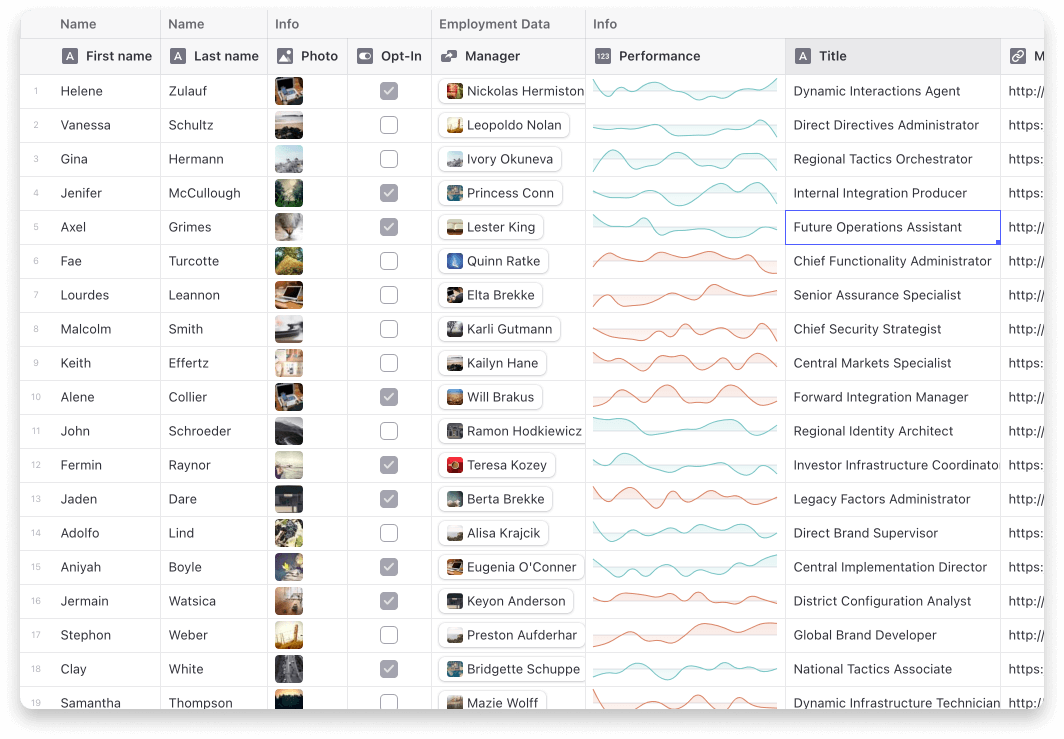
{"_id":"@danielkita/glide-data-grid-cells","name":"@danielkita/glide-data-grid-cells","dist-tags":{"latest":"6.0.5"},"versions":{"6.0.5":{"name":"@danielkita/glide-data-grid-cells","version":"6.0.5","description":"Extra cells for glide-data-grid","sideEffects":["**/*.css"],"type":"module","browser":"dist/esm/index.js","main":"dist/cjs/index.js","module":"dist/esm/index.js","types":"dist/dts/index.d.ts","exports":{".":{"types":"./dist/dts/index.d.ts","import":"./dist/esm/index.js","require":"./dist/cjs/index.js"},"./dist/index.css":{"import":"./dist/index.css","require":"./dist/index.css"}},"scripts":{"build":"./build.sh","lint":"eslint src --ext .ts,.tsx","test":"vitest"},"repository":{"type":"git","url":"git+https://github.com/glideapps/glide-data-grid.git","directory":"packages/cells"},"homepage":"https://github.com/glideapps/glide-data-grid/tree/main/cells","author":{"name":"Glide"},"license":"MIT","keywords":["react","datagrid","data-grid","editor","reactjs","scrolling","data","table","cell","canvas"],"dependencies":{"@glideapps/glide-data-grid":"6.0.5","@linaria/react":"^4.5.3","@toast-ui/editor":"3.1.10","@toast-ui/react-editor":"3.1.10","react-select":"^5.8.0"},"peerDependencies":{"react":"^16.12.0 || 17.x || 18.x || 19.x","react-dom":"^16.12.0 || 17.x || 18.x || 19.x"},"devDependencies":{"@babel/cli":"^7.16.0","@types/prosemirror-commands":"^1.0.4","@types/react":"16.14.21","eslint":"^8.19.0","eslint-plugin-import":"^2.22.0","eslint-plugin-react":"^7.21.5","eslint-plugin-react-hooks":"^4.2.0","react-resize-detector":"^7.1.2","tsc-esm-fix":"^2.7.8","typescript":"^5.1.6"},"_id":"@danielkita/glide-data-grid-cells@6.0.5","gitHead":"fc1abd9dbee4a7885f7791693f2985285538d601","bugs":{"url":"https://github.com/glideapps/glide-data-grid/issues"},"_nodeVersion":"20.10.0","_npmVersion":"10.2.3","dist":{"integrity":"sha512-RRUdrHX4ICWXhbQmuJOwWT9paeA/p+GyAmFF7yjjFRqfzFxKqHGQNLzR4mKUrPr2amB+D3xsaJXlcqRL8Lm+Cw==","shasum":"67431d2a4972d7bd14af787083862f1b6e011159","tarball":"https://registry.npmjs.org/@danielkita/glide-data-grid-cells/-/glide-data-grid-cells-6.0.5.tgz","fileCount":120,"unpackedSize":305084,"signatures":[{"keyid":"SHA256:DhQ8wR5APBvFHLF/+Tc+AYvPOdTpcIDqOhxsBHRwC7U","sig":"MEUCIHUAJKMXxY84Gh0BXZAw/VqA8mAOwQiMEVmsmXgbUOJ2AiEAvTuKcaTHmVvo8zlCr5L5DKf4tS5NuWywAeRHvPCkmng="}]},"_npmUser":{"name":"danielkita","email":"me@danielkita.dev"},"directories":{},"maintainers":[{"name":"danielkita","email":"me@danielkita.dev"}],"_npmOperationalInternal":{"host":"s3://npm-registry-packages-npm-production","tmp":"tmp/glide-data-grid-cells_6.0.5_1748872245864_0.862399953215099"},"_hasShrinkwrap":false}},"time":{"created":"2025-06-02T13:50:45.700Z","6.0.5":"2025-06-02T13:50:46.044Z","modified":"2025-06-02T13:50:46.373Z"},"maintainers":[{"name":"danielkita","email":"me@danielkita.dev"}],"description":"Extra cells for glide-data-grid","homepage":"https://github.com/glideapps/glide-data-grid/tree/main/cells","keywords":["react","datagrid","data-grid","editor","reactjs","scrolling","data","table","cell","canvas"],"repository":{"type":"git","url":"git+https://github.com/glideapps/glide-data-grid.git","directory":"packages/cells"},"author":{"name":"Glide"},"bugs":{"url":"https://github.com/glideapps/glide-data-grid/issues"},"license":"MIT","readme":"<h1 align=\"center\">\n  <img src=\"https://raw.githubusercontent.com/glideapps/glide-data-grid/master/icon.png\" width=\"224px\"/><br/>\n  <b>Glide Data Grid Cells</b>\n</h1>\n<p align=\"center\">Additional cells and features for Glide Data Grid</p>\n\n[![Version](https://img.shields.io/npm/v/@glideapps/glide-data-grid-cells?color=blue&label=latest&style=for-the-badge)](https://github.com/glideapps/glide-data-grid/releases)\n[![React 16+](https://img.shields.io/badge/React-16+-00ADD8?style=for-the-badge&logo=react)](https://reactjs.org)\n[![npm bundle size](https://img.shields.io/bundlephobia/minzip/@glideapps/glide-data-grid-cells?color=success&label=bundle&style=for-the-badge)](https://bundlephobia.com/package/@glideapps/glide-data-grid-cells)\n[![License](https://img.shields.io/github/license/glideapps/glide-data-grid?color=red&style=for-the-badge)](https://github.com/glideapps/glide-data-grid/blob/main/LICENSE)\n[![Made By Glide](https://img.shields.io/badge/❤_Made_by-Glide-11CCE5?style=for-the-badge&logo=none)](https://www.glideapps.com/jobs)\n\n![Data Grid](https://raw.githubusercontent.com/glideapps/glide-data-grid/master/data-grid.jpg)\n\nCurrent cells\n\n-   Star (Rating) Cell\n-   Sparklines\n-   Article\n-   Dropdown\n-   Range\n-   User profile\n-   Tags\n\n# Usage\n\nStep 1: Add the extra cells to your grid.\n\n```tsx\nimport { useExtraCells } from \"@glideapps/glide-data-grid-cells\";\n\nconst Grid = () => {\n    const { customRenderers } = useExtraCells();\n    return <DataEditor customRenderers={customRenderers} {...rest} />;\n};\n```\n\nStep 2: Use the cells in your `getCellContent` callback\n\n```ts\nimport type { StarCell } from \"@glideapps/glide-data-grid-cells\";\n\nconst getCellContent = React.useCallback(() => {\n    const starCell: StarCell = {\n        kind: GridCellKind.Custom,\n        allowOverlay: true,\n        copyData: \"4 out of 5\",\n        data: {\n            kind: \"star-cell\",\n            label: \"Test\",\n            rating: 4,\n        },\n    };\n\n    return starCell;\n}, []);\n```\n\n## Note on ArticleCell\n\nThe ArticleCell uses `@toast-ui/editor` to provide its editor. To make sure it works correctly your project will need to import the css file it depends on.\n\n```\nimport \"@toast-ui/editor/dist/toastui-editor.css\";\n```\n","readmeFilename":"README.md","_rev":"1-95c0fd4f1aacb7540f6f2c486ab8a6d4"}