{"_id":"@duckie17z/figma-mcp-go","name":"@duckie17z/figma-mcp-go","dist-tags":{"latest":"0.1.0"},"versions":{"0.1.0":{"name":"@duckie17z/figma-mcp-go","version":"0.1.0","description":"A zero-cost, unlimited Figma MCP server — no API key, no rate limits","mcpName":"io.github.duckie17-fox/figma-mcp-go","bin":{"figma-mcp-go":"bin/run.js"},"keywords":["figma","mcp","model-context-protocol","ai","design"],"license":"MIT","repository":{"type":"git","url":"git+https://github.com/duckie17-fox/figma-mcp-go.git"},"homepage":"https://github.com/duckie17-fox/figma-mcp-go#readme","bugs":{"url":"https://github.com/duckie17-fox/figma-mcp-go/issues"},"engines":{"node":">=18.0.0"},"gitHead":"78186565e99310225e4e7401a07f6d980e7b8f81","_id":"@duckie17z/figma-mcp-go@0.1.0","_nodeVersion":"24.14.0","_npmVersion":"11.9.0","dist":{"integrity":"sha512-C4LQ4t080OUTLvMJvRXMwLsvkeOQBi+Z/UdLCZHphkKekVvYFa167TRBGmubRwZPsVho8BbgjJRHdRLGjDdHtw==","shasum":"61baa07a69c456a720b5830e816ede4342edba13","tarball":"https://registry.npmjs.org/@duckie17z/figma-mcp-go/-/figma-mcp-go-0.1.0.tgz","fileCount":9,"unpackedSize":140259731,"signatures":[{"keyid":"SHA256:DhQ8wR5APBvFHLF/+Tc+AYvPOdTpcIDqOhxsBHRwC7U","sig":"MEYCIQDM6mci8EuPm6RoxH2YR/WEzziKFztPh8GpIspikLuDNwIhAPjLY7eYBr54wg+JYIkJQG0JHuGB8iK8uNo800zGhYgB"}]},"_npmUser":{"name":"duckie17z","email":"ducgithub17@gmail.com"},"directories":{},"maintainers":[{"name":"duckie17z","email":"ducgithub17@gmail.com"}],"_npmOperationalInternal":{"host":"s3://npm-registry-packages-npm-production","tmp":"tmp/figma-mcp-go_0.1.0_1784184492433_0.6626356517252276"},"_hasShrinkwrap":false}},"time":{"created":"2026-07-16T06:48:12.240Z","0.1.0":"2026-07-16T06:48:13.413Z","modified":"2026-07-16T06:48:13.658Z"},"maintainers":[{"name":"duckie17z","email":"ducgithub17@gmail.com"}],"description":"A zero-cost, unlimited Figma MCP server — no API key, no rate limits","homepage":"https://github.com/duckie17-fox/figma-mcp-go#readme","keywords":["figma","mcp","model-context-protocol","ai","design"],"repository":{"type":"git","url":"git+https://github.com/duckie17-fox/figma-mcp-go.git"},"bugs":{"url":"https://github.com/duckie17-fox/figma-mcp-go/issues"},"license":"MIT","readme":"# figma-mcp-go\n\nFigma MCP — Free, No Rate Limits [](https://glama.ai/mcp/servers/duckie17-fox/figma-mcp-go)\n
\n \n \n \n \n
\n\nOpen-source Figma MCP server with full read/write access via plugin — no REST API, no rate limits. Turn text into designs and designs into real code. Works with Cursor, Claude, GitHub Copilot, and any MCP-compatible AI tool.\n\n**Highlights**\n- No Figma API token required\n- No rate limits — free plan friendly\n- **Read and Write** live Figma data via plugin bridge — 73 tools total\n- Full design automation — styles, variables, components, prototypes, and content\n- Design strategies included — read_design_strategy, design_strategy, and more prompts built in\n\n**Styles, Variables, Components, Prototypes, and Content**\n\nhttps://github.com/user-attachments/assets/eae41471-fc72-4574-8261-4f42c38b8c99\n\n**Text to Design, Design to Code**\n\nhttps://github.com/user-attachments/assets/17bda971-0e83-4f18-8758-8ac2b8dcba62\n\n---\n\n## Why this exists\n\nMost Figma MCP servers rely on the **Figma REST API**.\n\nThat sounds fine… until you hit this:\n\n| Plan | Limit |\n|------|-------|\n| Starter / View / Collab | **6 tool calls/month** |\n| Pro / Org (Dev seat) | 200 tool calls/day |\n| Enterprise | 600 tool calls/day |\n\nIf you're experimenting with AI tools, you'll burn through that in minutes.\n\nI didn't have enough money to pay for higher limits.\nSo I built something that **doesn't use the API at all**.\n\n---\n\n## Installation & Setup\n\nInstall via `npx` — no build step required. Watch the setup video or follow the steps below.\n\n[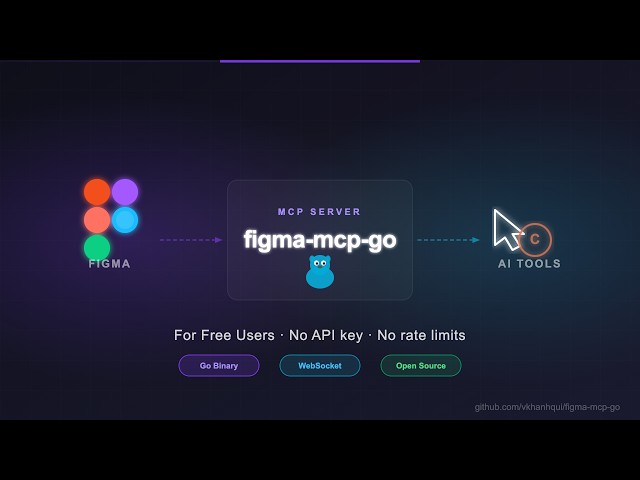](https://youtu.be/DjqyU0GKv9k)\n\n### 1. Configure your AI tool\n\n**Claude Code CLI**\n```bash\nclaude mcp add -s project figma-mcp-go -- npx -y @duckie17z/figma-mcp-go@latest\n```\n\n**Codex CLI**\n```bash\ncodex mcp add figma-mcp-go -- npx -y @duckie17z/figma-mcp-go@latest\n```\n\n**.mcp.json** (Claude and other MCP-compatible tools)\n```json\n{\n \"mcpServers\": {\n \"figma-mcp-go\": {\n \"command\": \"npx\",\n \"args\": [\"-y\", \"@duckie17z/figma-mcp-go\"]\n }\n }\n}\n```\n\n**.vscode/mcp.json** (Cursor / VS Code / GitHub Copilot)\n```json\n{\n \"servers\": {\n \"figma-mcp-go\": {\n \"type\": \"stdio\",\n \"command\": \"npx\",\n \"args\": [\n \"-y\",\n \"@duckie17z/figma-mcp-go\"\n ]\n }\n }\n}\n```\n\n### 2. Install the Figma plugin\n\n1. In Figma Desktop: **Plugins → Development → Import plugin from manifest**\n2. Select `manifest.json` from the [plugin.zip](https://github.com/duckie17-fox/figma-mcp-go/releases)\n3. Run the plugin inside any Figma file\n\n---\n\n## Available Tools\n\n### Write — Create\n\n| Tool | Description |\n|------|-------------|\n| `create_frame` | Create a frame with optional auto-layout, fill, and parent |\n| `create_rectangle` | Create a rectangle with optional fill and corner radius |\n| `create_ellipse` | Create an ellipse or circle |\n| `create_text` | Create a text node (font loaded automatically) |\n| `import_image` | Decode base64 image and place it as a rectangle fill |\n| `create_component` | Convert an existing FRAME node into a reusable component |\n| `create_section` | Create a Figma Section node to organise frames on a page |\n\n### Write — Modify\n\n| Tool | Description |\n|------|-------------|\n| `set_text` | Update text content of an existing TEXT node |\n| `set_fills` | Set solid fill color (hex) on a node |\n| `set_strokes` | Set solid stroke color and weight on a node |\n| `set_opacity` | Set opacity of one or more nodes (0 = transparent, 1 = opaque) |\n| `set_corner_radius` | Set corner radius — uniform or per-corner |\n| `set_auto_layout` | Set or update auto-layout (flex) properties on a frame |\n| `set_visible` | Show or hide one or more nodes |\n| `lock_nodes` | Lock one or more nodes to prevent accidental edits |\n| `unlock_nodes` | Unlock one or more nodes |\n| `rotate_nodes` | Set absolute rotation in degrees on one or more nodes |\n| `reorder_nodes` | Change z-order: `bringToFront`, `sendToBack`, `bringForward`, `sendBackward` |\n| `set_blend_mode` | Set blend mode (MULTIPLY, SCREEN, OVERLAY, …) on one or more nodes |\n| `set_constraints` | Set responsive constraints `{ horizontal, vertical }` on one or more nodes |\n| `move_nodes` | Move nodes to an absolute x/y position |\n| `resize_nodes` | Resize nodes by width and/or height |\n| `rename_node` | Rename a node |\n| `clone_node` | Clone a node, optionally repositioning or reparenting |\n| `reparent_nodes` | Move nodes to a different parent frame, group, or section |\n| `batch_rename_nodes` | Bulk rename nodes via find/replace, regex, or prefix/suffix |\n| `find_replace_text` | Find and replace text across all TEXT nodes in a subtree or page; supports regex |\n\n### Write — Delete\n\n| Tool | Description |\n|------|-------------|\n| `delete_nodes` | Delete one or more nodes permanently |\n\n### Write — Prototype\n\n| Tool | Description |\n|------|-------------|\n| `set_reactions` | Set prototype reactions (triggers + actions) on a node; mode `replace` or `append` |\n| `remove_reactions` | Remove all or specific reactions by zero-based index from a node |\n\n### Write — Styles\n\n| Tool | Description |\n|------|-------------|\n| `set_effects` | Apply drop shadow / blur effects directly on a node (no style required) |\n| `create_paint_style` | Create a named paint style with a solid color |\n| `create_text_style` | Create a named text style with font, size, and spacing |\n| `create_effect_style` | Create a named effect style (drop shadow, inner shadow, blur) |\n| `create_grid_style` | Create a named layout grid style (columns, rows, or grid) |\n| `update_paint_style` | Rename or recolor an existing paint style |\n| `apply_style_to_node` | Apply an existing local style to a node, linking it to that style |\n| `delete_style` | Delete any style (paint, text, effect, or grid) by ID |\n\n### Write — Variables\n\n| Tool | Description |\n|------|-------------|\n| `create_variable_collection` | Create a new local variable collection with an optional initial mode |\n| `add_variable_mode` | Add a new mode to an existing collection (e.g. Light/Dark) |\n| `create_variable` | Create a variable (COLOR/FLOAT/STRING/BOOLEAN) in a collection |\n| `set_variable_value` | Set a variable's value for a specific mode |\n| `bind_variable_to_node` | Bind a variable to a node property — supports `fillColor`, `strokeColor`, `visible`, `opacity`, `rotation`, `width`, `height`, corner radii, spacing, and more |\n| `delete_variable` | Delete a variable or an entire collection |\n\n### Write — Pages\n\n| Tool | Description |\n|------|-------------|\n| `add_page` | Add a new page to the document (optional name and index) |\n| `delete_page` | Delete a page by ID or name (cannot delete the only page) |\n| `rename_page` | Rename a page by ID or current name |\n\n### Write — Components & Navigation\n\n| Tool | Description |\n|------|-------------|\n| `navigate_to_page` | Switch the active Figma page by ID or name |\n| `group_nodes` | Group two or more nodes into a GROUP |\n| `ungroup_nodes` | Ungroup GROUP nodes, moving children to the parent |\n| `swap_component` | Swap the main component of an INSTANCE node |\n| `detach_instance` | Detach component instances, converting them to plain frames |\n\n### Read — Document & Selection\n\n| Tool | Description |\n|------|-------------|\n| `get_document` | Full current page tree |\n| `get_metadata` | File name, pages, current page |\n| `get_pages` | All pages (IDs + names) — lightweight, no tree loading |\n| `get_selection` | Currently selected nodes |\n| `get_node` | Single node by ID |\n| `get_nodes_info` | Multiple nodes by ID |\n| `get_design_context` | Depth-limited tree with `detail` level (`minimal`/`compact`/`full`) |\n| `search_nodes` | Find nodes by name substring and/or type within a subtree |\n| `scan_text_nodes` | All text nodes in a subtree |\n| `scan_nodes_by_types` | Nodes matching given type list |\n| `get_viewport` | Current viewport center, zoom, and visible bounds |\n\n### Read — Styles & Variables\n\n| Tool | Description |\n|------|-------------|\n| `get_styles` | Paint, text, effect, and grid styles |\n| `get_variable_defs` | Variable collections and values |\n| `get_local_components` | All components + component sets with variant properties |\n| `get_annotations` | Dev-mode annotations |\n| `get_fonts` | All fonts used on the current page, sorted by frequency |\n| `get_reactions` | Prototype/interaction reactions on a node |\n\n### Export\n\n| Tool | Description |\n|------|-------------|\n| `get_screenshot` | Base64 image export of any node |\n| `save_screenshots` | Export images to disk (server-side, no API call) |\n| `export_frames_to_pdf` | Export multiple frames as a single multi-page PDF file saved to disk |\n| `export_tokens` | Export design tokens (variables + paint styles) as JSON or CSS |\n\n### MCP Prompts\n\n| Prompt | Description |\n|--------|-------------|\n| `read_design_strategy` | Best practices for reading Figma designs |\n| `design_strategy` | Best practices for creating and modifying designs |\n| `text_replacement_strategy` | Chunked approach for replacing text across a design |\n| `annotation_conversion_strategy` | Convert manual annotations to native Figma annotations |\n| `swap_overrides_instances` | Transfer overrides between component instances |\n| `reaction_to_connector_strategy` | Map prototype reactions into interaction flow diagrams |\n\n---\n\n## Related Projects\n\n- [magic-spells/figma-mcp-bridge](https://github.com/magic-spells/figma-mcp-bridge)\n- [grab/cursor-talk-to-figma-mcp](https://github.com/grab/cursor-talk-to-figma-mcp)\n- [gethopp/figma-mcp-bridge](https://github.com/gethopp/figma-mcp-bridge)\n\n---\n\n## Contributing\n\nIssues and PRs are welcome.\n\n## Star History\n\n\n \n \n \n \n \n\n","readmeFilename":"README.md","_rev":"1-4b91775a31d1719a673e76a5fe84904c"}
 \n
\n  \n
\n  \n
\n  \n
\n