{"_id":"@duynhanf/v-year-calendar","_rev":"2-37ce24b8a8d3bfc6d6ca77de05e3b7be","name":"@duynhanf/v-year-calendar","dist-tags":{"latest":"1.0.4"},"versions":{"1.0.2":{"name":"@duynhanf/v-year-calendar","version":"1.0.2","description":"Official Vue.js wrapper for the year-calendar widget","main":"./dist/v-year-calendar.js","scripts":{"watch":"rollup -c --watch","clean":"rimraf dist && rimraf locales","build":"npm run clean && rollup -c && npm run build:locales","build:locales":"cpy node_modules/js-year-calendar/locales/* locales && renamer --find js-year-calendar --replace v-year-calendar locales/*","prepare":"npm run build","test":"echo 'No tests implemented'"},"pre-commit":["build","test"],"repository":{"type":"git","url":"git+https://github.com/year-calendar/v-year-calendar.git"},"keywords":["calendar","year","javascript","widget","vue","vue.js"],"author":{"name":"Paul-DS"},"license":"Apache-2.0","bugs":{"url":"https://github.com/year-calendar/v-year-calendar/issues"},"homepage":"https://year-calendar.github.io/","dependencies":{"@duynhanf/js-year-calendar":"2.0.0"},"peerDependencies":{"vue":"^2.5.2"},"devDependencies":{"@babel/core":"^7.9.0","@babel/preset-env":"^7.9.0","@rollup/plugin-commonjs":"^11.0.2","@rollup/plugin-node-resolve":"^7.1.1","cpy-cli":"^3.1.0","renamer":"^1.1.4","rimraf":"^3.0.2","rollup":"^1.32.1","rollup-plugin-babel":"^4.4.0","rollup-plugin-postcss":"^2.5.0","rollup-plugin-uglify":"^6.0.4","rollup-plugin-vue":"^4.7.2","vue-template-compiler":"^2.6.11"},"gitHead":"4d6f28f52396169ff05c5944778e219516588078","_id":"@duynhanf/v-year-calendar@1.0.2","_nodeVersion":"16.15.1","_npmVersion":"8.11.0","dist":{"integrity":"sha512-xZxbfB0vfThvJJCqlkCg+ktNnAqW29lzWebLiUBLZvvC08Pklugonh2SvaLxznWM07FSvYjI2vxe0COqZlHWJQ==","shasum":"53d06fd59b6139bdd39692385b3c2a79b84f70d6","tarball":"https://registry.npmjs.org/@duynhanf/v-year-calendar/-/v-year-calendar-1.0.2.tgz","fileCount":11,"unpackedSize":61195,"signatures":[{"keyid":"SHA256:jl3bwswu80PjjokCgh0o2w5c2U4LhQAE57gj9cz1kzA","sig":"MEUCIQCjadtImdji26OH9Ngr9OrvCB+cljniQYaBsENQbQEJCAIgPZXUDyEnnTEicHJDdE1KH3VodYl5iAAu49CSwPJB1Ks="}],"npm-signature":"-----BEGIN PGP SIGNATURE-----\r\nVersion: OpenPGP.js v4.10.10\r\nComment: https://openpgpjs.org\r\n\r\nwsFzBAEBCAAGBQJi39NdACEJED1NWxICdlZqFiEECWMYAoorWMhJKdjhPU1b\r\nEgJ2VmpF0A/+KQT1sa/Z5xlZy0S+m+/5gphMxvPDlzNamTqrceZfX0mbMaTO\r\n+ae4+rqG3lWkdrTw0eqN5cvTe9hfALh1Lf9ZTLMInMMvTt92GkyckEk63ReP\r\niGy7ZEUTFDaALiUbL8TPpoB5YZveNuj5pwEN6ldcsx2puKtImYP4V07cJBR1\r\nZmWoytU2sOYxKM1mVdZFksrzUgbOqvG2+gEZDqly9HPwKgwqGfdWiyNUYMDK\r\nCG3M/wD4c+85HrYD29AHT1n0PNW2GyFtLiShFx84aYXqBl7Vmn7BD2FyuR5I\r\n9G4qC/Tg276S3XjbWJ3xDwsEY2j+QKrfdCOLiuzvIFJmoD4P3b3Cat8d5LW5\r\n095AJ1eookVwFkgAl+8e0a4zFS8SUYDWc0sVyrzTuDtv4JyVAFLXam/aEl3g\r\nwhNCCIHruKtO11b0RfFKsTqHvEfQ9mKvj7YmlsAY79AMJBbBYHMQBhTrPjSs\r\nkX1M/aBr0cUqQPcG1u2yR9LPVf7EzDeF5lemh7YTUj2XVrTqlx9/i8pC3jG/\r\nvy050Ib7MPmMk/YRuT+OaT5SJbVuBiOFpQbjxeYbqidSa4DPnMyaX/Y70O8h\r\nWQPC5us8FqgDSgjANqRP3IXpMeiG2PAUru/KZJjsO2lh3xiuHcYlC0+oHxce\r\ns0Zy0gN0jCVIah51+wrch418t3ovMOpoXGI=\r\n=jqgO\r\n-----END PGP SIGNATURE-----\r\n"},"_npmUser":{"name":"duynhanf","email":"duynhanf@gmail.com"},"directories":{},"maintainers":[{"name":"duynhanf","email":"duynhanf@gmail.com"}],"_npmOperationalInternal":{"host":"s3://npm-registry-packages","tmp":"tmp/v-year-calendar_1.0.2_1658835805366_0.4168208198420087"},"_hasShrinkwrap":false},"1.0.3":{"name":"@duynhanf/v-year-calendar","version":"1.0.3","description":"Official Vue.js wrapper for the year-calendar widget","main":"./dist/v-year-calendar.js","scripts":{"watch":"rollup -c --watch","clean":"rimraf dist && rimraf locales","build":"npm run clean && rollup -c && npm run build:locales","build:locales":"cpy node_modules/js-year-calendar/locales/* locales && renamer --find js-year-calendar --replace v-year-calendar locales/*","prepare":"npm run build","test":"echo 'No tests implemented'"},"pre-commit":["build","test"],"repository":{"type":"git","url":"git+https://github.com/year-calendar/v-year-calendar.git"},"keywords":["calendar","year","javascript","widget","vue","vue.js"],"author":{"name":"Paul-DS"},"license":"Apache-2.0","bugs":{"url":"https://github.com/year-calendar/v-year-calendar/issues"},"homepage":"https://year-calendar.github.io/","dependencies":{"@duynhanf/js-year-calendar":"2.0.0"},"peerDependencies":{"vue":"^2.5.2"},"devDependencies":{"@babel/core":"^7.9.0","@babel/preset-env":"^7.9.0","@rollup/plugin-commonjs":"^11.0.2","@rollup/plugin-node-resolve":"^7.1.1","cpy-cli":"^3.1.0","renamer":"^1.1.4","rimraf":"^3.0.2","rollup":"^1.32.1","rollup-plugin-babel":"^4.4.0","rollup-plugin-postcss":"^2.5.0","rollup-plugin-uglify":"^6.0.4","rollup-plugin-vue":"^4.7.2","vue-template-compiler":"^2.6.11"},"gitHead":"8f857dd6c6e0a2c466449e1bf7c638285211dbcf","_id":"@duynhanf/v-year-calendar@1.0.3","_nodeVersion":"16.15.1","_npmVersion":"8.11.0","dist":{"integrity":"sha512-aWdE9I5Vknfoosw71x4lZXO72iDJNgFJOxbMlQLbM0Zv4ZD7cFS/fR6fLi5CakSXAzDYDeFB1lsjcn6CBZAaJQ==","shasum":"e4a2953f42c2097c55912179ecd9c3040ec8214b","tarball":"https://registry.npmjs.org/@duynhanf/v-year-calendar/-/v-year-calendar-1.0.3.tgz","fileCount":11,"unpackedSize":317123,"signatures":[{"keyid":"SHA256:jl3bwswu80PjjokCgh0o2w5c2U4LhQAE57gj9cz1kzA","sig":"MEYCIQC0pSLYKbMCw82LqRMYLfRe6p5AMoDL3gRAcr+4Ne1BtAIhAJXkLo35/W/y6vRYEjwqJUIbuVSg+Lo8c5tvGMPcqxmY"}],"npm-signature":"-----BEGIN PGP SIGNATURE-----\r\nVersion: OpenPGP.js v4.10.10\r\nComment: https://openpgpjs.org\r\n\r\nwsFzBAEBCAAGBQJi39ShACEJED1NWxICdlZqFiEECWMYAoorWMhJKdjhPU1b\r\nEgJ2VmrgAg/+M/+Fcl4enuO27KQmXgMzd55n8DumoVxx6mEqEiAMi8E80gIH\r\nKkKHXPorgYM2dpPx/cdP7tViG7PQblCI/eg/Y5Tjq7ty2yjgxSCDbXykVu1+\r\nMIJLSmpWWdgeSlTmN/pLRzCWdgJ6U3T6CBnIaiJk1YxH4+Pin3oGLWI8/qzb\r\nXng+spNKz6XlUzLCQ5Ghv3ozGGiPYK4mmlPw6odY86MWG7CJy2Mk9fgMbUwI\r\nVvqW4XKVlIPb9SJzofjypMNe2IH6X6q4RYan/fSK11xXwYk5+EoVtG1nbVQZ\r\nmT+yMUVbChlK+NLaWZIS9dMhpwAiBGbu+ymj4BHeKO6wkFadRb/RZaClAhZK\r\nUXmuPEgUA1G4LKHHAOlANfD46OkjtZ2Mkwam3a9Vr1+iDGiUpWCCq0V0q1fu\r\nWZ7p19yCjJ2FfvaRDghZYH+08mLYhhClgp2DVeCo0fnQviK0v+VVhNU0aWFY\r\nosLcsxoOPhOpmpeME52WhQLKJ59eyDfZD0q37tspXj7SXvWA/dGwQm4++f3K\r\nfqCRt3ExDoyib4YOFbpoMJ8hz/t5rDB0M+TRzMRqoum/UkJpqmBJ5L4VIyX+\r\nQz0t46fT8yvhIfiqbpUiR8zDaRfMnNf3BAhaE0SmLv5B1ealpmZAVKcfppoa\r\nODzQo0D24LSfTxEWYbCb49B9L/AINu87g8g=\r\n=3oG2\r\n-----END PGP SIGNATURE-----\r\n"},"_npmUser":{"name":"duynhanf","email":"duynhanf@gmail.com"},"directories":{},"maintainers":[{"name":"duynhanf","email":"duynhanf@gmail.com"}],"_npmOperationalInternal":{"host":"s3://npm-registry-packages","tmp":"tmp/v-year-calendar_1.0.3_1658836128849_0.2988237269401395"},"_hasShrinkwrap":false},"1.0.4":{"name":"@duynhanf/v-year-calendar","version":"1.0.4","description":"Official Vue.js wrapper for the year-calendar widget","main":"./dist/v-year-calendar.js","scripts":{"watch":"rollup -c --watch","clean":"rimraf dist && rimraf locales","build":"npm run clean && rollup -c && npm run build:locales","build:locales":"cpy node_modules/@duynhanf/js-year-calendar/locales/* locales && renamer --find js-year-calendar --replace v-year-calendar locales/*","prepare":"npm run build","test":"echo 'No tests implemented'"},"pre-commit":["build","test"],"repository":{"type":"git","url":"git+https://github.com/year-calendar/v-year-calendar.git"},"keywords":["calendar","year","javascript","widget","vue","vue.js"],"author":{"name":"Paul-DS"},"license":"Apache-2.0","bugs":{"url":"https://github.com/year-calendar/v-year-calendar/issues"},"homepage":"https://year-calendar.github.io/","dependencies":{"@duynhanf/js-year-calendar":"2.0.0"},"peerDependencies":{"vue":"^2.5.2"},"devDependencies":{"@babel/core":"^7.9.0","@babel/preset-env":"^7.9.0","@rollup/plugin-commonjs":"^11.0.2","@rollup/plugin-node-resolve":"^7.1.1","cpy-cli":"^3.1.0","renamer":"^1.1.4","rimraf":"^3.0.2","rollup":"^1.32.1","rollup-plugin-babel":"^4.4.0","rollup-plugin-postcss":"^2.5.0","rollup-plugin-uglify":"^6.0.4","rollup-plugin-vue":"^4.7.2","vue-template-compiler":"^2.6.11"},"gitHead":"637845897c4225f4cc7d28657364de761cce147b","_id":"@duynhanf/v-year-calendar@1.0.4","_nodeVersion":"16.15.1","_npmVersion":"8.11.0","dist":{"integrity":"sha512-karLQoDDByLy+ul8g6kpiNyn6jvHe3yR6Pqe7KYxlFZYYDJ4RNumrEuunYEaWkvwRvCziQKmJy6MaIydnjSOSg==","shasum":"9d1d73fe503f4601a81d292711564c24ff7e2618","tarball":"https://registry.npmjs.org/@duynhanf/v-year-calendar/-/v-year-calendar-1.0.4.tgz","fileCount":41,"unpackedSize":338030,"signatures":[{"keyid":"SHA256:jl3bwswu80PjjokCgh0o2w5c2U4LhQAE57gj9cz1kzA","sig":"MEQCIEtCcmYvhAuiRdfEBBp/AKmNLVYf4hk6jMR7/grUJncZAiBSLqEs0ohH3OniB6NNzDZlbaB9YZUz9GJOXYuW8dLNyg=="}],"npm-signature":"-----BEGIN PGP SIGNATURE-----\r\nVersion: OpenPGP.js v4.10.10\r\nComment: https://openpgpjs.org\r\n\r\nwsFzBAEBCAAGBQJi39YNACEJED1NWxICdlZqFiEECWMYAoorWMhJKdjhPU1b\r\nEgJ2VmovHg//Uhso2DosxK5SJ5poYuQsA6StX/dY93e7Xbswq9utJ1EI8rF8\r\naRgUfnwad81+W5hJhUJB/d2PaVfy0o3fypUelWhrXe5t9R17XfFdsKGX3iL8\r\nSvl1/tLedsfcqFzvW8wHVUEFxtOkxcRap15y/A1xKASOcXPUA2SpsE51pQg/\r\nYz+QKej+fxD27WqPzgkUvBLD9i0/FKs3QpUEttx3SHHqL+5SW7Ui0mX1yYzO\r\nzYUmTTeKVkNe9D+1B2UGYx/TTtx5wY5q/t4y1OnyDtJYoo7kpVGmsIhwpZ/a\r\n8mOu/q+PUnHWqUAkRT+a9cP2PQ9hAtIxS/f+W2W48tSCf/0BMYR88odwIZtK\r\nGMSUeIQ+iR+XOHb4SVCahAFV2ZqIS+yDgICmOVnNoC0nGyLhNswwUCZi04Hr\r\nl1SCkp8LQ9XmzJJoJXZjT4tfoFh/EubXOgEUMFuK9v5VqEOeOZkBvunHqa7J\r\n+aCcOPfC2r4lLtDu5SDJly1zLcSh7zuSqJoc3HmftcaE+q83TeuElEllYqal\r\nYKXhVEVMl1J0jd/Fdd5ebDct5iXpSi2U+t9uao3yyc2Fs2UIveEVz4lkDQDz\r\noWt7QR+zZ5YmVFqJz/phWhz7/ueclrXEXDStVjpPrdOSJTW9zbftnH+/lhGN\r\nnoPHS1MtuDeh6Vj/NfkeiitWoeUGo3iHsoo=\r\n=pUE/\r\n-----END PGP SIGNATURE-----\r\n"},"_npmUser":{"name":"duynhanf","email":"duynhanf@gmail.com"},"directories":{},"maintainers":[{"name":"duynhanf","email":"duynhanf@gmail.com"}],"_npmOperationalInternal":{"host":"s3://npm-registry-packages","tmp":"tmp/v-year-calendar_1.0.4_1658836493185_0.9562429589164714"},"_hasShrinkwrap":false}},"time":{"created":"2022-07-26T11:43:25.307Z","1.0.2":"2022-07-26T11:43:25.588Z","modified":"2022-07-26T11:54:53.482Z","1.0.3":"2022-07-26T11:48:49.047Z","1.0.4":"2022-07-26T11:54:53.399Z"},"maintainers":[{"name":"duynhanf","email":"duynhanf@gmail.com"}],"description":"Official Vue.js wrapper for the year-calendar widget","homepage":"https://year-calendar.github.io/","keywords":["calendar","year","javascript","widget","vue","vue.js"],"repository":{"type":"git","url":"git+https://github.com/year-calendar/v-year-calendar.git"},"author":{"name":"Paul-DS"},"bugs":{"url":"https://github.com/year-calendar/v-year-calendar/issues"},"license":"Apache-2.0","readme":"# v-year-calendar\n\nOfficial Vue.js wrapper for the year-calendar widget. https://year-calendar.github.io/\n\n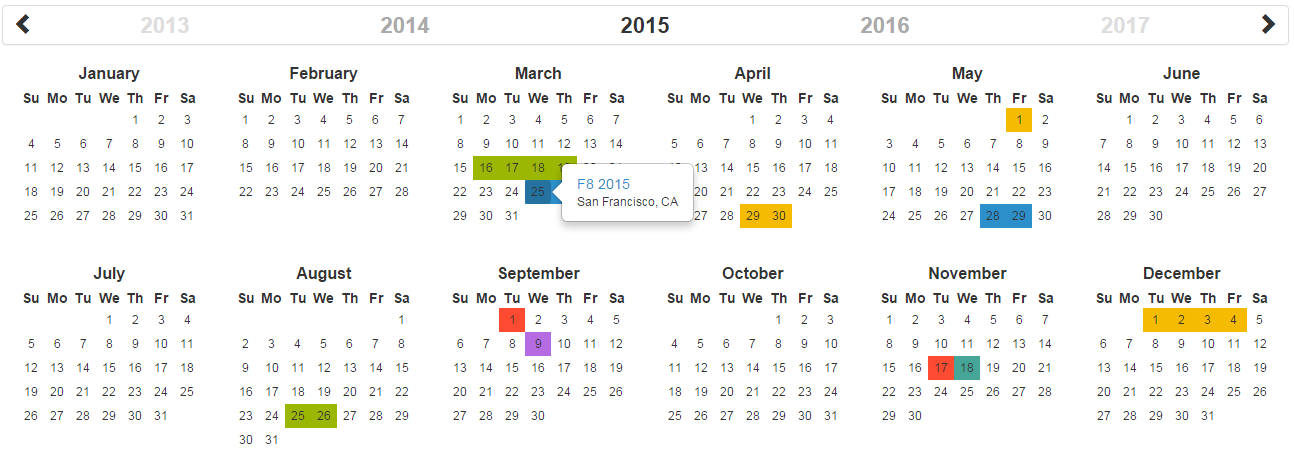\n\n[](https://circleci.com/gh/year-calendar/v-year-calendar/tree/master)\n[](https://www.npmjs.com/package/v-year-calendar)\n\nThis library is also available for:\n\n[](https://github.com/year-calendar/js-year-calendar) \n[](https://github.com/year-calendar/rc-year-calendar) \n\n## Installation\nYou can get the widget using the following methods:\n- From the [GitHub repository](https://github.com/year-calendar/v-year-calendar/releases)\n- From the Node package manager, using the following command: `npm install v-year-calendar`\n- From Yarn, using the following command: `yarn add v-year-calendar`\n- From the CDN, using the following script: ``\n\n## Usage\n\nYou can create a calendar using the following javascript code :\n```\n\n \n\n\n\n```\n\n## Using props\n\nYou can specify props to customize the calendar:\n```\n\n \n\n```\n\n## Available props\n\n| Option name | Description | Type | Default value |\n| ----------- | ----------- | ---- | ------------- |\n| allow-overlap | Specifies whether the user can select a range which overlapping an other element present in the datasource. | boolean | `true` |\n| always-half-day | Specifies whether the beginning and the end of each range should be displayed as half selected day. | boolean | `false` |\n| context-menu-items | Specifies the items of the default context menu. | array | `[]` |\n| custom-day-renderer | Specify a custom renderer for data source. Works only with the style set to \"custom\". This function is called duringender for each day containing at least one event. | Render function | `null` |\n| custom-data-source-renderer | Specify a custom renderer for days. This function is called during render for each day. | Render function | `null` |\n| data-source | The elements that must be displayed on the calendar. | array or function | `[]` |\n| disabled-days | The days that must be displayed as disabled. | array | `[]` |\n| disabled-week-days | The days of the week that must be displayed as disabled (0 for Sunday, 1 for Monday, etc.). | array | `[]` |\n| display-disabled-data-source | Specifies whether the data source must be rendered on disabled days. | boolean | `false` |\n| display-header | Specifies whether the calendar header is displayed. | boolean | `true` |\n| display-week-number | Specifies whether the weeks number are displayed. | boolean | `false` |\n| enable-context-menu | Specifies whether the default context menu must be displayed when right clicking on a day. | boolean | `false` |\n| enable-range-selection | Specifies whether the range selection is enabled. | boolean | `false` |\n| hidden-week-days | The days of the week that must not be displayed (0 for Sunday, 1 for Monday, etc.). | array | `[]` |\n| language | The language/culture used for calendar rendering. | String | `en` |\n| loading-template | A custom loading template | String | `null` |\n| max-date | The date until which days are enabled. | Date | `null` |\n| min-date | The date from which days are enabled. | Date | `null` |\n| round-range-limits | Specifies whether the beginning and the end of each range should be displayed as rounded cells. | boolean | `false` |\n| style | Specifies the style used for displaying datasource (\"background\", \"border\" or \"custom\"). | string | `border` |\n| week-start | The starting day of the week. This option overrides the parameter define in the language file. | number | `0` |\n| year | The year displayed by the calendar. | number | Current year |\n\n## Available events\n\n| Event name | Description | Parameter |\n| ---------- | ----------- | --------- |\n| click-day | Function fired when a day is clicked. | `{ date, events }` |\n| day-context-menu | Function fired when a day is right clicked. | `{ date, events }` |\n| mouse-on-day | Function fired when the mouse enter on a day. | `{ date, events }` |\n| mouse-out-day | Function fired when the mouse leaves a day. | `{ date, events }` |\n| render-end | Function fired when the calendar rendering is ended. | `{ currentYear }` |\n| select-range | Function fired when a date range is selected. | `{ startDate, endDate }` |\n| year-changed | Function fired when the visible year of the calendar is changed. | `{ currentYear }` |\n\n## Language\n\nIf you want to use the calendar in a different language, you should import the locale file corresponding to the language you want to use, and then set the `language` prop of the calendar:\n\n```\nimport Calendar from 'v-year-calendar';\nimport 'v-year-calendar/locales/v-year-calendar.fr';\n```\n\nOR\n\n```\n\n\n```\n\nThen\n\n```\n\n \n\n```\n\nThe list of available languages is available [here](https://github.com/year-calendar/js-year-calendar/tree/master/locales)\n\n## What next\n\nCheck the [examples](https://year-calendar.github.io/v-year-calendar/examples) page to discover all the functionalities.","readmeFilename":"README.md"}