{"_id":"@effatico/kortx-mcp","_rev":"9-05f9cc2320bcbcdc101e06805826ae08","name":"@effatico/kortx-mcp","dist-tags":{"latest":"1.2.4"},"versions":{"1.1.0":{"name":"@effatico/kortx-mcp","version":"1.1.0","keywords":["kortx","mcp","model-context-protocol","llm","gpt-5","openai","claude-code","copliot","ai-assistant","consultant","ai-tools","context-gathering","typescript"],"author":{"url":"https://github.com/effatico","name":"Effati Consulting AB","email":"info@effati.se"},"license":"MIT","_id":"@effatico/kortx-mcp@1.1.0","maintainers":[{"name":"amin_effatise","email":"amin@effati.se"}],"homepage":"https://github.com/effatico/kortx-mcp#readme","bugs":{"url":"https://github.com/effatico/kortx-mcp/issues"},"bin":{"kortx-mcp":"build/index.js"},"dist":{"shasum":"3faf64be68f8fda4571bf9b797eb5310fb27c94a","tarball":"https://registry.npmjs.org/@effatico/kortx-mcp/-/kortx-mcp-1.1.0.tgz","fileCount":84,"integrity":"sha512-qTD03z1PAgHu+/uDqh6cP+juVhHqf6hJIR5NucR3WnLOk+fpLI4vT2JqfiAUlylIDVQbO15Qd4q2THUSDqn3ow==","signatures":[{"sig":"MEYCIQCCZliW5ZS+M+71BbTn1Ah+Qv+GO55t6K0bMnC3fGQougIhAII1AzriFPGH+6W/I3fyoO2aieAwq2vHX8D+rj3DylM1","keyid":"SHA256:DhQ8wR5APBvFHLF/+Tc+AYvPOdTpcIDqOhxsBHRwC7U"}],"unpackedSize":204737},"main":"./build/server.js","type":"module","types":"./build/server.d.ts","engines":{"node":">=22.12.0"},"exports":{".":{"types":"./build/server.d.ts","import":"./build/server.js"}},"gitHead":"986a6c16ba785275e8fe3cd1a23116000790b9e7","scripts":{"dev":"tsx src/index.ts","lint":"eslint src --ext .ts","test":"vitest","build":"tsc && chmod +x build/index.js","format":"prettier --write \"**/*.{ts,js,json,md}\"","prepare":"husky install","test:ci":"vitest run","version":"npm run changelog && git add CHANGELOG.md","lint:fix":"eslint src --ext .ts --fix","changelog":"conventional-changelog -p angular -i CHANGELOG.md -s","inspector":"npx @modelcontextprotocol/inspector build/index.js","type-check":"tsc --noEmit","postpublish":"git tag v$npm_package_version && git push --tags","format:check":"prettier --check \"**/*.{ts,js,json,md}\"","test:coverage":"vitest --coverage","prepublishOnly":"npm run lint && npm run format:check && npm run build && npm run test:ci"},"_npmUser":{"name":"amin_effatise","email":"amin@effati.se"},"repository":{"url":"git+https://github.com/effatico/kortx-mcp.git","type":"git"},"_npmVersion":"11.2.0","description":"Kortx: MCP server for AI-driven code consultation with GPT-5 and intelligent context gathering","directories":{},"lint-staged":{"*.ts":["eslint --fix","prettier --write"],"*.{json,md}":["prettier --write"]},"_nodeVersion":"22.12.0","dependencies":{"zod":"^3.22.4","pino":"^8.17.2","dotenv":"^16.3.1","openai":"^4.28.0","express":"^4.18.2","@modelcontextprotocol/sdk":"^1.10.0"},"publishConfig":{"access":"public","registry":"https://registry.npmjs.org/"},"_hasShrinkwrap":false,"devDependencies":{"tsx":"^4.7.0","husky":"^8.0.3","eslint":"^8.56.0","vitest":"^1.1.0","prettier":"^3.1.1","typescript":"^5.3.3","@types/node":"^20.10.0","@types/pino":"^7.0.4","lint-staged":"^15.2.0","pino-pretty":"^10.3.1","@types/express":"^4.17.21","@vitest/coverage-v8":"^1.1.0","eslint-config-prettier":"^9.1.0","@typescript-eslint/parser":"^6.15.0","conventional-changelog-cli":"^4.1.0","@typescript-eslint/eslint-plugin":"^6.15.0"},"_npmOperationalInternal":{"tmp":"tmp/kortx-mcp_1.1.0_1760715091223_0.8750161494652433","host":"s3://npm-registry-packages-npm-production"}},"1.1.2":{"name":"@effatico/kortx-mcp","version":"1.1.2","keywords":["kortx","mcp","model-context-protocol","llm","gpt-5","openai","claude-code","copliot","ai-assistant","consultant","ai-tools","context-gathering","typescript"],"author":{"url":"https://github.com/effatico","name":"Effati Consulting AB","email":"info@effati.se"},"license":"MIT","_id":"@effatico/kortx-mcp@1.1.2","maintainers":[{"name":"amin_effatise","email":"amin@effati.se"}],"homepage":"https://github.com/effatico/kortx-mcp#readme","bugs":{"url":"https://github.com/effatico/kortx-mcp/issues"},"bin":{"kortx-mcp":"build/index.js"},"dist":{"shasum":"8f4483b102ecc90ba59a0b8005ce1a29058e4915","tarball":"https://registry.npmjs.org/@effatico/kortx-mcp/-/kortx-mcp-1.1.2.tgz","fileCount":84,"integrity":"sha512-0+TL0Z2Rg0t+Xo/6C/zNZLk6+36jR7Co2OZxojgi1bUCAMCPV4C+dJ9FWODz7vE3RXI7OPs2IGsGAcNmJUfDHw==","signatures":[{"sig":"MEQCIF7EduOtYuKPnc9gtXiZpbCGkxC9CHRNGd1qPEz30VzDAiAGEWqxmp8sqX+qLi/K4D1JrdCHqLVorUh6Xj5Eljxq6w==","keyid":"SHA256:DhQ8wR5APBvFHLF/+Tc+AYvPOdTpcIDqOhxsBHRwC7U"}],"attestations":{"url":"https://registry.npmjs.org/-/npm/v1/attestations/@effatico%2fkortx-mcp@1.1.2","provenance":{"predicateType":"https://slsa.dev/provenance/v1"}},"unpackedSize":206169},"main":"./build/server.js","type":"module","types":"./build/server.d.ts","engines":{"node":">=22.12.0"},"exports":{".":{"types":"./build/server.d.ts","import":"./build/server.js"}},"gitHead":"46eba1792ebcc5f1a4fa22f951d747852ad1d17b","scripts":{"dev":"tsx src/index.ts","lint":"eslint src --ext .ts","test":"vitest","build":"tsc && chmod +x build/index.js","format":"prettier --write \"**/*.{ts,js,json,md}\"","prepare":"husky install","test:ci":"vitest run","version":"npm run changelog && git add CHANGELOG.md","lint:fix":"eslint src --ext .ts --fix","changelog":"conventional-changelog -p angular -i CHANGELOG.md -s","inspector":"npx @modelcontextprotocol/inspector build/index.js","type-check":"tsc --noEmit","postpublish":"git tag v$npm_package_version -m \"Release v$npm_package_version\" && git push --tags","format:check":"prettier --check \"**/*.{ts,js,json,md}\"","test:coverage":"vitest --coverage","prepublishOnly":"npm run lint && npm run format:check && npm run build && npm run test:ci"},"_npmUser":{"name":"amin_effatise","email":"amin@effati.se"},"repository":{"url":"git+https://github.com/effatico/kortx-mcp.git","type":"git"},"_npmVersion":"10.9.3","description":"Kortx: MCP server for AI-driven code consultation with GPT-5 and intelligent context gathering","directories":{},"lint-staged":{"*.ts":["eslint --fix","prettier --write"],"*.{json,md}":["prettier --write"]},"_nodeVersion":"22.18.0","dependencies":{"zod":"^3.22.4","pino":"^8.17.2","dotenv":"^16.3.1","openai":"^4.28.0","express":"^4.18.2","@modelcontextprotocol/sdk":"^1.10.0"},"publishConfig":{"access":"public","registry":"https://registry.npmjs.org/"},"_hasShrinkwrap":false,"devDependencies":{"tsx":"^4.7.0","husky":"^8.0.3","eslint":"^8.56.0","vitest":"^1.1.0","prettier":"^3.1.1","typescript":"~5.3.3","@types/node":"^20.10.0","@types/pino":"^7.0.4","lint-staged":"^15.2.0","pino-pretty":"^10.3.1","@types/express":"^4.17.21","@vitest/coverage-v8":"^1.1.0","eslint-config-prettier":"^9.1.0","@typescript-eslint/parser":"^7.18.0","conventional-changelog-cli":"^4.1.0","@typescript-eslint/eslint-plugin":"^7.18.0"},"_npmOperationalInternal":{"tmp":"tmp/kortx-mcp_1.1.2_1760717083018_0.7282296206938152","host":"s3://npm-registry-packages-npm-production"}},"1.1.3":{"name":"@effatico/kortx-mcp","version":"1.1.3","keywords":["kortx","mcp","model-context-protocol","llm","gpt-5","openai","claude-code","copliot","ai-assistant","consultant","ai-tools","context-gathering","typescript"],"author":{"url":"https://github.com/effatico","name":"Effati Consulting AB","email":"info@effati.se"},"license":"MIT","_id":"@effatico/kortx-mcp@1.1.3","maintainers":[{"name":"amin_effatise","email":"amin@effati.se"}],"homepage":"https://github.com/effatico/kortx-mcp#readme","bugs":{"url":"https://github.com/effatico/kortx-mcp/issues"},"bin":{"kortx-mcp":"build/index.js"},"dist":{"shasum":"93aeb9ad53dfbc525a2cc80419cfa7b5d1d1f04a","tarball":"https://registry.npmjs.org/@effatico/kortx-mcp/-/kortx-mcp-1.1.3.tgz","fileCount":84,"integrity":"sha512-os+RKRHqumMYpyRQABgoneoiKDvV8FJGIQc5pf6Oq101OU6ahnKRasYYUfbbuH01cG+PIwvfan/Y7cV6yq5sLA==","signatures":[{"sig":"MEUCIQDXt6Q75LSBm1yu537tPTUJNZBK2B4QsiFfWqTJAGfufgIgKlBSmmwl03FJyQl41kZX9Wc7OrcM1yKolZEtZz8h/48=","keyid":"SHA256:DhQ8wR5APBvFHLF/+Tc+AYvPOdTpcIDqOhxsBHRwC7U"}],"attestations":{"url":"https://registry.npmjs.org/-/npm/v1/attestations/@effatico%2fkortx-mcp@1.1.3","provenance":{"predicateType":"https://slsa.dev/provenance/v1"}},"unpackedSize":206326},"main":"./build/server.js","type":"module","types":"./build/server.d.ts","engines":{"node":">=22.12.0"},"exports":{".":{"types":"./build/server.d.ts","import":"./build/server.js"}},"gitHead":"5634ee65277d51ea9c07153dc9cc568cb3333123","scripts":{"dev":"tsx src/index.ts","lint":"eslint src --ext .ts","test":"vitest","build":"tsc && chmod +x build/index.js","format":"prettier --write \"**/*.{ts,js,json,md}\"","prepare":"husky install","test:ci":"vitest run","version":"npm run changelog && git add CHANGELOG.md","lint:fix":"eslint src --ext .ts --fix","changelog":"conventional-changelog -p angular -i CHANGELOG.md -s","inspector":"npx @modelcontextprotocol/inspector build/index.js","type-check":"tsc --noEmit","format:check":"prettier --check \"**/*.{ts,js,json,md}\"","test:coverage":"vitest --coverage","prepublishOnly":"npm run lint && npm run format:check && npm run build && npm run test:ci"},"_npmUser":{"name":"amin_effatise","email":"amin@effati.se"},"repository":{"url":"git+https://github.com/effatico/kortx-mcp.git","type":"git"},"_npmVersion":"10.9.3","description":"Kortx: MCP server for AI-driven code consultation with GPT-5 and intelligent context gathering","directories":{},"lint-staged":{"*.ts":["eslint --fix","prettier --write"],"*.{json,md}":["prettier --write"]},"_nodeVersion":"22.18.0","dependencies":{"zod":"^3.22.4","pino":"^8.17.2","dotenv":"^16.3.1","openai":"^4.28.0","express":"^4.18.2","@modelcontextprotocol/sdk":"^1.10.0"},"publishConfig":{"access":"public","registry":"https://registry.npmjs.org/"},"_hasShrinkwrap":false,"devDependencies":{"tsx":"^4.7.0","husky":"^8.0.3","eslint":"^8.56.0","vitest":"^1.1.0","prettier":"^3.1.1","typescript":"~5.3.3","@types/node":"^20.10.0","@types/pino":"^7.0.4","lint-staged":"^15.2.0","pino-pretty":"^10.3.1","@types/express":"^4.17.21","@vitest/coverage-v8":"^1.1.0","eslint-config-prettier":"^9.1.0","@typescript-eslint/parser":"^7.18.0","conventional-changelog-cli":"^4.1.0","@typescript-eslint/eslint-plugin":"^7.18.0"},"_npmOperationalInternal":{"tmp":"tmp/kortx-mcp_1.1.3_1760717416376_0.5053761204651122","host":"s3://npm-registry-packages-npm-production"}},"1.1.4":{"name":"@effatico/kortx-mcp","version":"1.1.4","keywords":["kortx","mcp","model-context-protocol","llm","gpt-5","openai","claude-code","copliot","ai-assistant","consultant","ai-tools","context-gathering","typescript"],"author":{"url":"https://github.com/effatico","name":"Effati Consulting AB","email":"info@effati.se"},"license":"MIT","_id":"@effatico/kortx-mcp@1.1.4","maintainers":[{"name":"amin_effatise","email":"amin@effati.se"}],"homepage":"https://github.com/effatico/kortx-mcp#readme","bugs":{"url":"https://github.com/effatico/kortx-mcp/issues"},"bin":{"kortx-mcp":"build/index.js"},"dist":{"shasum":"8da22a95bcf666782354eadc7659bade1d0790f8","tarball":"https://registry.npmjs.org/@effatico/kortx-mcp/-/kortx-mcp-1.1.4.tgz","fileCount":92,"integrity":"sha512-WXVT/rjZAKkjsQq0qnUXMJW2IC7YKRU4BK4GlREDLefkH/PUONTxp7KOSVAwMGNOAlZXgrk9bkUAEwh+2W8HCA==","signatures":[{"sig":"MEYCIQDT6bd2AY3iwul/ZRbzW/VD/+aDb7PnEKNx/isq0+eFZwIhAPbvloeZCrOvoGIPKOQBAnmMXPBZ0XbrsdYm/Ue7t06y","keyid":"SHA256:DhQ8wR5APBvFHLF/+Tc+AYvPOdTpcIDqOhxsBHRwC7U"}],"attestations":{"url":"https://registry.npmjs.org/-/npm/v1/attestations/@effatico%2fkortx-mcp@1.1.4","provenance":{"predicateType":"https://slsa.dev/provenance/v1"}},"unpackedSize":251234},"main":"./build/server.js","type":"module","types":"./build/server.d.ts","engines":{"node":">=22.12.0"},"exports":{".":{"types":"./build/server.d.ts","import":"./build/server.js"}},"gitHead":"57b20565f1ee9821a95598c3429180c0c4314f03","scripts":{"dev":"tsx src/index.ts","lint":"eslint src --ext .ts","test":"vitest","build":"tsc && chmod +x build/index.js","format":"prettier --write \"**/*.{ts,js,json,md}\"","prepare":"husky install","test:ci":"vitest run","version":"npm run changelog && git add CHANGELOG.md","lint:fix":"eslint src --ext .ts --fix","changelog":"conventional-changelog -p angular -i CHANGELOG.md -s","inspector":"npx @modelcontextprotocol/inspector build/index.js","type-check":"tsc --noEmit","format:check":"prettier --check \"**/*.{ts,js,json,md}\"","test:coverage":"vitest --coverage","prepublishOnly":"npm run lint && npm run format:check && npm run build && npm run test:ci"},"_npmUser":{"name":"amin_effatise","email":"amin@effati.se"},"repository":{"url":"git+https://github.com/effatico/kortx-mcp.git","type":"git"},"_npmVersion":"10.9.3","description":"Kortx: MCP server for AI-driven code consultation with GPT-5 and intelligent context gathering","directories":{},"lint-staged":{"*.ts":["eslint --fix","prettier --write"],"*.{json,md}":["prettier --write"]},"_nodeVersion":"22.18.0","dependencies":{"zod":"^3.22.4","pino":"^10.0.0","dotenv":"^16.3.1","openai":"^4.28.0","express":"^4.18.2","@modelcontextprotocol/sdk":"^1.10.0","@perplexity-ai/perplexity_ai":"^0.12.0"},"publishConfig":{"access":"public","registry":"https://registry.npmjs.org/"},"_hasShrinkwrap":false,"devDependencies":{"tsx":"^4.7.0","husky":"^8.0.3","eslint":"^8.56.0","vitest":"^1.1.0","prettier":"^3.1.1","typescript":"~5.9.3","@types/node":"^24.8.1","@types/pino":"^7.0.4","lint-staged":"^16.2.4","pino-pretty":"^10.3.1","@types/express":"^4.17.21","@vitest/coverage-v8":"^1.1.0","eslint-config-prettier":"^10.1.8","@typescript-eslint/parser":"^7.18.0","conventional-changelog-cli":"^4.1.0","@typescript-eslint/eslint-plugin":"^7.18.0"},"_npmOperationalInternal":{"tmp":"tmp/kortx-mcp_1.1.4_1760734927127_0.5204910483447058","host":"s3://npm-registry-packages-npm-production"}},"1.2.0":{"name":"@effatico/kortx-mcp","version":"1.2.0","keywords":["kortx","mcp","model-context-protocol","llm","gpt-5","openai","claude-code","copliot","ai-assistant","consultant","ai-tools","context-gathering","typescript"],"author":{"url":"https://github.com/effatico","name":"Effati Consulting AB","email":"info@effati.se"},"license":"MIT","_id":"@effatico/kortx-mcp@1.2.0","maintainers":[{"name":"amin_effatise","email":"amin@effati.se"}],"homepage":"https://github.com/effatico/kortx-mcp#readme","bugs":{"url":"https://github.com/effatico/kortx-mcp/issues"},"bin":{"kortx-mcp":"build/index.js"},"dist":{"shasum":"555c9e94290dcb68154c2364cd99f7c9ef886520","tarball":"https://registry.npmjs.org/@effatico/kortx-mcp/-/kortx-mcp-1.2.0.tgz","fileCount":100,"integrity":"sha512-VDG411mhnn2YWKtgP2OIYRl0722j9lLVDuUXggv19V0rFQHB7sZjdH8He1kLmhuCHPz+Nzyq9g/G1i0HpRqYbw==","signatures":[{"sig":"MEQCIF2WWzdKBUcUAx3FBosDTrZ6MbxWMXd0nn6Bsrvl6XA+AiAUkuNk0Uu2VLSBxt/R2T7hOmfuO877WWhUtaDRHmkBmw==","keyid":"SHA256:DhQ8wR5APBvFHLF/+Tc+AYvPOdTpcIDqOhxsBHRwC7U"}],"attestations":{"url":"https://registry.npmjs.org/-/npm/v1/attestations/@effatico%2fkortx-mcp@1.2.0","provenance":{"predicateType":"https://slsa.dev/provenance/v1"}},"unpackedSize":364933},"main":"./build/server.js","type":"module","types":"./build/server.d.ts","engines":{"node":">=22.12.0"},"exports":{".":{"types":"./build/server.d.ts","import":"./build/server.js"}},"gitHead":"cba9049ae06879da73ffce11071f99d147ce12dd","scripts":{"dev":"tsx src/index.ts","lint":"eslint src --ext .ts","test":"vitest","build":"tsc && chmod +x build/index.js","format":"prettier --write \"**/*.{ts,js,json,md}\"","prepare":"husky install","test:ci":"vitest run","version":"npm run changelog && git add CHANGELOG.md","lint:fix":"eslint src --ext .ts --fix","changelog":"conventional-changelog -p angular -i CHANGELOG.md -s","inspector":"npx @modelcontextprotocol/inspector build/index.js","type-check":"tsc --noEmit","format:check":"prettier --check \"**/*.{ts,js,json,md}\"","test:coverage":"vitest --coverage","prepublishOnly":"npm run lint && npm run format:check && npm run build && npm run test:ci"},"_npmUser":{"name":"amin_effatise","email":"amin@effati.se"},"repository":{"url":"git+https://github.com/effatico/kortx-mcp.git","type":"git"},"_npmVersion":"10.9.3","description":"Kortx: MCP server for AI-driven code consultation with GPT-5 and intelligent context gathering","directories":{},"lint-staged":{"*.ts":["eslint --fix","prettier --write"],"*.{json,md}":["prettier --write"]},"_nodeVersion":"22.18.0","dependencies":{"zod":"^3.22.4","pino":"^10.0.0","dotenv":"^16.3.1","openai":"^4.28.0","express":"^4.18.2","@modelcontextprotocol/sdk":"^1.10.0","@perplexity-ai/perplexity_ai":"^0.12.0"},"publishConfig":{"access":"public","registry":"https://registry.npmjs.org/"},"_hasShrinkwrap":false,"devDependencies":{"tsx":"^4.7.0","husky":"^8.0.3","eslint":"^8.56.0","vitest":"^1.1.0","prettier":"^3.1.1","typescript":"~5.9.3","@types/node":"^24.8.1","@types/pino":"^7.0.4","lint-staged":"^16.2.4","pino-pretty":"^10.3.1","@types/express":"^4.17.21","@vitest/coverage-v8":"^1.1.0","eslint-config-prettier":"^10.1.8","@typescript-eslint/parser":"^7.18.0","conventional-changelog-cli":"^4.1.0","@typescript-eslint/eslint-plugin":"^7.18.0"},"_npmOperationalInternal":{"tmp":"tmp/kortx-mcp_1.2.0_1760877469185_0.3416396519786429","host":"s3://npm-registry-packages-npm-production"}},"1.2.1":{"name":"@effatico/kortx-mcp","version":"1.2.1","keywords":["kortx","mcp","model-context-protocol","llm","gpt-5","openai","claude-code","copliot","ai-assistant","consultant","ai-tools","context-gathering","typescript"],"author":{"url":"https://github.com/effatico","name":"Effati Consulting AB","email":"info@effati.se"},"license":"MIT","_id":"@effatico/kortx-mcp@1.2.1","maintainers":[{"name":"amin_effatise","email":"amin@effati.se"}],"homepage":"https://github.com/effatico/kortx-mcp#readme","bugs":{"url":"https://github.com/effatico/kortx-mcp/issues"},"bin":{"kortx-mcp":"build/index.js"},"dist":{"shasum":"287aa3ec9d7ef88a2c130f0404820a5825ad7439","tarball":"https://registry.npmjs.org/@effatico/kortx-mcp/-/kortx-mcp-1.2.1.tgz","fileCount":100,"integrity":"sha512-A0VreQx6eUtuiL0nb4FoRHQugareGYGfXM77/4hpxDp678L3YwP0VMvqEQdm8/QtHgIRkRGzk6u50ldXcDWidw==","signatures":[{"sig":"MEQCIH7DOo4vVBRjCssi03DPjbNgdo3+3avR4YQuCJkE87sDAiB5uJDSTcm809fvmGohEzUfRslMt2V1ds8suEFZXOzSuA==","keyid":"SHA256:DhQ8wR5APBvFHLF/+Tc+AYvPOdTpcIDqOhxsBHRwC7U"}],"attestations":{"url":"https://registry.npmjs.org/-/npm/v1/attestations/@effatico%2fkortx-mcp@1.2.1","provenance":{"predicateType":"https://slsa.dev/provenance/v1"}},"unpackedSize":369898},"main":"./build/server.js","type":"module","types":"./build/server.d.ts","engines":{"node":">=22.12.0"},"exports":{".":{"types":"./build/server.d.ts","import":"./build/server.js"}},"gitHead":"b09069f4d67464df0c6aa4ad977e033b826fa3f7","scripts":{"dev":"tsx src/index.ts","lint":"eslint src --ext .ts","test":"vitest","build":"tsc && chmod +x build/index.js","format":"prettier --write \"**/*.{ts,js,json,md}\"","prepare":"husky install","test:ci":"vitest run","version":"npm run changelog && git add CHANGELOG.md","lint:fix":"eslint src --ext .ts --fix","changelog":"conventional-changelog -p angular -i CHANGELOG.md -s","inspector":"npx @modelcontextprotocol/inspector build/index.js","type-check":"tsc --noEmit","format:check":"prettier --check \"**/*.{ts,js,json,md}\"","test:coverage":"vitest --coverage","prepublishOnly":"npm run lint && npm run format:check && npm run build && npm run test:ci"},"_npmUser":{"name":"amin_effatise","email":"amin@effati.se"},"repository":{"url":"git+https://github.com/effatico/kortx-mcp.git","type":"git"},"_npmVersion":"10.9.3","description":"Kortx: MCP server for AI-driven code consultation with GPT-5 and intelligent context gathering","directories":{},"lint-staged":{"*.ts":["eslint --fix","prettier --write"],"*.{json,md}":["prettier --write"]},"_nodeVersion":"22.18.0","dependencies":{"zod":"^3.22.4","pino":"^10.0.0","dotenv":"^16.3.1","openai":"^4.28.0","express":"^4.18.2","@modelcontextprotocol/sdk":"^1.10.0","@perplexity-ai/perplexity_ai":"^0.12.0"},"publishConfig":{"access":"public","registry":"https://registry.npmjs.org/"},"_hasShrinkwrap":false,"devDependencies":{"tsx":"^4.7.0","husky":"^8.0.3","eslint":"^8.56.0","vitest":"^1.1.0","prettier":"^3.1.1","typescript":"~5.9.3","@types/node":"^24.8.1","@types/pino":"^7.0.4","lint-staged":"^16.2.4","pino-pretty":"^10.3.1","@types/express":"^4.17.21","@vitest/coverage-v8":"^1.1.0","eslint-config-prettier":"^10.1.8","@typescript-eslint/parser":"^7.18.0","conventional-changelog-cli":"^4.1.0","@typescript-eslint/eslint-plugin":"^7.18.0"},"_npmOperationalInternal":{"tmp":"tmp/kortx-mcp_1.2.1_1760881474471_0.029367617375508415","host":"s3://npm-registry-packages-npm-production"}},"1.2.2":{"name":"@effatico/kortx-mcp","version":"1.2.2","keywords":["kortx","mcp","model-context-protocol","llm","gpt-5","openai","claude-code","copliot","ai-assistant","consultant","ai-tools","context-gathering","typescript"],"author":{"url":"https://github.com/effatico","name":"Effati Consulting AB","email":"info@effati.se"},"license":"MIT","_id":"@effatico/kortx-mcp@1.2.2","maintainers":[{"name":"amin_effatise","email":"amin@effati.se"}],"homepage":"https://github.com/effatico/kortx-mcp#readme","bugs":{"url":"https://github.com/effatico/kortx-mcp/issues"},"bin":{"kortx-mcp":"build/index.js"},"dist":{"shasum":"e4cc07b4c9da80024a92bf404b5ae5e1b8bde87e","tarball":"https://registry.npmjs.org/@effatico/kortx-mcp/-/kortx-mcp-1.2.2.tgz","fileCount":100,"integrity":"sha512-9rPFRCKetAIjzq/opbVJ3oIunzo7/YSta+gQAnu65yVLuMi/567nQ8V6BR/lu8006ThprfJvbKdNBkaKZKEw8w==","signatures":[{"sig":"MEUCIQCoHb1/hqelWwZb4gZQYTukO+6AmxIqZO1VQ2Olfgt/XAIgNFH3qdoKlJ3a99mmgaMSIZhqFgoC5nkuh/RHecq1r1Y=","keyid":"SHA256:DhQ8wR5APBvFHLF/+Tc+AYvPOdTpcIDqOhxsBHRwC7U"}],"attestations":{"url":"https://registry.npmjs.org/-/npm/v1/attestations/@effatico%2fkortx-mcp@1.2.2","provenance":{"predicateType":"https://slsa.dev/provenance/v1"}},"unpackedSize":391158},"main":"./build/server.js","type":"module","types":"./build/server.d.ts","engines":{"node":">=22.12.0"},"exports":{".":{"types":"./build/server.d.ts","import":"./build/server.js"}},"gitHead":"49858c2c7cdd558dd75c2008b9965d9c7cfbf1e0","scripts":{"dev":"tsx src/index.ts","lint":"eslint src --ext .ts","test":"vitest","build":"tsc && chmod +x build/index.js","format":"prettier --write \"**/*.{ts,js,json,md}\"","prepare":"husky install","test:ci":"vitest run","version":"npm run changelog && git add CHANGELOG.md","lint:fix":"eslint src --ext .ts --fix","changelog":"conventional-changelog -p angular -i CHANGELOG.md -s","inspector":"npx @modelcontextprotocol/inspector build/index.js","type-check":"tsc --noEmit","format:check":"prettier --check \"**/*.{ts,js,json,md}\"","test:coverage":"vitest --coverage","prepublishOnly":"npm run lint && npm run format:check && npm run build && npm run test:ci"},"_npmUser":{"name":"amin_effatise","email":"amin@effati.se"},"repository":{"url":"git+https://github.com/effatico/kortx-mcp.git","type":"git"},"_npmVersion":"10.9.3","description":"Kortx: MCP server for AI-driven code consultation with GPT-5 and intelligent context gathering","directories":{},"lint-staged":{"*.ts":["eslint --fix","prettier --write"],"*.{json,md}":["prettier --write"]},"_nodeVersion":"22.18.0","dependencies":{"zod":"^3.22.4","pino":"^10.0.0","dotenv":"^16.3.1","openai":"^4.28.0","express":"^4.18.2","@modelcontextprotocol/sdk":"^1.10.0","@perplexity-ai/perplexity_ai":"^0.12.0"},"publishConfig":{"access":"public","registry":"https://registry.npmjs.org/"},"_hasShrinkwrap":false,"devDependencies":{"tsx":"^4.7.0","husky":"^8.0.3","eslint":"^8.56.0","vitest":"^1.1.0","prettier":"^3.1.1","typescript":"~5.9.3","@types/node":"^24.8.1","@types/pino":"^7.0.4","lint-staged":"^16.2.4","pino-pretty":"^10.3.1","@types/express":"^4.17.21","@vitest/coverage-v8":"^1.1.0","eslint-config-prettier":"^10.1.8","@typescript-eslint/parser":"^7.18.0","conventional-changelog-cli":"^4.1.0","@typescript-eslint/eslint-plugin":"^7.18.0"},"_npmOperationalInternal":{"tmp":"tmp/kortx-mcp_1.2.2_1760885460715_0.9104937307021168","host":"s3://npm-registry-packages-npm-production"}},"1.2.3":{"name":"@effatico/kortx-mcp","version":"1.2.3","keywords":["kortx","mcp","model-context-protocol","llm","gpt-5","openai","claude-code","copliot","ai-assistant","consultant","ai-tools","context-gathering","typescript"],"author":{"url":"https://github.com/effatico","name":"Effati Consulting AB","email":"info@effati.se"},"license":"MIT","_id":"@effatico/kortx-mcp@1.2.3","maintainers":[{"name":"amin_effatise","email":"amin@effati.se"}],"homepage":"https://github.com/effatico/kortx-mcp#readme","bugs":{"url":"https://github.com/effatico/kortx-mcp/issues"},"bin":{"kortx-mcp":"build/index.js"},"dist":{"shasum":"0a4e0dcd8a3467f553ce6f94e3c025dc2cba4708","tarball":"https://registry.npmjs.org/@effatico/kortx-mcp/-/kortx-mcp-1.2.3.tgz","fileCount":100,"integrity":"sha512-Ljjze4sV6a5QoJk0JCmoXsIfRtJ/Wk+GWrVxFUqbnGoqGDFlnUtAZTqaEaldErxqj4p+IGp288JwPW25D4BN0w==","signatures":[{"sig":"MEUCIEJH7ItWJsttONvwk90SzJGCkpprIJn8wTa2BbE6LSTKAiEA0bMCWAOTasl6X1TpOsv+HBqRUCreKmZpefnE9C9l0fk=","keyid":"SHA256:DhQ8wR5APBvFHLF/+Tc+AYvPOdTpcIDqOhxsBHRwC7U"}],"attestations":{"url":"https://registry.npmjs.org/-/npm/v1/attestations/@effatico%2fkortx-mcp@1.2.3","provenance":{"predicateType":"https://slsa.dev/provenance/v1"}},"unpackedSize":397853},"main":"./build/server.js","type":"module","types":"./build/server.d.ts","engines":{"node":">=22.12.0"},"exports":{".":{"types":"./build/server.d.ts","import":"./build/server.js"}},"gitHead":"61ec0a812ae0bc66902699028cd46b5cfaeb381a","scripts":{"dev":"tsx src/index.ts","lint":"eslint src --ext .ts","test":"vitest","build":"tsc && chmod +x build/index.js","format":"prettier --write \"**/*.{ts,js,json,md}\"","prepare":"husky install","test:ci":"vitest run","version":"npm run changelog && git add CHANGELOG.md","lint:fix":"eslint src --ext .ts --fix","changelog":"conventional-changelog -p angular -i CHANGELOG.md -s","inspector":"npx @modelcontextprotocol/inspector build/index.js","type-check":"tsc --noEmit","format:check":"prettier --check \"**/*.{ts,js,json,md}\"","test:coverage":"vitest --coverage","prepublishOnly":"npm run lint && npm run format:check && npm run build && npm run test:ci"},"_npmUser":{"name":"amin_effatise","email":"amin@effati.se"},"repository":{"url":"git+https://github.com/effatico/kortx-mcp.git","type":"git"},"_npmVersion":"10.9.3","description":"Kortx: MCP server for AI-driven code consultation with GPT-5 and intelligent context gathering","directories":{},"lint-staged":{"*.ts":["eslint --fix","prettier --write"],"*.{json,md}":["prettier --write"]},"_nodeVersion":"22.18.0","dependencies":{"zod":"^3.22.4","pino":"^10.0.0","dotenv":"^16.3.1","openai":"^4.28.0","express":"^4.18.2","@modelcontextprotocol/sdk":"^1.10.0","@perplexity-ai/perplexity_ai":"^0.12.0"},"publishConfig":{"access":"public","registry":"https://registry.npmjs.org/"},"_hasShrinkwrap":false,"devDependencies":{"tsx":"^4.7.0","husky":"^8.0.3","eslint":"^8.56.0","vitest":"^1.1.0","prettier":"^3.1.1","typescript":"~5.9.3","@types/node":"^24.8.1","@types/pino":"^7.0.4","lint-staged":"^16.2.4","pino-pretty":"^10.3.1","@types/express":"^4.17.21","@vitest/coverage-v8":"^1.1.0","eslint-config-prettier":"^10.1.8","@typescript-eslint/parser":"^7.18.0","conventional-changelog-cli":"^4.1.0","@typescript-eslint/eslint-plugin":"^7.18.0"},"_npmOperationalInternal":{"tmp":"tmp/kortx-mcp_1.2.3_1760890232407_0.9393373784931567","host":"s3://npm-registry-packages-npm-production"}},"1.2.4":{"name":"@effatico/kortx-mcp","version":"1.2.4","description":"Kortx: MCP server for AI-powered consultation. GPT-5 strategic planning, Perplexity real-time search, GPT Image visual creation, with intelligent context gathering","type":"module","bin":{"kortx-mcp":"build/index.js"},"main":"./build/server.js","types":"./build/server.d.ts","exports":{".":{"types":"./build/server.d.ts","import":"./build/server.js"}},"keywords":["kortx","mcp","model-context-protocol","llm","gpt-5","openai","claude-code","copliot","ai-assistant","consultant","ai-tools","context-gathering","typescript"],"author":{"name":"Effati Consulting AB","email":"info@effati.se","url":"https://github.com/effatico"},"license":"MIT","repository":{"type":"git","url":"git+https://github.com/effatico/kortx-mcp.git"},"bugs":{"url":"https://github.com/effatico/kortx-mcp/issues"},"homepage":"https://github.com/effatico/kortx-mcp#readme","publishConfig":{"access":"public","registry":"https://registry.npmjs.org/"},"engines":{"node":">=22.12.0"},"scripts":{"build":"tsc && chmod +x build/index.js","dev":"tsx src/index.ts","test":"vitest","test:ci":"vitest run","test:coverage":"vitest --coverage","lint":"eslint src --ext .ts","lint:fix":"eslint src --ext .ts --fix","format":"prettier --write \"**/*.{ts,js,json,md}\"","format:check":"prettier --check \"**/*.{ts,js,json,md}\"","type-check":"tsc --noEmit","prepublishOnly":"npm run lint && npm run format:check && npm run build && npm run test:ci","version":"npm run changelog && git add CHANGELOG.md","changelog":"conventional-changelog -p angular -i CHANGELOG.md -s","inspector":"npx @modelcontextprotocol/inspector build/index.js","prepare":"husky install"},"dependencies":{"@modelcontextprotocol/sdk":"^1.20.1","@opentelemetry/api":"^1.9.0","@opentelemetry/exporter-jaeger":"^2.2.0","@opentelemetry/exporter-trace-otlp-http":"^0.207.0","@opentelemetry/exporter-zipkin":"^2.2.0","@opentelemetry/resources":"^2.2.0","@opentelemetry/sdk-node":"^0.207.0","@opentelemetry/semantic-conventions":"^1.37.0","@perplexity-ai/perplexity_ai":"^0.12.0","dotenv":"^17.2.3","express":"^4.18.2","lru-cache":"^11.2.2","openai":"^6.5.0","opossum":"^9.0.0","pino":"^10.1.0","tiktoken":"^1.0.22","zod":"^4.1.12"},"devDependencies":{"@types/express":"^4.17.21","@types/node":"^24.8.1","@types/opossum":"^8.1.9","@types/pino":"^7.0.4","@typescript-eslint/eslint-plugin":"^8.46.1","@typescript-eslint/parser":"^8.46.1","@vitest/coverage-v8":"^3.2.4","conventional-changelog-cli":"^5.0.0","eslint":"^9.38.0","eslint-config-prettier":"^10.1.8","globals":"^15.13.0","husky":"^8.0.3","lint-staged":"^16.2.4","pino-pretty":"^13.1.2","prettier":"^3.1.1","tsx":"^4.7.0","typescript":"~5.9.3","vitest":"^3.2.4"},"lint-staged":{"*.ts":["eslint --fix","prettier --write"],"*.{json,md}":["prettier --write"]},"_id":"@effatico/kortx-mcp@1.2.4","gitHead":"6b3db4678753bfedec2a27dcb7021d247007c9c5","_nodeVersion":"22.18.0","_npmVersion":"10.9.3","dist":{"integrity":"sha512-NZmpUFBihDVdYMj0VODsAKUw6lZq5axnzucqNCpj82g6Gm4qRzRtSbZmmG/1RP/lCQGUY+01gXiTjEC8w8gr9g==","shasum":"fe21b3fc31a9aedc85fe92ba709739c1e5b07a33","tarball":"https://registry.npmjs.org/@effatico/kortx-mcp/-/kortx-mcp-1.2.4.tgz","fileCount":128,"unpackedSize":509813,"attestations":{"url":"https://registry.npmjs.org/-/npm/v1/attestations/@effatico%2fkortx-mcp@1.2.4","provenance":{"predicateType":"https://slsa.dev/provenance/v1"}},"signatures":[{"keyid":"SHA256:DhQ8wR5APBvFHLF/+Tc+AYvPOdTpcIDqOhxsBHRwC7U","sig":"MEQCIBIDnWd1+3KkFJFcS1m92ERGqg3TURWCi+3aVDN+xrDBAiARkpz6VCS4uJ03sS5+a4O2IsIZiKaSr/kfxeBfZXj7yw=="}]},"_npmUser":{"name":"amin_effatise","email":"amin@effati.se"},"directories":{},"maintainers":[{"name":"amin_effatise","email":"amin@effati.se"}],"_npmOperationalInternal":{"host":"s3://npm-registry-packages-npm-production","tmp":"tmp/kortx-mcp_1.2.4_1761339624183_0.2306238747410152"},"_hasShrinkwrap":false}},"time":{"created":"2025-10-17T15:31:31.108Z","modified":"2025-10-24T21:00:24.830Z","1.1.0":"2025-10-17T15:31:31.411Z","1.1.2":"2025-10-17T16:04:43.218Z","1.1.3":"2025-10-17T16:10:16.583Z","1.1.4":"2025-10-17T21:02:07.355Z","1.2.0":"2025-10-19T12:37:49.409Z","1.2.1":"2025-10-19T13:44:34.686Z","1.2.2":"2025-10-19T14:51:00.906Z","1.2.3":"2025-10-19T16:10:32.597Z","1.2.4":"2025-10-24T21:00:24.442Z"},"bugs":{"url":"https://github.com/effatico/kortx-mcp/issues"},"author":{"name":"Effati Consulting AB","email":"info@effati.se","url":"https://github.com/effatico"},"license":"MIT","homepage":"https://github.com/effatico/kortx-mcp#readme","keywords":["kortx","mcp","model-context-protocol","llm","gpt-5","openai","claude-code","copliot","ai-assistant","consultant","ai-tools","context-gathering","typescript"],"repository":{"type":"git","url":"git+https://github.com/effatico/kortx-mcp.git"},"description":"Kortx: MCP server for AI-powered consultation. GPT-5 strategic planning, Perplexity real-time search, GPT Image visual creation, with intelligent context gathering","maintainers":[{"name":"amin_effatise","email":"amin@effati.se"}],"readme":"# Kortx\n\n[](https://www.npmjs.com/package/@effatico/kortx-mcp)\n[](https://opensource.org/licenses/MIT)\n[](https://github.com/effatico/kortx-mcp/actions)\n[](https://nodejs.org)\n\nA lightweight, open-source MCP server that enables AI assistants like Claude Code to consult GPT-5 models for strategic planning, code improvement, and problem-solving, plus real-time web search with Perplexity Sonar and visual content creation with GPT Image, while automatically gathering relevant context from your codebase.\n\n[Quick Start](#quick-start) • [Documentation](./docs) • [Examples](./examples) • [Contributing](./CONTRIBUTING.md)\n\n---\n\n## Who Should Use This\n\nThis tool is designed for software development teams and individual developers who use AI assistants like Claude Code, Cursor, or Copliot. If you make technical decisions about architecture, debugging, technology selection, or visual content creation and want your AI assistant to provide context-aware recommendations backed by current research, kortx-mcp enhances your workflow.\n\nKortx-mcp is also valuable for AI researchers, tool builders, and platform engineers who want to add specialized consultation capabilities and intelligent context gathering to AI assistant integrations.\n\n---\n\n## Features\n\nThe server provides multiple GPT-5 variants (gpt-5, gpt-5-mini, gpt-5-nano, gpt-5-pro, gpt-5-codex) for consultation tasks, Perplexity Sonar models (sonar, sonar-pro, sonar-deep-research, sonar-reasoning, sonar-reasoning-pro) for real-time web search, and GPT Image (gpt-image-1) for visual content creation. It integrates with Serena, graph-memory, and cclsp MCPs to fetch relevant code and metadata for context.\n\nSix specialized tools handle strategic planning, alternative solutions, copy improvement, problem solving, real-time web search with citations, and visual content creation with multi-turn conversational editing. Each consultation tool accepts an optional `preferredModel` parameter, allowing assistants to request specific models while the system optimizes selection based on task complexity. The server ships production-ready with Docker support, non-root execution, sensitive-data redaction, and comprehensive structured logging via Pino.\n\nYou can install and run it with a single npx command. The defaults optimize for fast time-to-first-token using gpt-5-mini with minimal reasoning. The codebase maintains 80%+ test coverage with 86 passing unit tests.\n\n---\n\n## Quick Start\n\nGet started in seconds with a single command:\n\n```bash\nnpx @effatico/kortx-mcp\n```\n\nYou can also install globally via npm or run it in Docker. For a global installation, use `npm install -g @effatico/kortx-mcp` and then run `kortx-mcp`. To run in Docker, use `docker run -e OPENAI_API_KEY=your-key ghcr.io/effatico/kortx-mcp:latest`.\n\n---\n\n## Getting Started\n\nAdd the following config to your MCP client:\n\n```json\n{\n \"mcpServers\": {\n \"kortx-mcp\": {\n \"command\": \"npx\",\n \"args\": [\"-y\", \"@effatico/kortx-mcp@latest\"],\n \"env\": {\n \"OPENAI_API_KEY\": \"your-openai-api-key\",\n \"PERPLEXITY_API_KEY\": \"your-perplexity-api-key\"\n }\n }\n }\n}\n```\n\n> [!NOTE]\n> Using `@effatico/kortx-mcp@latest` ensures your MCP client always uses the latest version. The `PERPLEXITY_API_KEY` is optional but required for the `search-content` tool.\n\n### MCP Client Configuration\n\n\n Amp
\n Follow https://ampcode.com/manual#mcp and use the config provided above. You can also install kortx-mcp using the CLI:\n\n```bash\namp mcp add kortx-mcp -- npx @effatico/kortx-mcp@latest \\\n --env OPENAI_API_KEY=your-key \\\n --env PERPLEXITY_API_KEY=your-key\n```\n\n \n\n\n Claude Code
\n Use the Claude Code CLI to add kortx-mcp (guide):\n\n```bash\nclaude mcp add --transport stdio kortx-mcp \\\n --env OPENAI_API_KEY=your-key \\\n --env PERPLEXITY_API_KEY=your-key \\\n -- npx @effatico/kortx-mcp@latest\n```\n\n[Detailed setup guide →](./docs/integration/claude-code.md)\n\n \n\n\n Cline
\n Follow https://docs.cline.bot/mcp/configuring-mcp-servers and use the config provided above.\n \n\n\n Codex
\n Follow the configure MCP guide using the standard config from above. You can also install kortx-mcp using the Codex CLI:\n\n```bash\ncodex mcp add kortx-mcp -- npx @effatico/kortx-mcp@latest \\\n --env OPENAI_API_KEY=your-key \\\n --env PERPLEXITY_API_KEY=your-key\n```\n\n \n\n\n Copilot CLI
\n\nStart Copilot CLI:\n\n```bash\ncopilot\n```\n\nStart the dialog to add a new MCP server:\n\n```bash\n/mcp add\n```\n\nConfigure the following fields and press `CTRL+S`:\n\n- **Server name:** `kortx-mcp`\n- **Server Type:** `[1] Local`\n- **Command:** `npx -y @effatico/kortx-mcp@latest`\n- **Environment:** Add `OPENAI_API_KEY` and `PERPLEXITY_API_KEY`\n\n \n\n\n Copilot / VS Code
\n Follow the MCP install guide with the standard config from above. You can also install using the VS Code CLI:\n\n```bash\ncode --add-mcp '{\"name\":\"kortx-mcp\",\"command\":\"npx\",\"args\":[\"@effatico/kortx-mcp@latest\"],\"env\":{\"OPENAI_API_KEY\":\"your-key\",\"PERPLEXITY_API_KEY\":\"your-key\"}}'\n```\n\n[Detailed setup guide →](./docs/integration/vscode.md)\n\n \n\n\n Cursor
\n\n**Click the button to install:**\n\n[ ](https://cursor.com/en/install-mcp?name=kortx-mcp&config=eyJjb21tYW5kIjoibnB4IC15IEBlZmZhdGljby9rb3J0eC1tY3BAbGF0ZXN0IiwiZW52Ijp7Ik9QRU5BSV9BUElfS0VZIjoieW91ci1rZXkiLCJQRVJQTEVYSVRZX0FQSV9LRVkiOiJ5b3VyLWtleSJ9fQ%3D%3D)\n\n**Or install manually:**\n\nGo to `Cursor Settings` → `MCP` → `New MCP Server`. Use the config provided above.\n\n[Detailed setup guide →](./docs/integration/cursor.md)\n\n
 \n\n\n Gemini CLI
\n Install kortx-mcp using the Gemini CLI.\n\n**Project-wide:**\n\n```bash\ngemini mcp add kortx-mcp npx @effatico/kortx-mcp@latest \\\n --env OPENAI_API_KEY=your-key \\\n --env PERPLEXITY_API_KEY=your-key\n```\n\n**Globally:**\n\n```bash\ngemini mcp add -s user kortx-mcp npx @effatico/kortx-mcp@latest \\\n --env OPENAI_API_KEY=your-key \\\n --env PERPLEXITY_API_KEY=your-key\n```\n\nAlternatively, follow the MCP guide and use the standard config from above.\n\n \n\n\n Gemini Code Assist
\n Follow the configure MCP guide using the standard config from above.\n \n\n\n JetBrains AI Assistant & Junie
\n\nGo to `Settings | Tools | AI Assistant | Model Context Protocol (MCP)` → `Add`. Use the config provided above.\n\nThe same way kortx-mcp can be configured for JetBrains Junie in `Settings | Tools | Junie | MCP Settings` → `Add`. Use the config provided above.\n\n \n\n\n Kiro
\n\nIn **Kiro Settings**, go to `Configure MCP` > `Open Workspace or User MCP Config` > Use the configuration snippet provided above.\n\nOr, from the IDE **Activity Bar** > `Kiro` > `MCP Servers` > `Click Open MCP Config`. Use the configuration snippet provided above.\n\n \n\n\n Qoder
\n\nIn **Qoder Settings**, go to `MCP Server` > `+ Add` > Use the configuration snippet provided above.\n\nAlternatively, follow the MCP guide and use the standard config from above.\n\n \n\n\n Visual Studio
\n\n**Click the button to install:**\n\n[ ](https://vs-open.link/mcp-install?%7B%22name%22%3A%22kortx-mcp%22%2C%22command%22%3A%22npx%22%2C%22args%22%3A%5B%22%40effatico%2Fkortx-mcp%40latest%22%5D%2C%22env%22%3A%7B%22OPENAI_API_KEY%22%3A%22your-key%22%2C%22PERPLEXITY_API_KEY%22%3A%22your-key%22%7D%7D)\n\n
 \n\n\n Warp
\n\nGo to `Settings | AI | Manage MCP Servers` → `+ Add` to [add an MCP Server](https://docs.warp.dev/knowledge-and-collaboration/mcp#adding-an-mcp-server). Use the config provided above.\n\n \n\n---\n\n## Configuration\n\nCreate a `.env` file or set environment variables:\n\n```bash\n# Required\nOPENAI_API_KEY=sk-your-api-key-here\nPERPLEXITY_API_KEY=pplx-your-api-key-here\n\n# Optional - Model Selection\nOPENAI_MODEL=gpt-5-mini # gpt-5, gpt-5-mini, gpt-5-nano, gpt-5-codex\nOPENAI_REASONING_EFFORT=minimal # minimal, low, medium, high\nOPENAI_VERBOSITY=low # low, medium, high\nOPENAI_MAX_TOKENS=1024 # Output token limit\n\n# Optional - Server\nLOG_LEVEL=info # debug, info, warn, error\nAUDIT_LOGGING=false # Enable logging to .audit/kortx-mcp.log\nTRANSPORT=stdio # stdio, streaming\n\n# Optional - GPT Image Configuration\nGPT_IMAGE_TIMEOUT=120000 # API timeout in ms (2 minutes default)\nGPT_IMAGE_SIZE=auto # 1024x1024, 1536x1024, 1024x1536, auto\nGPT_IMAGE_QUALITY=auto # low, medium, high, auto\nGPT_IMAGE_FORMAT=png # png, jpeg, webp\nGPT_IMAGE_COMPRESSION=85 # 0-100 (JPEG/WebP only, PNG always lossless)\n\n# Optional - Context Gathering\nENABLE_SERENA=true # Semantic code search\nENABLE_MEMORY=true # Knowledge graph persistence\nENABLE_CCLSP=true # Language server features\nMAX_CONTEXT_TOKENS=32000 # Context limit\n\n# Optional - Response Caching\nENABLE_RESPONSE_CACHE=true # Cache LLM responses\nCACHE_MAX_SIZE_MB=100 # Maximum cache size (MB)\nCACHE_TTL_CONSULTATION_SECONDS=3600 # Consultation cache TTL (1 hour)\nCACHE_TTL_SEARCH_SECONDS=86400 # Search cache TTL (24 hours)\n```\n\n### Model Selection Guide\n\nThe server uses **gpt-5-mini** as the default model for a cost-optimized balance of speed and capability. Assistants can override this by passing a `preferredModel` parameter with each tool call. If no `preferredModel` is provided, the assistant automatically selects an appropriate model based on task complexity.\n\n**Available models:**\n\n- **gpt-5** — Complex reasoning, broad knowledge, and multi-step tasks\n- **gpt-5-mini** — Balanced performance and cost (default)\n- **gpt-5-nano** — High-throughput, simple tasks\n- **gpt-5-pro** — Advanced reasoning and specialized domains\n- **gpt-5-codex** — Code generation, refactoring, debugging, and code explanations\n\n### Reasoning Effort Guide\n\nThe default **minimal** setting uses very few reasoning tokens for fastest time-to-first-token. Set to **low** when you favor speed with fewer tokens, **medium** for balanced reasoning and speed, or **high** for thorough reasoning on complex tasks.\n\n[Full configuration reference →](./docs/configuration.md)\n\n---\n\n## Docker Deployment\n\nThe server ships production-ready with a multi-stage Docker build optimized for security and size. The image runs as a non-root user (nodejs:1001) with comprehensive security scanning during build.\n\n### Quick Docker Start\n\nBuild and run the Docker image:\n\n```bash\n# Build the image\ndocker build -t kortx-mcp .\n\n# Run with environment variables\n# Note: -i flag is required for stdio transport\ndocker run -i --rm \\\n -e OPENAI_API_KEY=your-api-key \\\n kortx-mcp\n```\n\n### Using Docker Compose\n\nThe project includes a tested docker-compose.yml with resource limits and volume mounting support:\n\n```bash\n# Copy environment configuration\ncp .env.example .env.docker\n# Edit .env.docker with your API key\n\n# Run with docker-compose\ndocker-compose up\n```\n\n### Docker Configuration\n\nEnvironment variables can be passed to the container:\n\n```yaml\nservices:\n kortx-mcp:\n image: kortx-mcp:latest\n environment:\n - OPENAI_API_KEY=${OPENAI_API_KEY}\n - OPENAI_MODEL=${OPENAI_MODEL:-gpt-5-mini}\n - NODE_ENV=production\n - LOG_LEVEL=info\n volumes:\n - ./workspace:/workspace:ro # Optional: mount project files\n stdin_open: true\n tty: true\n```\n\n### Resource Limits\n\nProduction deployment includes sensible resource limits:\n\n- **CPU**: 1 core limit, 0.5 core reservation\n- **Memory**: 512MB limit, 256MB reservation\n- **Image Size**: ~273MB (Node.js 22 Alpine base required for full MCP runtime)\n\n### Testing Docker Setup\n\nRun the comprehensive test suite:\n\n```bash\n# Run automated Docker tests\nchmod +x scripts/test-docker.sh\n./scripts/test-docker.sh\n```\n\nThe test script verifies:\n\n- Multi-stage build process\n- Image size optimization\n- Non-root user configuration (nodejs:1001)\n- Security audit execution\n- Container startup and stdio transport\n- Environment variable handling\n- File permissions and ownership\n- Docker Compose configuration\n- Resource limits\n\n### Troubleshooting Docker\n\n**Container exits immediately:** This is expected behavior for stdio transport. The MCP server requires an active stdin connection. Use the `-i` flag for interactive mode or connect via MCP client.\n\n**Permission errors:** Ensure files are readable by the nodejs user (UID 1001). The Dockerfile sets proper ownership with `--chown=nodejs:nodejs`.\n\n**Image size concerns:** The final image size (~273MB) exceeds the original 200MB optimization target. This is a deliberate trade-off: the Node.js 22 Alpine base contributes ~226MB (required for full MCP runtime capabilities), and production dependencies add ~46MB. While larger than initially targeted, this remains practical and necessary for comprehensive Node.js MCP server functionality.\n\n---\n\n## Available Tools\n\nConsultation tools (think-about-plan, suggest-alternative, improve-copy, solve-problem) accept an optional `preferredModel` parameter. When set, the assistant treats it as a preference but may override it to select the most suitable GPT-5 variant (gpt-5, gpt-5-mini, gpt-5-nano, gpt-5-pro, or gpt-5-codex) based on task complexity and requirements.\n\nThe search-content tool uses Perplexity Sonar models for real-time web search with citations. The create-visual tool uses GPT Image for visual content creation and Perplexity for visual research.\n\n### 1. think-about-plan\n\nGet strategic feedback on plans and approaches. The tool analyzes clarity, feasibility, risks, and dependencies while suggesting alternatives and providing actionable recommendations.\n\n**Parameters:**\n\n- `plan` (required): Description of the plan to analyze\n- `context` (optional): Additional context about the plan\n- `preferredModel` (optional): GPT-5 model variant to use\n\n**Example Usage:**\n\n```\n\"I'm planning to refactor our authentication system to use OAuth 2.0\nwith JWT tokens and refresh token rotation. What do you think?\"\n```\n\nThe response includes a clarity assessment, feasibility analysis, risk evaluation, dependencies identification, recommendations, and alternative approaches.\n\n[API documentation →](./docs/api/think-about-plan.md)\n\n### 2. suggest-alternative\n\nRequest alternative approaches or solutions. The tool considers different paradigms, simpler solutions, proven patterns, and trade-offs to provide multiple viable options.\n\n**Parameters:**\n\n- `currentApproach` (required): Description of the current approach\n- `constraints` (optional): List of constraints or limitations\n- `goals` (optional): List of goals or objectives\n- `preferredModel` (optional): GPT-5 model variant to use\n\n**Example Usage:**\n\n```\n\"I'm using WebSockets for real-time notifications on mobile.\nCan you suggest better approaches considering battery life and intermittent connectivity?\"\n```\n\nThe response presents multiple alternative approaches with pros and cons for each, trade-off analysis, and specific recommendations.\n\n[API documentation →](./docs/api/suggest-alternative.md)\n\n### 3. improve-copy\n\nImprove text, documentation, or user-facing messages with a focus on clarity, conciseness, appropriate tone, logical structure, and accessibility.\n\n**Parameters:**\n\n- `originalText` (required): The text to improve\n- `purpose` (required): Purpose of the text (e.g., \"technical documentation\", \"error message\")\n- `targetAudience` (optional): Target audience (e.g., \"developers\", \"end users\")\n- `preferredModel` (optional): GPT-5 model variant to use\n\n**Example Usage:**\n\n```\n\"Can you improve this error message:\n'Error 500: Internal server error occurred. Contact administrator.'\"\n```\n\nThe response provides an improved version with an explanation of changes and reasoning for each improvement.\n\n[API documentation →](./docs/api/improve-copy.md)\n\n### 4. solve-problem\n\nGet debugging and problem-solving assistance. The tool performs root cause analysis and provides diagnosis steps, proposed solutions, testing guidance, and prevention strategies.\n\n**Parameters:**\n\n- `problem` (required): Description of the problem\n- `attemptedSolutions` (optional): List of solutions that have been tried\n- `errorMessages` (optional): List of error messages or stack traces\n- `relevantCode` (optional): Relevant code snippets\n- `preferredModel` (optional): GPT-5 model variant to use\n\n**Example Usage:**\n\n```\n\"Users experiencing intermittent 500 errors when uploading large files.\nI've increased server memory and checked disk space, but it still happens.\nError: Request Entity Too Large, ETIMEDOUT: Socket timeout\"\n```\n\nThe response includes root cause analysis, diagnosis steps, proposed solutions, testing guidance, and prevention strategies.\n\n[API documentation →](./docs/api/solve-problem.md)\n\n### 5. search-content\n\nPerform real-time web search using Perplexity's Sonar models. Returns comprehensive, well-sourced answers with citations from the web.\n\n**Parameters:**\n\n- `query` (required): Search query\n- `model` (optional): Perplexity model (sonar, sonar-pro, sonar-deep-research, sonar-reasoning, sonar-reasoning-pro)\n- `searchMode` (optional): Search mode - web for general search, academic for research papers, sec for SEC filings\n- `searchRecencyFilter` (optional): Filter by recency (week, month, year)\n- `searchDomainFilter` (optional): Array of domains to filter (e.g., [\"github.com\", \"stackoverflow.com\"])\n- `returnImages` (optional): Include image results\n- `returnRelatedQuestions` (optional): Include related follow-up questions\n- `reasoningEffort` (optional): Reasoning level for sonar-deep-research model (low, medium, high)\n\n**Example Usage:**\n\n```\n\"What are the latest best practices for implementing WebAuthn in 2025?\"\n```\n\nThe response includes comprehensive search results with citations, sources, and optional related questions for deeper exploration.\n\n### 6. create-visual\n\nGenerate, edit, and search for images using GPT Image and Perplexity. Supports three modes: generate new images from text descriptions, edit existing images through multi-turn conversational refinement, and search the web for visual inspiration.\n\n**Parameters:**\n\n- `mode` (required): Operation mode - \"generate\", \"edit\", or \"search\"\n- `prompt` (required): Text description or search query\n- `quality` (optional): Image quality - auto, low, medium, high\n- `size` (optional): Image dimensions - auto, square, landscape, portrait\n- `background` (optional): Background type - auto, opaque, transparent\n- `outputFormat` (optional): Image format - png, jpeg, webp\n- `n` (optional): Number of images to generate (1-4)\n- `inputImages` (edit mode): Array of input images as base64 or file IDs\n- `inputFidelity` (edit mode): Detail preservation - low or high\n- `searchMode` (search mode): Search domain - web or academic\n- `searchRecencyFilter` (search mode): Time filter - week, month, year\n\n**Example Usage (Generate):**\n\n```\n\"Create a modern minimalist logo for a tech startup,\nfeaturing geometric shapes in blue and white with transparent background\"\n```\n\n**Example Usage (Edit):**\n\n```\n\"Change the sky to a dramatic sunset with orange and purple clouds,\npreserving the faces and details in the foreground\"\n```\n\n**Example Usage (Search):**\n\n```\n\"Find examples of modern Scandinavian interior design\nwith natural wood and neutral colors from the past month\"\n```\n\nThe response includes generated images with revised prompts, search results with image URLs and citations, token usage breakdown, and cost estimation.\n\n**Key Capabilities:**\n\n- **Multi-turn editing**: Iteratively refine images through conversational prompts\n- **High fidelity preservation**: Maintain faces, logos, and fine details during edits\n- **Streaming support**: Receive partial images during generation\n- **Transparency control**: Generate images with transparent backgrounds\n- **Inpainting**: Edit specific regions using mask images\n- **Visual research**: Find inspiration through web and academic search\n\n[API documentation →](./docs/api/create-visual.md)\n\n---\n\n## When Kortx-MCP Delivers Superior Results\n\nKortx-MCP excels in specific scenarios where its unique combination of multiple GPT-5 models, real-time web search, codebase context gathering, and memory integration produces better outcomes than alternatives.\n\n### 1. When Decisions Require Both Deep Reasoning and Current Information\n\n**The Problem**:\nUsing ChatGPT or Claude directly gives you reasoning but misses recent developments. Google search gives you current information but no analysis. Doing both manually is slow and you lose the synthesis between research and reasoning.\n\n**Why Kortx-MCP Wins**:\n\nA single workflow combines Perplexity search (with citations) for current information and GPT-5 reasoning for analysis. When evaluating a technology migration, `search-content` finds 2025 case studies and performance benchmarks, then `think-about-plan` analyzes them against your specific constraints with GPT-5 strategic reasoning. The context gatherer adds your existing codebase patterns to ensure recommendations fit your architecture.\n\n**Concrete Comparison**:\n\n- **Without kortx-mcp**: Spend 2 days searching Stack Overflow, blogs, GitHub issues → manually synthesize → ask ChatGPT for analysis → manually reconcile with your codebase → still miss how it fits your patterns\n- **With kortx-mcp**: `search-content` finds current adoption patterns with citations → `suggest-alternative` analyzes options with your constraints → context gatherer checks your existing code → get integrated recommendation in 30 minutes\n\n**Real Example**: Team evaluating database options. Search-content found recent PostgreSQL 16 performance improvements and Supabase real-time features (2024-2025 information ChatGPT doesn't have). Think-about-plan analyzed this against their serverless architecture and scaling needs. Suggest-alternative compared PostgreSQL, MongoDB, and DynamoDB with specific constraints. Result: Chose PostgreSQL with pgvector instead of MongoDB, saving $40k/year in atlas costs based on current pricing they researched.\n\n### 2. When Problems Need Root Cause Analysis with Codebase Context\n\n**The Problem**:\nChatGPT can suggest debugging approaches but doesn't see your code. Manual debugging requires deep codebase knowledge and time. Stack Overflow answers are generic, not tailored to your architecture.\n\n**Why Kortx-MCP Wins**:\n\n`solve-problem` gets GPT-5 root cause analysis while the context gatherer automatically pulls relevant code from your codebase through Serena (semantic search) and CCLSP (language server). When debugging performance issues, it sees your actual database queries, caching setup, and related code without you manually copying it.\n\n**Concrete Comparison**:\n\n- **Without kortx-mcp**: Copy error messages to ChatGPT → get generic advice → manually find relevant code → paste code → get more advice → manually check if it fits your setup → repeat 4-5 times\n- **With kortx-mcp**: Describe problem → context gatherer finds relevant code automatically → GPT-5 analyzes with actual codebase context → get specific solution for your setup → memory search shows if team solved this before\n\n**Real Example**: Developer facing N+1 query problem. ChatGPT suggested \"use eager loading\" (generic). With kortx-mcp, solve-problem saw their actual ORM setup through context gathering, identified they were using Sequelize (not ActiveRecord), and provided the specific Sequelize `include` syntax for their models. Also found two similar past solutions in memory where team already solved N+1 in other services, showing the exact pattern to follow.\n\n### 3. When You Need Different AI Capabilities in One Workflow\n\n**The Problem**:\nComplex tasks need different AI strengths: strategic planning needs reasoning depth, documentation needs writing expertise, research needs web search. Using multiple AI tools separately loses context between steps.\n\n**Why Kortx-MCP Wins**:\n\nKortx-MCP orchestrates GPT-5 (reasoning), GPT-5-codex (code), GPT-5-pro (complex analysis), and Perplexity (search) in coordinated workflows. Planning a migration: `search-content` researches current patterns → `think-about-plan` validates strategy → `suggest-alternative` explores approaches → `improve-copy` drafts migration docs → `solve-problem` handles technical blockers. Each step references previous results.\n\n**Concrete Comparison**:\n\n- **Without kortx-mcp**: Use ChatGPT for planning → switch to Perplexity for research → copy results back to ChatGPT → use different tool for code → manually track what each said → lose context between tools\n- **With kortx-mcp**: Sequential workflow where each tool references previous steps → context persists → memory stores the full decision trail → one coherent output\n\n**Real Example**: API versioning strategy. Search-content found how Stripe and Twilio handle versioning (current practices). Think-about-plan validated their sunset timeline against customer impact. Suggest-alternative compared URL versioning vs header versioning vs content negotiation. Improve-copy drafted the migration guide for customers. All in one session, each step building on previous. Resulted in complete strategy in 2 hours vs. 2 days of fragmented research.\n\n### 4. When Organizational Memory Improves Future Decisions\n\n**The Problem**:\nAI tools give one-time answers. Past decisions live in Slack/wikis where you forget to search them. You repeatedly ask similar questions, getting similar advice without learning patterns.\n\n**Why Kortx-MCP Wins**:\n\nEvery consultation can be stored in graph memory with relationships. When planning a new service, memory search finds past service designs, their outcomes, and lessons learned. Future AI consultations reference this accumulated knowledge. Decisions compound instead of resetting.\n\n**Concrete Comparison**:\n\n- **Without kortx-mcp**: Ask ChatGPT for advice → implement → 6 months later, different team member asks similar question → ChatGPT gives different advice → no institutional learning\n- **With kortx-mcp**: Ask GPT-5 for advice → store decision with rationale in memory → 6 months later, memory search finds past decision → new consultation references it → consistency and learning compound\n\n**Real Example**: Team used kortx-mcp for 6 months, storing architectural decisions. When planning a notification service, memory search found past decisions about async processing (chose SQS), rate limiting patterns, and retry logic from three previous services. Think-about-plan analyzed new service against these patterns, identifying where to stay consistent and where this service's requirements differed. New service launched with 40% fewer design iterations because they learned from past services.\n\n### 5. When Code Context Changes the Answer\n\n**The Problem**:\nGeneric AI advice doesn't account for your team's patterns, existing abstractions, or codebase conventions. Implementing \"best practices\" that conflict with your architecture creates technical debt.\n\n**Why Kortx-MCP Wins**:\n\nContext gatherer integrates with Serena (semantic code search), graph-memory (past decisions), and CCLSP (language server) to automatically provide codebase-specific context. Recommendations align with your existing patterns rather than forcing you to adapt generic advice.\n\n**Concrete Comparison**:\n\n- **Without kortx-mcp**: Ask ChatGPT \"how to add caching\" → get Redis examples → your team uses Memcached → manually translate advice → doesn't account for your existing cache abstraction layer\n- **With kortx-mcp**: Ask about caching → context gatherer sees you use Memcached through Serena → sees your cache wrapper class through CCLSP → GPT-5 provides solution using your existing patterns\n\n**Real Example**: Adding rate limiting to API. Without context, ChatGPT suggested express-rate-limit (generic). With kortx-mcp, context gatherer found team already had a custom rate-limiter middleware for other endpoints, stored in graph memory from past decision. Suggest-alternative proposed extending existing middleware vs new library, showing how to reuse the existing pattern. Saved introducing another dependency and maintained consistency across API endpoints.\n\n### 6. When Visual Content Creation Needs Research and Iteration\n\n**The Problem**:\nCreating visual content typically requires separate tools for research (Google Images, Pinterest), generation (DALL-E, Midjourney), and iteration. You lose context between research and creation, manually transferring ideas between tools. Multi-turn refinement means multiple separate requests without conversational flow.\n\n**Why Kortx-MCP Wins**:\n\nOne workflow combines Perplexity visual search for inspiration and reference gathering with GPT Image's multi-turn conversational editing. Research design trends with `create-visual` search mode, then generate variations using those insights, then iteratively refine through natural conversation without losing context or starting over.\n\n**Concrete Comparison**:\n\n- **Without kortx-mcp**: Search Pinterest for logo inspiration → screenshot examples → describe to DALL-E → regenerate entire image for each change → no conversation history → manually track what worked\n- **With kortx-mcp**: `create-visual` search mode finds current logo trends with citations → generate initial concepts → \"make the icon more geometric\" → \"change blue to navy\" → \"add subtle gradient\" → each edit builds on previous, preserving context\n\n**Real Example**: Designing marketing graphics for product launch. Used create-visual search mode to find current SaaS dashboard design trends (2025 examples with citations). Generated hero image with specific style references. Through 4 conversational turns, refined: changed color scheme to match brand, adjusted composition for text overlay, increased contrast for readability, added transparent background for flexible placement. Final result in 30 minutes vs 3 hours of back-and-forth with separate tools. High fidelity mode preserved brand logo perfectly across all edits.\n\n## Bottom Line\n\nKortx-MCP delivers superior results when you need:\n\n- **Current information + deep reasoning** in one workflow\n- **Codebase context** for accurate, specific advice\n- **Multiple AI capabilities** orchestrated together (reasoning, search, visual creation)\n- **Organizational learning** that compounds over time\n- **Recommendations that fit your architecture**, not generic patterns\n- **Visual content creation** with research-backed iteration and conversational refinement\n\nUse ChatGPT/Claude directly for quick questions. Use kortx-mcp when the quality of the decision justifies the integration setup.\n\n---\n\n## Documentation\n\n### Getting Started\n\n- [Installation Guide](./docs/getting-started.md)\n- [Configuration Guide](./docs/configuration.md)\n- [Troubleshooting](./docs/troubleshooting.md)\n\n### Integration Guides\n\n- [Claude Code Setup](./docs/integration/claude-code.md)\n- [Copliot Setup](./docs/integration/copliot.md)\n- [VS Code Setup](./docs/integration/vscode.md)\n- [Cursor Setup](./docs/integration/cursor.md)\n\n### API Documentation\n\n- [think-about-plan](./docs/api/think-about-plan.md)\n- [suggest-alternative](./docs/api/suggest-alternative.md)\n- [improve-copy](./docs/api/improve-copy.md)\n- [solve-problem](./docs/api/solve-problem.md)\n- [create-visual](./docs/api/create-visual.md)\n\n### Examples\n\n- [Strategic Planning Workflow](./examples/strategic-planning.md)\n- [Code Review Workflow](./examples/code-review.md)\n- [Documentation Improvement](./examples/documentation-improvement.md)\n- [Debugging Session](./examples/debugging-session.md)\n\n### Developer Documentation\n\nDeveloper documentation is available in the [docs/](./docs/) directory.\n\n---\n\n## Development\n\n### Prerequisites\n\n- Node.js >= 22.12.0\n- npm >= 9.0.0\n- OpenAI API key\n\n### Setup\n\n```bash\n# Clone the repository\ngit clone https://github.com/effatico/kortx-mcp.git\ncd kortx-mcp\n\n# Install dependencies\nnpm install\n\n# Copy environment template\ncp .env.example .env\n# Edit .env with your OpenAI API key\n\n# Build the project\nnpm run build\n\n# Run in development mode\nnpm run dev\n```\n\n### Available Scripts\n\n```bash\n# Development\nnpm run dev # Run with hot reload\nnpm run build # Build TypeScript\nnpm run type-check # Type checking only\n\n# Code Quality\nnpm run lint # Run ESLint\nnpm run lint:fix # Fix ESLint issues\nnpm run format # Format with Prettier\nnpm run format:check # Check formatting\n\n# Testing\nnpm test # Run tests\nnpm run test:coverage # Run with coverage\n\n# Tools\nnpm run inspector # Debug with MCP Inspector\n```\n\n---\n\n## Contributing\n\nWe welcome contributions. Please see our [Contributing Guide](./CONTRIBUTING.md) for details on reporting bugs, requesting features, improving documentation, and submitting pull requests.\n\n---\n\n## Security\n\nSecurity is a top priority. See our [Security Policy](./SECURITY.md) for details on reporting vulnerabilities, security best practices, API key management, and Docker security.\n\nNever commit your OpenAI API key to version control. Always use environment variables or secrets management.\n\n---\n\n## License\n\nThis project is licensed under the MIT License - see the [LICENSE](./LICENSE) file for details.\n\n---\n\n## Support\n\n- 📖 [Documentation](./docs)\n- 💬 [GitHub Discussions](https://github.com/effatico/kortx-mcp/discussions)\n- 🐛 [Issue Tracker](https://github.com/effatico/kortx-mcp/issues)\n- 📧 [Email Support](mailto:info@effati.se)\n\n---\n\n## Star History\n\nIf you find this project useful, please consider giving it a star on GitHub!\n\n[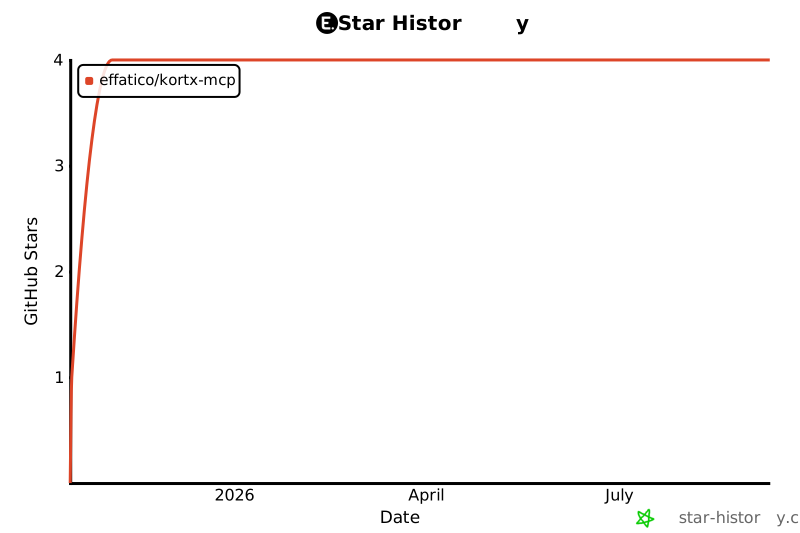](https://star-history.com/#effatico/kortx-mcp&Date)\n","readmeFilename":"README.md"}