{"_id":"@vietthai/figma-remote-mcp-go","_rev":"5-ba694248fee71581a75398b0d43ea839","name":"@vietthai/figma-remote-mcp-go","dist-tags":{"latest":"0.4.0"},"versions":{"0.0.0-stage":{"name":"@vietthai/figma-remote-mcp-go","version":"0.0.0-stage","_id":"@vietthai/figma-remote-mcp-go@0.0.0-stage","stub":true,"maintainers":[{"name":"vietthai","email":"thai1042002@gmail.com"}],"dist":{"shasum":"c51a50b80f9ac09e007c119879beb34083fc5638","tarball":"https://registry.npmjs.org/@vietthai/figma-remote-mcp-go/-/figma-remote-mcp-go-0.0.0-stage.tgz","fileCount":2,"integrity":"sha512-snqYjlA+yjftduDIXsi4j7vZbLcjdptwdAoYMhFcDp+eI0FPFbHPm2jZ3OBPETNvtESwh8zQ7Qn1PRu9mLLOrg==","signatures":[{"sig":"MEYCIQDYMizQdaKxLpHvh7St5Flg20aKNSxlxP+FNClBOPBmMAIhAIdbSSP4mS5/i5TzP1qPbjGQ5X5hzSVidaWJgG8NpX/w","keyid":"SHA256:DhQ8wR5APBvFHLF/+Tc+AYvPOdTpcIDqOhxsBHRwC7U"}],"unpackedSize":351},"_npmUser":{"name":"vietthai","email":"thai1042002@gmail.com"},"deprecated":"placeholder, use latest","description":"Temporary package placeholder for staged publishing","directories":{}},"0.2.0":{"name":"@vietthai/figma-remote-mcp-go","version":"0.2.0","keywords":["figma","mcp","model-context-protocol","ai","design"],"license":"MIT","_id":"@vietthai/figma-remote-mcp-go@0.2.0","maintainers":[{"name":"vietthai","email":"thai1042002@gmail.com"}],"homepage":"https://github.com/vietthai104/figma-remote-mcp-go-main#readme","bugs":{"url":"https://github.com/vietthai104/figma-remote-mcp-go-main/issues"},"bin":{"figma-mcp-go":"bin/run.js"},"dist":{"shasum":"c2cc027b47f6a730a1ec77e89ad00c97e3f8d249","tarball":"https://registry.npmjs.org/@vietthai/figma-remote-mcp-go/-/figma-remote-mcp-go-0.2.0.tgz","fileCount":10,"integrity":"sha512-N5Ejwg3goGI3Pb0kZszoz379SY4dprCXhQ9s9i7tQn9Xn6ll/uhASoiw4Rfsbj0eU/5qVE4y/BLad9yHDiLzGQ==","signatures":[{"sig":"MEUCICN1i3c3YKo0HHlbndOfYPpktYJqQFEbOSFrnRlak93qAiEAmul+2jt71n7BmWlHY2vtoBP1IG9jZu3L0RU+y4SSTEg=","keyid":"SHA256:DhQ8wR5APBvFHLF/+Tc+AYvPOdTpcIDqOhxsBHRwC7U"},{"sig":"MEUCIHI1iVbH2omjP1ffkzCMYBU//9pMLY2XMbybGMsbxFRNAiEAuclK/MBNtsYi7ny1XRhaIGK9wyqLBWz3s2TKSd4YKIo=","keyid":"SHA256:DhQ8wR5APBvFHLF/+Tc+AYvPOdTpcIDqOhxsBHRwC7U"}],"unpackedSize":112500057},"_from":"file:C:/Users/ADMIN/AppData/Local/Temp/claude/D--HocTap-FigmaMCPGo-figma-remote-mcp-go-main/81c3cfaf-7c88-494c-b212-243119e1977a/scratchpad/vietthai-figma-remote-mcp-go-0.2.0.tgz","engines":{"node":">=18.0.0"},"mcpName":"io.github.vietthai104/figma-remote-mcp-go-main","_npmUser":{"name":"vietthai","email":"thai1042002@gmail.com"},"_resolved":"C:\\Users\\ADMIN\\AppData\\Local\\Temp\\claude\\D--HocTap-FigmaMCPGo-figma-remote-mcp-go-main\\81c3cfaf-7c88-494c-b212-243119e1977a\\scratchpad\\vietthai-figma-remote-mcp-go-0.2.0.tgz","_integrity":"sha512-N5Ejwg3goGI3Pb0kZszoz379SY4dprCXhQ9s9i7tQn9Xn6ll/uhASoiw4Rfsbj0eU/5qVE4y/BLad9yHDiLzGQ==","repository":{"url":"git+https://github.com/vietthai104/figma-remote-mcp-go-main.git","type":"git"},"_npmVersion":"11.9.0","description":"Figma MCP server with remote agent support — auth tokens, .env config, no API key, no rate limits","directories":{},"_nodeVersion":"24.14.0","_hasShrinkwrap":false,"_npmOperationalInternal":{"tmp":"tmp/figma-remote-mcp-go_0.2.0_1792216463506_0.006946364951341044","host":"s3://npm-registry-packages-npm-production"}},"0.3.0":{"name":"@vietthai/figma-remote-mcp-go","version":"0.3.0","keywords":["figma","mcp","model-context-protocol","ai","design"],"license":"MIT","_id":"@vietthai/figma-remote-mcp-go@0.3.0","maintainers":[{"name":"vietthai","email":"thai1042002@gmail.com"}],"homepage":"https://github.com/vietthai104/figma-remote-mcp-go-main#readme","bugs":{"url":"https://github.com/vietthai104/figma-remote-mcp-go-main/issues"},"bin":{"figma-mcp-go":"bin/run.js"},"dist":{"shasum":"70c32e0d0ee56c990cba3d6a5f761ceec6b9508b","tarball":"https://registry.npmjs.org/@vietthai/figma-remote-mcp-go/-/figma-remote-mcp-go-0.3.0.tgz","fileCount":10,"integrity":"sha512-FiNzD12yJNzGzpUKMlxs8OVAyQ49nS16U9OaS7A8TEa74dtQZ3E3F1RtlClempuEk3/bRJt2FnrOSkTWhqPsvw==","signatures":[{"sig":"MEYCIQDlywvbqDnugysqcdO7uFaqz90fOE5VqwrnkSMhSI8f3AIhAOKyMGv+0wVwSaqX+1xhH8ftXQM+LB6mNPHUAZ6pGp/y","keyid":"SHA256:DhQ8wR5APBvFHLF/+Tc+AYvPOdTpcIDqOhxsBHRwC7U"},{"sig":"MEYCIQDulZyhJZ2M/x9+Fo85/71MfjUi9zZBfyEzacmq5bGxewIhALQdACpz5w+xrVBEDempJ5LBaXEkDroZ4zL7UG/8ClZA","keyid":"SHA256:DhQ8wR5APBvFHLF/+Tc+AYvPOdTpcIDqOhxsBHRwC7U"}],"unpackedSize":113151956},"engines":{"node":">=18.0.0"},"gitHead":"fcde49f89338fe07c2704ba5409c25120451405c","mcpName":"io.github.vietthai104/figma-remote-mcp-go-main","_npmUser":{"name":"vietthai","email":"thai1042002@gmail.com"},"repository":{"url":"git+https://github.com/vietthai104/figma-remote-mcp-go-main.git","type":"git"},"_npmVersion":"10.9.9","description":"Figma MCP server with remote agent support — auth tokens, .env config, no API key, no rate limits","directories":{},"_nodeVersion":"22.23.3","_hasShrinkwrap":false,"_npmOperationalInternal":{"tmp":"tmp/figma-remote-mcp-go_0.3.0_1792814385308_0.7000341382689552","host":"s3://npm-registry-packages-npm-production"}},"0.4.0":{"_id":"@vietthai/figma-remote-mcp-go@0.4.0","bin":{"figma-mcp-go":"bin/run.js"},"bugs":{"url":"https://github.com/vietthai104/figma-remote-mcp-go-main/issues"},"dist":{"shasum":"8387c57a8d9fdb1fd856e0b00d7cdf4859b1d8e2","tarball":"https://registry.npmjs.org/@vietthai/figma-remote-mcp-go/-/figma-remote-mcp-go-0.4.0.tgz","fileCount":10,"integrity":"sha512-V93YsKSJapo84ooFesQ0B7TgLiPQ81fvKLFAVCl/MIkWCBc9TZ0js7sIHlRLQiiGTlWOTY5skEVEAhgG9sKm5Q==","signatures":[{"sig":"MEYCIQCkVJ0hj+5+43earkKRXuSsuUAEj6TcuOVUUsDvAjcfKwIhAIhzXcGqWRbiXFb8NGeyqWCo6fb/AjrvLBLvrm76msFr","keyid":"SHA256:DhQ8wR5APBvFHLF/+Tc+AYvPOdTpcIDqOhxsBHRwC7U"},{"keyid":"SHA256:DhQ8wR5APBvFHLF/+Tc+AYvPOdTpcIDqOhxsBHRwC7U","sig":"MEYCIQCUaHq6F3HxiSlGOAR0TAn3i5cqnXHSNSq/C5iFL4qM9wIhALB/3jTKp2v723Mse+1ZAogRvLuTl6YhmmVz3+1JB5g0"}],"unpackedSize":115950508},"name":"@vietthai/figma-remote-mcp-go","engines":{"node":">=18.0.0"},"gitHead":"16020b01e53caed275599c1a9bef709679d6e7bd","license":"MIT","mcpName":"io.github.vietthai104/figma-remote-mcp-go-main","version":"0.4.0","_npmUser":{"name":"vietthai","email":"thai1042002@gmail.com"},"homepage":"https://github.com/vietthai104/figma-remote-mcp-go-main#readme","keywords":["figma","mcp","model-context-protocol","ai","design"],"repository":{"url":"git+https://github.com/vietthai104/figma-remote-mcp-go-main.git","type":"git"},"_npmVersion":"10.9.9","description":"Figma MCP server with remote agent support — auth tokens, .env config, no API key, no rate limits","directories":{},"maintainers":[{"name":"vietthai","email":"thai1042002@gmail.com"}],"_nodeVersion":"22.23.4","_hasShrinkwrap":false,"_npmOperationalInternal":{"host":"s3://npm-registry-packages-npm-production","tmp":"tmp/figma-remote-mcp-go_0.4.0_1793541090107_0.20944267133417493"}}},"time":{"created":"2026-10-17T05:52:09.939Z","modified":"2026-11-01T13:51:30.986Z","0.0.0-stage":"2026-10-17T05:52:09.939Z","0.2.0":"2026-10-17T05:54:24.289Z","0.3.0":"2026-10-24T03:59:46.155Z","0.4.0":"2026-11-01T13:51:30.818Z"},"bugs":{"url":"https://github.com/vietthai104/figma-remote-mcp-go-main/issues"},"license":"MIT","homepage":"https://github.com/vietthai104/figma-remote-mcp-go-main#readme","keywords":["figma","mcp","model-context-protocol","ai","design"],"repository":{"url":"git+https://github.com/vietthai104/figma-remote-mcp-go-main.git","type":"git"},"description":"Figma MCP server with remote agent support — auth tokens, .env config, no API key, no rate limits","maintainers":[{"name":"vietthai","email":"thai1042002@gmail.com"}],"readme":"# figma-remote-mcp-go\n\nFigma MCP with Remote Agent Support\n
\n \n \n \n \n
\n\nOpen-source Figma MCP server with full read/write access via plugin — **remote agent support with auth tokens**, no REST API, no rate limits. Turn text into designs and designs into real code. Works with Cursor, Claude, GitHub Copilot, and any MCP-compatible AI tool.\n\n**Highlights**\n- No Figma API token required\n- No rate limits — free plan friendly\n- **Read and Write** live Figma data via plugin bridge — 95 tools total\n- Full design automation — styles, variables, components, prototypes, and content\n- Design strategies included — read_design_strategy, design_strategy, and more prompts built in\n\n**Styles, Variables, Components, Prototypes, and Content**\n\nhttps://github.com/user-attachments/assets/eae41471-fc72-4574-8261-4f42c38b8c99\n\n**Text to Design, Design to Code**\n\nhttps://github.com/user-attachments/assets/17bda971-0e83-4f18-8758-8ac2b8dcba62\n\n---\n\n## Why this exists\n\nMost Figma MCP servers rely on the **Figma REST API**.\n\nThat sounds fine… until you hit this:\n\n| Plan | Limit |\n|------|-------|\n| Starter / View / Collab | **6 tool calls/month** |\n| Pro / Org (Dev seat) | 200 tool calls/day |\n| Enterprise | 600 tool calls/day |\n\nIf you're experimenting with AI tools, you'll burn through that in minutes.\n\nI didn't have enough money to pay for higher limits.\nSo I built something that **doesn't use the API at all**.\n\n---\n\n## Installation & Setup\n\nInstall via `npx` — no build step required. Watch the setup video or follow the steps below.\n\n[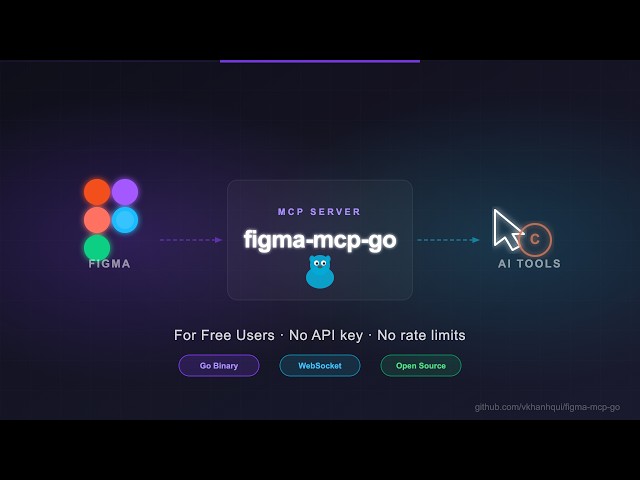](https://youtu.be/DjqyU0GKv9k)\n\n### 1. Configure your AI tool\n\nRequires Node.js 18+. The same config works whether you use one AI tool or several at once: the first server process to start hosts the plugin connection on port `1994`, later ones (another IDE, a second Claude Code session, a terminal) automatically forward to it, and one of them takes over if it exits. No extra setting is needed.\n\n#### Claude Code\n\n**Global (all your projects, recommended)** — saved in your user config (`~/.claude.json`):\n\nmacOS / Linux:\n```bash\nclaude mcp add -s user figma-remote-mcp-go -- npx -y @vietthai/figma-remote-mcp-go@latest\n```\n\nWindows (PowerShell):\n```powershell\nclaude mcp add -s user figma-remote-mcp-go '--' cmd /c npx -y @vietthai/figma-remote-mcp-go@latest\n```\n\nWindows (Command Prompt / Git Bash):\n```bash\nclaude mcp add -s user figma-remote-mcp-go -- cmd /c npx -y @vietthai/figma-remote-mcp-go@latest\n```\n\n**Project only** — run inside the project folder; writes `.mcp.json` there, so everyone who clones the repo gets it (Claude Code asks each of them to approve it once):\n\nmacOS / Linux:\n```bash\nclaude mcp add -s project figma-remote-mcp-go -- npx -y @vietthai/figma-remote-mcp-go@latest\n```\n\nWindows (PowerShell):\n```powershell\nclaude mcp add -s project figma-remote-mcp-go '--' cmd /c npx -y @vietthai/figma-remote-mcp-go@latest\n```\n\nWindows (Command Prompt / Git Bash):\n```bash\nclaude mcp add -s project figma-remote-mcp-go -- cmd /c npx -y @vietthai/figma-remote-mcp-go@latest\n```\n\n> **Windows notes.** PowerShell silently drops a bare `--` when it runs the `claude` script, so Claude Code then rejects `-y` (`error: unknown option '-y'`); quoting it as `'--'` keeps it. `cmd /c` is needed because Claude Code cannot start `npx` directly on native Windows.\n\nAdd it with only one of the two scopes. Then run `/mcp` in Claude Code to check that `figma-remote-mcp-go` is connected; remove it with `claude mcp remove figma-remote-mcp-go -s user` (or `-s project`).\n\n#### Codex CLI\n\n```bash\ncodex mcp add figma-remote-mcp-go -- npx -y @vietthai/figma-remote-mcp-go@latest\n```\nThis is global: Codex saves it in `~/.codex/config.toml` for all projects. In PowerShell, write `'--'` instead of `--` (same reason as above).\n\n#### VS Code (`.vscode/mcp.json`)\n```json\n{\n \"servers\": {\n \"figma-remote-mcp-go\": {\n \"type\": \"stdio\",\n \"command\": \"npx\",\n \"args\": [\"-y\", \"@vietthai/figma-remote-mcp-go@latest\"]\n }\n }\n}\n```\n\n#### Cursor (`~/.cursor/mcp.json` or `.cursor/mcp.json`), Claude Desktop (`claude_desktop_config.json`) and other MCP clients\n```json\n{\n \"mcpServers\": {\n \"figma-remote-mcp-go\": {\n \"command\": \"npx\",\n \"args\": [\"-y\", \"@vietthai/figma-remote-mcp-go@latest\"]\n }\n }\n}\n```\n\nIf your client fails to start `npx` on Windows, use `\"command\": \"cmd\"` and `\"args\": [\"/c\", \"npx\", \"-y\", \"@vietthai/figma-remote-mcp-go@latest\"]`.\n\n#### Leader on another machine (optional)\n\nOnly when Figma runs on a different machine than your AI tool: set `FIGMA_MCP_LEADER_URL` to that machine's server, e.g. `\"env\": {\"FIGMA_MCP_LEADER_URL\": \"https://your-tunnel-url\"}` in the JSON configs, or add `-e FIGMA_MCP_LEADER_URL=https://your-tunnel-url` after the server name in `claude mcp add`. See [docs/deployment.md](docs/deployment.md). Do not set it for a local setup: a process with this variable never takes over port `1994` when the leader exits.\n\n### 2. Install the Figma plugin\n\n1. In Figma Desktop: **Plugins → Development → Import plugin from manifest**\n2. Select `manifest.json` from the [plugin.zip](https://github.com/vietthai104/figma-remote-mcp-go-main/releases)\n3. Run the plugin inside any Figma file\n\n### 3. (Optional, recommended) Install the agent skills\n\nThree [agent skills](skills/README.md) teach your agent the workflows that get good results with these tools — it loads them by itself when a request matches:\n\n| Skill | For |\n|-------|-----|\n| [`figma-remote-build`](skills/figma-remote-build/SKILL.md) | Building or editing designs in Figma: screens, components, variants, tokens, prototypes |\n| [`figma-remote-codegen`](skills/figma-remote-codegen/SKILL.md) | Implementing a Figma frame in your project's framework, components and tokens |\n| [`figma-remote-bulk-edit`](skills/figma-remote-bulk-edit/SKILL.md) | Renaming, replacing/translating text, updating instances, token audits and exports across many layers |\n\nClaude Code (all projects):\n```bash\ngit clone --depth 1 https://github.com/vietthai104/figma-remote-mcp-go-main /tmp/figma-mcp-skills\nmkdir -p ~/.claude/skills && cp -r /tmp/figma-mcp-skills/skills/figma-remote-* ~/.claude/skills/\n```\nOther agents and Windows: see [skills/README.md](skills/README.md#install).\n\n---\n\n## Available Tools\n\n### Write — Create\n\n| Tool | Description |\n|------|-------------|\n| `create_frame` | Create a frame with optional auto-layout, fill, stroke, corner radius, `clipsContent`, and parent |\n| `create_rectangle` | Create a rectangle with optional fill and corner radius |\n| `create_ellipse` | Create an ellipse or circle |\n| `create_svg` | Import SVG markup (icons, logos) as vector layers; `color` replaces `currentColor`, `width`/`height` scale it |\n| `create_line` | Draw a straight line from `(x1, y1)` to `(x2, y2)` with color, weight, cap (arrows) and dash |\n| `create_text` | Create a text node (font loaded automatically); `width` wraps it, plus alignment, line height, letter spacing, decoration, case |\n| `import_image` | Place an image as a new rectangle: from a file (`imagePath`), base64, a URL, or an `imageHash` already in the file |\n| `create_component` | Convert an existing node (usually a FRAME) into a reusable component, keeping all its properties |\n| `create_section` | Create a Figma Section node to organise frames on a page |\n\nThe `create_*` tools and `import_image` also take `layoutSizingHorizontal`/`layoutSizingVertical` (`FIXED`/`HUG`/`FILL`) and `layoutPositioning` (`ABSOLUTE`) for nodes placed in an auto-layout parent.\n\n### Write — Batch\n\n| Tool | Description |\n|------|-------------|\n| `batch_write` | Run up to 200 write operations `{op, params, ref?}` in one call; later operations use `\"$ref\"` in node ID params for nodes created earlier. Validated up front, stops at the first error, optional `rollback` deletes the nodes it created |\n\n### Write — Modify\n\n| Tool | Description |\n|------|-------------|\n| `set_text` | Update text content of an existing TEXT node (loads every font it uses) |\n| `set_text_style` | Change font, size, line height, spacing, decoration, case, color, alignment, width/auto-resize of TEXT nodes — whole text or a `start`/`end` range |\n| `set_text_range` | Style several ranges of one TEXT node in one call, found by `text` or `start`/`end`: font, color, gradient or color variable, links, lists, text and paint styles |\n| `set_fills` | Set fills on a node (or the same fills on several, `nodeIds`): a hex color, or `paints` in the read format (solid / variable-bound, linear/radial/angular/diamond gradients, images) |\n| `set_strokes` | Set strokes on a node (or several, `nodeIds`): color or `paints`, weight, per-side weights, align, dash, cap, join, `strokesIncludedInLayout` |\n| `set_image_fill` | Put an image into existing layers' fills, keeping crop and filters like Figma's Replace image: from a file (`imagePath`), base64, a URL, or an `imageHash` |\n| `boolean_nodes` | Combine shapes: `UNION`, `SUBTRACT`, `INTERSECT`, `EXCLUDE`, keeping them editable inside the result |\n| `set_mask` | Turn a layer into a mask for the siblings above it (`ALPHA`, `VECTOR`, `LUMINANCE`), or back |\n| `set_opacity` | Set opacity of one or more nodes (0 = transparent, 1 = opaque) |\n| `set_corner_radius` | Set corner radius — uniform or per-corner |\n| `set_auto_layout` | Set or update auto-layout (flex) properties and `clipsContent` on a frame, component or instance |\n| `set_layout_child` | Size/position nodes in their auto-layout parent: `FILL`/`HUG`/`FIXED` per axis, `ABSOLUTE`, min/max width/height |\n| `set_visible` | Show or hide one or more nodes |\n| `lock_nodes` | Lock one or more nodes to prevent accidental edits |\n| `unlock_nodes` | Unlock one or more nodes |\n| `rotate_nodes` | Set absolute rotation in degrees; `aroundCenter: true` keeps the centre in place (default pivots on the top-left corner) |\n| `reorder_nodes` | Change z-order: `bringToFront`, `sendToBack`, `bringForward`, `sendBackward` |\n| `set_blend_mode` | Set blend mode (MULTIPLY, SCREEN, OVERLAY, …) on one or more nodes |\n| `set_constraints` | Set responsive constraints `{ horizontal, vertical }` on one or more nodes |\n| `move_nodes` | Set x/y relative to the parent; auto-layout children are not moved (warning) |\n| `resize_nodes` | Resize nodes by width and/or height, or `scale` them proportionally (children, strokes, text, effects too) |\n| `rename_node` | Rename a node |\n| `clone_node` | Clone a node next to the source (same parent), optionally repositioning or reparenting |\n| `reparent_nodes` | Move nodes to a different parent frame, group, or section |\n| `batch_rename_nodes` | Bulk rename nodes via find/replace, regex, or prefix/suffix |\n| `find_replace_text` | Find and replace text across all TEXT nodes in a subtree or page; supports regex |\n\n### Write — Delete\n\n| Tool | Description |\n|------|-------------|\n| `delete_nodes` | Delete one or more nodes permanently |\n\n### Write — Prototype\n\n| Tool | Description |\n|------|-------------|\n| `set_reactions` | Set prototype reactions (triggers + actions) on a node; mode `replace` or `append` |\n| `remove_reactions` | Remove all or specific reactions by zero-based index from a node |\n\n### Write — Styles\n\n| Tool | Description |\n|------|-------------|\n| `set_effects` | Apply drop shadow / blur effects directly on a node or several (`nodeIds`; no style required) |\n| `create_paint_style` | Create a named paint style with a solid color |\n| `create_text_style` | Create a named text style with font, size, and spacing |\n| `create_effect_style` | Create a named effect style (drop shadow, inner shadow, blur) |\n| `create_grid_style` | Create a named layout grid style (columns, rows, or grid) |\n| `update_paint_style` | Rename or recolor an existing paint style |\n| `apply_style_to_node` | Apply an existing local style to a node, linking it to that style |\n| `import_style` | Import a published library style by its key (from `get_styles` in the library's file) and get the ID to apply here |\n| `delete_style` | Delete any style (paint, text, effect, or grid) by ID |\n\n### Write — Variables\n\n| Tool | Description |\n|------|-------------|\n| `create_variable_collection` | Create a new local variable collection with an optional initial mode |\n| `add_variable_mode` | Add a new mode to an existing collection (e.g. Light/Dark) |\n| `create_variable` | Create a variable (COLOR/FLOAT/STRING/BOOLEAN) in a collection |\n| `set_variable_value` | Set a variable's value for a specific mode |\n| `bind_variable_to_node` | Bind a variable to a node property — supports `fillColor`, `strokeColor`, `visible`, `opacity`, `rotation`, `width`, `height`, corner radii, spacing, and more |\n| `set_node_variable_mode` | Switch layers or a page to one mode of a collection (the Dark version of a frame), or back to inheriting it |\n| `import_variable` | Import a published library variable by its key (from `get_variable_defs` in the library's file) and get the ID to bind here |\n| `delete_variable` | Delete a variable or an entire collection |\n\n### Write — Pages\n\n| Tool | Description |\n|------|-------------|\n| `add_page` | Add a new page to the document (optional name and index) |\n| `delete_page` | Delete a page by ID or name (cannot delete the only page) |\n| `rename_page` | Rename a page by ID or current name |\n\n### Write — Components & Navigation\n\n| Tool | Description |\n|------|-------------|\n| `navigate_to_page` | Switch the active Figma page by ID or name |\n| `group_nodes` | Group two or more nodes into a GROUP |\n| `ungroup_nodes` | Ungroup GROUP nodes, moving children to the parent |\n| `combine_as_variants` | Combine components into a COMPONENT_SET (variant values from names or `variants`), laid out in a grid (or `ROW` / `KEEP`) and sized to them; duplicate variants rejected |\n| `add_component_property` | Add a BOOLEAN / TEXT / INSTANCE_SWAP / VARIANT property to a component or set and bind layers to it (`layers`); everything checked before anything is added |\n| `edit_component_property` | Rename a property, change its default or swap choices (`preferredValues`), bind / unbind layers, or delete it |\n| `create_instance` | Create an instance of a COMPONENT or COMPONENT_SET (variant and other properties via `properties`) |\n| `set_instance_properties` | Set component properties of instances: variant, boolean, text, instance swap |\n| `swap_component` | Swap the main component of an INSTANCE node |\n| `detach_instance` | Detach component instances, converting them to plain frames |\n\n### Read — Document & Selection\n\n| Tool | Description |\n|------|-------------|\n| `get_document` | Full current page tree |\n| `get_metadata` | File name, pages, current page |\n| `list_files` | Figma files the plugin is open in, the user's latest first, and which one your calls go to |\n| `use_file` | Send every later call to one file (by name or `sessionId`), whatever file the user switches to; `release: true` to follow the user again |\n| `get_pages` | All pages (IDs + names) — lightweight, no tree loading |\n| `get_selection` | Currently selected nodes |\n| `get_node` | Single node by ID (optional `depth`) |\n| `get_nodes_info` | Multiple nodes by ID (optional `depth`) |\n| `get_design_context` | Depth-limited tree with `detail` level (`minimal`/`compact`/`full`); target = `nodeId` > selection > current page |\n| `search_nodes` | Find nodes by name substring and/or type within a subtree |\n| `scan_text_nodes` | All text nodes in a subtree |\n| `scan_nodes_by_types` | Nodes matching given type list |\n| `get_viewport` | Current viewport center, zoom, and visible bounds |\n\n#### Node output format\n\n`get_document`, `get_node`, `get_nodes_info`, `get_selection` and `get_design_context` share one node format:\n\n```json\n{\n \"id\": \"640:44\", \"name\": \"Data\", \"type\": \"FRAME\",\n \"bounds\": {\"x\": 421, \"y\": 8.5, \"width\": 373, \"height\": 36},\n \"layout\": {\"mode\": \"HORIZONTAL\", \"padding\": [6, 12, 6, 12],\n \"align\": \"SPACE_BETWEEN\", \"counterAlign\": \"CENTER\", \"sizing\": [\"FIXED\", \"HUG\"]},\n \"styles\": {\"cornerRadius\": 6, \"fills\": \"s1\", \"strokes\": \"s2\"},\n \"childCount\": 2\n}\n```\n\n- `bounds.x/y` are relative to the parent.\n- Default values are omitted: no empty `styles`/`children`, `visible` only when `false`, `opacity` only when ≠ 1, `locked` only when `true`, `blendMode` only when not the type's default (`PASS_THROUGH` for frames/groups/instances, `NORMAL` for shapes/text), `constraints: {horizontal, vertical}` only when not `MIN`/`MIN` (and never on auto-layout children, where Figma ignores them, nor on layers inside an instance, which repeat the main component's – read the main component to see them), `clipsContent: false` only on frames/components/instances that don't clip, no `textAlignHorizontal: LEFT`. At full detail TEXT reports `textAutoResize` when not `WIDTH_AND_HEIGHT` (`HEIGHT` = fixed width that wraps, `NONE`/`TRUNCATE` = fixed box), `textAlignVertical` when not `TOP` and `textCase` when not `ORIGINAL`. `fontWeight` only appears when `fontStyle` is `mixed`.\n- `layout.mode` is present only on auto-layout containers (`mode`, `gap`, `padding` `[top,right,bottom,left]`, `align`, `counterAlign`, `wrap`…). Children of auto-layout frames get `layout.sizing` (`[horizontal, vertical]`, e.g. `FILL`/`HUG`) `positioning: \"ABSOLUTE\"` and `minWidth`/`maxWidth`/`minHeight`/`maxHeight` when applicable (Figma reports a hidden child's `FILL` as `FIXED`, so it has no `sizing` until shown; `set_layout_child` on a hidden layer says so). `layout.strokesIncludedInLayout: true` appears when an auto-layout frame's visible strokes take room in the layout.\n- SOLID paints are hex strings (`#rrggbb` / `#rrggbbaa`). A SOLID paint bound to a color variable becomes `{\"type\":\"SOLID\",\"color\":\"#ffffff\",\"variable\":\"Color/Background/Surface\"}` (variable ID if the name can't be resolved). When that variable was deleted the paint is `{\"type\":\"SOLID\",\"color\":\"#ffffff\",\"deletedVariable\":\"tl/tmp/doomed\"}` (writing it back with `set_fills` gives a plain color). Other paints are objects, e.g. `{\"type\":\"IMAGE\",\"scaleMode\":\"FILL\",\"imageHash\":\"…\"}` (`set_image_fill`, `import_image` and `set_fills` take that hash to reuse the image), `{\"type\":\"GRADIENT_LINEAR\",\"stops\":[\"#2606a6\",\"#9a0ab1\",\"#ff003d\"],\"positions\":[0,0.36,1],\"angle\":90}`. `positions` only appear when stops are not evenly spaced; `angle` uses CSS `linear-gradient` degrees (0 = to top, 90 = to right) computed from the real node size; radial/angular/diamond gradients get `center: [x, y]` (fractions of the node) when off-centre. Hidden paints are dropped.\n- `isMask: true` (with `maskType` when not `ALPHA`) marks a mask, `booleanOperation` a boolean group's operation, `variableModes: {collection: mode}` the modes set on the node itself with `set_node_variable_mode`.\n- At full detail TEXT lists `styles.links` (`[{characters, url | nodeId}]`) and `styles.lists` (`[{characters, type}]`) when it has any.\n- `rotation` (degrees, only when ≠ 0) turns the node around its top-left corner – `bounds.x/y` – as `rotate_nodes` sets it; `bounds.width/height` stay the unrotated size.\n- `styles.cornerRadius` is a number, or `[topLeft, topRight, bottomRight, bottomLeft]` when the corners differ.\n- `styles.effects` lists visible effects in the format `set_effects` accepts: shadows `{\"type\":\"DROP_SHADOW\",\"color\":\"#00000040\",\"offset\":[0,4],\"radius\":8,\"spread\"?,\"blendMode\"?}` (alpha always included), blurs `{\"type\":\"LAYER_BLUR\",\"radius\":4}`; `styles.effectStyle` names an applied effect style.\n- `styles.layoutGrids` lists visible layout grids in the format `create_grid_style` takes (`{pattern, count, gutterSize, offset, alignment, sectionSize?, color?}`); `styles.gridStyle` names an applied grid style.\n- `styles.variables` names the variables bound to other fields (the fields `bind_variable_to_node` takes), e.g. `{\"cornerRadius\":\"radius/card\",\"itemSpacing\":\"space/md\",\"visible\":\"flag/showPromo\"}`; four corners bound to one variable are reported as `cornerRadius`; a deleted variable reads `\"name (deleted)\"`.\n- Nodes with visible strokes get `strokeWeight` (a number, or `[top,right,bottom,left]` when the sides differ), `strokeAlign` (`INSIDE` / `CENTER` / `OUTSIDE`), `dashPattern` when dashed, and `strokeCap` / `strokeJoin` when not `NONE` / `MITER`.\n- Figma reports `fontName`/`fontSize` as mixed as soon as one character range differs. The values shared by every range are still reported (e.g. `fontFamily: \"Inter\"`); only what really differs is `\"mixed\"`, and full detail adds `styles.textSegments`, e.g. `[{\"characters\":\"Price: \",\"fontStyle\":\"Regular\"},{\"characters\":\"$99\",\"fontStyle\":\"Bold\"}]` (only the differing properties). Text colored by range (`fills: \"mixed\"`) also lists each segment's `fills` there. `get_fonts` counts each font of such a node.\n- Components: an `INSTANCE` has `component: {id, name, set?, deleted?}` (its main component; `set` is the component set's name when the main component is a variant; `deleted: true` when the main component was deleted from the file) and `componentProperties` (`{\"Size\": \"Large\", \"Label\": \"Pay\"}`, names as `set_instance_properties` takes them). A `COMPONENT_SET` and a component outside a set have `properties` (`{name: {type, default, options?}}`, as `get_local_components` lists them); a variant has `variantProperties`. A layer bound to component properties has `propertyRefs`, e.g. `{\"visible\": \"Show icon\", \"mainComponent\": \"Icon\"}`.\n- Fills/strokes used more than once are replaced by keys (`\"s1\"`) into a top-level `globalVars.styles` map.\n- When a `depth` limit cuts the tree, the deepest nodes report `childCount` instead of `children`.\n- `get_selection` and `get_nodes_info` return `{\"nodes\": [...], \"globalVars\"?: {...}}`. `get_design_context` returns `{fileName, currentPage, target, selectionCount, context: [...], globalVars?, componentDefs?}`, where `target` is `node` / `selection` / `page`. With `dedupe_components`, instance `overrides[].fills` use the same paint format, `componentProperties` use the same names as `component`/`set_instance_properties`, and layers inside a swapped nested instance are compared with the swapped-in component. `overrides` lists only what differs from the main component (whose own overrides are in `componentDefs`): text bound to a TEXT property is left out (it is in `componentProperties`), a hidden layer is `{id, name, type, visible: false}` without its contents, and a nested instance is `{id, name, type: \"INSTANCE\", mainComponentId?, componentProperties?}` – `mainComponentId` when it was swapped or set to another variant, `componentProperties` with only the values that differ, ready for `set_instance_properties`.\n\n### Read — Styles & Variables\n\n| Tool | Description |\n|------|-------------|\n| `get_styles` | Paint, text, effect, and grid styles; `includeUsed` also lists the styles used on the current page, library (remote) styles included |\n| `get_variable_defs` | Variable collections and values |\n| `get_local_components` | All components + component sets with variant values and property definitions (`properties`; INSTANCE_SWAP swap choices as `preferredValues` `{id, name}`) |\n| `get_annotations` | Dev-mode annotations |\n| `get_fonts` | All fonts used on the current page, sorted by frequency |\n| `get_reactions` | Prototype/interaction reactions on a node |\n\n### Export\n\n| Tool | Description |\n|------|-------------|\n| `get_screenshot` | Screenshot of any node, returned as an image the AI can see (PNG/JPG), SVG markup, or PDF base64 |\n| `save_screenshots` | Export images to disk (server-side, no API call) |\n| `export_frames_to_pdf` | Export multiple frames as a single multi-page PDF file saved to disk |\n| `export_tokens` | Export design tokens (variables + paint styles) as JSON or CSS |\n\n### Codebase\n\nThese run in the MCP server process the agent talks to, so they read and write the agent's project (its working directory), also when the leader is on another machine.\n\n| Tool | Description |\n|------|-------------|\n| `component_map` | Pair Figma components with the project's components (React, Vue, Svelte, Astro, Angular, Flutter, SwiftUI, Compose) by name and props; `outputPath` writes the map as Markdown |\n| `token_map` | Pair Figma variables and paint styles with the project's tokens (CSS custom properties, SCSS/Less variables, JSON tokens, theme / Tailwind config objects) by name and value; flags same-name tokens whose values drifted |\n| `design_diff` | Snapshot a frame into `.figma-mcp/snapshots/`, then report only the nodes added, removed and changed (property by property) since the last call |\n\n### MCP Prompts\n\nFor agents that support skills, the [skills](skills/README.md) are the more complete guide; the prompts remain for clients without skill support.\n\n| Prompt | Description |\n|--------|-------------|\n| `read_design_strategy` | Best practices for reading Figma designs |\n| `design_strategy` | Best practices for building and editing designs |\n| `text_replacement_strategy` | Replace, translate or fill in text across a design |\n| `annotation_conversion_strategy` | Match manual canvas annotations to the UI elements they describe |\n| `swap_overrides_instances` | Copy properties and overrides from one component instance to others |\n| `reaction_to_connector_strategy` | Map prototype reactions into an interaction flow |\n| `style_audit_strategy` | Find raw colours, text and effects not linked to tokens or styles |\n| `bulk_rename_strategy` | Rename layers to a consistent convention |\n| `design_token_generation_strategy` | Extract the values a design uses into variables and styles |\n| `generate_color_palette` | Primitive + semantic colour variables (light/dark) from brand colours |\n| `generate_type_scale` | A typographic scale as text styles |\n| `generate_component_variants` | Turn a frame or component into a component set with variants |\n\n---\n\n## Related Projects\n\n- [magic-spells/figma-mcp-bridge](https://github.com/magic-spells/figma-mcp-bridge)\n- [grab/cursor-talk-to-figma-mcp](https://github.com/grab/cursor-talk-to-figma-mcp)\n- [gethopp/figma-mcp-bridge](https://github.com/gethopp/figma-mcp-bridge)\n\n---\n\n## Contributing\n\nIssues and PRs are welcome.\n\n## Star History\n\n\n \n \n \n \n \n\n","readmeFilename":"README.md"}
 \n
 \n
 \n
 \n