{"_id":"gremlins.js","_rev":"19-36dabbf49355dfbffbf99f1c84eda72d","name":"gremlins.js","description":"A monkey testing library written in JavaScript, for Node.js and the browser. Use it to check the robustness of web applications by unleashing a horde of undisciplined gremlins.","dist-tags":{"latest":"2.2.0","next":"2.0.0-next.2"},"versions":{"0.1.0":{"name":"gremlins.js","version":"0.1.0","description":"A monkey testing library written in JavaScript, for Node.js and the browser. Use it to check the robustness of web applications by unleashing a horde of undisciplined gremlins.","main":"gremlins.min.js","directories":{"example":"examples"},"scripts":{"test":"make test"},"repository":{"type":"git","url":"git://github.com/marmelab/gremlins.js.git"},"keywords":["monkey","test","testing","stress","gremlin"],"author":{"name":"Francois Zaninotto"},"license":"MIT","bugs":{"url":"https://github.com/marmelab/gremlins.js/issues"},"homepage":"https://github.com/marmelab/gremlins.js","_id":"gremlins.js@0.1.0","dist":{"shasum":"8903d88710bedc8d18d0a1ddd48bfeca82a914cb","tarball":"https://registry.npmjs.org/gremlins.js/-/gremlins.js-0.1.0.tgz","integrity":"sha512-IIwzlYMvGjLb0+XWir6srZxpBiEy3RNC6CWXq/1AUjgrkzKSh9BxRXvuXAOyh/vEtSqrq2Vq1/FguTG4e181Fw==","signatures":[{"keyid":"SHA256:jl3bwswu80PjjokCgh0o2w5c2U4LhQAE57gj9cz1kzA","sig":"MEUCIDhhuFJD0cUzu89CV5n+LY6WwWUUp4QDhA46XWwJzLvjAiEAxuxwYnqSgx37cvFqMxvXATroZeljdi7TfMC+nFbq7is="}]},"_from":".","_npmVersion":"1.4.3","_npmUser":{"name":"fzaninotto","email":"fzaninotto@gmail.com"},"maintainers":[{"name":"fzaninotto","email":"fzaninotto@gmail.com"}]},"2.0.0-next":{"name":"gremlins.js","version":"2.0.0-next","description":"A monkey testing library written in JavaScript, for Node.js and the browser. Use it to check the robustness of web applications by unleashing a horde of undisciplined gremlins.","main":"dist/gremlins.min.js","scripts":{"start":"rollup -c -w","build":"cross-env NODE_ENV=production rollup -c","test":"cross-env NODE_ENV=test jest","test:watch":"cross-env NODE_ENV=test jest --watch","lint":"eslint .","format":"prettier --write --check \"**/*.+(js|json|md)\"","serve":"serve dist","clear":"rimraf dist"},"repository":{"type":"git","url":"git+https://github.com/marmelab/gremlins.js.git"},"keywords":["monkey","test","testing","stress","gremlin"],"author":{"name":"Francois Zaninotto"},"license":"MIT","bugs":{"url":"https://github.com/marmelab/gremlins.js/issues"},"homepage":"https://github.com/marmelab/gremlins.js","devDependencies":{"@babel/core":"^7.8.3","@babel/preset-env":"^7.8.3","@commitlint/cli":"^8.3.5","@commitlint/config-conventional":"^8.3.4","@rollup/plugin-commonjs":"^11.0.2","@rollup/plugin-node-resolve":"^7.1.1","babel-eslint":"^10.0.3","babel-jest":"^25.1.0","cross-env":"^7.0.0","eslint":"^6.8.0","eslint-config-prettier":"^6.9.0","eslint-plugin-babel":"^5.3.0","eslint-plugin-import":"^2.20.0","eslint-plugin-jest":"^23.6.0","eslint-plugin-prettier":"^3.1.2","husky":"^4.2.1","jest":"^25.1.0","lint-staged":"^10.0.3","prettier":"^1.19.1","rimraf":"^3.0.1","rollup":"^1.31.0","rollup-plugin-babel":"^4.3.3","rollup-plugin-commonjs":"^10.1.0","rollup-plugin-terser":"^5.2.0","serve":"^11.3.0"},"dependencies":{"chance":"^1.1.4","core-js":"^3.6.4"},"husky":{"hooks":{"pre-commit":"lint-staged","commit-msg":"commitlint -E HUSKY_GIT_PARAMS"}},"lint-staged":{"*.js":"eslint","*.{js,json,md}":"prettier --write"},"commitlint":{"extends":["@commitlint/config-conventional"]},"readme":"# gremlins.js\n\ngremlins.js is a monkey testing library written in JavaScript, for Node.js and the browser. Use it to check the robustness of web applications by unleashing a horde of undisciplined gremlins.\n\n> Kate: _What are they, Billy?_\n>\n> Billy Peltzer: _They're gremlins, Kate, just like Mr. Futterman said._\n\n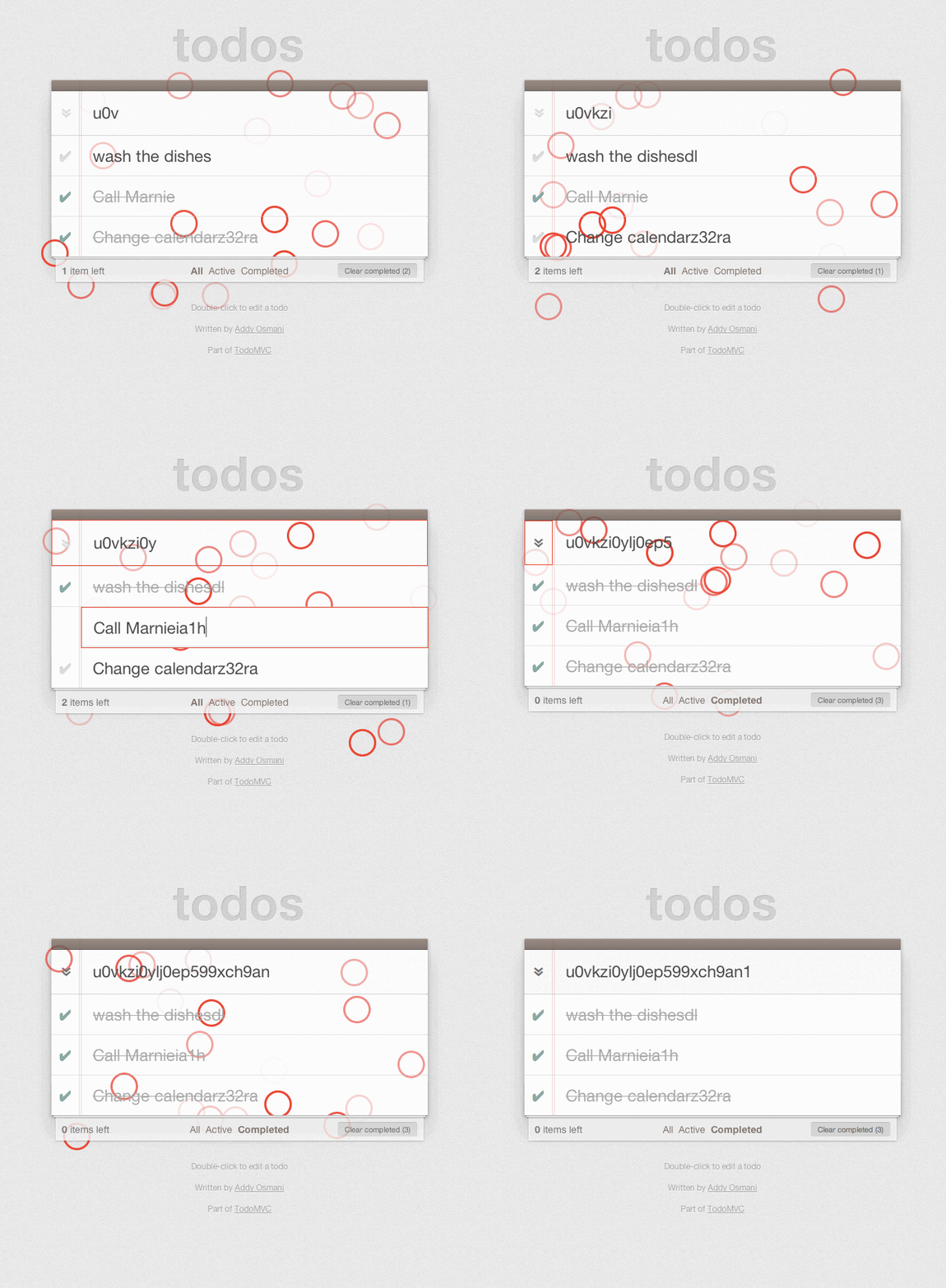\n\n## Purpose\n\nWhile developing an HTML5 application, did you anticipate uncommon user interactions? Did you manage to detect and patch all memory leaks? If not, the application may break sooner or later. If n random actions can make an application fail, it's better to acknowledge it during testing, rather than letting users discover it.\n\nGremlins.js simulates random user actions: gremlins click anywhere in the window, enter random data in forms, or move the mouse over elements that don't expect it. Their goal: triggering JavaScript errors, or making the application fail. If gremlins can't break an application, congrats! The application is robust enough to be released to real users.\n\nThis practice, also known as [Monkey testing](http://en.wikipedia.org/wiki/Monkey_test) or [Fuzz testing](http://en.wikipedia.org/wiki/Fuzz_testing), is very common in mobile application development (see for instance the [Android Monkey program](http://developer.android.com/tools/help/monkey.html)). Now that frontend (MV\\*, d3.js, Backbone.js, Angular.js, etc.) and backend (Node.js) development use persistent JavaScript applications, this technique becomes valuable for web applications.\n\n## Basic Usage\n\nA gremlins _horde_ is an army of specialized gremlins ready to mess up your application. _unleash_ the gremlins to start the stress test:\n\n```js\nconst horde = gremlins.createHorde();\nhorde.unleash();\n// gremlins will act randomly, at 10 ms interval, 1000 times\n```\n\n`gremlins.js` provides several gremlin _species_: some click everywhere on the page, others enter data in form inputs, others scroll the window in every possible direction, etc.\n\nYou will see traces of the gremlins actions on the screen (they leave red traces) and in the console log:\n\n```\ngremlin formFiller input 5 in \ngremlin formFiller input pzdoyzshh0k9@o8cpskdb73nmi.r7r in \ngremlin clicker click at 1219 301\ngremlin scroller scroll to 100 25\n...\n```\n\nA horde also contains _mogwais_, which are harmless gremlins (or, you could say that gremlins are harmful mogwais). Mogwais only monitor the activity of the application and record it on the logger. For instance, the \"fps\" mogwai monitors the number of frame per second, every 500ms:\n\n```\nmogwai fps 33.21\nmogwai fps 59.45\nmogwai fps 12.67\n...\n```\n\nMogwais also report when gremlins break the application. For instance, if the number of frames per seconds drops below 10, the fps mogwai will log an error:\n\n```\nmogwai fps 12.67\nmogwai fps 23.56\nerr > mogwai fps 7.54 < err\nmogwai fps 15.76\n...\n```\n\nAfter 10 errors, a special mogwai stops the test. He's called _Gizmo_, and he prevents gremlins from breaking applications bad. After all, once gremlins have found the first 10 errors, you already know what you have to do to make your application more robust.\n\nIf not stopped by Gizmo, the default horde stops after roughly 1 minute. You can increase the number of gremlins actions to make the attack last longer:\n\n```js\nhorde.unleash({ nb: 10000 });\n// gremlins will attack at 10 ms interval, 10,000 times\n```\n\nGremlins, just like mogwais, are simple JavaScript functions. If `gremlins.js` doesn't provide the gremlin that can break your application, it's very easy to develop it:\n\n```js\n// add a new custom gremlin to blur the currently focused element\nhorde.gremlin(function() {\n document.activeElement.blur();\n});\n```\n\nEverything in `gremlins.js` is configurable ; you will find it very easy to extend and adapt to you use cases.\n\n## Installation\n\nIn the browser, the `gremlins.min.js` file can be used as a standalone library, and adds `gremlins` to the global namespace:\n\n```html\n\n\n```\n\nAlternately, you can include `gremlins.min.js` as a RequireJS module, leaving the global namespace clean:\n\n```js\nrequire.config({\n paths: {\n gremlins: 'path/to/gremlins.min',\n },\n});\n\nrequire(['gremlins'], function(gremlins) {\n gremlins.createHorde().unleash();\n});\n```\n\n`gremlins.js` is also available as a **bookmarklet**. Go to [this page](https://rawgithub.com/marmelab/gremlins.js/master/bookmarklet.html), grab it, and unleash hordes on any web page.\n\n## Advanced Usage\n\n### Setting Gremlins and Mogwais To Use In A Test\n\nBy default, all gremlins and mogwais species are added to the horde.\n\nYou can also choose to add only the gremlins species you want, using the `gremlin()` function of the `horde` object:\n\n```js\ngremlins\n .createHorde()\n .gremlin(gremlins.species.formFiller())\n .gremlin(gremlins.species.clicker().clickTypes(['click']))\n .gremlin(gremlins.species.toucher())\n .gremlin(gremlins.species.scroller())\n .gremlin(function() {\n window.$ = function() {};\n })\n .unleash();\n```\n\nIf you just want to add your own gremlins in addition to the default ones, use the `allGremlins()` function:\n\n```js\ngremlins\n .createHorde()\n .allGremlins()\n .gremlin(function() {\n window.$ = function() {};\n })\n .unleash();\n```\n\nTo add just the mogwais you want, use the `mogwai()` and `allMogwais()` method the same way.\n\n`gremlins.js` currently provides a few gremlins and mogwais:\n\n- [clickerGremlin](src/species/clicker.js) clicks anywhere on the visible area of the document\n- [toucherGremlin](src/species/toucher.js) touches anywhere on the visible area of the document\n- [formFillerGremlin](src/species/formFiller.js) fills forms by entering data, selecting options, clicking checkboxes, etc\n- [scrollerGremlin](src/species/scroller.js) scrolls the viewport to reveal another part of the document\n- [typerGremlin](src/species/typer.js) types keys on the keyboard\n- [alertMogwai](src/mogwais/alert.js) prevents calls to alert() from blocking the test\n- [fpsMogwai](src/mogwais/fps.js) logs the number of frames per seconds (FPS) of the browser\n- [gizmoMogwai](src/mogwais/gizmo.js) can stop the gremlins when they go too far\n\n### Configuring Gremlins\n\nAll the gremlins and mogwais provided by `gremlins.js` are _configurable functions_, i.e. you can alter the way they work by calling methods on them.\n\nFor instance, the clicker gremlin is a function that you can execute it directly:\n\n```js\nconst clickerGremlin = gremlins.species.clicker();\nclickerGremlin(); // trigger a random mouse event in the screen:\n```\n\nIn JavaScript, functions are objects, and as such can have methods. The clicker gremlin function offers customizing methods:\n\n```js\ngremlins.species\n .clicker()\n .clickTypes(['click']) // which mouse event types will be triggered\n .canClick(function(element) {\n // only click elements in bar\n return $(element).parents('#bar').length;\n // when canClick returns false, the gremlin will look for another\n // element to click on until maxNbTries is reached\n })\n .showAction(function(x, y) {\n // by default, the clicker gremlin shows its action by a red circle\n // overriding showAction() with an empty function makes the gremlin action invisible\n });\n```\n\nEach particular gremlin or mogwai has its own customization methods, check the source for details.\n\n**Tip**: For more information on configurable functions check [this blog post about service closures](http://redotheweb.com/2013/11/13/from-objects-to-functions-service-closures.html).\n\n### Seeding The Randomizer\n\nIf you want the attack to be repeatable, you need to seed the random number generator. Gremlins.js depends on [Chance.js](http://chancejs.com/) for random data generation, so it supports seeding:\n\n```js\n// seed the randomizer\nhorde.seed(1234);\n```\n\n### Executing Code Before or After The Attack\n\nBefore starting the attack, you may want to execute custom code. This is especially useful to:\n\n- Start a profiler\n- Disable some features to better target the test\n- Bootstrap the application\n\nFor this usage, the `horde` object provides a `before()` method, which accepts a callback:\n\n```js\nhorde.before(function startProfiler() {\n console.profile('gremlins');\n});\n```\n\nTo clean up the test environment, the `horde` object also provides an `after()` method.\n\n```js\nhorde.after(function stopProfiler() {\n console.profileEnd();\n});\n```\n\nBoth `before()` and `after()` support asynchronous callbacks:\n\n```js\nhorde.before(function waitFiveSeconds(done) {\n window.setTimeout(done, 5000);\n});\n```\n\n### Setting Up a Strategy\n\nBy default, gremlins will attack in random order, in a uniform distribution, separated by a delay of 10ms. This attack strategy is called the [distribution](src/strategies/distribution.js) strategy. You can customize it using the `horde.strategy()` method:\n\n```js\nhorde.strategy(\n gremlins.strategies\n .distribution()\n .delay(50) // wait 50 ms between each action\n .distribution([0.3, 0.3, 0.3, 0.1]) // the first three gremlins have more chances to be executed than the last\n);\n```\n\nNote that if using default gremlins, there are [five type of gremlins](https://github.com/marmelab/gremlins.js/blob/master/src/main.js#L12). The previous example would give a 0 value to last gremlin specie.\n\nYou can also use another strategy. A strategy is just a callback expecting three parameters: an array of gremlins, a parameter object (the one passed to `unleash()`), and a final callback. Two other strategies are bundled ([allTogether](src/strategies/allTogether.js) and [bySpecies](src/strategies/bySpecies.js)), and it should be fairly easy to implement a custom strategy for more sophisticated attack scenarios.\n\n### Stopping The Attack\n\nThe horde can stop the attack in case of emergency using the `horde.stop()` method. Gizmo uses this method to prevent further damages to the application after 10 errors, and you can use it, too, if you don't want the attack to continue.\n\n### Customizing The Logger\n\nBy default, gremlins.js logs all gremlin actions and mogwai observations in the console. If you prefer using an alternative logging method (for instance, storing gremlins activity in LocalStorage and sending it in Ajax once every 10 seconds), just provide a logger object with 4 methods (log, info, warn, and error) to the `logger()` method:\n\n```js\nconst customLogger = {\n log: function(msg) {\n /* .. */\n },\n info: function(msg) {\n /* .. */\n },\n warn: function(msg) {\n /* .. */\n },\n error: function(msg) {\n /* .. */\n },\n};\nhorde.logger(customLogger);\n```\n\n**Tip**: Instead of reimplementing your custom logger, you may want to look at [Minilog](https://github.com/mixu/minilog).\n\n## Contributing\n\nYour feedback about the usage of gremlins.js in your specific context is valuable, don't hesitate to [open GitHub Issues](https://github.com/marmelab/gremlins.js/issues) for any problem or question you may have.\n\nAll contributions are welcome. New gremlins, new mogwais, new strategies. Try to follow the functional programming style. Also, don't forget to rebuild the minified version of the library using `make`.\n\nWhile developing, you can use the command `make watch` to prevent from rebuilding at each step. In this case, just include the library using:\n\n```html\n\n```\n\nTo build library, use `make build`.\n\n## License\n\ngremlins.js is licensed under the [MIT Licence](LICENSE), courtesy of [marmelab](http://marmelab.com).\n","readmeFilename":"README.md","gitHead":"68db1cbfcd4e46f05046fa04ee2c756c2a780197","_id":"gremlins.js@2.0.0-next","_nodeVersion":"10.19.0","_npmVersion":"6.13.4","dist":{"integrity":"sha512-+NLX6k+vA8sAbO1oHJcuFDC7jVztEgpJo5oVrKToZ7Z2Th8zfkmxucRDq7fjvSFuFI/yfx3BrdXTfXMox/8PYQ==","shasum":"9aac7990fcae35b712f66ba724a7af22ba219f92","tarball":"https://registry.npmjs.org/gremlins.js/-/gremlins.js-2.0.0-next.tgz","fileCount":4,"unpackedSize":447637,"npm-signature":"-----BEGIN PGP SIGNATURE-----\r\nVersion: OpenPGP.js v3.0.4\r\nComment: https://openpgpjs.org\r\n\r\nwsFcBAEBCAAQBQJeVkPLCRA9TVsSAnZWagAAQ0UP/iOHZ1Pb8nUtyvR5Sfav\nkJldKySff9EIdFxwHVXkD4nXdVJOqZse1QmpdpvlBEzWGfOjdwtYxUymzCnJ\npajeONo1/Dn8RkcrQkjqaLsracsmbMLA5Ay/sUv2gnzzOWmsxVNoM3sjswdL\nkBSAy7JbuZQlIQ+XjQ0EBI/VoUanwtzdvhhGtvp3eZ/SF6oyj08iFrEd4JTk\nNaJuB01hV1jLVAjCuBj0dfRNeer8qVAmYvJZfHI6oG1fjvo77jitYu60dIjw\nZAAS3EaWYm3soQdy1QUDK4qMcHFSytm21xHjxLS9DFzcZeQlpR8BsHsE/J5i\najdzrUhzH72leIxMi5x6Lw4yGhclsOfWHn/Zo6pR8kQ2mcuBo7H0hI3E6sdD\nhkHVguiduVOb9wTs7UNMyKtVSs/b0U/1O+iW6Gem0yYPbDBl9pWapLQTiFm7\nFBO2Ho4Cz4T62bUR0jX/nbeHNrQ5ERyHZFTqrodNX4Od5cdSrtZiJfNOilRr\ntE38IccQ1ShcE6i4dA4m/+WkO71Khut4CRIJkKvmilkRvIeZx65UEFJVxNDf\n+sGWIg1DaCHnTQboTz6xrF5FrtsuGamobRbsd0nrM2rfwQaT/gvuvrW/FwAr\nevbKo/3rdRNZMM2eW6kBplZwoA5zNLfrT+d5wbE/Ixv0tmvcsg02EiQ5XAHg\n6AfC\r\n=Mi6b\r\n-----END PGP SIGNATURE-----\r\n","signatures":[{"keyid":"SHA256:jl3bwswu80PjjokCgh0o2w5c2U4LhQAE57gj9cz1kzA","sig":"MEUCIBYWRTcyRY6ZvoK2yXAQXw6clNdPZQQWL9l441UvEsYpAiEAwVWqA3rgIRyhqF6w3cOpi3biCBemQY00/jq69n/xU/o="}]},"maintainers":[{"name":"fzaninotto","email":"fzaninotto@gmail.com"}],"_npmUser":{"name":"zyhou","email":"richard.maxime9@gmail.com"},"directories":{},"_npmOperationalInternal":{"host":"s3://npm-registry-packages","tmp":"tmp/gremlins.js_2.0.0-next_1582711754786_0.44620432704859603"},"_hasShrinkwrap":false},"2.0.0-next.1":{"name":"gremlins.js","version":"2.0.0-next.1","description":"A monkey testing library written in JavaScript, for Node.js and the browser. Use it to check the robustness of web applications by unleashing a horde of undisciplined gremlins.","main":"dist/gremlins.min.js","scripts":{"start":"rollup -c -w","build":"cross-env NODE_ENV=production rollup -c","test":"cross-env NODE_ENV=test jest","test:watch":"cross-env NODE_ENV=test jest --watch","lint":"eslint .","format":"prettier --write --check \"**/*.+(js|json|md)\"","serve":"serve dist","clear":"rimraf dist","release":"standard-version"},"repository":{"type":"git","url":"git+https://github.com/marmelab/gremlins.js.git"},"keywords":["monkey","test","testing","stress","gremlin"],"author":{"name":"Francois Zaninotto"},"license":"MIT","bugs":{"url":"https://github.com/marmelab/gremlins.js/issues"},"homepage":"https://github.com/marmelab/gremlins.js","devDependencies":{"@babel/core":"^7.8.3","@babel/preset-env":"^7.8.3","@commitlint/cli":"^8.3.5","@commitlint/config-conventional":"^8.3.4","@rollup/plugin-commonjs":"^11.0.2","@rollup/plugin-node-resolve":"^7.1.1","babel-eslint":"^10.0.3","babel-jest":"^25.1.0","cross-env":"^7.0.0","eslint":"^6.8.0","eslint-config-prettier":"^6.9.0","eslint-plugin-babel":"^5.3.0","eslint-plugin-import":"^2.20.0","eslint-plugin-jest":"^23.6.0","eslint-plugin-prettier":"^3.1.2","husky":"^4.2.1","jest":"^25.1.0","lint-staged":"^10.0.3","prettier":"^1.19.1","rimraf":"^3.0.1","rollup":"^1.31.0","rollup-plugin-babel":"^4.3.3","rollup-plugin-commonjs":"^10.1.0","rollup-plugin-terser":"^5.2.0","serve":"^11.3.0","standard-version":"^7.1.0"},"dependencies":{"chance":"^1.1.4","core-js":"^3.6.4"},"husky":{"hooks":{"pre-commit":"lint-staged","commit-msg":"commitlint -E HUSKY_GIT_PARAMS"}},"lint-staged":{"*.js":"eslint","*.{js,json,md}":"prettier --write"},"commitlint":{"extends":["@commitlint/config-conventional"]},"readme":"# gremlins.js\n\ngremlins.js is a monkey testing library written in JavaScript, for Node.js and the browser. Use it to check the robustness of web applications by unleashing a horde of undisciplined gremlins.\n\n> Kate: _What are they, Billy?_\n>\n> Billy Peltzer: _They're gremlins, Kate, just like Mr. Futterman said._\n\n\n\n## Purpose\n\nWhile developing an HTML5 application, did you anticipate uncommon user interactions? Did you manage to detect and patch all memory leaks? If not, the application may break sooner or later. If n random actions can make an application fail, it's better to acknowledge it during testing, rather than letting users discover it.\n\nGremlins.js simulates random user actions: gremlins click anywhere in the window, enter random data in forms, or move the mouse over elements that don't expect it. Their goal: triggering JavaScript errors, or making the application fail. If gremlins can't break an application, congrats! The application is robust enough to be released to real users.\n\nThis practice, also known as [Monkey testing](http://en.wikipedia.org/wiki/Monkey_test) or [Fuzz testing](http://en.wikipedia.org/wiki/Fuzz_testing), is very common in mobile application development (see for instance the [Android Monkey program](http://developer.android.com/tools/help/monkey.html)). Now that frontend (MV\\*, d3.js, Backbone.js, Angular.js, etc.) and backend (Node.js) development use persistent JavaScript applications, this technique becomes valuable for web applications.\n\n## Basic Usage\n\nA gremlins _horde_ is an army of specialized gremlins ready to mess up your application. _unleash_ the gremlins to start the stress test:\n\n```js\nconst horde = gremlins.createHorde();\nhorde.unleash();\n// gremlins will act randomly, at 10 ms interval, 1000 times\n```\n\n`gremlins.js` provides several gremlin _species_: some click everywhere on the page, others enter data in form inputs, others scroll the window in every possible direction, etc.\n\nYou will see traces of the gremlins actions on the screen (they leave red traces) and in the console log:\n\n```\ngremlin formFiller input 5 in \ngremlin formFiller input pzdoyzshh0k9@o8cpskdb73nmi.r7r in \ngremlin clicker click at 1219 301\ngremlin scroller scroll to 100 25\n...\n```\n\nA horde also contains _mogwais_, which are harmless gremlins (or, you could say that gremlins are harmful mogwais). Mogwais only monitor the activity of the application and record it on the logger. For instance, the \"fps\" mogwai monitors the number of frame per second, every 500ms:\n\n```\nmogwai fps 33.21\nmogwai fps 59.45\nmogwai fps 12.67\n...\n```\n\nMogwais also report when gremlins break the application. For instance, if the number of frames per seconds drops below 10, the fps mogwai will log an error:\n\n```\nmogwai fps 12.67\nmogwai fps 23.56\nerr > mogwai fps 7.54 < err\nmogwai fps 15.76\n...\n```\n\nAfter 10 errors, a special mogwai stops the test. He's called _Gizmo_, and he prevents gremlins from breaking applications bad. After all, once gremlins have found the first 10 errors, you already know what you have to do to make your application more robust.\n\nIf not stopped by Gizmo, the default horde stops after roughly 1 minute. You can increase the number of gremlins actions to make the attack last longer:\n\n```js\nhorde.unleash({ nb: 10000 });\n// gremlins will attack at 10 ms interval, 10,000 times\n```\n\nGremlins, just like mogwais, are simple JavaScript functions. If `gremlins.js` doesn't provide the gremlin that can break your application, it's very easy to develop it:\n\n```js\n// add a new custom gremlin to blur the currently focused element\nhorde.gremlin(function() {\n document.activeElement.blur();\n});\n```\n\nEverything in `gremlins.js` is configurable ; you will find it very easy to extend and adapt to you use cases.\n\n## Installation\n\nIn the browser, the `gremlins.min.js` file can be used as a standalone library, and adds `gremlins` to the global namespace:\n\n```html\n\n\n```\n\nAlternately, you can include `gremlins.min.js` as a RequireJS module, leaving the global namespace clean:\n\n```js\nrequire.config({\n paths: {\n gremlins: 'path/to/gremlins.min',\n },\n});\n\nrequire(['gremlins'], function(gremlins) {\n gremlins.createHorde().unleash();\n});\n```\n\n`gremlins.js` is also available as a **bookmarklet**. Go to [this page](https://rawgithub.com/marmelab/gremlins.js/master/bookmarklet.html), grab it, and unleash hordes on any web page.\n\n## Advanced Usage\n\n### Setting Gremlins and Mogwais To Use In A Test\n\nBy default, all gremlins and mogwais species are added to the horde.\n\nYou can also choose to add only the gremlins species you want, using the `gremlin()` function of the `horde` object:\n\n```js\ngremlins\n .createHorde()\n .gremlin(gremlins.species.formFiller())\n .gremlin(gremlins.species.clicker().clickTypes(['click']))\n .gremlin(gremlins.species.toucher())\n .gremlin(gremlins.species.scroller())\n .gremlin(function() {\n window.$ = function() {};\n })\n .unleash();\n```\n\nIf you just want to add your own gremlins in addition to the default ones, use the `allGremlins()` function:\n\n```js\ngremlins\n .createHorde()\n .allGremlins()\n .gremlin(function() {\n window.$ = function() {};\n })\n .unleash();\n```\n\nTo add just the mogwais you want, use the `mogwai()` and `allMogwais()` method the same way.\n\n`gremlins.js` currently provides a few gremlins and mogwais:\n\n- [clickerGremlin](src/species/clicker.js) clicks anywhere on the visible area of the document\n- [toucherGremlin](src/species/toucher.js) touches anywhere on the visible area of the document\n- [formFillerGremlin](src/species/formFiller.js) fills forms by entering data, selecting options, clicking checkboxes, etc\n- [scrollerGremlin](src/species/scroller.js) scrolls the viewport to reveal another part of the document\n- [typerGremlin](src/species/typer.js) types keys on the keyboard\n- [alertMogwai](src/mogwais/alert.js) prevents calls to alert() from blocking the test\n- [fpsMogwai](src/mogwais/fps.js) logs the number of frames per seconds (FPS) of the browser\n- [gizmoMogwai](src/mogwais/gizmo.js) can stop the gremlins when they go too far\n\n### Configuring Gremlins\n\nAll the gremlins and mogwais provided by `gremlins.js` are _configurable functions_, i.e. you can alter the way they work by calling methods on them.\n\nFor instance, the clicker gremlin is a function that you can execute it directly:\n\n```js\nconst clickerGremlin = gremlins.species.clicker();\nclickerGremlin(); // trigger a random mouse event in the screen:\n```\n\nIn JavaScript, functions are objects, and as such can have methods. The clicker gremlin function offers customizing methods:\n\n```js\ngremlins.species\n .clicker()\n .clickTypes(['click']) // which mouse event types will be triggered\n .canClick(function(element) {\n // only click elements in bar\n return $(element).parents('#bar').length;\n // when canClick returns false, the gremlin will look for another\n // element to click on until maxNbTries is reached\n })\n .showAction(function(x, y) {\n // by default, the clicker gremlin shows its action by a red circle\n // overriding showAction() with an empty function makes the gremlin action invisible\n });\n```\n\nEach particular gremlin or mogwai has its own customization methods, check the source for details.\n\n**Tip**: For more information on configurable functions check [this blog post about service closures](http://redotheweb.com/2013/11/13/from-objects-to-functions-service-closures.html).\n\n### Seeding The Randomizer\n\nIf you want the attack to be repeatable, you need to seed the random number generator. Gremlins.js depends on [Chance.js](http://chancejs.com/) for random data generation, so it supports seeding:\n\n```js\n// seed the randomizer\nhorde.seed(1234);\n```\n\n### Executing Code Before or After The Attack\n\nBefore starting the attack, you may want to execute custom code. This is especially useful to:\n\n- Start a profiler\n- Disable some features to better target the test\n- Bootstrap the application\n\nFor this usage, the `horde` object provides a `before()` method, which accepts a callback:\n\n```js\nhorde.before(function startProfiler() {\n console.profile('gremlins');\n});\n```\n\nTo clean up the test environment, the `horde` object also provides an `after()` method.\n\n```js\nhorde.after(function stopProfiler() {\n console.profileEnd();\n});\n```\n\nBoth `before()` and `after()` support asynchronous callbacks:\n\n```js\nhorde.before(function waitFiveSeconds(done) {\n window.setTimeout(done, 5000);\n});\n```\n\n### Setting Up a Strategy\n\nBy default, gremlins will attack in random order, in a uniform distribution, separated by a delay of 10ms. This attack strategy is called the [distribution](src/strategies/distribution.js) strategy. You can customize it using the `horde.strategy()` method:\n\n```js\nhorde.strategy(\n gremlins.strategies\n .distribution()\n .delay(50) // wait 50 ms between each action\n .distribution([0.3, 0.3, 0.3, 0.1]) // the first three gremlins have more chances to be executed than the last\n);\n```\n\nNote that if using default gremlins, there are [five type of gremlins](https://github.com/marmelab/gremlins.js/blob/master/src/main.js#L12). The previous example would give a 0 value to last gremlin specie.\n\nYou can also use another strategy. A strategy is just a callback expecting three parameters: an array of gremlins, a parameter object (the one passed to `unleash()`), and a final callback. Two other strategies are bundled ([allTogether](src/strategies/allTogether.js) and [bySpecies](src/strategies/bySpecies.js)), and it should be fairly easy to implement a custom strategy for more sophisticated attack scenarios.\n\n### Stopping The Attack\n\nThe horde can stop the attack in case of emergency using the `horde.stop()` method. Gizmo uses this method to prevent further damages to the application after 10 errors, and you can use it, too, if you don't want the attack to continue.\n\n### Customizing The Logger\n\nBy default, gremlins.js logs all gremlin actions and mogwai observations in the console. If you prefer using an alternative logging method (for instance, storing gremlins activity in LocalStorage and sending it in Ajax once every 10 seconds), just provide a logger object with 4 methods (log, info, warn, and error) to the `logger()` method:\n\n```js\nconst customLogger = {\n log: function(msg) {\n /* .. */\n },\n info: function(msg) {\n /* .. */\n },\n warn: function(msg) {\n /* .. */\n },\n error: function(msg) {\n /* .. */\n },\n};\nhorde.logger(customLogger);\n```\n\n**Tip**: Instead of reimplementing your custom logger, you may want to look at [Minilog](https://github.com/mixu/minilog).\n\n## Contributing\n\nYour feedback about the usage of gremlins.js in your specific context is valuable, don't hesitate to [open GitHub Issues](https://github.com/marmelab/gremlins.js/issues) for any problem or question you may have.\n\nAll contributions are welcome. New gremlins, new mogwais, new strategies. Try to follow the functional programming style. Also, don't forget to rebuild the minified version of the library using `make`.\n\nWhile developing, you can use the command `make watch` to prevent from rebuilding at each step. In this case, just include the library using:\n\n```html\n\n```\n\nTo build library, use `make build`.\n\n## License\n\ngremlins.js is licensed under the [MIT Licence](LICENSE), courtesy of [marmelab](http://marmelab.com).\n","readmeFilename":"README.md","gitHead":"bce84673761dddbb867912fccffc611a368446f1","_id":"gremlins.js@2.0.0-next.1","_nodeVersion":"10.19.0","_npmVersion":"6.13.4","dist":{"integrity":"sha512-e6XTfTZhuPSGkYoA1fmqZ6wSMoJ+ZeNSUOM9l664EEsCvlw6QgEiIoknVDYdFPYpEFD6LGuOA9oLWRmTsaHULg==","shasum":"938b6b17cabd6b5c2bbb062063d109f3a31846bd","tarball":"https://registry.npmjs.org/gremlins.js/-/gremlins.js-2.0.0-next.1.tgz","fileCount":6,"unpackedSize":973425,"npm-signature":"-----BEGIN PGP SIGNATURE-----\r\nVersion: OpenPGP.js v3.0.4\r\nComment: https://openpgpjs.org\r\n\r\nwsFcBAEBCAAQBQJeVoQeCRA9TVsSAnZWagAAa3cQAJhG3N8aN4EU0l7UicQg\nTRx4XPKPbQ8f2QXiJrTlHXjydkjmHQYJQ/HeJo5l07FvJ/Pnn9/Z1mS7ScMZ\nxwXerByY9MMUoTKR/9ipx2QIq6mgnryC4m6jeRocXYJSvJBab7EBsUzllfYK\n+U9OdtBTMK5xrffbYAxAR4EBlq0fd0BNm8Y3QUXIauc4sLn7N4iTpBnYn6E6\nyFdhuy4vwq7T2l4XqpzqNKZX9+B9EnCVjoNoIFpoYHVV0//ImC4A3B//im0I\nTgH0lJ4rASIJ0+YwVk4FOoYQkGI8CJPd6Xtm8ZV/OmSMhkW7jat4+jR4+uTg\nWqkmxAJlrmBYLE9cRyj/7qBqAbnxUG2NqGVS334yagibGoX0h9cMtilBjnNZ\nxRI8Pf0xKJsQx8JumP9H14norK5rNDA1oujtT8rox+zh7VM68daiMUxeec8Y\ntBz+4rYZSV/h8RIuAXiOpTC251wEoX9ZhIDSa54xa14rEHf1/L4CT9AjFlLW\nA/h58Feod3Pki7o63ztQnzImven3YTGYhNbpZomxtldgio5Rek1gClKk53bL\nppiBKwiRNNWovYOhRG6oq+iZOHP11k6FrfxeJzDYI+908Ksc/EE2zYuTC9h1\n9xseeAoXquNd11GeCGYl8mWT6h1hUPaIrTxS0oQFum0PwwZ1qYjWpgFacuxY\naYZC\r\n=5ke9\r\n-----END PGP SIGNATURE-----\r\n","signatures":[{"keyid":"SHA256:jl3bwswu80PjjokCgh0o2w5c2U4LhQAE57gj9cz1kzA","sig":"MEQCIEpz/jAV32vnjV904MBpX//lYXVTbOVRJGFOz1wtRlirAiBIC1OE5k7Sld8hMs7NVsdCf7QIpMkWmFIVYP4n9t1hcg=="}]},"maintainers":[{"name":"fzaninotto","email":"fzaninotto@gmail.com"}],"_npmUser":{"name":"zyhou","email":"richard.maxime9@gmail.com"},"directories":{},"_npmOperationalInternal":{"host":"s3://npm-registry-packages","tmp":"tmp/gremlins.js_2.0.0-next.1_1582728222385_0.9383669625256488"},"_hasShrinkwrap":false},"2.0.0-next.2":{"name":"gremlins.js","version":"2.0.0-next.2","description":"A monkey testing library written in JavaScript, for Node.js and the browser. Use it to check the robustness of web applications by unleashing a horde of undisciplined gremlins.","main":"dist/gremlins.min.js","scripts":{"start":"rollup -c -w","build":"cross-env NODE_ENV=production rollup -c","test":"cross-env NODE_ENV=test jest","test:watch":"cross-env NODE_ENV=test jest --watch","lint":"eslint .","format":"prettier --write --check \"**/*.+(js|json|md)\"","serve":"serve dist","clear":"rimraf dist","release":"standard-version","deploy-gh-pages":"gh-pages --dist bookmarklet"},"repository":{"type":"git","url":"git+https://github.com/marmelab/gremlins.js.git"},"keywords":["monkey","test","testing","stress","gremlin"],"author":{"name":"Francois Zaninotto"},"license":"MIT","bugs":{"url":"https://github.com/marmelab/gremlins.js/issues"},"homepage":"https://github.com/marmelab/gremlins.js","devDependencies":{"@babel/core":"^7.8.3","@babel/preset-env":"^7.8.3","@commitlint/cli":"^8.3.5","@commitlint/config-conventional":"^8.3.4","@rollup/plugin-commonjs":"^11.0.2","@rollup/plugin-node-resolve":"^7.1.1","babel-eslint":"^10.0.3","babel-jest":"^25.1.0","cross-env":"^7.0.0","eslint":"^6.8.0","eslint-config-prettier":"^6.9.0","eslint-plugin-babel":"^5.3.0","eslint-plugin-import":"^2.20.0","eslint-plugin-jest":"^23.6.0","eslint-plugin-prettier":"^3.1.2","gh-pages":"^2.2.0","husky":"^4.2.1","jest":"^25.1.0","lint-staged":"^10.0.3","prettier":"^1.19.1","rimraf":"^3.0.1","rollup":"^1.31.0","rollup-plugin-babel":"^4.3.3","rollup-plugin-commonjs":"^10.1.0","rollup-plugin-terser":"^5.2.0","serve":"^11.3.0","standard-version":"^7.1.0"},"dependencies":{"chance":"^1.1.4","core-js":"^3.6.4"},"husky":{"hooks":{"pre-commit":"lint-staged","commit-msg":"commitlint -E HUSKY_GIT_PARAMS"}},"lint-staged":{"*.js":"eslint","*.{js,json,md}":"prettier --write"},"commitlint":{"extends":["@commitlint/config-conventional"]},"readme":"# gremlins.js\n\ngremlins.js is a monkey testing library written in JavaScript, for Node.js and the browser. Use it to check the robustness of web applications by unleashing a horde of undisciplined gremlins.\n\n> Kate: _What are they, Billy?_\n>\n> Billy Peltzer: _They're gremlins, Kate, just like Mr. Futterman said._\n\n\n\n## Purpose\n\nWhile developing an HTML5 application, did you anticipate uncommon user interactions? Did you manage to detect and patch all memory leaks? If not, the application may break sooner or later. If n random actions can make an application fail, it's better to acknowledge it during testing, rather than letting users discover it.\n\nGremlins.js simulates random user actions: gremlins click anywhere in the window, enter random data in forms, or move the mouse over elements that don't expect it. Their goal: triggering JavaScript errors, or making the application fail. If gremlins can't break an application, congrats! The application is robust enough to be released to real users.\n\nThis practice, also known as [Monkey testing](http://en.wikipedia.org/wiki/Monkey_test) or [Fuzz testing](http://en.wikipedia.org/wiki/Fuzz_testing), is very common in mobile application development (see for instance the [Android Monkey program](http://developer.android.com/tools/help/monkey.html)). Now that frontend (MV\\*, d3.js, Backbone.js, Angular.js, etc.) and backend (Node.js) development use persistent JavaScript applications, this technique becomes valuable for web applications.\n\n## Basic Usage\n\nA gremlins _horde_ is an army of specialized gremlins ready to mess up your application. _unleash_ the gremlins to start the stress test:\n\n```js\nconst horde = gremlins.createHorde();\nhorde.unleash();\n// gremlins will act randomly, at 10 ms interval, 1000 times\n```\n\n`gremlins.js` provides several gremlin _species_: some click everywhere on the page, others enter data in form inputs, others scroll the window in every possible direction, etc.\n\nYou will see traces of the gremlins actions on the screen (they leave red traces) and in the console log:\n\n```\ngremlin formFiller input 5 in \ngremlin formFiller input pzdoyzshh0k9@o8cpskdb73nmi.r7r in \ngremlin clicker click at 1219 301\ngremlin scroller scroll to 100 25\n...\n```\n\nA horde also contains _mogwais_, which are harmless gremlins (or, you could say that gremlins are harmful mogwais). Mogwais only monitor the activity of the application and record it on the logger. For instance, the \"fps\" mogwai monitors the number of frame per second, every 500ms:\n\n```\nmogwai fps 33.21\nmogwai fps 59.45\nmogwai fps 12.67\n...\n```\n\nMogwais also report when gremlins break the application. For instance, if the number of frames per seconds drops below 10, the fps mogwai will log an error:\n\n```\nmogwai fps 12.67\nmogwai fps 23.56\nerr > mogwai fps 7.54 < err\nmogwai fps 15.76\n...\n```\n\nAfter 10 errors, a special mogwai stops the test. He's called _Gizmo_, and he prevents gremlins from breaking applications bad. After all, once gremlins have found the first 10 errors, you already know what you have to do to make your application more robust.\n\nIf not stopped by Gizmo, the default horde stops after roughly 1 minute. You can increase the number of gremlins actions to make the attack last longer:\n\n```js\nhorde.unleash({ nb: 10000 });\n// gremlins will attack at 10 ms interval, 10,000 times\n```\n\nGremlins, just like mogwais, are simple JavaScript functions. If `gremlins.js` doesn't provide the gremlin that can break your application, it's very easy to develop it:\n\n```js\n// add a new custom gremlin to blur the currently focused element\nhorde.gremlin(function() {\n document.activeElement.blur();\n});\n```\n\nEverything in `gremlins.js` is configurable ; you will find it very easy to extend and adapt to you use cases.\n\n## Installation\n\nIn the browser, the `gremlins.min.js` file can be used as a standalone library, and adds `gremlins` to the global namespace:\n\n```html\n\n\n```\n\nAlternately, you can include `gremlins.min.js` as a RequireJS module, leaving the global namespace clean:\n\n```js\nrequire.config({\n paths: {\n gremlins: 'path/to/gremlins.min',\n },\n});\n\nrequire(['gremlins'], function(gremlins) {\n gremlins.createHorde().unleash();\n});\n```\n\n`gremlins.js` is also available as a **bookmarklet**. Go to [this page](https://marmelab.com/gremlins.js/), grab it, and unleash hordes on any web page.\n\n## Advanced Usage\n\n### Setting Gremlins and Mogwais To Use In A Test\n\nBy default, all gremlins and mogwais species are added to the horde.\n\nYou can also choose to add only the gremlins species you want, using the `gremlin()` function of the `horde` object:\n\n```js\ngremlins\n .createHorde()\n .gremlin(gremlins.species.formFiller())\n .gremlin(gremlins.species.clicker().clickTypes(['click']))\n .gremlin(gremlins.species.toucher())\n .gremlin(gremlins.species.scroller())\n .gremlin(function() {\n window.$ = function() {};\n })\n .unleash();\n```\n\nIf you just want to add your own gremlins in addition to the default ones, use the `allGremlins()` function:\n\n```js\ngremlins\n .createHorde()\n .allGremlins()\n .gremlin(function() {\n window.$ = function() {};\n })\n .unleash();\n```\n\nTo add just the mogwais you want, use the `mogwai()` and `allMogwais()` method the same way.\n\n`gremlins.js` currently provides a few gremlins and mogwais:\n\n- [clickerGremlin](src/species/clicker.js) clicks anywhere on the visible area of the document\n- [toucherGremlin](src/species/toucher.js) touches anywhere on the visible area of the document\n- [formFillerGremlin](src/species/formFiller.js) fills forms by entering data, selecting options, clicking checkboxes, etc\n- [scrollerGremlin](src/species/scroller.js) scrolls the viewport to reveal another part of the document\n- [typerGremlin](src/species/typer.js) types keys on the keyboard\n- [alertMogwai](src/mogwais/alert.js) prevents calls to alert() from blocking the test\n- [fpsMogwai](src/mogwais/fps.js) logs the number of frames per seconds (FPS) of the browser\n- [gizmoMogwai](src/mogwais/gizmo.js) can stop the gremlins when they go too far\n\n### Configuring Gremlins\n\nAll the gremlins and mogwais provided by `gremlins.js` are _configurable functions_, i.e. you can alter the way they work by calling methods on them.\n\nFor instance, the clicker gremlin is a function that you can execute it directly:\n\n```js\nconst clickerGremlin = gremlins.species.clicker();\nclickerGremlin(); // trigger a random mouse event in the screen:\n```\n\nIn JavaScript, functions are objects, and as such can have methods. The clicker gremlin function offers customizing methods:\n\n```js\ngremlins.species\n .clicker()\n .clickTypes(['click']) // which mouse event types will be triggered\n .canClick(function(element) {\n // only click elements in bar\n return $(element).parents('#bar').length;\n // when canClick returns false, the gremlin will look for another\n // element to click on until maxNbTries is reached\n })\n .showAction(function(x, y) {\n // by default, the clicker gremlin shows its action by a red circle\n // overriding showAction() with an empty function makes the gremlin action invisible\n });\n```\n\nEach particular gremlin or mogwai has its own customization methods, check the source for details.\n\n**Tip**: For more information on configurable functions check [this blog post about service closures](http://redotheweb.com/2013/11/13/from-objects-to-functions-service-closures.html).\n\n### Seeding The Randomizer\n\nIf you want the attack to be repeatable, you need to seed the random number generator. Gremlins.js depends on [Chance.js](http://chancejs.com/) for random data generation, so it supports seeding:\n\n```js\n// seed the randomizer\nhorde.seed(1234);\n```\n\n### Executing Code Before or After The Attack\n\nBefore starting the attack, you may want to execute custom code. This is especially useful to:\n\n- Start a profiler\n- Disable some features to better target the test\n- Bootstrap the application\n\nFor this usage, the `horde` object provides a `before()` method, which accepts a callback:\n\n```js\nhorde.before(function startProfiler() {\n console.profile('gremlins');\n});\n```\n\nTo clean up the test environment, the `horde` object also provides an `after()` method.\n\n```js\nhorde.after(function stopProfiler() {\n console.profileEnd();\n});\n```\n\nBoth `before()` and `after()` support asynchronous callbacks:\n\n```js\nhorde.before(function waitFiveSeconds(done) {\n window.setTimeout(done, 5000);\n});\n```\n\n### Setting Up a Strategy\n\nBy default, gremlins will attack in random order, in a uniform distribution, separated by a delay of 10ms. This attack strategy is called the [distribution](src/strategies/distribution.js) strategy. You can customize it using the `horde.strategy()` method:\n\n```js\nhorde.strategy(\n gremlins.strategies\n .distribution()\n .delay(50) // wait 50 ms between each action\n .distribution([0.3, 0.3, 0.3, 0.1]) // the first three gremlins have more chances to be executed than the last\n);\n```\n\nNote that if using default gremlins, there are [five type of gremlins](https://github.com/marmelab/gremlins.js/blob/master/src/main.js#L12). The previous example would give a 0 value to last gremlin specie.\n\nYou can also use another strategy. A strategy is just a callback expecting three parameters: an array of gremlins, a parameter object (the one passed to `unleash()`), and a final callback. Two other strategies are bundled ([allTogether](src/strategies/allTogether.js) and [bySpecies](src/strategies/bySpecies.js)), and it should be fairly easy to implement a custom strategy for more sophisticated attack scenarios.\n\n### Stopping The Attack\n\nThe horde can stop the attack in case of emergency using the `horde.stop()` method. Gizmo uses this method to prevent further damages to the application after 10 errors, and you can use it, too, if you don't want the attack to continue.\n\n### Customizing The Logger\n\nBy default, gremlins.js logs all gremlin actions and mogwai observations in the console. If you prefer using an alternative logging method (for instance, storing gremlins activity in LocalStorage and sending it in Ajax once every 10 seconds), just provide a logger object with 4 methods (log, info, warn, and error) to the `logger()` method:\n\n```js\nconst customLogger = {\n log: function(msg) {\n /* .. */\n },\n info: function(msg) {\n /* .. */\n },\n warn: function(msg) {\n /* .. */\n },\n error: function(msg) {\n /* .. */\n },\n};\nhorde.logger(customLogger);\n```\n\n**Tip**: Instead of reimplementing your custom logger, you may want to look at [Minilog](https://github.com/mixu/minilog).\n\n## Contributing\n\nYour feedback about the usage of gremlins.js in your specific context is valuable, don't hesitate to [open GitHub Issues](https://github.com/marmelab/gremlins.js/issues) for any problem or question you may have.\n\nAll contributions are welcome. New gremlins, new mogwais, new strategies. Try to follow the functional programming style. Also, don't forget to rebuild the minified version of the library using `make`.\n\nWhile developing, you can use the command `make watch` to prevent from rebuilding at each step. In this case, just include the library using:\n\n```html\n\n```\n\nTo build library, use `make build`.\n\n## License\n\ngremlins.js is licensed under the [MIT Licence](LICENSE), courtesy of [marmelab](http://marmelab.com).\n","readmeFilename":"README.md","gitHead":"6cc44215edb0e24a7f3426c4b3f9c0cbc1c571af","_id":"gremlins.js@2.0.0-next.2","_nodeVersion":"10.19.0","_npmVersion":"6.13.4","dist":{"integrity":"sha512-SDEpSxKMloQ3o3shql4S7EvaL+eWBICbbvazn+vvSACnnFY3mXBiTuSeBapHp7O95EHPDdKjyFxoZwG3fe/Ecg==","shasum":"f0cb2cb3cbb1a921bcf4dea23e81096ddfd47587","tarball":"https://registry.npmjs.org/gremlins.js/-/gremlins.js-2.0.0-next.2.tgz","fileCount":6,"unpackedSize":974116,"npm-signature":"-----BEGIN PGP SIGNATURE-----\r\nVersion: OpenPGP.js v3.0.4\r\nComment: https://openpgpjs.org\r\n\r\nwsFcBAEBCAAQBQJeVopeCRA9TVsSAnZWagAAT5IP/A+I5wr7H3OL0DJAZQod\ngxQ9w0E4rL6grGTajchmnJHMvYFavVMzhhbD74NASu/asbO2zkB/91uJdUM0\npJz0N2zYYLkB8LEHbpOd2lWvzmmirm6XG9GJoULpFqvOqPy8VGK7o+yDvztx\nW+Y4Dc2wC6/AHfJTmOFyrAJ2KCXpRAC34CA7n1Ykj5geFeeFnzTWKdGwyPpR\n2GNuXSNkqF8mf6MJ8wCjYHmHqNt3t/CuGIu2zbC9/Za+S7TefylF8D2K9kTz\ngygkMP6K4XB9p8jbtKvTe6dpUoixbZCNAmnLD/gRufonQ+z8lDxt6P52GXLr\nRyn098WQ8YHvOYkLQY6Z4N6lduTYHL6aWAu8TDlX/abbebLHqpq8fajKJaE9\nGNQEX7ww/8Jkvkwz66s5j2NC6BcE8vPz4DqwqJObvdDyQ59VXdlxZHYZmJXS\nqiBDrjfM0ub5Lcvanmh9Iggxb60UtZ5fjUDex39aLTXbDAaRo+e9g5fRpJdJ\nIcoBil405EvNDEzeLdebWxKt38KQSysZPgJPOXv8k3eGCyVX67EbK8ibRxfZ\nX6LCYPW45w5BZ8eGKswffDADeM5Xeqw8QVusKgL0khSzmWYuXKovSaiRyb07\njyNDN/lP+SjQaKrpQ0yezP6fLy2uUEzKswB7612iLBzMv2gPSPLgohOba2wb\nwrWL\r\n=Nx77\r\n-----END PGP SIGNATURE-----\r\n","signatures":[{"keyid":"SHA256:jl3bwswu80PjjokCgh0o2w5c2U4LhQAE57gj9cz1kzA","sig":"MEUCIQDuR+wzAkyYpGapzfiStsl5Vn1D0ZrdToy7eKJVN88DRwIgFkexPYgo+7gOqf11NGUceKksydGr08vrD6n8lahTTgI="}]},"maintainers":[{"name":"fzaninotto","email":"fzaninotto@gmail.com"}],"_npmUser":{"name":"zyhou","email":"richard.maxime9@gmail.com"},"directories":{},"_npmOperationalInternal":{"host":"s3://npm-registry-packages","tmp":"tmp/gremlins.js_2.0.0-next.2_1582729821536_0.3231975185495235"},"_hasShrinkwrap":false},"2.0.1":{"name":"gremlins.js","version":"2.0.1","description":"A monkey testing library written in JavaScript, for Node.js and the browser. Use it to check the robustness of web applications by unleashing a horde of undisciplined gremlins.","main":"dist/gremlins.min.js","scripts":{"start":"rollup -c -w","build":"cross-env NODE_ENV=production rollup -c","test":"cross-env NODE_ENV=test jest","test:watch":"cross-env NODE_ENV=test jest --watch","lint":"eslint .","format":"prettier --write --check \"**/*.+(js|json|md)\"","serve":"serve dist","clear":"rimraf dist","release":"standard-version","deploy-gh-pages":"gh-pages --dist bookmarklet","doctoc":"doctoc README.md"},"repository":{"type":"git","url":"git+https://github.com/marmelab/gremlins.js.git"},"keywords":["monkey","test","testing","stress","gremlin"],"author":{"name":"Francois Zaninotto"},"license":"MIT","bugs":{"url":"https://github.com/marmelab/gremlins.js/issues"},"homepage":"https://github.com/marmelab/gremlins.js","devDependencies":{"@babel/core":"^7.9.0","@babel/preset-env":"^7.9.5","@commitlint/cli":"^8.3.5","@commitlint/config-conventional":"^8.3.4","@rollup/plugin-commonjs":"^11.0.2","@rollup/plugin-node-resolve":"^7.1.1","babel-eslint":"^10.1.0","babel-jest":"^25.3.0","cross-env":"^7.0.2","doctoc":"^1.4.0","eslint":"^6.8.0","eslint-config-prettier":"^6.10.1","eslint-plugin-babel":"^5.3.0","eslint-plugin-import":"^2.20.2","eslint-plugin-jest":"^23.8.2","eslint-plugin-prettier":"^3.1.2","gh-pages":"^2.2.0","husky":"^4.2.3","jest":"^25.3.0","lint-staged":"^10.1.2","prettier":"^2.0.4","rimraf":"^3.0.2","rollup":"^2.3.4","rollup-plugin-babel":"^4.4.0","rollup-plugin-commonjs":"^10.1.0","rollup-plugin-terser":"^5.3.0","serve":"^11.3.0","standard-version":"^7.1.0"},"dependencies":{"chance":"^1.1.4","core-js":"^3.6.4"},"husky":{"hooks":{"pre-commit":"lint-staged","commit-msg":"commitlint -E HUSKY_GIT_PARAMS"}},"lint-staged":{"*.js":"eslint","*.{js,json,md}":"prettier --write","README.md":"npm run doctoc"},"commitlint":{"extends":["@commitlint/config-conventional"]},"gitHead":"358baf388aa35145885e92b05826d14cc3ec451d","_id":"gremlins.js@2.0.1","_nodeVersion":"10.19.0","_npmVersion":"6.13.4","dist":{"integrity":"sha512-/S3gnkahNN5TCCk1ryoxWs02KzlgT5hIcLNsuLqLeReGUP75i00KcbuBNY7U6L1md0kv0Ve/m82M07dM6VeRPQ==","shasum":"74584f39aeca1ccc6ab180ea68483480fe89bec2","tarball":"https://registry.npmjs.org/gremlins.js/-/gremlins.js-2.0.1.tgz","fileCount":6,"unpackedSize":917754,"npm-signature":"-----BEGIN PGP SIGNATURE-----\r\nVersion: OpenPGP.js v3.0.4\r\nComment: https://openpgpjs.org\r\n\r\nwsFcBAEBCAAQBQJejeKfCRA9TVsSAnZWagAA5WIP/1HzLLcmEG18mZUD42vV\n4WBSsu4cGu+g93Q9W86ftoNQcMCuIn/99ziG3spT0bQVMLbyIK/sS3zKptKT\nrr3TX7RLkj5Rl1VF4hkJiRkQHFcsdg07DeKmhtJezAE8O0zTA5+eqqqRmmr+\n6xyM8CPv95AGzFXAfCjQ5zzyKaWg4Fcx+hlBu2eUFcKFvCyz20Crhhv6eZJm\nCCN6gKBCo0LJN/q3Qugi28WPYu+Ay/LXSGO3vEM9XIS69U33vnQ7hQre6yqG\nt7EK2b/zSfc55mImrOEljQv0+jvdylvMBmTJJpkXydu6oYof2TTCSoxu34+l\n3vMpaUU1egOPCL6Xz6Yvc/s81wkENsbRLb74MFl2ok57+nPF0j2bB/xpq9x7\nhS7uVKvJepIRYnxa68l4ZuvSiM1knXq+zVhYuaLXcb3PRankY27I6pmbgMNh\nIgAUsnpfCgW3HXs3uoCrQZXKsSvtkOrUZBLTZss211IiPsbhmKKwFHe97Wnw\njiYXP8iEUW1OrZUvHf6obhBpuQnDMEHl2waTWtekUAa9D4O1GE9D7U/nSRTQ\nNIdVZe5mPS+jNOxzb+P8gjKCx0WbFKhxUjt29WOz3e7ZRGgowJiELj7kguGf\nirPPSRseTSVRj1DR4duwor7s/nx+4gGbcYBdj9DD2NyiY82bTwGUyoUjZaqF\n5R4v\r\n=hZcn\r\n-----END PGP SIGNATURE-----\r\n","signatures":[{"keyid":"SHA256:jl3bwswu80PjjokCgh0o2w5c2U4LhQAE57gj9cz1kzA","sig":"MEUCIQCyBXuA+kbngehSzCmraAw2q9+Kv5g6V6qkyZBwrux0PgIgXDlN9QgGzDnViaQIZnc6N0IHhlO/cHXkNtvQLfzCuWI="}]},"maintainers":[{"name":"fzaninotto","email":"fzaninotto@gmail.com"}],"_npmUser":{"name":"zyhou","email":"richard.maxime9@gmail.com"},"directories":{},"_npmOperationalInternal":{"host":"s3://npm-registry-packages","tmp":"tmp/gremlins.js_2.0.1_1586356894378_0.7423984399519761"},"_hasShrinkwrap":false},"2.1.0":{"name":"gremlins.js","version":"2.1.0","description":"A monkey testing library written in JavaScript, for Node.js and the browser. Use it to check the robustness of web applications by unleashing a horde of undisciplined gremlins.","main":"dist/gremlins.min.js","scripts":{"start":"rollup -c -w","build":"cross-env NODE_ENV=production rollup -c","test":"cross-env NODE_ENV=test jest","test:watch":"cross-env NODE_ENV=test jest --watch","lint":"eslint .","format":"prettier --write --check \"**/*.+(js|json|md)\"","serve":"serve dist","clear":"rimraf dist","release":"standard-version","deploy-gh-pages":"gh-pages --dist bookmarklet","doctoc":"doctoc README.md"},"repository":{"type":"git","url":"git+https://github.com/marmelab/gremlins.js.git"},"keywords":["monkey","test","testing","stress","gremlin"],"author":{"name":"Francois Zaninotto"},"license":"MIT","bugs":{"url":"https://github.com/marmelab/gremlins.js/issues"},"homepage":"https://github.com/marmelab/gremlins.js","devDependencies":{"@babel/core":"^7.9.0","@babel/preset-env":"^7.9.5","@commitlint/cli":"^8.3.5","@commitlint/config-conventional":"^8.3.4","@rollup/plugin-commonjs":"^11.0.2","@rollup/plugin-node-resolve":"^7.1.1","babel-eslint":"^10.1.0","babel-jest":"^25.3.0","cross-env":"^7.0.2","doctoc":"^1.4.0","eslint":"^6.8.0","eslint-config-prettier":"^6.10.1","eslint-plugin-babel":"^5.3.0","eslint-plugin-import":"^2.20.2","eslint-plugin-jest":"^23.8.2","eslint-plugin-prettier":"^3.1.2","gh-pages":"^2.2.0","husky":"^4.2.3","jest":"^25.3.0","lint-staged":"^10.1.2","prettier":"^2.0.4","rimraf":"^3.0.2","rollup":"^2.3.4","rollup-plugin-babel":"^4.4.0","rollup-plugin-commonjs":"^10.1.0","rollup-plugin-terser":"^5.3.0","serve":"^11.3.0","standard-version":"^7.1.0"},"dependencies":{"chance":"^1.1.4","core-js":"^3.6.4"},"husky":{"hooks":{"pre-commit":"lint-staged","commit-msg":"commitlint -E HUSKY_GIT_PARAMS"}},"lint-staged":{"*.js":"eslint","*.{js,json,md}":"prettier --write","README.md":"npm run doctoc"},"commitlint":{"extends":["@commitlint/config-conventional"]},"gitHead":"9c46e40944362e288a39bb7d5f90abe7903bb21f","_id":"gremlins.js@2.1.0","_nodeVersion":"10.20.1","_npmVersion":"6.13.4","dist":{"integrity":"sha512-dKc32vzUIhp+dRHk8KIay+DXX8IAEfOkpBnFEp92VnNciekglaZDq7rFezGYEcrEXI2ebs31Y0iPw6m4YPXFkw==","shasum":"7684a4e6acc111aa6bf468f1ec73a3d8b9d0afa9","tarball":"https://registry.npmjs.org/gremlins.js/-/gremlins.js-2.1.0.tgz","fileCount":6,"unpackedSize":918517,"npm-signature":"-----BEGIN PGP SIGNATURE-----\r\nVersion: OpenPGP.js v3.0.4\r\nComment: https://openpgpjs.org\r\n\r\nwsFcBAEBCAAQBQJeoAmxCRA9TVsSAnZWagAANBgP/AxYO18T0qsO4rMoHzM/\npg+CpOJXmiVm7kyq2mnIjnX+WFB/wtKdNaqUHGDYzcPTiRTEkW/NOlj6vFFs\n4uyiBjxvjoRMTO1VgBcgDEGMnex8rH3YBXkm5UZYLYOMtlfbV20FFYVYVn0P\nqkHHJVfUhVI7pppCHHFustFr/JoNKgmzpw6VgEm8RX3/pRJilfbIedaIBYjF\nqcK3nhBPFOl+CwHQgwWm7dQGG/xz3iXU9WI+mZvo6OsJvSdPGv+wtVbPOnKq\nnPCKx4c0akt89x78ANntg+gF4KIzyyIR0wE7A6gO+2J7OYnAXYHWDcAykzGA\nVnbN2SzjL8gHhSMsmJkQClGt0aV7vMAJ3t/w6wvxpWzz7njvazZZlvasCXQ1\nCtqkQ43k0/AOOhlOWPwBRPM+Y4NGSFHhPku7jWxNWYokT0OY5eW7EpSIdsVl\njzwlfMTGkG/61QE4Wegft9uQvhesXf6wet3r3huztOs9AQRkSTmWV8PKxRJs\nN4NgRh231M24qn5QTnOhexvhXXZ0bIjjGz+2wk6w2D0pfLAaB+V2re2IOIeN\nTwawqefUkV2J4+uuAPjTRFitAE+4Mqp7fs9HcVi/9qQWXCLcCqWH8hpM8+M7\n9qYzbfX0Twzn2EB2r9tczy+CTNAu2MsBnC0lkGj8T/omz25soxbv6wz5BXW7\nWRzr\r\n=yKYc\r\n-----END PGP SIGNATURE-----\r\n","signatures":[{"keyid":"SHA256:jl3bwswu80PjjokCgh0o2w5c2U4LhQAE57gj9cz1kzA","sig":"MEUCIDIdXpgOZ4bhEPKpaKINm6MaS5bjFDNEOyPmdn0/SDPYAiEAsEaHwOhABuyMEIl5xtMhYvPRMqDjerGROgjlcf+EdJY="}]},"maintainers":[{"name":"fzaninotto","email":"fzaninotto@gmail.com"}],"_npmUser":{"name":"zyhou","email":"richard.maxime9@gmail.com"},"directories":{},"_npmOperationalInternal":{"host":"s3://npm-registry-packages","tmp":"tmp/gremlins.js_2.1.0_1587546544933_0.32429407049738845"},"_hasShrinkwrap":false},"2.1.1":{"name":"gremlins.js","version":"2.1.1","description":"A monkey testing library written in JavaScript, for Node.js and the browser. Use it to check the robustness of web applications by unleashing a horde of undisciplined gremlins.","main":"dist/gremlins.min.js","scripts":{"start":"rollup -c -w","build":"cross-env NODE_ENV=production rollup -c","test":"cross-env NODE_ENV=test jest","test:watch":"cross-env NODE_ENV=test jest --watch","lint":"eslint .","format":"prettier --write --check \"**/*.+(js|json|md)\"","serve":"serve dist","clear":"rimraf dist","release":"standard-version","deploy-gh-pages":"gh-pages --dist bookmarklet","doctoc":"doctoc README.md"},"repository":{"type":"git","url":"git+https://github.com/marmelab/gremlins.js.git"},"keywords":["monkey","test","testing","stress","gremlin"],"author":{"name":"Francois Zaninotto"},"license":"MIT","bugs":{"url":"https://github.com/marmelab/gremlins.js/issues"},"homepage":"https://github.com/marmelab/gremlins.js","devDependencies":{"@babel/core":"^7.9.0","@babel/preset-env":"^7.9.5","@commitlint/cli":"^8.3.5","@commitlint/config-conventional":"^8.3.4","@rollup/plugin-commonjs":"^11.0.2","@rollup/plugin-node-resolve":"^7.1.1","babel-eslint":"^10.1.0","babel-jest":"^25.3.0","cross-env":"^7.0.2","doctoc":"^1.4.0","eslint":"^6.8.0","eslint-config-prettier":"^6.10.1","eslint-plugin-babel":"^5.3.0","eslint-plugin-import":"^2.20.2","eslint-plugin-jest":"^23.8.2","eslint-plugin-prettier":"^3.1.2","gh-pages":"^2.2.0","husky":"^4.2.3","jest":"^25.3.0","lint-staged":"^10.1.2","prettier":"^2.0.4","rimraf":"^3.0.2","rollup":"^2.3.4","rollup-plugin-babel":"^4.4.0","rollup-plugin-commonjs":"^10.1.0","rollup-plugin-terser":"^5.3.0","serve":"^11.3.0","standard-version":"^7.1.0"},"dependencies":{"chance":"^1.1.4","core-js":"^3.6.4"},"husky":{"hooks":{"pre-commit":"lint-staged","commit-msg":"commitlint -E HUSKY_GIT_PARAMS"}},"lint-staged":{"*.js":"eslint","*.{js,json,md}":"prettier --write","README.md":"npm run doctoc"},"commitlint":{"extends":["@commitlint/config-conventional"]},"gitHead":"5d1a95404c299a0657794bb5527edc97ae9f0bab","_id":"gremlins.js@2.1.1","_nodeVersion":"10.20.1","_npmVersion":"6.13.4","dist":{"integrity":"sha512-BtgrZbFXHS8oS9cWcZ2loNo24Q45e0eGbh++t7lOmiv8Uf/+j1/WhfaN25U+QQ23q4E1nIQQiPQP5Vhokurh6g==","shasum":"0a4ea1d6e7adc0b713d2e371143a56e0c3e63649","tarball":"https://registry.npmjs.org/gremlins.js/-/gremlins.js-2.1.1.tgz","fileCount":6,"unpackedSize":918862,"npm-signature":"-----BEGIN PGP SIGNATURE-----\r\nVersion: OpenPGP.js v3.0.4\r\nComment: https://openpgpjs.org\r\n\r\nwsFcBAEBCAAQBQJeps3CCRA9TVsSAnZWagAAXeUP/2o6W9W7bPtwbZ2FHOBs\n88fPhoVTWqDV5iBkpWkTKJvEDmF/TdVZS2mkguajyjcp3fmT2TzZSgMaqxVy\nLuxPczVTJwoNGCp+C6SvhBT64As6oYSgRuoO4jnM57qWWVdOeKBvxI6XO/1t\n56el22S2I4DHRmWZ8S+OPs37kdnw09kkuO1eixmG88qE3wn900agUYBbpQXU\nBaoqhAMkeIfFwtruSuY1JZTUYqCe8hGvHo7FtA9UGxlDFyyINDIsKvpBQNdv\nSolQptGDGE43of9XZ5MYlnwBiyTgLdnVRYBtMf/WedUJQ2s1WEM4zHQ7uFxq\nkzltEkWCc9x0kF4KlaPsmqUijpOWPNvacUJ9NDnkpmCKywr4YxHKf50aM/zG\n/GdMSoKkwxBCiGbGWKa0xyFaHGf86OkoFL/1zmj3mhaXqNUqiUCDr/iYPhvA\nPml/EucNuK9Hb4iFnufR3wgcAEvPXObkQDhjWxc5yBeK3x1KOMF6SLtofAQ7\nQHTB3OBxoM4eLhr0ZI0dzbeUnEQ1FDrWexB7ywiwn4jyBfqfIwXuEhdZtFsf\nOKL3AvscVB2G5NrfrX03lU2NxySxBRTCYkXwODfqmz296VndV+QG/ubIORKV\nL1LTaSO1u5xRQu73mFqyNWn6gKJilNIuWZmkDVcU12rI7QH0HabjDaCI2wFo\nVV4Y\r\n=+9dx\r\n-----END PGP SIGNATURE-----\r\n","signatures":[{"keyid":"SHA256:jl3bwswu80PjjokCgh0o2w5c2U4LhQAE57gj9cz1kzA","sig":"MEYCIQDztitpqwOCpoCwB4aK7Iql3M48Ngh84yYcNDv5mcBF7QIhAIci58kaC/6wW2VdzVjAVmqPIHAxDhsd+rUK+9wGD4HV"}]},"maintainers":[{"name":"fzaninotto","email":"fzaninotto@gmail.com"}],"_npmUser":{"name":"zyhou","email":"richard.maxime9@gmail.com"},"directories":{},"_npmOperationalInternal":{"host":"s3://npm-registry-packages","tmp":"tmp/gremlins.js_2.1.1_1587989954481_0.31328619026228255"},"_hasShrinkwrap":false},"2.2.0":{"name":"gremlins.js","version":"2.2.0","description":"A monkey testing library written in JavaScript, for Node.js and the browser. Use it to check the robustness of web applications by unleashing a horde of undisciplined gremlins.","main":"dist/gremlins.min.js","scripts":{"start":"rollup -c -w","build":"cross-env NODE_ENV=production rollup -c","test":"cross-env NODE_ENV=test jest","test:watch":"cross-env NODE_ENV=test jest --watch","lint":"eslint .","format":"prettier --write --check \"**/*.+(js|json|md)\"","serve":"serve dist","clear":"rimraf dist","release":"standard-version","deploy-gh-pages":"gh-pages --dist bookmarklet","doctoc":"doctoc README.md","cypress:open":"cypress open","cypress:run":"cypress run"},"repository":{"type":"git","url":"git+https://github.com/marmelab/gremlins.js.git"},"keywords":["monkey","test","testing","stress","gremlin"],"author":{"name":"Francois Zaninotto"},"license":"MIT","bugs":{"url":"https://github.com/marmelab/gremlins.js/issues"},"homepage":"https://github.com/marmelab/gremlins.js","devDependencies":{"@babel/core":"^7.9.0","@babel/preset-env":"^7.9.5","@commitlint/cli":"^8.3.5","@commitlint/config-conventional":"^8.3.4","@rollup/plugin-commonjs":"^11.0.2","@rollup/plugin-node-resolve":"^7.1.1","babel-eslint":"^10.1.0","babel-jest":"^25.3.0","cross-env":"^7.0.2","cypress":"^4.10.0","doctoc":"^1.4.0","eslint":"^6.8.0","eslint-config-prettier":"^6.10.1","eslint-plugin-babel":"^5.3.0","eslint-plugin-cypress":"^2.11.1","eslint-plugin-import":"^2.20.2","eslint-plugin-jest":"^23.8.2","eslint-plugin-prettier":"^3.1.2","gh-pages":"^2.2.0","husky":"^4.2.3","jest":"^25.3.0","lint-staged":"^10.1.2","prettier":"^2.0.4","rimraf":"^3.0.2","rollup":"^2.3.4","rollup-plugin-babel":"^4.4.0","rollup-plugin-commonjs":"^10.1.0","rollup-plugin-terser":"^5.3.0","serve":"^11.3.0","standard-version":"^8.0.2"},"dependencies":{"chance":"^1.1.4","core-js":"^3.6.4"},"husky":{"hooks":{"pre-commit":"lint-staged","commit-msg":"commitlint -E HUSKY_GIT_PARAMS"}},"lint-staged":{"*.js":"eslint","*.{js,json,md}":"prettier --write","README.md":"npm run doctoc"},"commitlint":{"extends":["@commitlint/config-conventional"]},"gitHead":"57c80acdf83cb4508c3acf127776aab2013f91d8","_id":"gremlins.js@2.2.0","_nodeVersion":"14.4.0","_npmVersion":"6.14.5","dist":{"integrity":"sha512-zVe4+WuCwTheg1OzBOdtiy7nZj52lWyWjCPMw/78wI1uAJdGlc97hVGYsZg0v75Hm+E91y5D+yG4U0lk7j/6xg==","shasum":"663b09cbc59f09ffa1263e2737286c10c7f6fb79","tarball":"https://registry.npmjs.org/gremlins.js/-/gremlins.js-2.2.0.tgz","fileCount":6,"unpackedSize":922045,"npm-signature":"-----BEGIN PGP SIGNATURE-----\r\nVersion: OpenPGP.js v3.0.4\r\nComment: https://openpgpjs.org\r\n\r\nwsFcBAEBCAAQBQJfFxKACRA9TVsSAnZWagAATmAP+wUmq8KPwxT+Zv7GWM5D\nsbGQX9ZvVZO0pY8VScQStqtg7shY4fLvJhNrFcJgJwMLhkgIEAYXCSgyRh9A\nQ4kvD491jfmju5nskfLoYPSCU22SN4Y7w2+Y3JiTzu8F+hC78mH9CmpRxTxJ\nHW75vJ4/4uX9JznrnKCRTX6Ma7/cBEFrOvosm5rls+ndrDi6ZrCOtYMIo0v7\nVxelJYA2ozNKMN6wXCkNF4nrmwylWqyv3s9rZZyR2fM8qGRJmWA75tzJb/fi\npAjBd6wicOFmEtHAoDSgmLablbLy6VPmZJSHMBstwTWy6PFheNhAxi/J6Nz8\nAuCziFC03OaQiWtvMspbGiaYaFaDyc0ZQnVjNXQyI25VhUgyy6l3QC3uH1xs\n9TJr6tliKkpFND8jvxDmN7Kji+lnREh7FdA65bKzSdNCPBKnngCU6ZiVZhSN\nGF6DlVRNkxKI8khdVZvnmL9R4mOa75YsvHGINU+v6c1KyCDrfqKdN7u9xzRD\nBIFbtA6DnJPlYqOC6Ctli1c6ltyc1GQMjPudnhCE/ptPiDtzwc1PG1umpgya\nb21CMLNy4AwNKr19FKxq4CoGwDXiigxQ9fnKR30sPi0U4b1oBhnDYIhYo943\n94bYcG9oQhWSa3aco9hESHLjsTr2UVWtHh7UL3Jh3L3upvFvmq7EARMcUmFp\nEdn7\r\n=OpCm\r\n-----END PGP SIGNATURE-----\r\n","signatures":[{"keyid":"SHA256:jl3bwswu80PjjokCgh0o2w5c2U4LhQAE57gj9cz1kzA","sig":"MEUCIAiM4lZMFxJlLgf2YyOEDvp2z7w5a9E4gXi3QSIcV7ohAiEAxWeaInofKW9CLetAMsSQM3u5tsEt2DCidAjTZdbnZrM="}]},"maintainers":[{"name":"fzaninotto","email":"fzaninotto@gmail.com"}],"_npmUser":{"name":"zyhou","email":"richard.maxime9@gmail.com"},"directories":{},"_npmOperationalInternal":{"host":"s3://npm-registry-packages","tmp":"tmp/gremlins.js_2.2.0_1595347583974_0.6829669631063136"},"_hasShrinkwrap":false}},"readme":"
\n
gremlins.js
\n\n\n\n
A monkey testing library written in JavaScript, for Node.js and the browser. Use it to check the robustness of web applications by unleashing a horde of undisciplined gremlins.
\n\n\n\n[](https://www.npmjs.com/package/gremlins.js) [](https://www.npmtrends.com/gremlins.js)\n[](https://travis-ci.org/github/marmelab/gremlins.js)\n\n[](http://makeapullrequest.com) [](https://github.com/marmelab/gremlins.js/blob/master/code_of_conduct.md)\n[](https://github.com/marmelab/gremlins.js/blob/master/license)\n\n[](https://twitter.com/intent/tweet?text=check%20out%20gremlins.js%20by%20%40marmelab%20https%3a%2f%2fgithub.com%2fmarmelab%2fgremlins.js%20%f0%9f%91%8d)\n\n
\n\n
\n\n> Kate: _What are they, Billy?_\n>\n> Billy Peltzer: _They're gremlins, Kate, just like Mr. Futterman said._\n\n## Table of Contents\n\n\n\n\n\n\n- [Purpose](#purpose)\n- [Installation](#installation)\n- [Basic Usage](#basic-usage)\n- [Advanced Usage](#advanced-usage)\n - [Setting Gremlins and Mogwais To Use In A Test](#setting-gremlins-and-mogwais-to-use-in-a-test)\n - [Configuring Gremlins](#configuring-gremlins)\n - [Seeding The Randomizer](#seeding-the-randomizer)\n - [Executing Code Before or After The Attack](#executing-code-before-or-after-the-attack)\n - [Setting Up a Strategy](#setting-up-a-strategy)\n - [Stopping The Attack](#stopping-the-attack)\n - [Customizing The Logger](#customizing-the-logger)\n - [Cypress](#cypress)\n- [Docs](#docs)\n - [Issues](#issues)\n - [🐛 Bugs](#-bugs)\n - [💡 Feature Requests](#-feature-requests)\n- [License](#license)\n\n\n\n\n## Purpose\n\nWhile developing an HTML5 application, did you anticipate uncommon user interactions? Did you manage to detect and patch all memory leaks? If not, the application may break sooner or later. If n random actions can make an application fail, it's better to acknowledge it during testing, rather than letting users discover it.\n\nGremlins.js simulates random user actions: gremlins click anywhere in the window, enter random data in forms, or move the mouse over elements that don't expect it. Their goal: triggering JavaScript errors, or making the application fail. If gremlins can't break an application, congrats! The application is robust enough to be released to real users.\n\nThis practice, also known as [Monkey testing](http://en.wikipedia.org/wiki/Monkey_test) or [Fuzz testing](http://en.wikipedia.org/wiki/Fuzz_testing), is very common in mobile application development (see for instance the [Android Monkey program](http://developer.android.com/tools/help/monkey.html)). Now that frontend (MV\\*, d3.js, Backbone.js, Angular.js, etc.) and backend (Node.js) development use persistent JavaScript applications, this technique becomes valuable for web applications.\n\n## Installation\n\nThis module is distributed via [npm](https://www.npmjs.com/) which is bundled with [node](https://nodejs.org/en/) and should be installed as one of your project's `dependencies`:\n\n```\nnpm i gremlins.js\n```\n\nThis library has `dependencies` listings for `chance`.\n\n`gremlins.js` is also available as a **bookmarklet**. Go to [this page](https://marmelab.com/gremlins.js/), grab it, and unleash hordes on any web page.\n\n## Basic Usage\n\nA gremlins _horde_ is an army of specialized gremlins ready to mess up your application. _unleash_ the gremlins to start the stress test:\n\n```js\nconst horde = gremlins.createHorde();\nhorde.unleash();\n// gremlins will act randomly, at 10 ms interval, 1000 times\n```\n\n`gremlins.js` provides several gremlin _species_: some click everywhere on the page, others enter data in form inputs, others scroll the window in every possible direction, etc.\n\nYou will see traces of the gremlins actions on the screen (they leave red traces) and in the console log:\n\n```\ngremlin formFiller input 5 in \ngremlin formFiller input pzdoyzshh0k9@o8cpskdb73nmi.r7r in \ngremlin clicker click at 1219 301\ngremlin scroller scroll to 100 25\n...\n```\n\nA horde also contains _mogwais_, which are harmless gremlins (or, you could say that gremlins are harmful mogwais). Mogwais only monitor the activity of the application and record it on the logger. For instance, the \"fps\" mogwai monitors the number of frame per second, every 500ms:\n\n```\nmogwai fps 33.21\nmogwai fps 59.45\nmogwai fps 12.67\n...\n```\n\nMogwais also report when gremlins break the application. For instance, if the number of frames per seconds drops below 10, the fps mogwai will log an error:\n\n```\nmogwai fps 12.67\nmogwai fps 23.56\nerr > mogwai fps 7.54 < err\nmogwai fps 15.76\n...\n```\n\nAfter 10 errors, a special mogwai stops the test. He's called _Gizmo_, and he prevents gremlins from breaking applications bad. After all, once gremlins have found the first 10 errors, you already know what you have to do to make your application more robust.\n\nIf not stopped by Gizmo, the default horde stops after roughly 1 minute. You can increase the number of gremlins actions to make the attack last longer:\n\n```js\nhorde.createHorde({\n strategies: [gremlins.strategies.allTogether({ nb: 10000 })],\n});\nhorde.unleash();\n// gremlins will attack at 10 ms interval, 10,000 times\n```\n\nGremlins, just like mogwais, are simple JavaScript functions. If `gremlins.js` doesn't provide the gremlin that can break your application, it's very easy to develop it:\n\n```js\n// Create a new custom gremlin to blur an input randomly selected\nfunction customGremlin(logger, randomizer) {\n // Code executed once at initialization\n logger.log('Input blur gremlin initialized');\n // Return a function that will be executed at each attack\n return function attack() {\n var inputs = document.querySelectorAll('input');\n var element = randomizer.pick(element);\n element.blur();\n };\n}\n\n// Add it to your horde\nhorde.createHorde({\n species: [customGremlin],\n});\n```\n\nEverything in `gremlins.js` is configurable ; you will find it very easy to extend and adapt to you use cases.\n\n## Advanced Usage\n\n### Setting Gremlins and Mogwais To Use In A Test\n\nBy default, all gremlins and mogwais species are added to the horde.\n\nYou can also choose to add only the gremlins species you want, using a custom configuration object:\n\n```js\ngremlins\n .createHorde({\n species: [\n gremlins.species.formFiller(),\n gremlins.species.clicker({\n clickTypes: ['click'],\n }),\n gremlins.species.toucher(),\n ],\n })\n .unleash();\n```\n\nIf you just want to add your own gremlins in addition to the default ones, use the `allSpecies` constant:\n\n```js\ngremlins\n .createHorde({\n species: [...gremlins.allSpecies, customGremlin],\n })\n .unleash();\n```\n\nTo add just the mogwais you want, use the `mogwai` configuration and `allMogwais()` constant the same way.\n\n`gremlins.js` currently provides a few gremlins and mogwais:\n\n- [clickerGremlin](src/species/clicker.js) clicks anywhere on the visible area of the document\n- [toucherGremlin](src/species/toucher.js) touches anywhere on the visible area of the document\n- [formFillerGremlin](src/species/formFiller.js) fills forms by entering data, selecting options, clicking checkboxes, etc\n- [scrollerGremlin](src/species/scroller.js) scrolls the viewport to reveal another part of the document\n- [typerGremlin](src/species/typer.js) types keys on the keyboard\n- [alertMogwai](src/mogwais/alert.js) prevents calls to alert() from blocking the test\n- [fpsMogwai](src/mogwais/fps.js) logs the number of frames per seconds (FPS) of the browser\n- [gizmoMogwai](src/mogwais/gizmo.js) can stop the gremlins when they go too far\n\n### Configuring Gremlins\n\nAll the gremlins and mogwais provided by `gremlins.js` are _configurable_, i.e. you can alter the way they work by injecting a custom configuration.\n\nFor instance, the clicker gremlin is a function that take an object as custom configuration:\n\n```js\nconst customClicker = gremlins.species.clicker({\n // which mouse event types will be triggered\n clickTypes: ['click'],\n // Click only if parent is has class test-class\n canClick: (element) => element.parentElement.className === 'test-class',\n // by default, the clicker gremlin shows its action by a red circle\n // overriding showAction() with an empty function makes the gremlin action invisible\n showAction: (x, y) => {},\n});\ngremlins.createHorde({\n species: [customClicker],\n});\n```\n\nEach particular gremlin or mogwai has its own customization methods, check the source for details.\n\n### Seeding The Randomizer\n\nIf you want the attack to be repeatable, you need to seed the random number generator :\n\n```js\n// seed the randomizer\nhorde.createHorde({\n randomizer: new gremlins.Chance(1234);\n});\n```\n\n### Executing Code Before or After The Attack\n\nBefore starting the attack, you may want to execute custom code. This is especially useful to:\n\n- Start a profiler\n- Disable some features to better target the test\n- Bootstrap the application\n\nFortunately, `unleashHorde` is a Promise. So if you want to execute code before and after the unleash just do:\n\n```js\nconst horde = gremlins.createHorde();\n\nconsole.profile('gremlins');\nhorde.unleash().then(() => {\n console.profileEnd();\n});\n```\n\n### Setting Up a Strategy\n\nBy default, gremlins will attack in random order, in a uniform distribution, separated by a delay of 10ms. This attack strategy is called the [distribution](src/strategies/distribution.js) strategy. You can customize it using the strategies custom object:\n\n```js\nconst distributionStrategy = gremlins.strategies.distribution({\n distribution: [0.3, 0.3, 0.3, 0.1], // the first three gremlins have more chances to be executed than the last\n delay: 50, // wait 50 ms between each action\n});\n```\n\nNote that if using default gremlins, there are [five type of gremlins](https://github.com/marmelab/gremlins.js/blob/master/src/index.js#L52). The previous example would give a 0 value to last gremlin specie.\n\nYou can also use another strategy. A strategy is just a function expecting one parameter: an array of gremlins. Two other strategies are bundled ([allTogether](src/strategies/allTogether.js) and [bySpecies](src/strategies/bySpecies.js)), and it should be fairly easy to implement a custom strategy for more sophisticated attack scenarios.\n\n### Stopping The Attack\n\nThe horde can stop the attack in case of emergency using the `horde.stop()` method Gizmo uses this method to prevent further damages to the application after 10 errors, and you can use it, too, if you don't want the attack to continue.\n\n### Customizing The Logger\n\nBy default, gremlins.js logs all gremlin actions and mogwai observations in the console. If you prefer using an alternative logging method (for instance, storing gremlins activity in LocalStorage and sending it in Ajax once every 10 seconds), just provide a logger object with 4 methods (log, info, warn, and error) to the `logger()` method:\n\n```js\nconst customLogger = {\n log: function (msg) {\n /* .. */\n },\n info: function (msg) {\n /* .. */\n },\n warn: function (msg) {\n /* .. */\n },\n error: function (msg) {\n /* .. */\n },\n};\nhorde.createHorde({ logger: customLogger });\n```\n\n### Cypress\n\nTo run gremlins.js inside a cypress test, you need to provide the tested window:\n\n```js\nimport { createHorde } from 'gremlins.js';\n\ndescribe('Run gremlins.js inside a cypress test', () => {\n let horde;\n beforeEach(() =>\n cy.window().then((testedWindow) => {\n horde = createHorde({ window: testedWindow });\n })\n );\n it('should run gremlins.js', () => {\n return cy.wrap(horde.unleash()).then(() => {\n /* ... */\n });\n });\n});\n```\n\n## Docs\n\n### Issues\n\n_Looking to contribute? Look for the [Good First Issue](https://github.com/marmelab/gremlins.js/issues?q=is%3aissue+is%3aopen+sort%3areactions-%2b1-desc)\nlabel._\n\n### 🐛 Bugs\n\nPlease file an issue for bugs, missing documentation, or unexpected behavior.\n\n[**See Bugs**](https://github.com/marmelab/gremlins.js/issues?q=is%3aissue+is%3aopen+label%3abug+sort%3acreated-desc)\n\n### 💡 Feature Requests\n\nPlease file an issue to suggest new features. Vote on feature requests by adding\na 👍. This helps maintainers prioritize what to work on.\n\n[**See Feature Requests**](https://github.com/marmelab/gremlins.js/issues?q=is%3aissue+sort%3areactions-%2b1-desc+label%3aenhancement+is%3aopen)\n\n## License\n\ngremlins.js is licensed under the [MIT Licence](LICENSE), courtesy of [marmelab](http://marmelab.com).\n","maintainers":[{"name":"fzaninotto","email":"fzaninotto@gmail.com"}],"time":{"modified":"2022-06-18T14:08:51.367Z","created":"2014-03-12T17:57:39.505Z","0.1.0":"2014-03-12T17:57:39.505Z","2.0.0-next":"2020-02-26T10:09:14.954Z","2.0.0-next.1":"2020-02-26T14:43:42.534Z","2.0.0-next.2":"2020-02-26T15:10:21.808Z","2.0.1":"2020-04-08T14:41:34.571Z","2.1.0":"2020-04-22T09:09:05.128Z","2.1.1":"2020-04-27T12:19:14.606Z","2.2.0":"2020-07-21T16:06:24.182Z"},"homepage":"https://github.com/marmelab/gremlins.js","keywords":["monkey","test","testing","stress","gremlin"],"repository":{"type":"git","url":"git+https://github.com/marmelab/gremlins.js.git"},"author":{"name":"Francois Zaninotto"},"bugs":{"url":"https://github.com/marmelab/gremlins.js/issues"},"license":"MIT","readmeFilename":"README.md","users":{"zeke":true,"jheady":true,"mimmo1":true,"matthiasg":true,"benboarder":true,"jerkovicl":true,"timdp":true}}