{"_id":"js-year-calendar","_rev":"15-5317ab07daca1e1f5fbe243c53ae605e","name":"js-year-calendar","dist-tags":{"next":"2.0.0-alpha.3","latest":"2.0.0"},"versions":{"1.0.0-alpha.1":{"name":"js-year-calendar","version":"1.0.0-alpha.1","description":"A fully customizable year calendar widget","main":"./js/js-year-calendar.js","scripts":{"watch":"gulp watch","build":"gulp build","prepare":"npm run build && npm run test && npm run doc","test":"jest","doc":"typedoc src/ts/js-year-calendar.ts --out docs --mode file --target ES6 --excludePrivate --excludeProtected"},"pre-commit":["build","test"],"repository":{"type":"git","url":"git+https://github.com/year-calendar/js-year-calendar.git"},"keywords":["calendar","year","javascript","widget"],"author":{"name":"Paul-DS"},"license":"Apache-2.0","bugs":{"url":"https://github.com/year-calendar/js-year-calendar/issues"},"homepage":"https://github.com/year-calendar/js-year-calendar","dependencies":{},"devDependencies":{"@babel/core":"^7.3.3","@babel/plugin-proposal-class-properties":"^7.3.3","@babel/plugin-transform-modules-umd":"^7.2.0","@babel/preset-env":"^7.3.1","@babel/preset-typescript":"^7.3.3","gulp":"^4.0.0","gulp-babel":"^8.0.0","gulp-clean-css":"^4.0.0","gulp-less":"^4.0.1","gulp-rename":"^1.4.0","gulp-typescript":"^5.0.0","gulp-uglify":"^3.0.1","jest":"^24.1.0","typedoc":"^0.14.2","typescript":"^3.3.3333"},"jest":{"testMatch":["**/tests/*.[jt]s?(x)"],"collectCoverage":true},"gitHead":"e922835153ff019d6d90daa8bb828926c7112e0b","_id":"js-year-calendar@1.0.0-alpha.1","_npmVersion":"5.6.0","_nodeVersion":"8.10.0","_npmUser":{"name":"paul-ds","email":"bootstrap.year.calendar@gmail.com"},"dist":{"integrity":"sha512-wtwseIqUfmkFyWLy0lldXfOMkA2tTLLPBaYrqKCbDQu1qhypenAnh2mWcefLMDdrapcLAlG4c1kH2k2R7fIzbQ==","shasum":"39c24c9fdeba326d83f4e6394cdcfe4e35ff2c37","tarball":"https://registry.npmjs.org/js-year-calendar/-/js-year-calendar-1.0.0-alpha.1.tgz","fileCount":50,"unpackedSize":133107,"npm-signature":"-----BEGIN PGP SIGNATURE-----\r\nVersion: OpenPGP.js v3.0.4\r\nComment: https://openpgpjs.org\r\n\r\nwsFcBAEBCAAQBQJcgEG+CRA9TVsSAnZWagAAJBkP/RK8thN1JtCp2B5tvOAU\nygm8uowRz1siELzXPzVuLzCWtIEnEb5e3OHuW9BvVGfgwBBTI5xnCXI6NSDH\n0aAH6nGU/HyDc18SVTIIS4hORgqiJEEUgAoqxYUG0MynFxIZkrFzsFv1V9QH\nATSOAvZKowIf27dIc+lB0n6l5Qxq1JeWilJkFofkhB/72JpbyWohYPJ8dZIY\nofvi8YMZasdWB/HP7xiu8ZjDANy3gAL8Pu8CO/41HgDPVjqAYHe7mm8j1WBw\nGv4wFsTSpoYAhFUyweR4re8YyUC4PfiEQ5MOaMgt6LDbkbKdB3vbLWYTimMK\nGUnIHENrNmACLqFf+B6e7f5yYZpFbpJaEvYwO7RTxHCjSnJktkDiimLn9KQX\nllnJEdia76ihzYD2EQ4C5TFxNKri/zMX6Jy3xooxCHrHqPA27WTWcLlC6JW6\nMWoeqMqVh43/WlSRtabwmO1hEABE0s6z05lf2E/IAB5pWTf5wMcpKD7li7f/\n0zftuLqVS7StTKG/Acv+WlFqxaa5JIJaIIMPE8VK/aVb9zSHB50wB7ZUix8f\nyGcekTX6omc7KJG+hlYt+QHi0aJhXK8ISDSFiXYLWUUKlE85k2UeOcqh8Czy\nWir63wrb19+WFD493vF71TQnz3TBsTwkzsG0zDpUJa8z1em4XF3Kq7ZfGGAR\nqjbW\r\n=raPa\r\n-----END PGP SIGNATURE-----\r\n","signatures":[{"keyid":"SHA256:jl3bwswu80PjjokCgh0o2w5c2U4LhQAE57gj9cz1kzA","sig":"MEYCIQDH0Bh48mNbKfHK+VXdEtqwnFA3fazCNApI98p1svQQ+wIhAMzbZqC/C09fqFUNDLTyQ32scAoeJsaK+OILNgQDzLgB"}]},"maintainers":[{"name":"paul-ds","email":"bootstrap.year.calendar@gmail.com"}],"directories":{},"_npmOperationalInternal":{"host":"s3://npm-registry-packages","tmp":"tmp/js-year-calendar_1.0.0-alpha.1_1551909309701_0.3848219449077763"},"_hasShrinkwrap":false},"1.0.0-alpha.2":{"name":"js-year-calendar","version":"1.0.0-alpha.2","description":"A fully customizable year calendar widget","main":"./dist/js-year-calendar.js","scripts":{"watch":"gulp watch","build":"gulp build","prepare":"npm run build && npm run test && npm run doc","test":"jest","doc":"typedoc src/ts/js-year-calendar.ts --out docs --mode file --target ES6 --excludePrivate --excludeProtected"},"pre-commit":["build","test"],"repository":{"type":"git","url":"git+https://github.com/year-calendar/js-year-calendar.git"},"keywords":["calendar","year","javascript","widget"],"author":{"name":"Paul-DS"},"license":"Apache-2.0","bugs":{"url":"https://github.com/year-calendar/js-year-calendar/issues"},"homepage":"https://github.com/year-calendar/js-year-calendar","dependencies":{},"devDependencies":{"@babel/core":"^7.3.3","@babel/plugin-proposal-class-properties":"^7.3.3","@babel/plugin-transform-modules-umd":"^7.2.0","@babel/preset-env":"^7.3.1","@babel/preset-typescript":"^7.3.3","gulp":"^4.0.0","gulp-babel":"^8.0.0","gulp-clean-css":"^4.0.0","gulp-less":"^4.0.1","gulp-rename":"^1.4.0","gulp-typescript":"^5.0.0","gulp-uglify":"^3.0.1","jest":"^24.1.0","typedoc":"^0.14.2","typescript":"^3.3.3333"},"jest":{"testMatch":["**/tests/*.[jt]s?(x)"],"collectCoverage":true},"readme":"# js-year-calendar\r\nA fully customizable year calendar widget\r\n\r\n\r\n\r\n[](https://circleci.com/gh/year-calendar/js-year-calendar/tree/master)\r\n[](https://codecov.io/gh/year-calendar/js-year-calendar)\r\n\r\n## Requirements\r\n\r\nThis plugin uses pure javascript. No library is required.\r\n\r\n## Installation\r\nYou can get the widget using the following methods:\r\n- From the [GitHub repository](https://github.com/year-calendar/js-year-calendar/releases)\r\n- From the Node package manager, using the following command: `npm install js-year-calendar`\r\n\r\n## Usage\r\n\r\nYou can create a calendar using the following javascript code :\r\n```\r\nnew Calendar('.calendar')\r\n```\r\n","readmeFilename":"README.md","gitHead":"cb021dcb69c0b4b91a617b72e53c5fb9782f209f","_id":"js-year-calendar@1.0.0-alpha.2","_npmVersion":"5.6.0","_nodeVersion":"8.10.0","_npmUser":{"name":"paul-ds","email":"bootstrap.year.calendar@gmail.com"},"dist":{"integrity":"sha512-az7/dB5/9kxkxvDZA0uXb3Kvewbcq9aUKTqYLiWPCG0nFZ9HPo0NN71q+XkcALFGezmeh+hlhTXHFSYM+05Cxg==","shasum":"3c7a849ecb687394c11fb97aada9b5266b576cc1","tarball":"https://registry.npmjs.org/js-year-calendar/-/js-year-calendar-1.0.0-alpha.2.tgz","fileCount":117,"unpackedSize":1739650,"npm-signature":"-----BEGIN PGP SIGNATURE-----\r\nVersion: OpenPGP.js v3.0.4\r\nComment: https://openpgpjs.org\r\n\r\nwsFcBAEBCAAQBQJcgQI/CRA9TVsSAnZWagAAQBEP/j+BuKPkfHjx6QoWrmQ0\nQwu3umjkGwvMuLXr2nT73trlba54cAIn7RbClgzv9Mh1vRigqjGDCZWI8S3p\napqx4+RHj8Kou9zQTZZNgyhEhCHVeMnlmcwjRbAD5jdnu3amxcd4sUBIJeDn\n0UcybMlC7rtuyhZBm/fwc1wIgEaLOBsjrO/J4l3vEmyTgb7zgVqC8ojZjVi3\nEqEuYmt5TmDkNtevXUy0YMkIN3zSUNa6cjpmfYv4g/c19Kb0Fc07Cy+A7fCY\nAa5w0XkZJKbjNVztlsyqRjLn+Bp54lEOHCBZPYGhN1hejKP4uNYXl+RIJsPk\nrY+CMhSC474gH0Mu6/62ivhx/3GeN4idgf0K3KrEim+FGMDyIGRMWcWcMa3T\nC8N2gl0F9hQpqs1kuPIpv47QlaMvdS9ka8TF3cvsOs2uaoxcJhbLnKhrKLjL\nwSgEBPAP1IssQJBFWh10i90zk1szEwVA+Gc0gM57bo6g4JMm86w7ZndgSHkN\nxyHoHWRrVuWERPPVjb47OvehuX9E26l2wtJiWMNdiCySTYgJlsSt5bkoZTXT\nUFuHQtPrsWx4DVDnRUMCkK95Uh6xxB3DQ799w4XRaNO5ZEPYjuA6eDZTfdJC\neJqX/U9pDm70GD9BmfPkLk0lHyavbM42zMLwKSD3VSXHKCOj8XhqKNi+Ir4N\nSIWd\r\n=IAZw\r\n-----END PGP SIGNATURE-----\r\n","signatures":[{"keyid":"SHA256:jl3bwswu80PjjokCgh0o2w5c2U4LhQAE57gj9cz1kzA","sig":"MEYCIQDrbdn/zCT8tky4IvvqHE105MpsBXklD6Ep3ZvwsVKcngIhAPa1XPhdVsb+RlH5/eKUCgMRZdPIdGCo1FkcGaTlNzHb"}]},"maintainers":[{"name":"paul-ds","email":"bootstrap.year.calendar@gmail.com"}],"directories":{},"_npmOperationalInternal":{"host":"s3://npm-registry-packages","tmp":"tmp/js-year-calendar_1.0.0-alpha.2_1551958590865_0.08113652420942752"},"_hasShrinkwrap":false},"1.0.0-alpha.3":{"name":"js-year-calendar","version":"1.0.0-alpha.3","description":"A fully customizable year calendar widget","main":"./dist/js-year-calendar.js","scripts":{"watch":"gulp watch","build":"gulp build","prepare":"npm run build && npm run test && npm run doc","test":"jest","doc":"typedoc src/ts/js-year-calendar.ts --out docs --mode file --target ES6 --excludePrivate --excludeProtected"},"pre-commit":["build","test"],"repository":{"type":"git","url":"git+https://github.com/year-calendar/js-year-calendar.git"},"keywords":["calendar","year","javascript","widget"],"author":{"name":"Paul-DS"},"license":"Apache-2.0","bugs":{"url":"https://github.com/year-calendar/js-year-calendar/issues"},"homepage":"https://github.com/year-calendar/js-year-calendar","dependencies":{},"devDependencies":{"@babel/core":"^7.3.3","@babel/plugin-proposal-class-properties":"^7.3.3","@babel/plugin-transform-modules-umd":"^7.2.0","@babel/preset-env":"^7.3.1","@babel/preset-typescript":"^7.3.3","gulp":"^4.0.0","gulp-babel":"^8.0.0","gulp-clean-css":"^4.0.0","gulp-less":"^4.0.1","gulp-rename":"^1.4.0","gulp-typescript":"^5.0.0","gulp-uglify":"^3.0.1","jest":"^24.1.0","typedoc":"^0.14.2","typescript":"^3.3.3333"},"jest":{"testMatch":["**/tests/*.[jt]s?(x)"],"collectCoverage":true},"gitHead":"fd4d50447f4c18a4ea784d0e9e6bc882b35a56c9","_id":"js-year-calendar@1.0.0-alpha.3","_npmVersion":"5.6.0","_nodeVersion":"8.10.0","_npmUser":{"name":"paul-ds","email":"bootstrap.year.calendar@gmail.com"},"dist":{"integrity":"sha512-ekskVuKqEmk0VPvhlLs8AsquVntJLm/bma0PgNWlkTZLUEmV2WkZ9NHpnLvOmyAxLpJN3WrKQuSXIL+2G5UvRA==","shasum":"ca0417a5de6da0d12cb43aea5ac7cf5fbaf1b874","tarball":"https://registry.npmjs.org/js-year-calendar/-/js-year-calendar-1.0.0-alpha.3.tgz","fileCount":119,"unpackedSize":1800477,"npm-signature":"-----BEGIN PGP SIGNATURE-----\r\nVersion: OpenPGP.js v3.0.4\r\nComment: https://openpgpjs.org\r\n\r\nwsFcBAEBCAAQBQJciMvoCRA9TVsSAnZWagAArb4P/2qUlkXyz0PDW2KutbCY\nvSd+awpiMyy/tXrETLlI4AF+mfi3NgKI7lwL3vl64ROP1q+EWUHJ3aifownh\nFEE/XQEj/w6Fvb7IuN+Y8ITEQluxd4h/ODRGcQUZlikMMwR0PBJi4LIGK9u4\n3ce/cL8nG9+geAhgZAWqEYD/jbRUPx2xiIjGPIQ00C8uPruTrWIzV6w2k8an\naK1sFWE+C4S7E7o+GVH9ZAhZg9KKWRFGh4p8qlStJldDs9WLDrnUuDgd2SHl\njiopxTsjehUicCj5DmG3RwOz7KJIlol4Ms4DWL/Sgl938ULJIxpY/6YrZCeY\n9UtKCdVtSqekqfMLZJaZnFrhBaQgmez8ijjAtAiu+UtixRv4zwqKL1jBY1JC\nVaSEOajMpSp1Jrru0+jymCu5oON/nQPst6HYdsNj6IqZvyYNtGBo3epAEFEg\ne2tuVcmp3Kz+nq6kRHzaeSo2wraCgEz7/eyK+6xIbv7kMMqBUg34keacA5cL\nsO29gaoOVR9hDKfqoXZtclhinqQWY18pFTEsnKVpie3dz/azltFvkkSo9XlL\nJ91rQ5a2LFhQt6CoDHOC0tWNErxqCZ3uNoO0JX1SZsxLv1X+uYVVg9kPn0K6\n8ipGcHlmcM7PSrFmtS2nePXSR9uGb9lkDdLaz5HdjHeep8kxmKLIHaWvkIKs\n6nlu\r\n=YpQb\r\n-----END PGP SIGNATURE-----\r\n","signatures":[{"keyid":"SHA256:jl3bwswu80PjjokCgh0o2w5c2U4LhQAE57gj9cz1kzA","sig":"MEQCIG6zxlT2M1UUQRuNHCFuv6vFB8nY24kppjDxA2WKMNV7AiBVRh/9s1QsWSB+rxy0Y3tYuNp37yI/YqnCBllo+kZ3Qg=="}]},"maintainers":[{"name":"paul-ds","email":"bootstrap.year.calendar@gmail.com"}],"directories":{},"_npmOperationalInternal":{"host":"s3://npm-registry-packages","tmp":"tmp/js-year-calendar_1.0.0-alpha.3_1552468966765_0.2828427906477309"},"_hasShrinkwrap":false},"1.0.0-alpha.4":{"name":"js-year-calendar","version":"1.0.0-alpha.4","description":"A fully customizable year calendar widget","main":"./dist/js-year-calendar.js","scripts":{"watch":"gulp watch","build":"gulp build","prepare":"npm run build && npm run test && npm run doc","test":"jest","doc":"typedoc src/ts/js-year-calendar.ts --out docs --mode file --target ES6 --excludePrivate --excludeProtected"},"pre-commit":["build","test"],"repository":{"type":"git","url":"git+https://github.com/year-calendar/js-year-calendar.git"},"keywords":["calendar","year","javascript","widget"],"author":{"name":"Paul-DS"},"license":"Apache-2.0","bugs":{"url":"https://github.com/year-calendar/js-year-calendar/issues"},"homepage":"https://github.com/year-calendar/js-year-calendar","dependencies":{},"devDependencies":{"@babel/core":"^7.3.3","@babel/plugin-proposal-class-properties":"^7.3.3","@babel/plugin-transform-modules-umd":"^7.2.0","@babel/preset-env":"^7.3.1","@babel/preset-typescript":"^7.3.3","gulp":"^4.0.0","gulp-babel":"^8.0.0","gulp-clean-css":"^4.0.0","gulp-less":"^4.0.1","gulp-rename":"^1.4.0","gulp-typescript":"^5.0.0","gulp-uglify":"^3.0.1","jest":"^24.1.0","typedoc":"^0.14.2","typescript":"^3.3.3333"},"jest":{"testMatch":["**/tests/*.[jt]s?(x)"],"collectCoverage":true},"gitHead":"ba2066190ad5829f45c93158e24a952de5928399","_id":"js-year-calendar@1.0.0-alpha.4","_npmVersion":"5.6.0","_nodeVersion":"8.10.0","_npmUser":{"name":"paul-ds","email":"bootstrap.year.calendar@gmail.com"},"dist":{"integrity":"sha512-IFPJz9nn4MrVzDMw2nL8M1sklQA5UlIJnLExq20YFX8qMu7DK6rxz+6tknwuh7G269JK00gvgvDeV2fSuNbNxg==","shasum":"d38a86b0cd15d528968f21ab9eeebb8e4252f342","tarball":"https://registry.npmjs.org/js-year-calendar/-/js-year-calendar-1.0.0-alpha.4.tgz","fileCount":119,"unpackedSize":1811865,"npm-signature":"-----BEGIN PGP SIGNATURE-----\r\nVersion: OpenPGP.js v3.0.4\r\nComment: https://openpgpjs.org\r\n\r\nwsFcBAEBCAAQBQJciS4ZCRA9TVsSAnZWagAAI6wP/1XE0whoRC8HQxp6KRu1\n48+DaxvnoaoOPqDybPbQn1b0l7s7e534n8W4bruh/J9zaO6XdEy/hPulFs4c\nNakOGsCG/1MpE3RLG2VB2VD4hPadeMSvU7TkdFjBh4tWYfVb5YVUY2+ulcVp\nvQLWGSctyEVUDru05qHTwmfKdgvkWMNtYCmbjfhITur/BgwGrEzL2Ui2Iq+T\nd5NJaVewgdLM8SWF9yuwt2EsWhli6uDbx7O4LJ3oj1P86qINpOLKKOm80vbJ\nA5I5QPLt/b821e3ci1sHdwAOG+rgUrjfwcG/s3mqp1yBmVgBqoYXnHXjj26u\nxwJQT7Pznnt7wVlUQNTA5hkCdL6dZKQ+uQmnbiSyRZ8v1NHUaiwuEi6mnURk\nJ0xw1dXppvLSOzu8t3e72zoD5yeGVNw9pBkLo6N/RlHg4fBP9dBPwGmBPOq1\nZ87TGOPywjmxgoOgQeI4MZ63z3gCI3wdf4VoQ+r/r+uoH0eZ/uydx7XxfQ1c\nZnLOyrZMWu9LIHDmh5s7XBAtC4abpR3mUAcswdwynXAZyMd4SbQ7jT5ZMEWB\nut3NV0acylxPxC/3NW+iGgbcFLCczhnsJNnAJLq/Ru2rvFG2p9pyQ3dsYQGz\ntJoI6LL1t18zfuoxsLuCML6JEg3AgZbAppgJa5i78RaHFhWcm70j8sHvudIO\n5X01\r\n=E/Ja\r\n-----END PGP SIGNATURE-----\r\n","signatures":[{"keyid":"SHA256:jl3bwswu80PjjokCgh0o2w5c2U4LhQAE57gj9cz1kzA","sig":"MEUCIDxRXwf5wmWpEs4ragD3hZ3ZLtejTrKmBQ+qPk4YeUhhAiEAtA9HGLzpX7F5iybCL7JOu1fygfHjD7P1DB8PXOdr/mg="}]},"maintainers":[{"name":"paul-ds","email":"bootstrap.year.calendar@gmail.com"}],"directories":{},"_npmOperationalInternal":{"host":"s3://npm-registry-packages","tmp":"tmp/js-year-calendar_1.0.0-alpha.4_1552494105002_0.9694941379173687"},"_hasShrinkwrap":false},"1.0.0-alpha.5":{"name":"js-year-calendar","version":"1.0.0-alpha.5","description":"A fully customizable year calendar widget","main":"./dist/js-year-calendar.js","scripts":{"watch":"gulp watch","build":"gulp build","prepare":"npm run build && npm run test && npm run doc","test":"jest","doc":"typedoc src/ts/js-year-calendar.ts --out docs --mode file --target ES6 --excludePrivate --excludeProtected"},"pre-commit":["build","test"],"repository":{"type":"git","url":"git+https://github.com/year-calendar/js-year-calendar.git"},"keywords":["calendar","year","javascript","widget"],"author":{"name":"Paul-DS"},"license":"Apache-2.0","bugs":{"url":"https://github.com/year-calendar/js-year-calendar/issues"},"homepage":"https://github.com/year-calendar/js-year-calendar","dependencies":{},"devDependencies":{"@babel/core":"^7.3.3","@babel/plugin-proposal-class-properties":"^7.3.3","@babel/plugin-transform-modules-umd":"^7.2.0","@babel/preset-env":"^7.3.1","@babel/preset-typescript":"^7.3.3","gulp":"^4.0.0","gulp-babel":"^8.0.0","gulp-clean-css":"^4.0.0","gulp-less":"^4.0.1","gulp-rename":"^1.4.0","gulp-typescript":"^5.0.0","gulp-uglify":"^3.0.1","jest":"^24.1.0","typedoc":"^0.14.2","typescript":"^3.3.3333"},"jest":{"testMatch":["**/tests/*.[jt]s?(x)"],"collectCoverage":true},"gitHead":"ddb833ca3cc71738e2acd382bfdaf6336d915319","_id":"js-year-calendar@1.0.0-alpha.5","_npmVersion":"5.6.0","_nodeVersion":"8.10.0","_npmUser":{"name":"paul-ds","email":"bootstrap.year.calendar@gmail.com"},"dist":{"integrity":"sha512-cQetOZ6xM951NP6+BxfHEWRtcVRVaPJZWGqdFnmZYV5REKMKrtI5cmdmPPHYuCuKI7KC11PCM1yHnb+PlyC2Jg==","shasum":"631369b2c8924624fb273911da691af437fe28f6","tarball":"https://registry.npmjs.org/js-year-calendar/-/js-year-calendar-1.0.0-alpha.5.tgz","fileCount":118,"unpackedSize":1815657,"npm-signature":"-----BEGIN PGP SIGNATURE-----\r\nVersion: OpenPGP.js v3.0.4\r\nComment: https://openpgpjs.org\r\n\r\nwsFcBAEBCAAQBQJcmT0uCRA9TVsSAnZWagAAisUP/1uPRzskL7jRuHMA3jQJ\npqRBQQqA8gSuF3NlMZAAFZmE/YfvoRHA87AdhF3xmkxgm+NBGkCo3ZXRwNDT\nNao4pTe5/7omngT4Prjy8UzAI0YdmfJDf2ua513NSoj3H0czgFaK2bhP2l3G\nmsu5CLISY1odDQ3thPWKd4vhRbSyheez0OwF+A02X9wwcUC1J6WD1sYcv1dO\nsGgvx7hNro1jr3bh8pwGMb4pSNH8yWHL0p/+D9QU4ocm1tdbj8sb2CoTMxpl\n6GlYA4iPRRXi7h1JJstcu3Tq9Tz6FwChq2gWCaBKfXdzvLGNrME3sNX3EuaR\nKyB8az2/gRSvzxX9oUcPBrzaXWLHa76q4Zh/edsyUxA2Gy4su13pxrMxsFC+\nogz79pmlaPlHscF+xpNxc05P0nC/I7ok1JKBXbGmZlF852OFMgRbPoOhgVn2\neZnR+MC24k42gmHI7NZye1VRzFoQ3Cvp+sqqePJ6tpKF0+cZw9eC/AHyi2dp\nVFM4nWQNvyRtBDWUK2nKoy2fV8ytBMhXI7Ij6xZnZCXgmJqyr5vzW5OEPc8E\nNhwBiS7xPlhHcX7ICv9HeGsjw/Tt67A6n3BSnHbsqgDvFmpSM9/46O3wVNh9\nejfUg6nWz35NxarcJ4lvwqecF59c/a+VTv5McuIBu/U+oXe6jfAQpmCluEmG\nJVLG\r\n=Roop\r\n-----END PGP SIGNATURE-----\r\n","signatures":[{"keyid":"SHA256:jl3bwswu80PjjokCgh0o2w5c2U4LhQAE57gj9cz1kzA","sig":"MEYCIQCbFPJYd41O6wTXzGP3TlNiiusyowq09K+7LNrHZCV9sAIhAPQ+v8S5MWSaTcq/zJ5Q5AMj8Ln2RnAZh6Ch1CXO1O1f"}]},"maintainers":[{"name":"paul-ds","email":"bootstrap.year.calendar@gmail.com"}],"directories":{},"_npmOperationalInternal":{"host":"s3://npm-registry-packages","tmp":"tmp/js-year-calendar_1.0.0-alpha.5_1553546541749_0.8932982039549049"},"_hasShrinkwrap":false},"1.0.0-alpha.6":{"name":"js-year-calendar","version":"1.0.0-alpha.6","description":"A fully customizable year calendar widget","main":"./dist/js-year-calendar.js","scripts":{"watch":"gulp watch","build":"gulp build","prepare":"npm run build && npm run test && npm run doc","test":"jest","doc":"typedoc src/ts/js-year-calendar.ts --out docs --mode file --target ES6 --excludePrivate --excludeProtected"},"pre-commit":["build","test"],"repository":{"type":"git","url":"git+https://github.com/year-calendar/js-year-calendar.git"},"keywords":["calendar","year","javascript","widget"],"author":{"name":"Paul-DS"},"license":"Apache-2.0","bugs":{"url":"https://github.com/year-calendar/js-year-calendar/issues"},"homepage":"https://github.com/year-calendar/js-year-calendar","dependencies":{},"devDependencies":{"@babel/core":"^7.3.3","@babel/plugin-proposal-class-properties":"^7.3.3","@babel/plugin-transform-modules-umd":"^7.2.0","@babel/preset-env":"^7.3.1","@babel/preset-typescript":"^7.3.3","gulp":"^4.0.0","gulp-babel":"^8.0.0","gulp-clean-css":"^4.0.0","gulp-less":"^4.0.1","gulp-rename":"^1.4.0","gulp-typescript":"^5.0.0","gulp-uglify":"^3.0.1","jest":"^24.1.0","typedoc":"^0.14.2","typescript":"^3.3.3333"},"jest":{"testMatch":["**/tests/*.[jt]s?(x)"],"collectCoverage":true},"gitHead":"0121db635eb6d59427aaabbd6d3769ded4fe0211","_id":"js-year-calendar@1.0.0-alpha.6","_npmVersion":"5.6.0","_nodeVersion":"8.10.0","_npmUser":{"name":"paul-ds","email":"bootstrap.year.calendar@gmail.com"},"dist":{"integrity":"sha512-f/CsFGkKeFPustS038pwZNTsyfwkvUX7Jk2Xk97fsuJOYV9UqrHgJM9jB8IeGWWFSTiiGzxpQGmkTCQ1V3Ck7A==","shasum":"a9ab0d726b22dfe6fd055723aeb4d57a7b411ed8","tarball":"https://registry.npmjs.org/js-year-calendar/-/js-year-calendar-1.0.0-alpha.6.tgz","fileCount":118,"unpackedSize":1816192,"npm-signature":"-----BEGIN PGP SIGNATURE-----\r\nVersion: OpenPGP.js v3.0.4\r\nComment: https://openpgpjs.org\r\n\r\nwsFcBAEBCAAQBQJcmVowCRA9TVsSAnZWagAAWpsP/jOyn9aJCliH3aGDzlOa\nGnMzQlmROdkPT5HhCz3I/lsRDDfMyAMA/8V9z4hagA7IRhzoln3Twd6OA83P\nTO8x/sZeNnAdzMr6bfj2DDR0VEXH6QAtTGEEUDb5PAQNJVgbdKE2Oqa2aJ0W\nOB++79BEOrhVEve1hvNs3TSy4CQm7Dq2hVAbV4XM3rgoMXZHlTq0zuaQNj1Y\nn5f3VExASb1URVrRmKhTspDMjgHGPbM8fZKbDbMT5ht17bccUkIrhNtDdPp3\nmQ7zvsSJLszYmuskF1LUoSlrf70teahMkDHb3EV9Ap9x6yB0sg/sg+4NGjV5\n5gSBlXMSGGfPlXnaB1uHN44yBzPnl2yituhy6UilJOolJzIbw+lZHHuO3GXi\n0UC+H8L6taribGBc1Fa9AnRV1YAZpq6BhPwjzjlvPYwrO+kovzEaQjcTnZbb\nE+IMIp5gH/5462tiZWjpJ+OKsDS0s64AsXfMz0m4yGA0MFSrWfvi12onxJOs\nPhtAvH3tgusrBNcnFXfq9k1rIQTXZSRJyP6sJF8KoElALqoT/Pl4nMCHdQcj\niW/X+IhrJ5mFXnDOFok61NnJ7/4P7pT3xNCCeGtmrU25PYLuiTU4iJSJXLRp\n+587ZlZufMNase++cJurcip9jrKct4GSaHJd1g2CbWPSm8iLPLHmFNIJXZpS\n2cK4\r\n=ILjB\r\n-----END PGP SIGNATURE-----\r\n","signatures":[{"keyid":"SHA256:jl3bwswu80PjjokCgh0o2w5c2U4LhQAE57gj9cz1kzA","sig":"MEUCIGv8XBp/U9z0MMlZ8ApLbaQE0TChu5K5GsKNRe4obu4wAiEAx1qHG+ldMeYlA4v5UrDTaV3XXt2elQ3q1nnREow1l24="}]},"maintainers":[{"name":"paul-ds","email":"bootstrap.year.calendar@gmail.com"}],"directories":{},"_npmOperationalInternal":{"host":"s3://npm-registry-packages","tmp":"tmp/js-year-calendar_1.0.0-alpha.6_1553553967979_0.9970115976538763"},"_hasShrinkwrap":false},"1.0.0-alpha.7":{"name":"js-year-calendar","version":"1.0.0-alpha.7","description":"A fully customizable year calendar widget","main":"./dist/js-year-calendar.js","scripts":{"watch":"gulp watch","build":"gulp build","prepare":"npm run build && npm run test && npm run doc","test":"jest","doc":"typedoc src/ts/js-year-calendar.ts --out docs --mode file --target ES6 --excludePrivate --excludeProtected"},"pre-commit":["build","test"],"repository":{"type":"git","url":"git+https://github.com/year-calendar/js-year-calendar.git"},"keywords":["calendar","year","javascript","widget"],"author":{"name":"Paul-DS"},"license":"Apache-2.0","bugs":{"url":"https://github.com/year-calendar/js-year-calendar/issues"},"homepage":"https://year-calendar.github.io/","dependencies":{},"devDependencies":{"@babel/core":"^7.3.3","@babel/plugin-proposal-class-properties":"^7.3.3","@babel/plugin-transform-modules-umd":"^7.2.0","@babel/preset-env":"^7.3.1","@babel/preset-typescript":"^7.3.3","gulp":"^4.0.0","gulp-babel":"^8.0.0","gulp-clean-css":"^4.0.0","gulp-less":"^4.0.1","gulp-rename":"^1.4.0","gulp-typescript":"^5.0.0","gulp-uglify":"^3.0.1","jest":"^24.1.0","typedoc":"^0.14.2","typescript":"^3.3.3333"},"jest":{"testMatch":["**/tests/*.[jt]s?(x)"],"collectCoverage":true},"gitHead":"2b82507a6444fc7615e93bf3841b6c8390e7a32c","_id":"js-year-calendar@1.0.0-alpha.7","_npmVersion":"5.6.0","_nodeVersion":"8.10.0","_npmUser":{"name":"paul-ds","email":"bootstrap.year.calendar@gmail.com"},"dist":{"integrity":"sha512-iW9kC+OXGgpvhgfXGXmEmNiA4E4V3ubrY1roDv0WNNjzaNsoDUGHgJzCAuYLqA8E+Q8gvE1r3LprYGP5OJQkJA==","shasum":"be269ebd74c3d3481b3d693a1b67c7a16b813194","tarball":"https://registry.npmjs.org/js-year-calendar/-/js-year-calendar-1.0.0-alpha.7.tgz","fileCount":125,"unpackedSize":1870278,"npm-signature":"-----BEGIN PGP SIGNATURE-----\r\nVersion: OpenPGP.js v3.0.4\r\nComment: https://openpgpjs.org\r\n\r\nwsFcBAEBCAAQBQJdUtF/CRA9TVsSAnZWagAAKXIP/0reLyVimQU+pNygd78X\nuPZNmg/3WB4Smm4h1H9tOypaEfZ9ogWPlIn15YNkP8xBzYyZ7bMOU9Zum633\ne/u3EhkeWMqhlPCMLersdyGIoo4sMjR7Dz4HicvqOfPWHyHgsL/e3LPb8XGG\nfzopTQMURipymTmsXflwls61lO67It16f9W5w2MIk8VPWjm/KcqY4HpBsKeu\nVIRYrsfl1vKdfzSH08+hzhG6SsYUAB/3JkzB3ZCnTS3nMGaJLoy7eecHB7pB\n4F/gA6UPx3NPxfX9zrupsARRO/nFcdltHXi7VkHJB5Po15MTUfXnjvKYYFWL\n6DD764FfGWyuA7HFF+rBE3DNMPFnth+Amwj4OxPl2Xb1YNiFOS9bX037g7vs\noSdpfKAPXlK1t2OlJF4xPT/Ppya7Fym/aOHF/IhvD+N9YTrPyMD4zJ43Ly+y\nuXPxydd/79MByg2hkV3uxadzmwsSowFUDjNEQqpIXHrxYnmudmZIqZthPjb6\nrtDeNtoj6TjpyZRMsX4b7ktDwolkQhSEbjXyu56T5FJrgYc+L0lz4cI3oeIf\nYSebGYFUeEBNOku1dxaYruKxHdEIEjQD68xkOBqrEk0JF8mN/RqLD0YKvAFd\n7/BFcyYsyl6mR0zNSFPHo+JxULXZKtxee3klK+O+/vwMwLzEQJKopx6Y/9Ip\nRp5X\r\n=yCbL\r\n-----END PGP SIGNATURE-----\r\n","signatures":[{"keyid":"SHA256:jl3bwswu80PjjokCgh0o2w5c2U4LhQAE57gj9cz1kzA","sig":"MEYCIQDvXO1JLD7S7bQ+CcPKBZ2O4N/Ofl/WHuGF9tMj8d4kAwIhAP5vVrryrct7tr/fBAUAG34Um3XG25QX59efgJLMz141"}]},"maintainers":[{"name":"paul-ds","email":"bootstrap.year.calendar@gmail.com"}],"directories":{},"_npmOperationalInternal":{"host":"s3://npm-registry-packages","tmp":"tmp/js-year-calendar_1.0.0-alpha.7_1565708670493_0.9376153233891154"},"_hasShrinkwrap":false},"1.0.0":{"name":"js-year-calendar","version":"1.0.0","description":"A fully customizable year calendar widget","main":"./dist/js-year-calendar.js","scripts":{"watch":"gulp watch","build":"gulp build","prepare":"npm run build && npm run test && npm run doc","test":"jest","doc":"typedoc src/ts/js-year-calendar.ts --out docs --mode file --target ES6 --excludePrivate --excludeProtected"},"pre-commit":["build","test"],"repository":{"type":"git","url":"git+https://github.com/year-calendar/js-year-calendar.git"},"keywords":["calendar","year","javascript","widget"],"author":{"name":"Paul-DS"},"license":"Apache-2.0","bugs":{"url":"https://github.com/year-calendar/js-year-calendar/issues"},"homepage":"https://year-calendar.github.io/","dependencies":{},"devDependencies":{"@babel/core":"^7.3.3","@babel/plugin-proposal-class-properties":"^7.3.3","@babel/plugin-transform-modules-umd":"^7.2.0","@babel/preset-env":"^7.3.1","@babel/preset-typescript":"^7.3.3","gulp":"^4.0.0","gulp-babel":"^8.0.0","gulp-clean-css":"^4.0.0","gulp-less":"^4.0.1","gulp-rename":"^1.4.0","gulp-typescript":"^5.0.0","gulp-uglify":"^3.0.1","jest":"^24.1.0","typedoc":"^0.14.2","typescript":"^3.3.3333"},"jest":{"testMatch":["**/tests/*.[jt]s?(x)"],"collectCoverage":true},"gitHead":"ee896766fed140a99793dc7414b15eac537d7e7f","_id":"js-year-calendar@1.0.0","_npmVersion":"5.6.0","_nodeVersion":"8.10.0","_npmUser":{"name":"paul-ds","email":"bootstrap.year.calendar@gmail.com"},"dist":{"integrity":"sha512-ez5KqjPw9r4/o2fD/TbHlNgOch+QSryM8a5Px1IhM0924OTsUJID37Nensl45vrufX4F3eQ0FO+LXfjkkIYcOg==","shasum":"f5c28d888902b58f292461c0b32732170f6182ca","tarball":"https://registry.npmjs.org/js-year-calendar/-/js-year-calendar-1.0.0.tgz","fileCount":125,"unpackedSize":1869694,"npm-signature":"-----BEGIN PGP SIGNATURE-----\r\nVersion: OpenPGP.js v3.0.4\r\nComment: https://openpgpjs.org\r\n\r\nwsFcBAEBCAAQBQJef3EaCRA9TVsSAnZWagAAXVUQAKFDzs45KsRsdO2Lutjk\nFhuxPdaD+mhV+q7df3PP7yn0NPxgb64DMYzp0clTjOR+8Gtzpnai9mVPvpIz\n0CCfVxLelEcOW3bG5cbeWHWBmoxFlWA1PIwEoFB2HoJjaUEOeJU1XuJk6QyC\nkTlHRPli7QI2s9tHkRFBjNjDwxaxShfHql7uijP3SS/1u0U0SAjAGadIK/jw\nlKqwwiHBdmdm+TUDoKGoSYhTcD0dlIMkPykT5kss3nKJLr2MZ6Sd+0Pou/a1\n7RZLJKMUjcxALmPRVCdjZPLuE2jgIM67aNw1V6DFT7KTRTdAa1JJPvuBMOMh\nSJ+dNV97XgPrO/PqNcD3YzlHu4ULLDqFU1UOQyX2EF7GdZkasE84M9FIJN4Z\nXjneX8PFyOlj5F7AtHer/I8gShH+akj73HHpXuVg/2pWM7qriF2lSMYRZkrp\n0M+tc9NRqAJ03+/9qD1tacMmpPQBD8RzmMHhxAGXvsV+gmH0pRXiB2or+cgv\nmcSMV4sbr1R0/6Pq7XNgztcbhJWw176Y2ofVNQiwHsYDlYRgvKSyfpn01Kt3\n6GjMqb9pcW5RbW9sN2ncC9skgwl8mceGrcC75GoXGGvqd9MLEqJQ6aUJhNvR\nc2X2HsjORr2Q+vxOcLB1N/K0iQHPOukgfo8qnvnSb1P+Bw1sNoBU3UAgcSEE\nMIw6\r\n=X7Ip\r\n-----END PGP SIGNATURE-----\r\n","signatures":[{"keyid":"SHA256:jl3bwswu80PjjokCgh0o2w5c2U4LhQAE57gj9cz1kzA","sig":"MEUCIQC1NxpJfa1cP3/9sAwtYt/3uDO4ICSABlB2+BNgm3vtAgIgWd2gkdkverHOtq3EVA3bovnv4XNk5tXZsJfvxX1dF+0="}]},"maintainers":[{"name":"paul-ds","email":"bootstrap.year.calendar@gmail.com"}],"directories":{},"_npmOperationalInternal":{"host":"s3://npm-registry-packages","tmp":"tmp/js-year-calendar_1.0.0_1585410330268_0.3147620984875863"},"_hasShrinkwrap":false},"1.0.1":{"name":"js-year-calendar","version":"1.0.1","description":"A fully customizable year calendar widget","main":"./dist/js-year-calendar.js","scripts":{"watch":"gulp watch","build":"gulp build","prepare":"npm run build && npm run test && npm run doc","test":"jest","doc":"typedoc src/ts/js-year-calendar.ts --out docs --mode file --target ES6 --excludePrivate --excludeProtected"},"pre-commit":["build","test"],"repository":{"type":"git","url":"git+https://github.com/year-calendar/js-year-calendar.git"},"keywords":["calendar","year","javascript","widget"],"author":{"name":"Paul-DS"},"license":"Apache-2.0","bugs":{"url":"https://github.com/year-calendar/js-year-calendar/issues"},"homepage":"https://year-calendar.github.io/","dependencies":{},"devDependencies":{"@babel/core":"^7.9.0","@babel/plugin-proposal-class-properties":"^7.8.3","@babel/plugin-transform-modules-umd":"^7.9.0","@babel/preset-env":"^7.9.0","@babel/preset-typescript":"^7.9.0","gulp":"^4.0.2","gulp-babel":"^8.0.0","gulp-clean-css":"^4.0.0","gulp-less":"^4.0.1","gulp-rename":"^1.4.0","gulp-typescript":"^5.0.1","gulp-uglify":"^3.0.1","jest":"^25.2.3","typedoc":"^0.17.3","typescript":"^3.8.3"},"jest":{"testMatch":["**/tests/*.[jt]s?(x)"],"collectCoverage":true},"gitHead":"8a5befdb2593a3a28621d2dc86dcf8cb2bd361d0","_id":"js-year-calendar@1.0.1","_nodeVersion":"12.16.1","_npmVersion":"6.14.4","dist":{"integrity":"sha512-6zrc6/+WKdl0K4Z+2chQVX2VjEHAVhE9efPXIApJEnwk+yVW+T5V9MeKk3yhHB2F0FYGJmogSBJgPPEU3FNnww==","shasum":"05a3a1c570f7d89a0ddfa5064dfd07e7a066c690","tarball":"https://registry.npmjs.org/js-year-calendar/-/js-year-calendar-1.0.1.tgz","fileCount":126,"unpackedSize":1718409,"npm-signature":"-----BEGIN PGP SIGNATURE-----\r\nVersion: OpenPGP.js v3.0.4\r\nComment: https://openpgpjs.org\r\n\r\nwsFcBAEBCAAQBQJegJh8CRA9TVsSAnZWagAAuBkQAIqpG6Z0CaN3BIcI8ZOh\nZr1pSFlDT4RRp/vd5RCgW1JenHrrD8DiUW2P0GMwPhm6C5mBYq2VD1dwxQN9\neEZ+Wf7zyEXdq6bnl/gI8kBx3Qdw9iFAwx2qoEffXaD0JCXknJp0ABtoRliO\n+f+hoWFamNJFx80u6TbwXNt7nEW20HPVHvlaw7/KgiH2CT0C08+8A32L9sFq\nDvNploWHOogVrs67YfQxCx8dmlfnLdrzWXp47iikJC4ClRDUtOzU+lDwyzob\nltBdCi8Ns+2DuzDGZQbcNzEkAAwcWnclu3URabnlhKT0wkXBRC7M7qKX7Z9K\nHlwMGgEUrLo/9Kt10m6SG8QMXURXW97tTuMSmWdCFm3E1fEyedkOOnLrOc14\nUgMvwcjiv0RNK+gQEwk5MdolpFsa/5xOUg06CfOFEqikuSi1SG5U8RHeX41U\nXTvxQwQWFspvNaoDwzRhMiw7KsOzYFYxVZbFlD2FXLNYtjr0tNxRxr5gz8q3\nm3qWSNCkd9xYJYEXoDQROMtkEvkK/oYdCh7cAXrIxTaCdJXYvc51HbQvt5zr\n1eFlVB3lxj4XtRem/dd75h3Py/lg2dW0nUvO3zuamLtA5CsiwiYJPwujyj0z\nAqEERpgrIrfcP0WFGRzfmpOsAq6P8jktUo69Dpc5cdZmNHu+0m1wM/jhekCw\nmoxP\r\n=O+gp\r\n-----END PGP SIGNATURE-----\r\n","signatures":[{"keyid":"SHA256:jl3bwswu80PjjokCgh0o2w5c2U4LhQAE57gj9cz1kzA","sig":"MEUCIQDmicfb2K8cxvEDGso2eXmp6oR3X6iC+XUZyyobaCNW9wIgdBlEyS4ln780e793bPUp86A0uZac8jbhKYGCPqHqMzk="}]},"maintainers":[{"name":"paul-ds","email":"bootstrap.year.calendar@gmail.com"}],"_npmUser":{"name":"paul-ds","email":"bootstrap.year.calendar@gmail.com"},"directories":{},"_npmOperationalInternal":{"host":"s3://npm-registry-packages","tmp":"tmp/js-year-calendar_1.0.1_1585485948359_0.3020556032612822"},"_hasShrinkwrap":false},"1.0.2-alpha.1":{"name":"js-year-calendar","version":"1.0.2-alpha.1","description":"A fully customizable year calendar widget","main":"./dist/js-year-calendar.js","scripts":{"watch":"gulp watch","build":"gulp build","prepare":"npm run build && npm run test && npm run doc","test":"jest","doc":"typedoc src/ts/js-year-calendar.ts --out docs --mode file --target ES6 --excludePrivate --excludeProtected"},"pre-commit":["build","test"],"repository":{"type":"git","url":"git+https://github.com/year-calendar/js-year-calendar.git"},"keywords":["calendar","year","javascript","widget"],"author":{"name":"Paul-DS"},"license":"Apache-2.0","bugs":{"url":"https://github.com/year-calendar/js-year-calendar/issues"},"homepage":"https://year-calendar.github.io/","dependencies":{},"devDependencies":{"@babel/core":"^7.9.0","@babel/plugin-proposal-class-properties":"^7.8.3","@babel/plugin-transform-modules-umd":"^7.9.0","@babel/preset-env":"^7.9.0","@babel/preset-typescript":"^7.9.0","gulp":"^4.0.2","gulp-babel":"^8.0.0","gulp-clean-css":"^4.0.0","gulp-less":"^4.0.1","gulp-rename":"^1.4.0","gulp-typescript":"^5.0.1","gulp-uglify":"^3.0.1","jest":"^25.2.3","typedoc":"^0.17.3","typescript":"^3.8.3"},"jest":{"testMatch":["**/tests/*.[jt]s?(x)"],"collectCoverage":true},"readme":"# js-year-calendar\r\nA fully customizable year calendar widget\r\n\r\n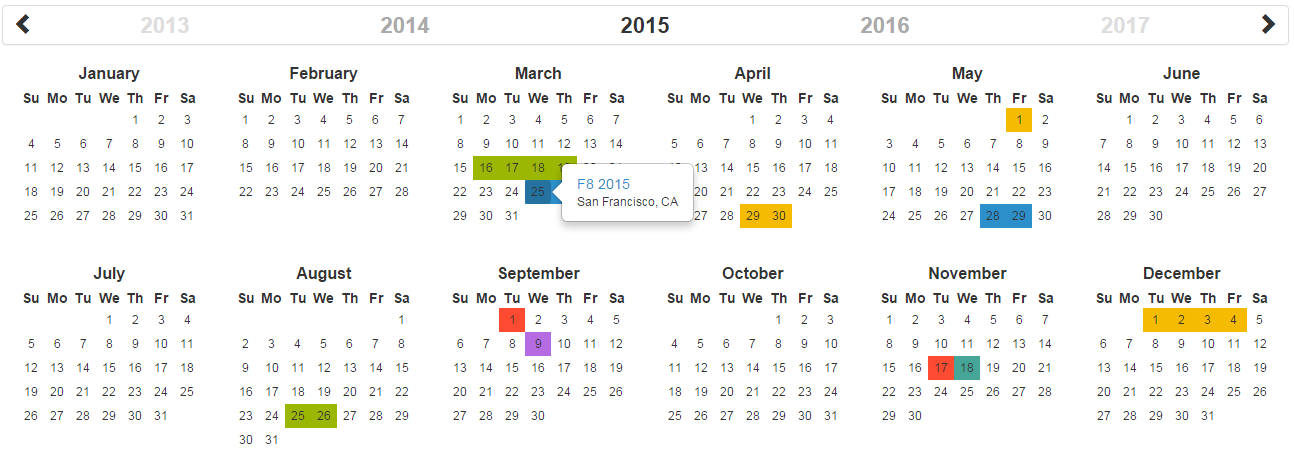\r\n\r\n[](https://circleci.com/gh/year-calendar/js-year-calendar/tree/master)\r\n[](https://codecov.io/gh/year-calendar/js-year-calendar)\r\n[](https://www.npmjs.com/package/js-year-calendar)\r\n\r\nThis library is also available for:\r\n\r\n[](https://github.com/year-calendar/rc-year-calendar) \r\n[](https://github.com/year-calendar/v-year-calendar)\r\n\r\n## Requirements\r\n\r\nThis plugin uses pure javascript. No library is required.\r\n\r\n## Installation\r\n\r\nYou can get the widget using the following methods:\r\n- From the [GitHub repository](https://github.com/year-calendar/js-year-calendar/releases)\r\n- From the Node package manager, using the following command: `npm install js-year-calendar`\r\n- From Yarn, using the following command: `yarn add js-year-calendar`\r\n- From the CDN, by adding the following script directly in your HTML page:\r\n\r\n``\r\n\r\nAND\r\n\r\n``\r\n\r\n## Initialization\r\n\r\nIf you're using javascript modules, don't forget to import the library:\r\n\r\n```\r\nimport Calendar from 'js-year-calendar';\r\nimport 'js-year-calendar/dist/js-year-calendar.css';\r\n```\r\n\r\n## Usage\r\n\r\nYou can create a calendar using the following javascript code :\r\n```\r\nnew Calendar('.calendar')\r\n```\r\n\r\nOr\r\n\r\n```\r\nnew Calendar(document.querySelector('.calendar'));\r\n```\r\n\r\nWhere `.calendar` is the selector of a `DIV` element that should contain your calendar.\r\n\r\nYou can also use the following HTML if you don't want to use javascript to initialize the calendar\r\n```\r\n\r\n```\r\nThe calendar will be automatically created when the page will finish loading\r\n\r\n## Using options\r\n\r\nYou can specify options to customize the calendar:\r\n```\r\nnew Calendar('.calendar', {\r\n style: 'background',\r\n minDate: new Date()\r\n})\r\n```\r\n\r\nYou can find the exhaustive list of options in the [documentation](https://year-calendar.github.io/js-year-calendar/documentation).\r\n\r\n## Language\r\n\r\nIf you want to use the calendar in a different language, you should import the locale file corresponding to the language you want to use, and then set the `language` prop of the calendar:\r\n\r\n```\r\nimport Calendar from 'js-year-calendar';\r\nimport 'js-year-calendar/locales/js-year-calendar.fr';\r\n```\r\n\r\nOR\r\n\r\n```\r\n\r\n\r\n```\r\n\r\nThen\r\n\r\n```\r\nnew Calendar('.calendar', {\r\n language: 'fr'\r\n})\r\n```\r\n\r\nThe list of available languages is available [here](https://github.com/year-calendar/js-year-calendar/tree/master/locales)\r\n\r\n## Updating calendar\r\n\r\nYou can update the calendar after being instantiated:\r\n```\r\nconst calendar = new Calendar('.calendar');\r\n\r\ncalendar.setStyle('background');\r\ncalendar.setMaxDate(new Date());\r\n```\r\n\r\nYou can find the exhaustive list of methods in the [documentation](https://year-calendar.github.io/js-year-calendar/documentation).\r\n\r\n## Events\r\n\r\nYou can bind events to the calendar at initialization\r\n```\r\nconst calendar = new Calendar('.calendar', {\r\n clickDay: function(e) {\r\n alert('Click on day ' + e.date.toString());\r\n }\r\n});\r\n```\r\n\r\nor later\r\n\r\n```\r\nnew Calendar('.calendar');\r\ndocument.querySelector('.calendar').addEventListener('clickDay', function(e) {\r\n alert('Click on day ' + e.date.toString());\r\n});\r\n```\r\n\r\nYou can find the exhaustive list of events in the [documentation](https://year-calendar.github.io/js-year-calendar/documentation).\r\n\r\n## Migrating from bootstrap-year-calendar\r\n\r\nThis widget is based on the [bootstrap-year-calendar](https://github.com/Paul-DS/bootstrap-year-calendar) widget.\r\nIf you were using this widget, these are the modifications to apply to successfully migrate your project:\r\n\r\n### Initialization\r\n\r\nThe project doesn't use jQuery anymore, so the initialization of the calendar will be using pure Javascript.\r\n\r\nThe old code:\r\n```\r\n$('.calendar').calendar({ /* Options */ })\r\n```\r\n\r\nWill be replaced by:\r\n```\r\nnew Calendar('.calendar', { /* Options */ });\r\n```\r\n\r\nOr \r\n\r\n```\r\nnew Calendar($('.calendar').get(0), { /* Options */ });\r\n// Use \".get(0)\" to get the DOM element from the jQuery element\r\n```\r\n\r\n### Get the calendar from the DOM element\r\n\r\nGiven that the widget doesn't rely on jQuery, it won't be possible to get the calendar instance from the DOM element anymore:\r\n```\r\n$('.calendar').data('calendar').set...();\r\n```\r\n\r\nYou will have to store the instance of the calendar by yourself:\r\n```\r\nconst calendar = new Calendar('.calendar');\r\n\r\n...\r\n\r\ncalendar.set...();\r\n```\r\n\r\n## What next\r\n\r\nCheck the [documentation](https://year-calendar.github.io/js-year-calendar/documentation) and [examples](https://year-calendar.github.io/rc-year-calendar/examples) pages to discover all the functionalities.","readmeFilename":"README.md","gitHead":"afcf34dbb33c3ec633e0145593cb08347a0c76ba","_id":"js-year-calendar@1.0.2-alpha.1","_nodeVersion":"12.16.1","_npmVersion":"6.14.4","dist":{"integrity":"sha512-XGaOstUzitdLen39w1Rw+IkdnKBI8zt93CNflBOS0Sz3DE5o6Q/uUq5g43nDyBPHPyUv56r95hBm7qitb7RcLw==","shasum":"503881c9c8eab8db66378f9b1ca8281e8718cfbd","tarball":"https://registry.npmjs.org/js-year-calendar/-/js-year-calendar-1.0.2-alpha.1.tgz","fileCount":126,"unpackedSize":1736573,"npm-signature":"-----BEGIN PGP SIGNATURE-----\r\nVersion: OpenPGP.js v3.0.4\r\nComment: https://openpgpjs.org\r\n\r\nwsFcBAEBCAAQBQJeiF10CRA9TVsSAnZWagAA4AwP/0sV+/0MntbJOGlc7QRV\n26wX3xgFezC+gkiCUv2OK0dK47bL1tXTHhOnPE7et/my0AjZuTF4McDFNxGm\nFq3vdOntpimrJ2lgt6AmcqEaaJBmP/3QtnkZ6PMaRiEzLK/dJrzBlpxNE4Rj\nLGSQ9NUAFPbpVCvrhgwuXy9++bWUP19Z6KcqxwMkzjQ6UiVH4u6AvspM6VBh\nc0FUeNTOjMxn92Y1m/nbadEBdScY2BkFb7Q11x6NkErFwsorRi93VFBdN7IN\nUIMULj/Xl9cYkrJhbarCwwMdvgdhW1Skc0Nn3OmY67kbTEU9YaulTZay4toX\nGGQ8kw8NA4R8WCCS9a0Kv4yPGkVjDCWhP2HueKXN5kEl7NN7cY0wlHQuAZ/p\nFzVVPOwg/11C0bRMZxeqNtNsXSnOG2N/SpTTk3dlQLLfrW1guMrLDTxLnX1T\nquoXVarKmRFJnChHTW247mlYD9Rlb7E34dHv8tA69qpDFWs0CUah7A+9LpUq\nFHO/0x4NHu8nh9oLsTrMa/RTtRalZLmUL3ct+R0Y+brqajdb5Z9bPNl78w6h\nupSIqCWEj83qcsZOu3hDAK5Ax7f1tD83qP69h0X6YW9fZ+EQRs6oOAG4V6IK\nWPins7r27gDvnCH795FVpVBlBYb6P5tZuT2TC2/2DOKB6ePwgnprRWZ96wq9\nNJvm\r\n=UA2N\r\n-----END PGP SIGNATURE-----\r\n","signatures":[{"keyid":"SHA256:jl3bwswu80PjjokCgh0o2w5c2U4LhQAE57gj9cz1kzA","sig":"MEQCIF/DSlIm2auXN9j6c+FMOOiHma13mDJDmvaY8yTDG61PAiAok0qcmrxvKmqdYRC8sdyncY4oS0u+li5C+09Tl2pjdw=="}]},"maintainers":[{"name":"paul-ds","email":"bootstrap.year.calendar@gmail.com"}],"_npmUser":{"name":"paul-ds","email":"bootstrap.year.calendar@gmail.com"},"directories":{},"_npmOperationalInternal":{"host":"s3://npm-registry-packages","tmp":"tmp/js-year-calendar_1.0.2-alpha.1_1585995124242_0.006080068011830475"},"_hasShrinkwrap":false},"1.0.2":{"name":"js-year-calendar","version":"1.0.2","description":"A fully customizable year calendar widget","main":"./dist/js-year-calendar.js","scripts":{"watch":"gulp watch","build":"gulp build","prepare":"npm run build && npm run test && npm run doc","test":"jest","doc":"typedoc src/ts/js-year-calendar.ts --out docs --mode file --target ES6 --excludePrivate --excludeProtected"},"pre-commit":["build","test"],"repository":{"type":"git","url":"git+https://github.com/year-calendar/js-year-calendar.git"},"keywords":["calendar","year","javascript","widget"],"author":{"name":"Paul-DS"},"license":"Apache-2.0","bugs":{"url":"https://github.com/year-calendar/js-year-calendar/issues"},"homepage":"https://year-calendar.github.io/","dependencies":{},"devDependencies":{"@babel/core":"^7.9.0","@babel/plugin-proposal-class-properties":"^7.8.3","@babel/plugin-transform-modules-umd":"^7.9.0","@babel/preset-env":"^7.9.0","@babel/preset-typescript":"^7.9.0","gulp":"^4.0.2","gulp-babel":"^8.0.0","gulp-clean-css":"^4.0.0","gulp-less":"^4.0.1","gulp-rename":"^1.4.0","gulp-typescript":"^5.0.1","gulp-uglify":"^3.0.1","jest":"^25.2.3","typedoc":"^0.17.3","typescript":"^3.8.3"},"jest":{"testMatch":["**/tests/*.[jt]s?(x)"],"collectCoverage":true},"gitHead":"561a8b332a72c180fbc4fa9746bfdb18bf17d4ce","_id":"js-year-calendar@1.0.2","_nodeVersion":"12.16.1","_npmVersion":"6.14.4","dist":{"integrity":"sha512-ayHH/vE7xuXgGCprhQ23REbp3Rb2fy1rXO8jA26Wmuw4vYJ/TTIgFxFuNAlNPL8WR4tNXfnG41nlH3p+hjFesg==","shasum":"eb60df6591b2543520b76245f158ad7e9b2915f2","tarball":"https://registry.npmjs.org/js-year-calendar/-/js-year-calendar-1.0.2.tgz","fileCount":131,"unpackedSize":1737555,"npm-signature":"-----BEGIN PGP SIGNATURE-----\r\nVersion: OpenPGP.js v3.0.4\r\nComment: https://openpgpjs.org\r\n\r\nwsFcBAEBCAAQBQJeichgCRA9TVsSAnZWagAAYXoP+wciInobPro0bTecn8TD\nAjmQ+XH1PCrO1Wmio5K+f90CLFcVc9xmBy8wLGqefThjf5M3EJBCw6ERNC8s\nzPjrIE2PSTjMwZQmksYGbv2ZvrZLcmk5mlEyY8aSSB/lf9FFUDfwnesf2t3j\nL7gNwiKaIAdPw/WLDcHRXaMQVi2iqe7/ujtZvSTUH9KaS4l0q7LBflPP0AgY\n53q/1Vfk3tu099rDXYilBkI2116kWVPdT/YqLWAINeUYU1b5KZkzwVa+F1Qh\ndKdmoWh1FqrR4wQi+sf4QtAtVT8DjPX/fyYEO3EGsVMs5qSQBGkT5jSaUM3V\nlzk3N7vTLVwtUtIeICA/sXXr2f8GasjAmoTPRxXp/RP0eIlipHmWNWmLyICI\nYZCx+TxPxXV/SdN3CdibnZkTmTWGgwM0rfIoijKT8DuHf8eBEbTtsy7Bafk1\n/fsDeBYB3bwuB0V7XivuKJA7A7YeUNZV0e7gZbhINei9upZnMJ9mLEijZ1Sz\ng3Cnfu3O1NCcQy5uegIiHL301Si0V5et0j6AFN+cepe4+PGBnKGSvy4YtImo\nWphNjmjcvNNO4z25ySd5xM9bsZV1LKcvu3Gee9H6lwAE76S7fRHyyx1iJXNc\ng9ZSvcUEIoXs1t8e4xFn3OjSYx0NdfOyY53t8BKWYZJX4pe5fADVRBL8cy5q\nH7Y6\r\n=NI3S\r\n-----END PGP SIGNATURE-----\r\n","signatures":[{"keyid":"SHA256:jl3bwswu80PjjokCgh0o2w5c2U4LhQAE57gj9cz1kzA","sig":"MEQCIC+IXPO21JcBhhLmLzHkhjmAgw8j5o2VJd/SEzHzCeegAiAmpO39mhu552z59U99MVWfCFLZHsNMzsas1Rdgo7iA2Q=="}]},"maintainers":[{"name":"paul-ds","email":"bootstrap.year.calendar@gmail.com"}],"_npmUser":{"name":"paul-ds","email":"bootstrap.year.calendar@gmail.com"},"directories":{},"_npmOperationalInternal":{"host":"s3://npm-registry-packages","tmp":"tmp/js-year-calendar_1.0.2_1586088032185_0.7725320545496237"},"_hasShrinkwrap":false},"2.0.0-alpha.1":{"name":"js-year-calendar","version":"2.0.0-alpha.1","description":"A fully customizable year calendar widget","main":"./dist/js-year-calendar.js","scripts":{"watch":"gulp watch","build":"gulp build","prepare":"npm run build && npm run test && npm run doc","test":"jest","doc":"typedoc src/ts/js-year-calendar.ts --out docs --mode file --target ES6 --excludePrivate --excludeProtected"},"pre-commit":["build","test"],"repository":{"type":"git","url":"git+https://github.com/year-calendar/js-year-calendar.git"},"keywords":["calendar","year","javascript","widget"],"author":{"name":"Paul-DS"},"license":"Apache-2.0","bugs":{"url":"https://github.com/year-calendar/js-year-calendar/issues"},"homepage":"https://year-calendar.github.io/","dependencies":{},"devDependencies":{"@babel/core":"^7.9.0","@babel/plugin-proposal-class-properties":"^7.8.3","@babel/plugin-transform-modules-umd":"^7.9.0","@babel/preset-env":"^7.9.0","@babel/preset-typescript":"^7.9.0","gulp":"^4.0.2","gulp-babel":"^8.0.0","gulp-clean-css":"^4.0.0","gulp-less":"^4.0.1","gulp-rename":"^1.4.0","gulp-typescript":"^5.0.1","gulp-uglify":"^3.0.1","jest":"^25.2.3","typedoc":"^0.17.3","typescript":"^3.8.3"},"jest":{"testMatch":["**/tests/*.[jt]s?(x)"],"collectCoverage":true},"readme":"# js-year-calendar\r\nA fully customizable year calendar widget\r\n\r\n\r\n\r\n[](https://circleci.com/gh/year-calendar/js-year-calendar/tree/master)\r\n[](https://codecov.io/gh/year-calendar/js-year-calendar)\r\n[](https://www.npmjs.com/package/js-year-calendar)\r\n\r\nThis library is also available for:\r\n\r\n[](https://github.com/year-calendar/rc-year-calendar) \r\n[](https://github.com/year-calendar/v-year-calendar)\r\n\r\n## Requirements\r\n\r\nThis plugin uses pure javascript. No library is required.\r\n\r\n## Installation\r\n\r\nYou can get the widget using the following methods:\r\n- From the [GitHub repository](https://github.com/year-calendar/js-year-calendar/releases)\r\n- From the Node package manager, using the following command: `npm install js-year-calendar`\r\n- From Yarn, using the following command: `yarn add js-year-calendar`\r\n- From the CDN, by adding the following script directly in your HTML page:\r\n\r\n``\r\n\r\nAND\r\n\r\n``\r\n\r\n## Initialization\r\n\r\nIf you're using javascript modules, don't forget to import the library:\r\n\r\n```\r\nimport Calendar from 'js-year-calendar';\r\nimport 'js-year-calendar/dist/js-year-calendar.css';\r\n```\r\n\r\n## Usage\r\n\r\nYou can create a calendar using the following javascript code :\r\n```\r\nnew Calendar('.calendar')\r\n```\r\n\r\nOr\r\n\r\n```\r\nnew Calendar(document.querySelector('.calendar'));\r\n```\r\n\r\nWhere `.calendar` is the selector of a `DIV` element that should contain your calendar.\r\n\r\nYou can also use the following HTML if you don't want to use javascript to initialize the calendar\r\n```\r\n\r\n```\r\nThe calendar will be automatically created when the page will finish loading\r\n\r\n## Using options\r\n\r\nYou can specify options to customize the calendar:\r\n```\r\nnew Calendar('.calendar', {\r\n style: 'background',\r\n minDate: new Date()\r\n})\r\n```\r\n\r\nYou can find the exhaustive list of options in the [documentation](https://year-calendar.github.io/js-year-calendar/documentation).\r\n\r\n## Language\r\n\r\nIf you want to use the calendar in a different language, you should import the locale file corresponding to the language you want to use, and then set the `language` prop of the calendar:\r\n\r\n```\r\nimport Calendar from 'js-year-calendar';\r\nimport 'js-year-calendar/locales/js-year-calendar.fr';\r\n```\r\n\r\nOR\r\n\r\n```\r\n\r\n\r\n```\r\n\r\nThen\r\n\r\n```\r\nnew Calendar('.calendar', {\r\n language: 'fr'\r\n})\r\n```\r\n\r\nThe list of available languages is available [here](https://github.com/year-calendar/js-year-calendar/tree/master/locales)\r\n\r\n## Updating calendar\r\n\r\nYou can update the calendar after being instantiated:\r\n```\r\nconst calendar = new Calendar('.calendar');\r\n\r\ncalendar.setStyle('background');\r\ncalendar.setMaxDate(new Date());\r\n```\r\n\r\nYou can find the exhaustive list of methods in the [documentation](https://year-calendar.github.io/js-year-calendar/documentation).\r\n\r\n## Events\r\n\r\nYou can bind events to the calendar at initialization\r\n```\r\nconst calendar = new Calendar('.calendar', {\r\n clickDay: function(e) {\r\n alert('Click on day ' + e.date.toString());\r\n }\r\n});\r\n```\r\n\r\nor later\r\n\r\n```\r\nnew Calendar('.calendar');\r\ndocument.querySelector('.calendar').addEventListener('clickDay', function(e) {\r\n alert('Click on day ' + e.date.toString());\r\n});\r\n```\r\n\r\nYou can find the exhaustive list of events in the [documentation](https://year-calendar.github.io/js-year-calendar/documentation).\r\n\r\n## Migrating from bootstrap-year-calendar\r\n\r\nThis widget is based on the [bootstrap-year-calendar](https://github.com/Paul-DS/bootstrap-year-calendar) widget.\r\nIf you were using this widget, these are the modifications to apply to successfully migrate your project:\r\n\r\n### Initialization\r\n\r\nThe project doesn't use jQuery anymore, so the initialization of the calendar will be using pure Javascript.\r\n\r\nThe old code:\r\n```\r\n$('.calendar').calendar({ /* Options */ })\r\n```\r\n\r\nWill be replaced by:\r\n```\r\nnew Calendar('.calendar', { /* Options */ });\r\n```\r\n\r\nOr \r\n\r\n```\r\nnew Calendar($('.calendar').get(0), { /* Options */ });\r\n// Use \".get(0)\" to get the DOM element from the jQuery element\r\n```\r\n\r\n### Get the calendar from the DOM element\r\n\r\nGiven that the widget doesn't rely on jQuery, it won't be possible to get the calendar instance from the DOM element anymore:\r\n```\r\n$('.calendar').data('calendar').set...();\r\n```\r\n\r\nYou will have to store the instance of the calendar by yourself:\r\n```\r\nconst calendar = new Calendar('.calendar');\r\n\r\n...\r\n\r\ncalendar.set...();\r\n```\r\n\r\n## What next\r\n\r\nCheck the [documentation](https://year-calendar.github.io/js-year-calendar/documentation) and [examples](https://year-calendar.github.io/rc-year-calendar/examples) pages to discover all the functionalities.","readmeFilename":"README.md","gitHead":"e3929844fd856270c7e58a2382f2ccea679c65e2","_id":"js-year-calendar@2.0.0-alpha.1","_nodeVersion":"12.16.1","_npmVersion":"6.14.4","dist":{"integrity":"sha512-VGs5e/19mPj2EcvfnkirIi2xqKwMyBj7rnbaFiILUS5/cBl6EjVzynC9lSDQXMPJnlGv9ZOn8VPvCFrGMhHOxQ==","shasum":"fa0ebe52eee0e0438d97de4e090bb4070685497d","tarball":"https://registry.npmjs.org/js-year-calendar/-/js-year-calendar-2.0.0-alpha.1.tgz","fileCount":133,"unpackedSize":1811864,"npm-signature":"-----BEGIN PGP SIGNATURE-----\r\nVersion: OpenPGP.js v3.0.4\r\nComment: https://openpgpjs.org\r\n\r\nwsFcBAEBCAAQBQJeif0RCRA9TVsSAnZWagAA4dUP/RmXOP5WIqtFjeTIoqum\n9sjuUBXlBT+vNT8jzsAIsyVWCDvimq1K5oqSkEg+7cecp7Il28fufUn+yyyA\nlIZ0heQQ6fGYZXoVknerC3wm+81bB+7KpJ4knRziJXMwZAwYJNkFzgO1Qik7\nB8NzdmQRDqq4NkoGrny2Hy0VGXYi/yY4ssaQqt1WwJepX98jM1C1d3b1vhpC\nbI8eN+0b6B7xyrVwwDO1XNcUSEPHCkfyC33arxXH35n+x6ynr7OpqV460nEO\nR0K94dS6kmSlUmb0omz5DtXoclj2BXp5uCpty14ktnXkDRs94Hk/jO771Pk0\nLRYxIQGKF8BQd469cY5UpTCWy/GSJs3x1g7BR7qirPi2Oezp6eREdFj8hGZJ\n4efiFKSy93j08Qfigr1W+o+2nS1AfXdRwFScu0P9Ge1N51gMm5hipy7JzAhi\nr1TZb7XRQQIm2p1ro0vOaYRpQ+6NpUxla0Wm1GRVFDG4mYfOHGinfpcVmM9I\nZZhG6D2r1bO054vVTB6e1PfcaFaGvwEPlVFTxxYY3pBbOmuozPgAIR+NUCL7\nJ7kwatZr/uofZ415u/jFx5wXt3Dlk8SsZyZo7Bg4io7OkmB7ZRiisLu5Rkuy\ndlFf6/e06YQ2uc9xPBYxqsQCMPuP7pit7eBL8x287mE4uMunb5Ui8lwh4qmg\n4S4a\r\n=BuMJ\r\n-----END PGP SIGNATURE-----\r\n","signatures":[{"keyid":"SHA256:jl3bwswu80PjjokCgh0o2w5c2U4LhQAE57gj9cz1kzA","sig":"MEUCIACRp3hlkAbCN6wucmfzqOocpzXlDXJlXamD3hPEtsEAAiEAn/39nsF5FvfjOplAehGE2m+mG9utgczybIVGkET6zcE="}]},"maintainers":[{"name":"paul-ds","email":"bootstrap.year.calendar@gmail.com"}],"_npmUser":{"name":"paul-ds","email":"bootstrap.year.calendar@gmail.com"},"directories":{},"_npmOperationalInternal":{"host":"s3://npm-registry-packages","tmp":"tmp/js-year-calendar_2.0.0-alpha.1_1586101521195_0.8682072871146955"},"_hasShrinkwrap":false},"2.0.0-alpha.2":{"name":"js-year-calendar","version":"2.0.0-alpha.2","description":"A fully customizable year calendar widget","main":"./dist/js-year-calendar.js","scripts":{"watch":"gulp watch","build":"gulp build","prepare":"npm run build && npm run test && npm run doc","test":"jest","doc":"typedoc src/ts/js-year-calendar.ts --out docs --mode file --target ES6 --excludePrivate --excludeProtected"},"pre-commit":["build","test"],"repository":{"type":"git","url":"git+https://github.com/year-calendar/js-year-calendar.git"},"keywords":["calendar","year","javascript","widget"],"author":{"name":"Paul-DS"},"license":"Apache-2.0","bugs":{"url":"https://github.com/year-calendar/js-year-calendar/issues"},"homepage":"https://year-calendar.github.io/","dependencies":{},"devDependencies":{"@babel/core":"^7.9.0","@babel/plugin-proposal-class-properties":"^7.8.3","@babel/plugin-transform-modules-umd":"^7.9.0","@babel/preset-env":"^7.9.0","@babel/preset-typescript":"^7.9.0","gulp":"^4.0.2","gulp-babel":"^8.0.0","gulp-clean-css":"^4.0.0","gulp-less":"^4.0.1","gulp-rename":"^1.4.0","gulp-typescript":"^5.0.1","gulp-uglify":"^3.0.1","jest":"^25.2.3","typedoc":"^0.17.3","typescript":"^3.8.3"},"jest":{"testMatch":["**/tests/*.[jt]s?(x)"],"collectCoverage":true},"readme":"# js-year-calendar\r\nA fully customizable year calendar widget\r\n\r\n\r\n\r\n[](https://circleci.com/gh/year-calendar/js-year-calendar/tree/master)\r\n[](https://codecov.io/gh/year-calendar/js-year-calendar)\r\n[](https://www.npmjs.com/package/js-year-calendar)\r\n\r\nThis library is also available for:\r\n\r\n[](https://github.com/year-calendar/rc-year-calendar) \r\n[](https://github.com/year-calendar/v-year-calendar)\r\n\r\n## Requirements\r\n\r\nThis plugin uses pure javascript. No library is required.\r\n\r\n## Installation\r\n\r\nYou can get the widget using the following methods:\r\n- From the [GitHub repository](https://github.com/year-calendar/js-year-calendar/releases)\r\n- From the Node package manager, using the following command: `npm install js-year-calendar`\r\n- From Yarn, using the following command: `yarn add js-year-calendar`\r\n- From the CDN, by adding the following script directly in your HTML page:\r\n\r\n``\r\n\r\nAND\r\n\r\n``\r\n\r\n## Initialization\r\n\r\nIf you're using javascript modules, don't forget to import the library:\r\n\r\n```\r\nimport Calendar from 'js-year-calendar';\r\nimport 'js-year-calendar/dist/js-year-calendar.css';\r\n```\r\n\r\n## Usage\r\n\r\nYou can create a calendar using the following javascript code :\r\n```\r\nnew Calendar('.calendar')\r\n```\r\n\r\nOr\r\n\r\n```\r\nnew Calendar(document.querySelector('.calendar'));\r\n```\r\n\r\nWhere `.calendar` is the selector of a `DIV` element that should contain your calendar.\r\n\r\nYou can also use the following HTML if you don't want to use javascript to initialize the calendar\r\n```\r\n\r\n```\r\nThe calendar will be automatically created when the page will finish loading\r\n\r\n## Using options\r\n\r\nYou can specify options to customize the calendar:\r\n```\r\nnew Calendar('.calendar', {\r\n style: 'background',\r\n minDate: new Date()\r\n})\r\n```\r\n\r\nYou can find the exhaustive list of options in the [documentation](https://year-calendar.github.io/js-year-calendar/documentation).\r\n\r\n## Language\r\n\r\nIf you want to use the calendar in a different language, you should import the locale file corresponding to the language you want to use, and then set the `language` prop of the calendar:\r\n\r\n```\r\nimport Calendar from 'js-year-calendar';\r\nimport 'js-year-calendar/locales/js-year-calendar.fr';\r\n```\r\n\r\nOR\r\n\r\n```\r\n\r\n\r\n```\r\n\r\nThen\r\n\r\n```\r\nnew Calendar('.calendar', {\r\n language: 'fr'\r\n})\r\n```\r\n\r\nThe list of available languages is available [here](https://github.com/year-calendar/js-year-calendar/tree/master/locales)\r\n\r\n## Updating calendar\r\n\r\nYou can update the calendar after being instantiated:\r\n```\r\nconst calendar = new Calendar('.calendar');\r\n\r\ncalendar.setStyle('background');\r\ncalendar.setMaxDate(new Date());\r\n```\r\n\r\nYou can find the exhaustive list of methods in the [documentation](https://year-calendar.github.io/js-year-calendar/documentation).\r\n\r\n## Events\r\n\r\nYou can bind events to the calendar at initialization\r\n```\r\nconst calendar = new Calendar('.calendar', {\r\n clickDay: function(e) {\r\n alert('Click on day ' + e.date.toString());\r\n }\r\n});\r\n```\r\n\r\nor later\r\n\r\n```\r\nnew Calendar('.calendar');\r\ndocument.querySelector('.calendar').addEventListener('clickDay', function(e) {\r\n alert('Click on day ' + e.date.toString());\r\n});\r\n```\r\n\r\nYou can find the exhaustive list of events in the [documentation](https://year-calendar.github.io/js-year-calendar/documentation).\r\n\r\n## Migrating v1.x to v2.x\r\n\r\nIf you are using the dataSource option as a function (callback or promise), the first parameter has changed:\r\n```\r\nnew Calendar('#calendar', {\r\n dataSource: (year) => {\r\n console.log(year);\r\n }\r\n}\r\n```\r\nbecomes\r\n```\r\nnew Calendar('#calendar', {\r\n dataSource: (period) => {\r\n console.log(period.year);\r\n }\r\n}\r\n```\r\n\r\nFor more details, check [this PR](https://github.com/year-calendar/js-year-calendar/pull/32)\r\n\r\n## Migrating from bootstrap-year-calendar\r\n\r\nThis widget is based on the [bootstrap-year-calendar](https://github.com/Paul-DS/bootstrap-year-calendar) widget.\r\nIf you were using this widget, these are the modifications to apply to successfully migrate your project:\r\n\r\n### Initialization\r\n\r\nThe project doesn't use jQuery anymore, so the initialization of the calendar will be using pure Javascript.\r\n\r\nThe old code:\r\n```\r\n$('.calendar').calendar({ /* Options */ })\r\n```\r\n\r\nWill be replaced by:\r\n```\r\nnew Calendar('.calendar', { /* Options */ });\r\n```\r\n\r\nOr \r\n\r\n```\r\nnew Calendar($('.calendar').get(0), { /* Options */ });\r\n// Use \".get(0)\" to get the DOM element from the jQuery element\r\n```\r\n\r\n### Get the calendar from the DOM element\r\n\r\nGiven that the widget doesn't rely on jQuery, it won't be possible to get the calendar instance from the DOM element anymore:\r\n```\r\n$('.calendar').data('calendar').set...();\r\n```\r\n\r\nYou will have to store the instance of the calendar by yourself:\r\n```\r\nconst calendar = new Calendar('.calendar');\r\n\r\n...\r\n\r\ncalendar.set...();\r\n```\r\n\r\n## What next\r\n\r\nCheck the [documentation](https://year-calendar.github.io/js-year-calendar/documentation) and [examples](https://year-calendar.github.io/rc-year-calendar/examples) pages to discover all the functionalities.","readmeFilename":"README.md","gitHead":"5e0e89f6ff882433d06ecae09dcbf82c00ee22fd","_id":"js-year-calendar@2.0.0-alpha.2","_nodeVersion":"12.16.1","_npmVersion":"6.14.4","dist":{"integrity":"sha512-Ls+uUX5vicIHCCdc1/1jdEUFy0l9/XzVPRraQfpsjc7dDYlmUr7mNDoKGZjmphPVYrcFQypYGpaFgq6rVovzWg==","shasum":"4b8f44645e489372f98bd3fadda58a282e63ce43","tarball":"https://registry.npmjs.org/js-year-calendar/-/js-year-calendar-2.0.0-alpha.2.tgz","fileCount":133,"unpackedSize":1835646,"npm-signature":"-----BEGIN PGP SIGNATURE-----\r\nVersion: OpenPGP.js v3.0.4\r\nComment: https://openpgpjs.org\r\n\r\nwsFcBAEBCAAQBQJe7eN5CRA9TVsSAnZWagAA9ZYP/3O7nBtugftnIJvBiSyW\nhMmqyageOI6/PoWsL0W3WcDuiFe/WSSFlLH3pOi69SjfozOYjYCSlIzPBLcT\nMO424zXcSUjE4djC2AAEqiUvNywzt2pvo610CtWVUeKqH+71q2J5X/it5E6b\nPQuBRwNmckedbf1ida3Q+RsVodrkaYCr/Vscwt8hJ4wknrA5k5UVYUZfpDqv\nFtJhTeX3UoUeUbl9pS9NK/us+aSCgiSZOBxUvFLb/OJPNbVB6qYuP6unXW+g\nZ8hdHK66YhR8VNRr8rgrpSZWTlb7L9z+60p4tW5jFBwrncvGUx22rDCYkvf6\nyPy2fqKty/Yhfe0bcirGoluhclzLSzVS/zypjn2nf5m4uQKct9VZaTKVK40q\ndvnQP47+6m1DHQrbnslFz6/O+H13CzmcnuEOvlz3wg1KxJT1K4RQUIsiGiUB\nJJjKan1v53hCp/2ifuiaMnumw7npWwynUR6L9/CoU9087iGkd0+QQK8saqa2\nge3dnPS6dJoaVAn/Zh98fYXX07/tQf41UQmED6BaJJkbGON3f7PRK18dYmbO\nB+SjHH8aiBH2kE7PHF7Nqk+cSF3rhq/BJMeHiKvJew4OMj12oQUSbqidACi9\n1Z5puGJu7kdAF+T/gjKg0XoI0e7ZQkggXN153O+Pmc2irS/bGKxlnQ5lO7R0\nLciq\r\n=Gdjv\r\n-----END PGP SIGNATURE-----\r\n","signatures":[{"keyid":"SHA256:jl3bwswu80PjjokCgh0o2w5c2U4LhQAE57gj9cz1kzA","sig":"MEQCIDAQMyTEP5MFELoIroJCA0ljD/NPWlJgMOTwCdnR0WvpAiAH+6QSXEuhZ/XqkK1PB3Dw1iyNIpDrA5XtpovtwMcpqA=="}]},"maintainers":[{"name":"paul-ds","email":"bootstrap.year.calendar@gmail.com"}],"_npmUser":{"name":"paul-ds","email":"bootstrap.year.calendar@gmail.com"},"directories":{},"_npmOperationalInternal":{"host":"s3://npm-registry-packages","tmp":"tmp/js-year-calendar_2.0.0-alpha.2_1592648569471_0.7418863393325297"},"_hasShrinkwrap":false},"2.0.0-alpha.3":{"name":"js-year-calendar","version":"2.0.0-alpha.3","description":"A fully customizable year calendar widget","main":"./dist/js-year-calendar.js","scripts":{"watch":"gulp watch","build":"gulp build","prepare":"npm run build && npm run test && npm run doc","test":"jest","doc":"typedoc src/ts"},"pre-commit":["build","test"],"repository":{"type":"git","url":"git+https://github.com/year-calendar/js-year-calendar.git"},"keywords":["calendar","year","javascript","widget"],"author":{"name":"Paul-DS"},"license":"Apache-2.0","bugs":{"url":"https://github.com/year-calendar/js-year-calendar/issues"},"homepage":"https://year-calendar.github.io/","devDependencies":{"@babel/core":"^7.15.0","@babel/plugin-proposal-class-properties":"^7.14.5","@babel/plugin-transform-modules-umd":"^7.14.5","@babel/preset-env":"^7.15.0","@babel/preset-typescript":"^7.15.0","gulp":"^4.0.2","gulp-babel":"^8.0.0","gulp-clean-css":"^4.3.0","gulp-less":"^5.0.0","gulp-rename":"^2.0.0","gulp-typescript":"^5.0.1","gulp-uglify":"^3.0.2","jest":"^27.0.6","typedoc":"^0.19.2","typescript":"^4.0.8"},"jest":{"testMatch":["**/tests/*.[jt]s?(x)"],"collectCoverage":true,"testEnvironment":"jsdom"},"readme":"# js-year-calendar\r\nA fully customizable year calendar widget\r\n\r\n\r\n\r\n[](https://circleci.com/gh/year-calendar/js-year-calendar/tree/master)\r\n[](https://codecov.io/gh/year-calendar/js-year-calendar)\r\n[](https://www.npmjs.com/package/js-year-calendar)\r\n\r\nThis library is also available for:\r\n\r\n[](https://github.com/year-calendar/rc-year-calendar) \r\n[](https://github.com/year-calendar/v-year-calendar)\r\n\r\n## Requirements\r\n\r\nThis plugin uses pure javascript. No library is required.\r\n\r\n## Installation\r\n\r\nYou can get the widget using the following methods:\r\n- From the [GitHub repository](https://github.com/year-calendar/js-year-calendar/releases)\r\n- From the Node package manager, using the following command: `npm install js-year-calendar`\r\n- From Yarn, using the following command: `yarn add js-year-calendar`\r\n- From the CDN, by adding the following script directly in your HTML page:\r\n\r\n``\r\n\r\nAND\r\n\r\n``\r\n\r\n## Initialization\r\n\r\nIf you're using javascript modules, don't forget to import the library:\r\n\r\n```\r\nimport Calendar from 'js-year-calendar';\r\nimport 'js-year-calendar/dist/js-year-calendar.css';\r\n```\r\n\r\n## Usage\r\n\r\nYou can create a calendar using the following javascript code :\r\n```\r\nnew Calendar('.calendar')\r\n```\r\n\r\nOr\r\n\r\n```\r\nnew Calendar(document.querySelector('.calendar'));\r\n```\r\n\r\nWhere `.calendar` is the selector of a `DIV` element that should contain your calendar.\r\n\r\nYou can also use the following HTML if you don't want to use javascript to initialize the calendar\r\n```\r\n\r\n```\r\nThe calendar will be automatically created when the page will finish loading\r\n\r\n## Using options\r\n\r\nYou can specify options to customize the calendar:\r\n```\r\nnew Calendar('.calendar', {\r\n style: 'background',\r\n minDate: new Date()\r\n})\r\n```\r\n\r\nYou can find the exhaustive list of options in the [documentation](https://year-calendar.github.io/js-year-calendar/documentation).\r\n\r\n## Language\r\n\r\nIf you want to use the calendar in a different language, you should import the locale file corresponding to the language you want to use, and then set the `language` prop of the calendar:\r\n\r\n```\r\nimport Calendar from 'js-year-calendar';\r\nimport 'js-year-calendar/locales/js-year-calendar.fr';\r\n```\r\n\r\nOR\r\n\r\n```\r\n\r\n\r\n```\r\n\r\nThen\r\n\r\n```\r\nnew Calendar('.calendar', {\r\n language: 'fr'\r\n})\r\n```\r\n\r\nThe list of available languages is available [here](https://github.com/year-calendar/js-year-calendar/tree/master/locales)\r\n\r\n## Updating calendar\r\n\r\nYou can update the calendar after being instantiated:\r\n```\r\nconst calendar = new Calendar('.calendar');\r\n\r\ncalendar.setStyle('background');\r\ncalendar.setMaxDate(new Date());\r\n```\r\n\r\nYou can find the exhaustive list of methods in the [documentation](https://year-calendar.github.io/js-year-calendar/documentation).\r\n\r\n## Events\r\n\r\nYou can bind events to the calendar at initialization\r\n```\r\nconst calendar = new Calendar('.calendar', {\r\n clickDay: function(e) {\r\n alert('Click on day ' + e.date.toString());\r\n }\r\n});\r\n```\r\n\r\nor later\r\n\r\n```\r\nnew Calendar('.calendar');\r\ndocument.querySelector('.calendar').addEventListener('clickDay', function(e) {\r\n alert('Click on day ' + e.date.toString());\r\n});\r\n```\r\n\r\nYou can find the exhaustive list of events in the [documentation](https://year-calendar.github.io/js-year-calendar/documentation).\r\n\r\n## Migrating v1.x to v2.x\r\n\r\nIf you are using the dataSource option as a function (callback or promise), the first parameter has changed:\r\n```\r\nnew Calendar('#calendar', {\r\n dataSource: (year) => {\r\n console.log(year);\r\n }\r\n}\r\n```\r\nbecomes\r\n```\r\nnew Calendar('#calendar', {\r\n dataSource: (period) => {\r\n console.log(period.year);\r\n }\r\n}\r\n```\r\n\r\nFor more details, check [this PR](https://github.com/year-calendar/js-year-calendar/pull/32)\r\n\r\n## Migrating from bootstrap-year-calendar\r\n\r\nThis widget is based on the [bootstrap-year-calendar](https://github.com/Paul-DS/bootstrap-year-calendar) widget.\r\nIf you were using this widget, these are the modifications to apply to successfully migrate your project:\r\n\r\n### Initialization\r\n\r\nThe project doesn't use jQuery anymore, so the initialization of the calendar will be using pure Javascript.\r\n\r\nThe old code:\r\n```\r\n$('.calendar').calendar({ /* Options */ })\r\n```\r\n\r\nWill be replaced by:\r\n```\r\nnew Calendar('.calendar', { /* Options */ });\r\n```\r\n\r\nOr \r\n\r\n```\r\nnew Calendar($('.calendar').get(0), { /* Options */ });\r\n// Use \".get(0)\" to get the DOM element from the jQuery element\r\n```\r\n\r\n### Get the calendar from the DOM element\r\n\r\nGiven that the widget doesn't rely on jQuery, it won't be possible to get the calendar instance from the DOM element anymore:\r\n```\r\n$('.calendar').data('calendar').set...();\r\n```\r\n\r\nYou will have to store the instance of the calendar by yourself:\r\n```\r\nconst calendar = new Calendar('.calendar');\r\n\r\n...\r\n\r\ncalendar.set...();\r\n```\r\n\r\n## What next\r\n\r\nCheck the [documentation](https://year-calendar.github.io/js-year-calendar/documentation) and [examples](https://year-calendar.github.io/rc-year-calendar/examples) pages to discover all the functionalities.","readmeFilename":"README.md","gitHead":"257c888720d5672762837beeaa3ca3ed4961c7e1","_id":"js-year-calendar@2.0.0-alpha.3","_nodeVersion":"12.16.1","_npmVersion":"7.5.4","dist":{"integrity":"sha512-KETZ4ppMiNwt4mnHRzIgN53XI3QOxbHHQd9U0BvOHVxLiyBPiOArDjqxM6/keXdsbFxV6wvIsM80gpjq2I/fWw==","shasum":"c3f1b7988284e41115973df1a091ba6b79e6e168","tarball":"https://registry.npmjs.org/js-year-calendar/-/js-year-calendar-2.0.0-alpha.3.tgz","fileCount":48,"unpackedSize":194305,"npm-signature":"-----BEGIN PGP SIGNATURE-----\r\nVersion: OpenPGP.js v3.0.13\r\nComment: https://openpgpjs.org\r\n\r\nwsFcBAEBCAAQBQJhImH+CRA9TVsSAnZWagAApWIP/Rmj5Usycb59JfJkXdta\nuJEv5Z8WFs4AEMN3CPRsIot3RHAaK5FE1lvODJHAS1D5YXmug3lEamxhwJb/\nqANvFdVFSQi41N28Ifwbn37NfiKiyoqT5upuL0pAcwdBwVYeE090PVtlbH17\nrHxnHvkX5PfOsN0H0Bqj2uOdIMJAtfG6N3w9vMe1IUOdrZABtywm6CMduGLT\nR4o0xJF55it4MArt6Co4YuQMxrYr1tVnC103TdsIhItkyzkm4wANj36fWSXv\nhITHi4fe6b0e/IaZOCZM7u0fE2sxx+sTrT/HxebaTKqo5B73iBL2wCeFrbA/\nB9/y3xEpKQopjw24F7MzTyi20+vfwIwqPs+mqz+TdutzsY0CD4s8i7U852cD\n20EuBC9qjFG6CUuAUZAfQbt6YD4DRel45P9cH1c19bmXgQ24kb5anA4wf+tk\niEYkxMXccE2MbOgXHI2gbh6l/jgQTUCxpbml34B9nxoOqtyjKVdb5KLjYGlm\nfavXifq9TTeoBEBgL+jwq5PeKxBqPm/BOswludMI7nhBPBOGiuQwot7wjpjw\ncKeD6CXnjpkcn4ehAe8Nkv6b3mBqVtVBbzYMHb17RmNTur7m4JXw/7aNHSod\neSJZLuCkfUmUbhJjcMdGRRNJyEdNWTNJsCbnoyd4BIOL/uAqWXy2nDoOFCNm\nYPCm\r\n=Ejg6\r\n-----END PGP SIGNATURE-----\r\n","signatures":[{"keyid":"SHA256:jl3bwswu80PjjokCgh0o2w5c2U4LhQAE57gj9cz1kzA","sig":"MEUCIQDBvpMsTamCekZbJvchJRUT2tVH8xvpCTPYrZw/Sm91ZQIgMuwl5zdOKk6TE/YZAFSRXqZZ9/yJgRWIn5kbb4VhwXo="}]},"_npmUser":{"name":"paul-ds","email":"bootstrap.year.calendar@gmail.com"},"directories":{},"maintainers":[{"name":"paul-ds","email":"bootstrap.year.calendar@gmail.com"}],"_npmOperationalInternal":{"host":"s3://npm-registry-packages","tmp":"tmp/js-year-calendar_2.0.0-alpha.3_1629643262408_0.07523092794321351"},"_hasShrinkwrap":false},"2.0.0":{"name":"js-year-calendar","version":"2.0.0","description":"A fully customizable year calendar widget","main":"./dist/js-year-calendar.js","scripts":{"watch":"gulp watch","build":"gulp build","prepare":"npm run build && npm run test && npm run doc","test":"jest","doc":"typedoc src/ts"},"pre-commit":["build","test"],"repository":{"type":"git","url":"git+https://github.com/year-calendar/js-year-calendar.git"},"keywords":["calendar","year","javascript","widget"],"author":{"name":"Paul-DS"},"license":"Apache-2.0","bugs":{"url":"https://github.com/year-calendar/js-year-calendar/issues"},"homepage":"https://year-calendar.github.io/","devDependencies":{"@babel/core":"^7.15.0","@babel/plugin-proposal-class-properties":"^7.14.5","@babel/plugin-transform-modules-umd":"^7.14.5","@babel/preset-env":"^7.15.0","@babel/preset-typescript":"^7.15.0","gulp":"^4.0.2","gulp-babel":"^8.0.0","gulp-clean-css":"^4.3.0","gulp-less":"^5.0.0","gulp-rename":"^2.0.0","gulp-typescript":"^5.0.1","gulp-uglify":"^3.0.2","jest":"^27.0.6","typedoc":"^0.19.2","typescript":"^4.0.8"},"jest":{"testMatch":["**/tests/*.[jt]s?(x)"],"collectCoverage":true,"testEnvironment":"jsdom"},"gitHead":"63832a492699e5d31a239c10f94f3db29f3aa873","_id":"js-year-calendar@2.0.0","_nodeVersion":"12.16.1","_npmVersion":"7.21.0","dist":{"integrity":"sha512-Q1cB25/9fQkl/FefzrfwMBGbDSoF5nCHEj3LGHJh2BdXdFUJf1asFn6A7jnMrdo+c4QpDoc0HEcvhu+SjmGOaw==","shasum":"60c834284f863070ff0abb1aba0f46a7c56e0717","tarball":"https://registry.npmjs.org/js-year-calendar/-/js-year-calendar-2.0.0.tgz","fileCount":48,"unpackedSize":194297,"npm-signature":"-----BEGIN PGP SIGNATURE-----\r\nVersion: OpenPGP.js v3.0.13\r\nComment: https://openpgpjs.org\r\n\r\nwsFcBAEBCAAQBQJhJUjNCRA9TVsSAnZWagAA7FYP/iQ0YQ/msvwQxhjg9Z9z\nxEqTT6L6p1413JZxRPlwF3oGV0qC8HfESG3N2F+EMFqQUhedgWdNUJTiVXb+\n3ZpXzOyAvI0vnGJJahCjGNl8hqpYY33kaBWKCnhm8NDprIxgmryA2muKseVd\nWQXcQSMMIzNfs1nPOMC6/uCSepWi4s1QsUM9fRj/SIPyLdZsWJg8NNgCeTKH\nLG/ba9Ua94labLPzM9dIY97zo0Q7r2rFgFCvjtAiwilK77F4n79xXPtvmfPF\nTF2INRmrGPAWNKUZuqjSTcvDCDL7PlU1gHCFOczc65nadrm+lPIsjxf/ckm+\nFajvCchsubKbnMtGHliEZZetGnj5pnUgQRiKs0bqZE+6jV27DvvPbN92bXs9\ndh7sE0C6GTaSaYYXb0bsu0otWw0XRhqzvGhUAuwPoeM0t6EI0MhtZzTkfyXI\nsE3Z3kMuKcskdLBHC/EQh0O5D/Zhc9+JA/R3TXftt5TfoX+++D2vhjSAKvoh\n8jg2En/YiSNdQ7RMxZRrrbKWdRcn4YzGtTatv8VYnCoG6KgLcBCKRUKBKiYQ\nonehgWBLlFt7SpXa939j6lH6PHI09cOpl0/ar3/O965ZRHFfI3y062MWcKz6\nLTKXEvj0aktzX2+xi2Enr1NlPefqCa6930Tw2uXKfcqk6rugGzeM/v9eXlQz\nIqeD\r\n=dkZM\r\n-----END PGP SIGNATURE-----\r\n","signatures":[{"keyid":"SHA256:jl3bwswu80PjjokCgh0o2w5c2U4LhQAE57gj9cz1kzA","sig":"MEUCIQCHhdMfYz1hT512TIQWL9xsafGBgUi67Ej2RDy25cjTmQIgUpFrorGi4D+TeTjjBckj3RmbWzLSLlLgKErBGubVlto="}]},"_npmUser":{"name":"paul-ds","email":"bootstrap.year.calendar@gmail.com"},"directories":{},"maintainers":[{"name":"paul-ds","email":"bootstrap.year.calendar@gmail.com"}],"_npmOperationalInternal":{"host":"s3://npm-registry-packages","tmp":"tmp/js-year-calendar_2.0.0_1629833421427_0.13741421026460943"},"_hasShrinkwrap":false}},"time":{"created":"2019-03-06T21:55:09.701Z","1.0.0-alpha.1":"2019-03-06T21:55:09.904Z","modified":"2022-05-06T19:53:00.589Z","1.0.0-alpha.2":"2019-03-07T11:36:31.105Z","1.0.0-alpha.3":"2019-03-13T09:22:46.905Z","1.0.0-alpha.4":"2019-03-13T16:21:45.240Z","1.0.0-alpha.5":"2019-03-25T20:42:21.937Z","1.0.0-alpha.6":"2019-03-25T22:46:08.190Z","1.0.0-alpha.7":"2019-08-13T15:04:30.715Z","1.0.0":"2020-03-28T15:45:30.489Z","1.0.1":"2020-03-29T12:45:48.563Z","1.0.2-alpha.1":"2020-04-04T10:12:04.438Z","1.0.2":"2020-04-05T12:00:32.338Z","2.0.0-alpha.1":"2020-04-05T15:45:21.367Z","2.0.0-alpha.2":"2020-06-20T10:22:49.623Z","2.0.0-alpha.3":"2021-08-22T14:41:02.572Z","2.0.0":"2021-08-24T19:30:21.594Z"},"maintainers":[{"name":"paul-ds","email":"bootstrap.year.calendar@gmail.com"}],"description":"A fully customizable year calendar widget","homepage":"https://year-calendar.github.io/","keywords":["calendar","year","javascript","widget"],"repository":{"type":"git","url":"git+https://github.com/year-calendar/js-year-calendar.git"},"author":{"name":"Paul-DS"},"bugs":{"url":"https://github.com/year-calendar/js-year-calendar/issues"},"license":"Apache-2.0","readme":"# js-year-calendar\r\nA fully customizable year calendar widget\r\n\r\n\r\n\r\n[](https://circleci.com/gh/year-calendar/js-year-calendar/tree/master)\r\n[](https://codecov.io/gh/year-calendar/js-year-calendar)\r\n[](https://www.npmjs.com/package/js-year-calendar)\r\n\r\nThis library is also available for:\r\n\r\n[](https://github.com/year-calendar/rc-year-calendar) \r\n[](https://github.com/year-calendar/v-year-calendar)\r\n\r\n## Requirements\r\n\r\nThis plugin uses pure javascript. No library is required.\r\n\r\n## Installation\r\n\r\nYou can get the widget using the following methods:\r\n- From the [GitHub repository](https://github.com/year-calendar/js-year-calendar/releases)\r\n- From the Node package manager, using the following command: `npm install js-year-calendar`\r\n- From Yarn, using the following command: `yarn add js-year-calendar`\r\n- From the CDN, by adding the following script directly in your HTML page:\r\n\r\n``\r\n\r\nAND\r\n\r\n``\r\n\r\n## Initialization\r\n\r\nIf you're using javascript modules, don't forget to import the library:\r\n\r\n```\r\nimport Calendar from 'js-year-calendar';\r\nimport 'js-year-calendar/dist/js-year-calendar.css';\r\n```\r\n\r\n## Usage\r\n\r\nYou can create a calendar using the following javascript code :\r\n```\r\nnew Calendar('.calendar')\r\n```\r\n\r\nOr\r\n\r\n```\r\nnew Calendar(document.querySelector('.calendar'));\r\n```\r\n\r\nWhere `.calendar` is the selector of a `DIV` element that should contain your calendar.\r\n\r\nYou can also use the following HTML if you don't want to use javascript to initialize the calendar\r\n```\r\n\r\n```\r\nThe calendar will be automatically created when the page will finish loading\r\n\r\n## Using options\r\n\r\nYou can specify options to customize the calendar:\r\n```\r\nnew Calendar('.calendar', {\r\n style: 'background',\r\n minDate: new Date()\r\n})\r\n```\r\n\r\nYou can find the exhaustive list of options in the [documentation](https://year-calendar.github.io/js-year-calendar/documentation).\r\n\r\n## Language\r\n\r\nIf you want to use the calendar in a different language, you should import the locale file corresponding to the language you want to use, and then set the `language` prop of the calendar:\r\n\r\n```\r\nimport Calendar from 'js-year-calendar';\r\nimport 'js-year-calendar/locales/js-year-calendar.fr';\r\n```\r\n\r\nOR\r\n\r\n```\r\n\r\n\r\n```\r\n\r\nThen\r\n\r\n```\r\nnew Calendar('.calendar', {\r\n language: 'fr'\r\n})\r\n```\r\n\r\nThe list of available languages is available [here](https://github.com/year-calendar/js-year-calendar/tree/master/locales)\r\n\r\n## Updating calendar\r\n\r\nYou can update the calendar after being instantiated:\r\n```\r\nconst calendar = new Calendar('.calendar');\r\n\r\ncalendar.setStyle('background');\r\ncalendar.setMaxDate(new Date());\r\n```\r\n\r\nYou can find the exhaustive list of methods in the [documentation](https://year-calendar.github.io/js-year-calendar/documentation).\r\n\r\n## Events\r\n\r\nYou can bind events to the calendar at initialization\r\n```\r\nconst calendar = new Calendar('.calendar', {\r\n clickDay: function(e) {\r\n alert('Click on day ' + e.date.toString());\r\n }\r\n});\r\n```\r\n\r\nor later\r\n\r\n```\r\nnew Calendar('.calendar');\r\ndocument.querySelector('.calendar').addEventListener('clickDay', function(e) {\r\n alert('Click on day ' + e.date.toString());\r\n});\r\n```\r\n\r\nYou can find the exhaustive list of events in the [documentation](https://year-calendar.github.io/js-year-calendar/documentation).\r\n\r\n## Migrating v1.x to v2.x\r\n\r\nIf you are using the dataSource option as a function (callback or promise), the first parameter has changed:\r\n```\r\nnew Calendar('#calendar', {\r\n dataSource: (year) => {\r\n console.log(year);\r\n }\r\n}\r\n```\r\nbecomes\r\n```\r\nnew Calendar('#calendar', {\r\n dataSource: (period) => {\r\n console.log(period.year);\r\n }\r\n}\r\n```\r\n\r\nFor more details, check [this PR](https://github.com/year-calendar/js-year-calendar/pull/32)\r\n\r\n## Migrating from bootstrap-year-calendar\r\n\r\nThis widget is based on the [bootstrap-year-calendar](https://github.com/Paul-DS/bootstrap-year-calendar) widget.\r\nIf you were using this widget, these are the modifications to apply to successfully migrate your project:\r\n\r\n### Initialization\r\n\r\nThe project doesn't use jQuery anymore, so the initialization of the calendar will be using pure Javascript.\r\n\r\nThe old code:\r\n```\r\n$('.calendar').calendar({ /* Options */ })\r\n```\r\n\r\nWill be replaced by:\r\n```\r\nnew Calendar('.calendar', { /* Options */ });\r\n```\r\n\r\nOr \r\n\r\n```\r\nnew Calendar($('.calendar').get(0), { /* Options */ });\r\n// Use \".get(0)\" to get the DOM element from the jQuery element\r\n```\r\n\r\n### Get the calendar from the DOM element\r\n\r\nGiven that the widget doesn't rely on jQuery, it won't be possible to get the calendar instance from the DOM element anymore:\r\n```\r\n$('.calendar').data('calendar').set...();\r\n```\r\n\r\nYou will have to store the instance of the calendar by yourself:\r\n```\r\nconst calendar = new Calendar('.calendar');\r\n\r\n...\r\n\r\ncalendar.set...();\r\n```\r\n\r\n## What next\r\n\r\nCheck the [documentation](https://year-calendar.github.io/js-year-calendar/documentation) and [examples](https://year-calendar.github.io/rc-year-calendar/examples) pages to discover all the functionalities.","readmeFilename":"README.md"}