{"_id":"pushbar.js","_rev":"1-2aaa4af3dc28a7af4cf65cb2f85f976e","name":"pushbar.js","dist-tags":{"latest":"1.0.0"},"versions":{"1.0.0":{"name":"pushbar.js","version":"1.0.0","description":"Tiny javascript plugin for creating sliding drawers in web apps","main":"src/pushbar.js","style":"src/pushbar.css","repository":{"type":"git","url":"git+https://github.com/oncebot/pushbar.js.git"},"keywords":["javascript","drawer-navigation","slide-menu"],"author":{"name":"oncebot"},"license":"ISC","bugs":{"url":"https://github.com/oncebot/pushbar.js/issues"},"homepage":"https://github.com/oncebot/pushbar.js#readme","gitHead":"9dd4d68b04a887d6dcfdafd8c60c57bb6a55b459","_id":"pushbar.js@1.0.0","_nodeVersion":"10.16.3","_npmVersion":"6.9.0","dist":{"integrity":"sha512-5VjwY6hmeEnQUY6auIpCqFarET0HJpsDZLEEXYRGxgUJKMxBSpX89l94gnZ9LxCq/BwICs0/HYC6/PRxwQI/lw==","shasum":"aaea45d28f4d99defffb3469f4d2a4ca8893ddcb","tarball":"https://registry.npmjs.org/pushbar.js/-/pushbar.js-1.0.0.tgz","fileCount":11,"unpackedSize":1368821,"npm-signature":"-----BEGIN PGP SIGNATURE-----\r\nVersion: OpenPGP.js v3.0.4\r\nComment: https://openpgpjs.org\r\n\r\nwsFcBAEBCAAQBQJd54FECRA9TVsSAnZWagAA7mQP/iIm08GTql9K/Hxht5vg\nMvWyhx7AWMtXP+cEXIPf7MmQD6Dt3z+7r6MMHKZ/DWGvht7j96Jh4PDLG3to\nAgjXUoIjbJvZLvPXh9uWFEZQNgaQHVAi57xVpgeDZ2LAiGIxWuvxge+o2uGj\nVjcw7AxM8yGgd3YGKRgnEcRII6fDLmbikdSDFSk+EN9Gh/8KcrFOOS4IlR8e\nur3qVrr7SdW+4AWlQvmuaP0zpdwgpvC3npqCc6oQ2HS7+eVKEMfPYb+zwbjW\nYT1Chs4uygJ7HTcBJAxrvis75218HCxVbo5AwfpOkmlCVKVp65XY/cpTj2wB\nAc/xbHJbtY05Mn/dV4mein164BAV1j2g2wdXeNbLCRH5IZMSNES7D0JiiZlr\npVbfZ3lbQrgPWpgxtFu3+X1NXEGkTSrDANctUwkzFvpcxF6SFJe9BcIrbvHS\nZbn44V2M3Xj2Yt44wNEWnMpFo0xXqHmY50hG/tufHvLmSjNvliWVCpIrJn9U\nsD94/SYKGiANjxCkJuHluHw4cBKBBfW2CU6SY4zwtzAv3ncw1sQAD7opQYSG\n+sg1ydlqHi1Se3OeqTt+6ASd0cs2goWmyq+8MHrPZO8c7cyAZbBJTosI0VsJ\nr+bs3vsr51+NWkGgyUoIPUSrK8ckLdj1s6rn29J5l76vDb7wjzIBxGGfkNIQ\nreWh\r\n=6A5r\r\n-----END PGP SIGNATURE-----\r\n","signatures":[{"keyid":"SHA256:jl3bwswu80PjjokCgh0o2w5c2U4LhQAE57gj9cz1kzA","sig":"MEUCIFUvV2dwvYObmdunzYsNqBKngELqeRNy5R+QolaoHmT8AiEA3Ov4m7nqmkbJdXe8L6lOcMBUQTLqvlR9dqjNnnxnZHg="}]},"maintainers":[{"name":"oncebot","email":"hi@oncebot.com"}],"_npmUser":{"name":"oncebot","email":"hi@oncebot.com"},"directories":{},"_npmOperationalInternal":{"host":"s3://npm-registry-packages","tmp":"tmp/pushbar.js_1.0.0_1575452995583_0.5703415309136355"},"_hasShrinkwrap":false}},"time":{"created":"2019-12-04T09:49:55.583Z","1.0.0":"2019-12-04T09:49:55.770Z","modified":"2022-05-13T17:24:38.305Z"},"maintainers":[{"name":"oncebot","email":"hi@oncebot.com"}],"description":"Tiny javascript plugin for creating sliding drawers in web apps","homepage":"https://github.com/oncebot/pushbar.js#readme","keywords":["javascript","drawer-navigation","slide-menu"],"repository":{"type":"git","url":"git+https://github.com/oncebot/pushbar.js.git"},"author":{"name":"oncebot"},"bugs":{"url":"https://github.com/oncebot/pushbar.js/issues"},"license":"ISC","readme":"[☕️ Buy Me A Cofee](https://www.buymeacoffee.com/oncebot)\n\n# Pushbar.js\nPushbar.js is a tiny javascript plugin for creating sliding drawers in web apps\nIt is fully customizable and dependency free.You can use it as sidebar menus or option drawers.\n\n\n### NEW! [ IMPORTANT: USES HAS SLIGNT CHANGE, SEE BELOW ]\n\n1. It's now even smaller and more effitient\n2. Code is now beautified\n3. Added to NPM\n4. Added to CDN\n\n[Demo](https://oncebot.github.io/pushbar.js/)\n\n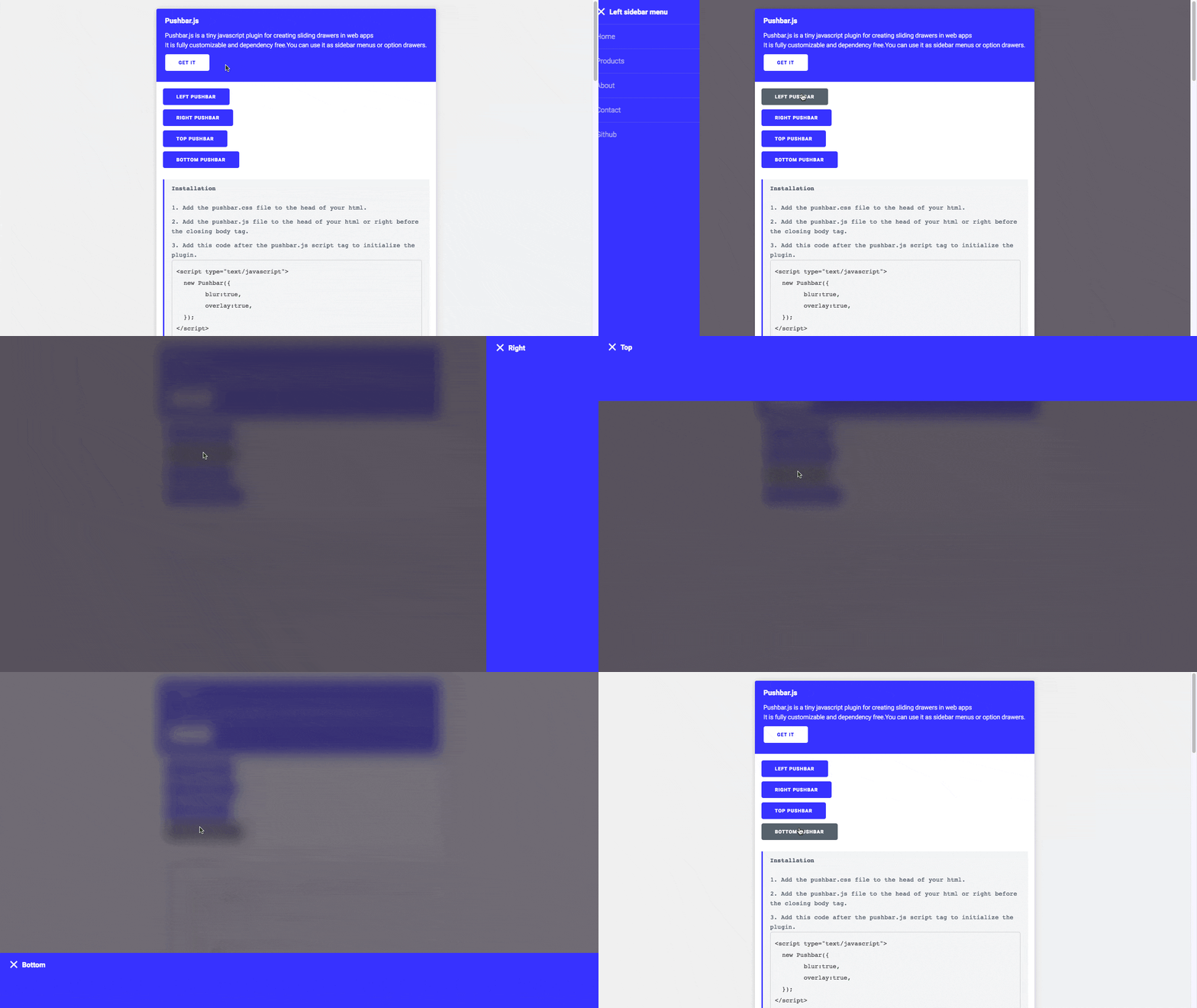\n\n### Installation\n\n1. Add the pushbar.css file to the head of your html.\n2. Add the pushbar.js file to the head of your html or right before the closing body tag.\n3. Add this code after the pushbar.js script tag to initialize the plugin.\n\n```\n\n\t\n```\n\n### Example HTML\n```\n //CHANGE: Older version of pushbar used class=\"pushbar from_left\"\n
\n Push bar content 1\n \n
\n\n //CHANGE: Older version of pushbar used class=\"pushbar from_bottom\"\n
\n ```\n\n ### Direction attributes [NEW]\n\nYou can use 4 directional attributes in pushbar elements\n1. `data-pushbar-direction=\"left\"` So that the pushbar opens from left\n2. `data-pushbar-direction=\"right\"` So that the pushbar opens from right\n3. `data-pushbar-direction=\"top\"` So that the pushbar opens from top\n4. `data-pushbar-direction=\"bottom\"` So that the pushbar opens from bottom\n\n\n### Options\n\n1. blur : set it to true for blur effect on the main content (Default:false)\n2. overlay : set it to true for dark overlay effect on the main content (Default:true)\n\n### API\n\nOpen and close pushbar with api\n```\n\n```\n\n### Events \n\n* 'pushbar_opening': when a pushbar is opening, it will emit 'pushbar_opening' event with an object { element, id }, Where element will be the current pushbar element and the id is the current pushbar id.\n* 'pushbar_closing': when a pushbar is closing, it will emit 'pushbar_closing' event with an object { element, id }, Where element will be the current pushbar element and the id is the current pushbar id.\n\n### License\n\n```\nMIT License\n\nCopyright (c) 2018 Biraj Ghosh \nPermission is hereby granted, free of charge, to any person obtaining a copy\nof this software and associated documentation files (the \"Software\"), to deal\nin the Software without restriction, including without limitation the rights\nto use, copy, modify, merge, publish, distribute, sublicense, and/or sell\ncopies of the Software, and to permit persons to whom the Software is\nfurnished to do so, subject to the following conditions:\n\nThe above copyright notice and this permission notice shall be included in all\ncopies or substantial portions of the Software.\n\nTHE SOFTWARE IS PROVIDED \"AS IS\", WITHOUT WARRANTY OF ANY KIND, EXPRESS OR\nIMPLIED, INCLUDING BUT NOT LIMITED TO THE WARRANTIES OF MERCHANTABILITY,\nFITNESS FOR A PARTICULAR PURPOSE AND NONINFRINGEMENT. IN NO EVENT SHALL THE\nAUTHORS OR COPYRIGHT HOLDERS BE LIABLE FOR ANY CLAIM, DAMAGES OR OTHER\nLIABILITY, WHETHER IN AN ACTION OF CONTRACT, TORT OR OTHERWISE, ARISING FROM,\nOUT OF OR IN CONNECTION WITH THE SOFTWARE OR THE USE OR OTHER DEALINGS IN THE\nSOFTWARE.\n```\n\n[Oncebot](https://oncebot.com)\n","readmeFilename":"README.md"}